Programming_mail.pdf - 第45页
II- 1 Programming Manual Part II Inspection Data Inspection Dat a
I-36
Programming Manual
Part I Basic Operation
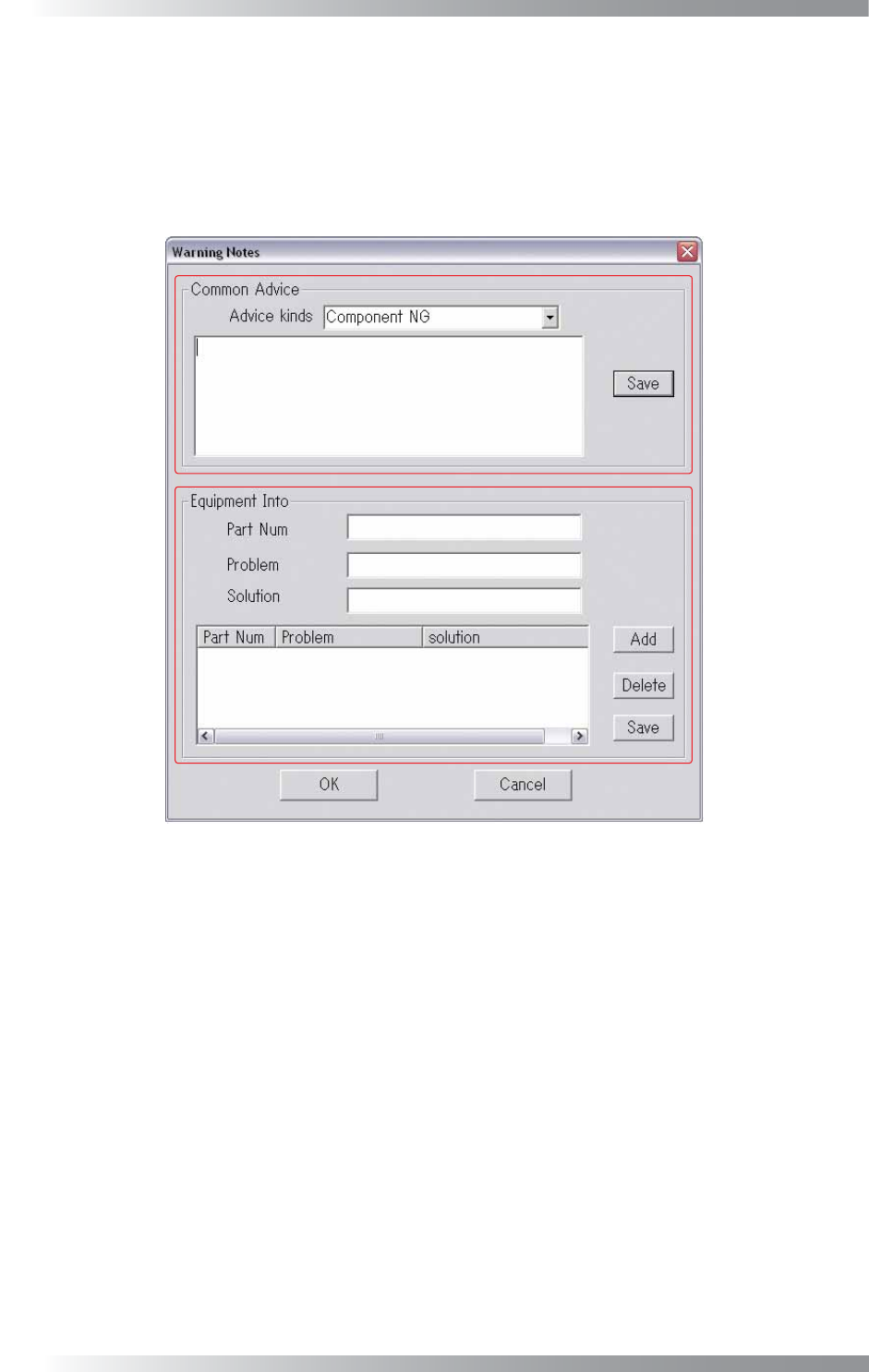
Press Warning Notes in Figure 2-21 Warning Setting.
The Warning Notes dialog shown in Figure 2-22 appears. Modify the warning message in this dialog.
In Common Advice, an advice message as to a defect type can be arranged.
Select a defect type from the Advice Kinds drop-down list and enter an advice in the text-box. Press Save.
In Equipment Info, a message for each component can be set. Press Add to add new items
Press Delete to delete items. Press Save to apply changes.
Figure 2-22 Warning Notes
2.23 Repeatability
Not available.

II-
1
Programming Manual
Part II Inspection Data
Inspection Dat
a
II-2
Programming Manual
Part II Inspection Data
1 Make Inspection Data
Inspection data can be made by AOI machines and BF-Editor (optional system).
CAUTION
Do not use two-byte characters, space, tab, and symbolic characters (\ < > : “ / | ? * . , ; & % =) as
these characters may cause unexpected errors.
1.1 Make Inspection Data on AOI Machine
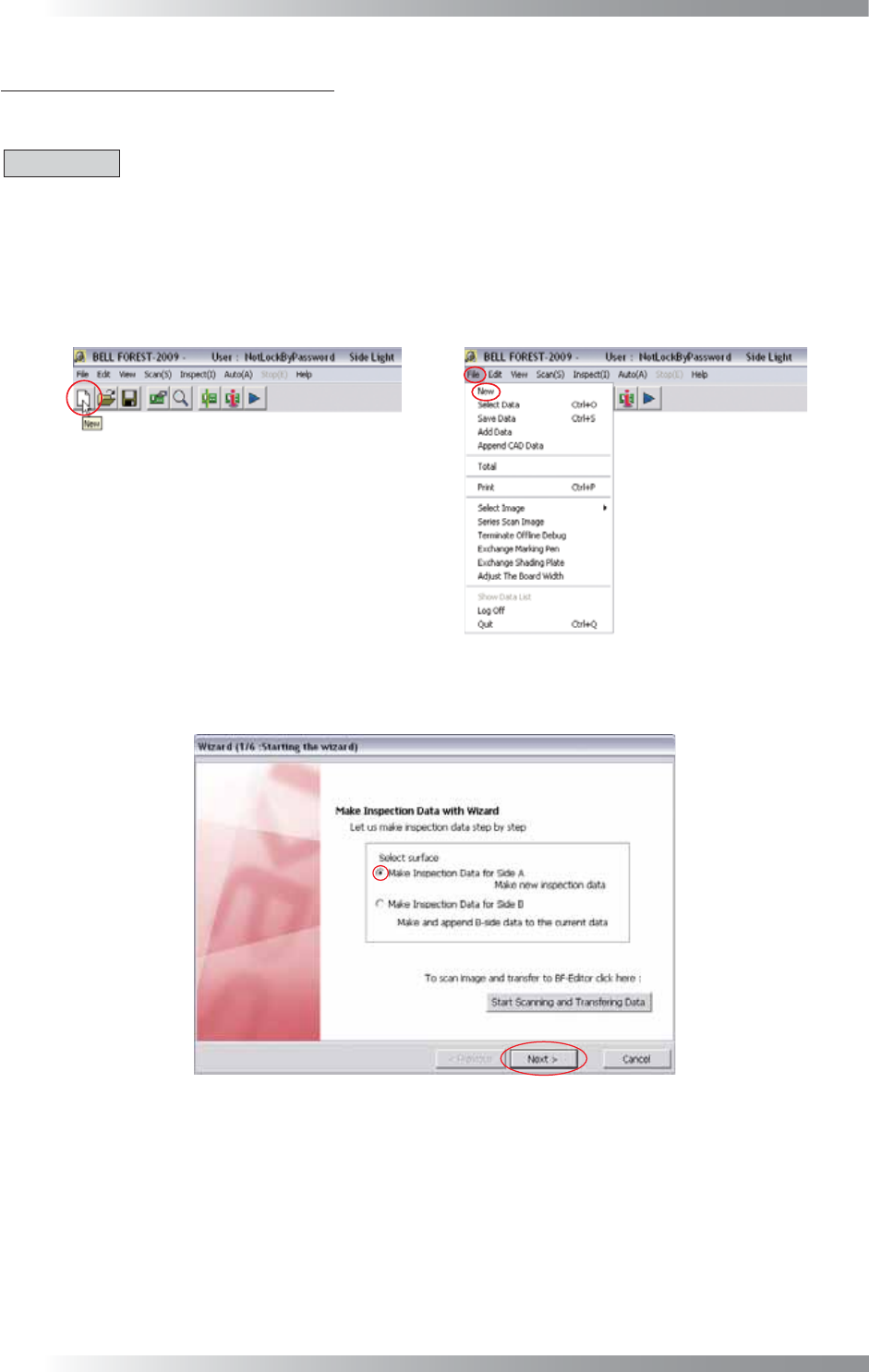
Step1: Press the New button on the tool-bar or select File > New from the menu-bar.
Figure 1-1 New
Step2: Check Make Inspection Data for Side A and press Next.
Figure 1-2 Wizard 1