Programming_mail.pdf - 第72页
II- 28 Programming Manual Part II Inspection Data 1.3.2 Auto Deplo yment of IC Component Step1: Right-click the center of CAD data. The dialog shown in Figure 1-51 appears. Figure 1-51 Auto Deployment of IC Component 1 S…
II-27
Programming Manual
Part II Inspection Data
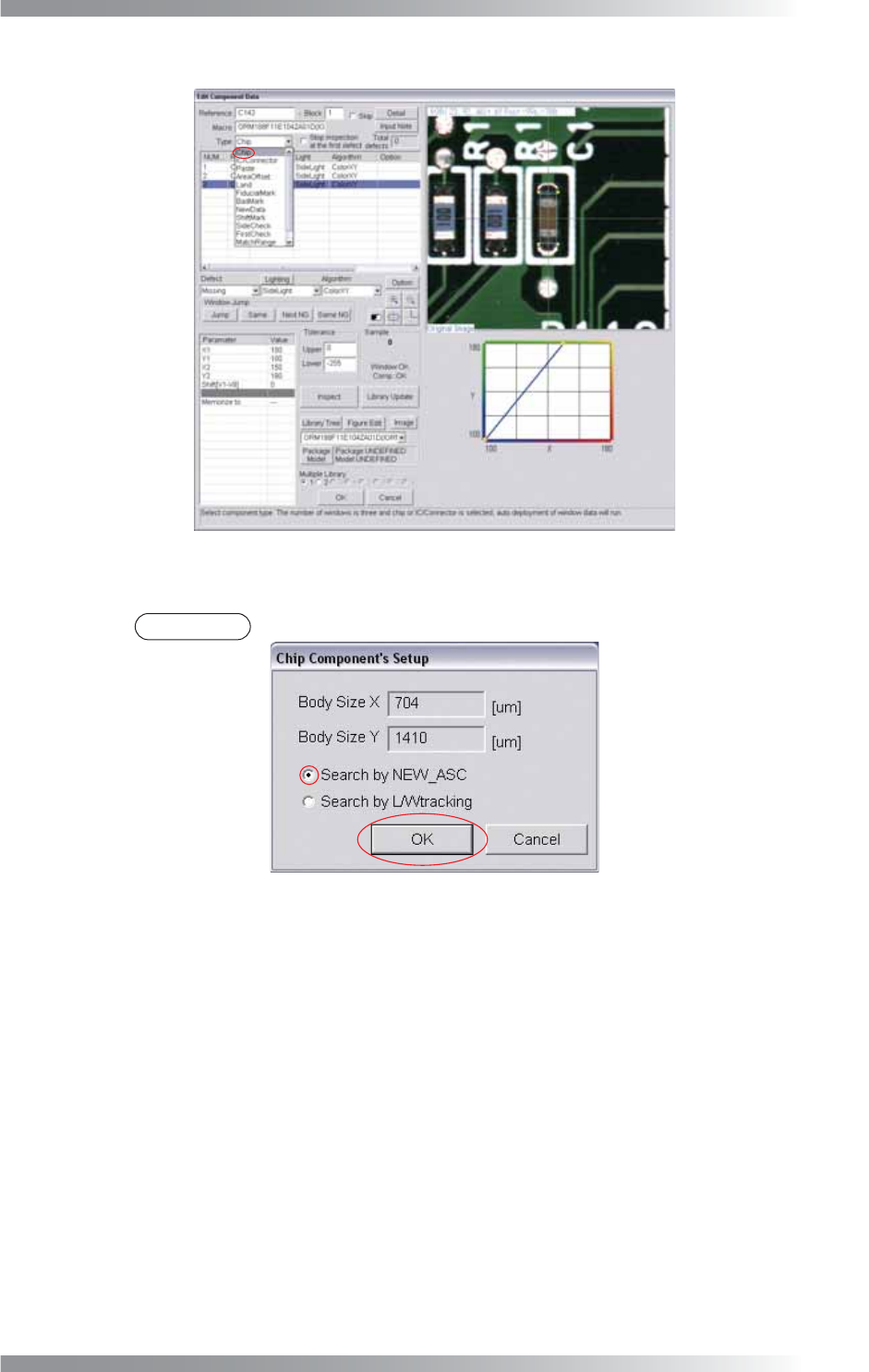
Step3: Select Chip from the Type drop-down list.
Figure 1-49 Auto Deployment of Chip Component 3
Step4: Check Search by NEW_ASC and press OK.
NOTE
If electrodes of a chip component are not visually clear, check Search by L/Wtracking.
Figure 1-50 Auto Deployment of Chip Component 4
Step5: Inspection items are automatically made. For details of inspection data settings, refer to
Part III Inspection Algorithm.
II-28
Programming Manual
Part II Inspection Data
1.3.2 Auto Deployment of IC Component
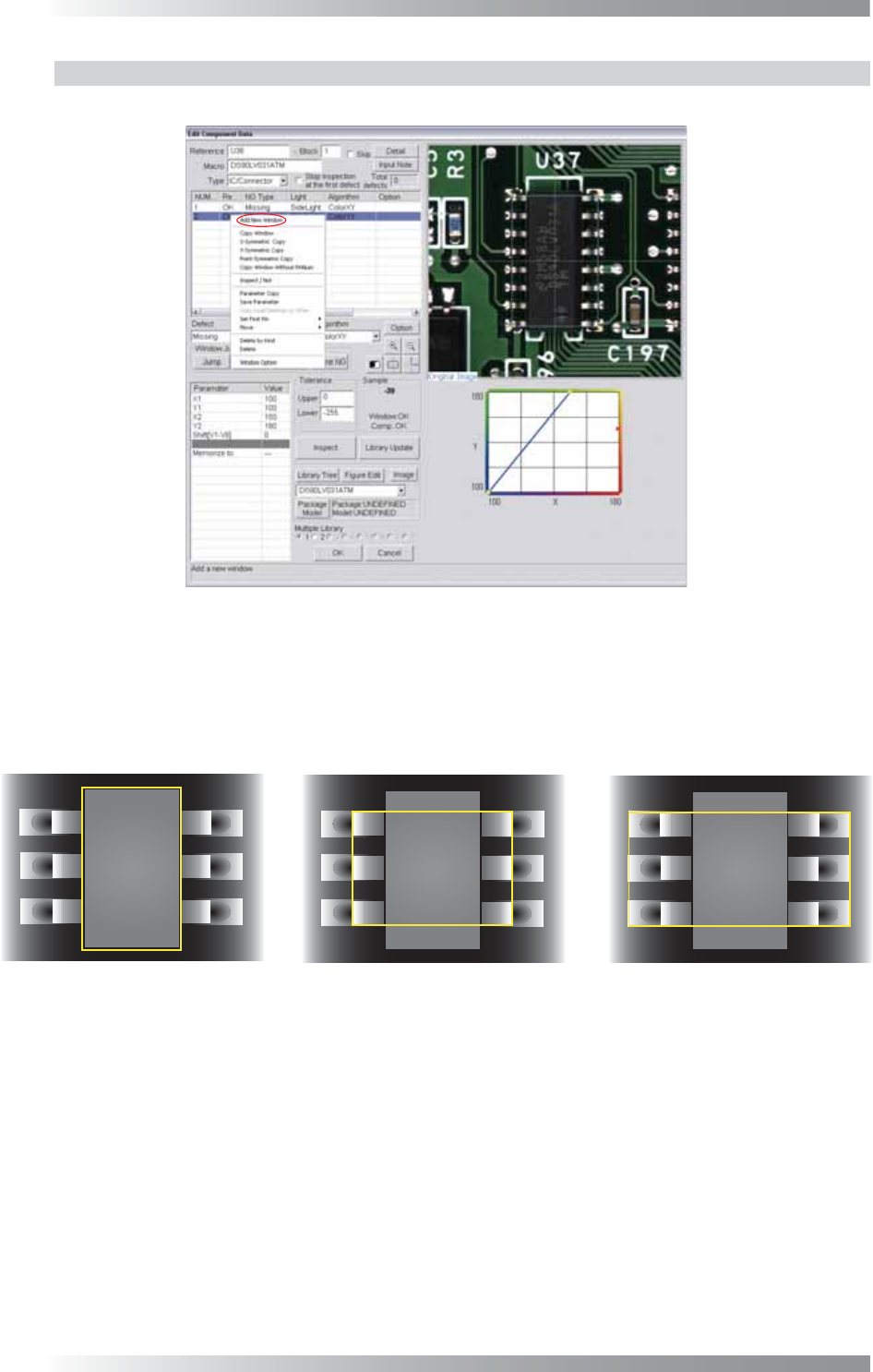
Step1: Right-click the center of CAD data. The dialog shown in Figure 1-51 appears.
Figure 1-51 Auto Deployment of IC Component 1
Step2: Select Add New Window from the right-click menu and repeat it three times to make three
inspection windows. Adjust the fi rst inspection window size to surround a body of a component.
Adjust the second inspection window size to surround leads and a body of a component.
Adjust the third inspection window size to surround pads, leads and a body of a component.
(1) Body
(2) Lead and Body
(3) Pad, Lead, and Body
Figure 1-52 Auto Deployment of IC Component 2
II-29
Programming Manual
Part II Inspection Data
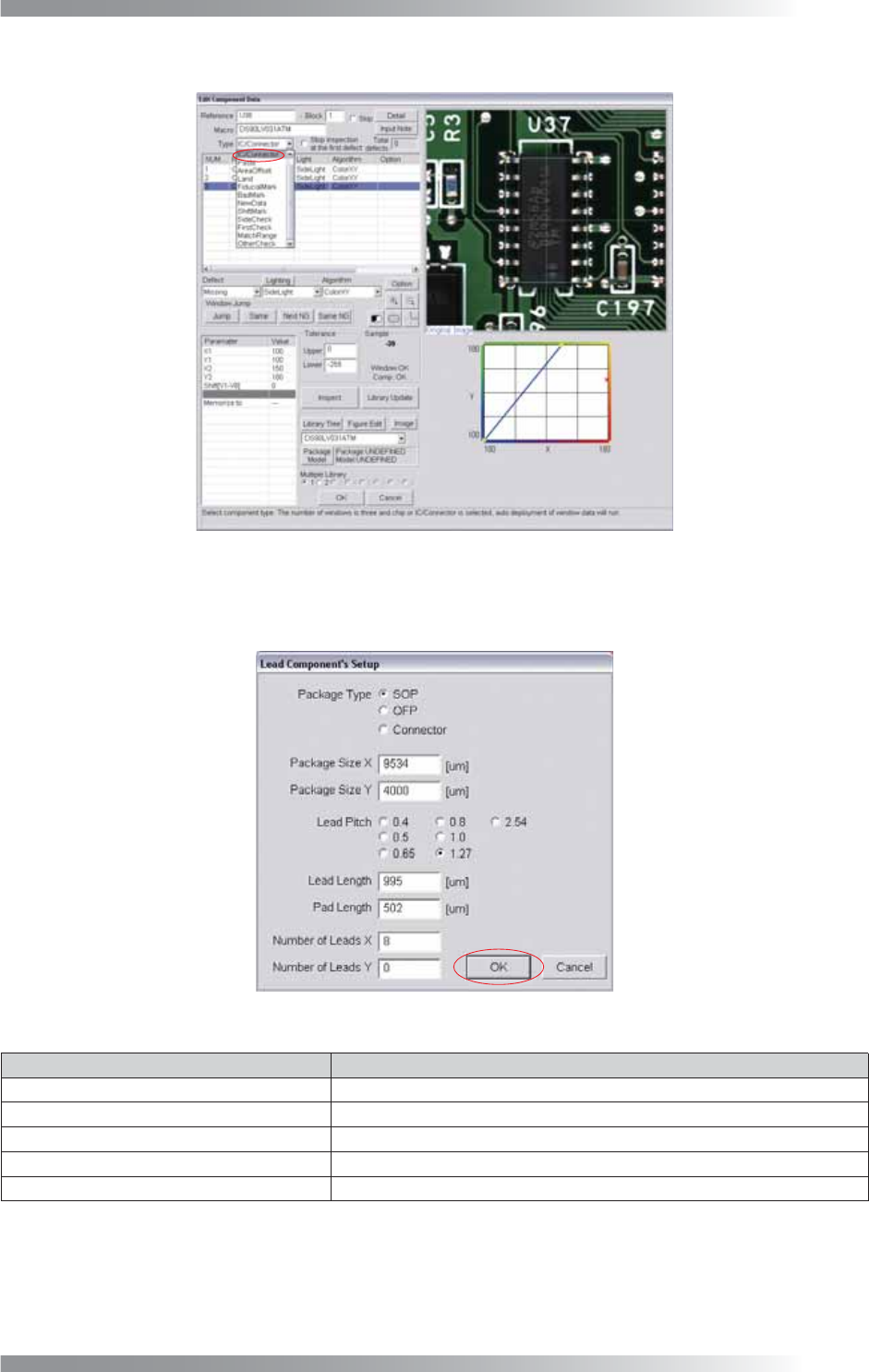
Step3: Select IC / Connector from the Type drop-down list.
Figure 1-53 Auto Deployment of IC Component 3
Step4: Set Package Type, Lead Pitch, Number of Leads X, and Number of Leads Y.
After all the settings are completed, press OK.
Figure 1-54 Auto Deployment of IC Component 4
Item Description
Package Type
Check SOP, QFP or Connector.
Package Size X, Package Size Y Body size is displayed.
Lead Pitch
Sets a lead pitch.
Lead Length, Pad Length
Lead length and pad length are displayed.
Number of Leads X, Number of Leads Y Enter number of leads.
Table 1-12 Description of Parameters
Step5: Inspection items are automatically made. For details of inspection data settings, refer to
Part III Inspection Algorithm.