Programming_mail.pdf - 第206页
V- 16 Programming Manual Part V Other Function Figure 1-20 Select on Image Figure 1-21 Extract from Window 1 Figure 1-22 Extract from Window 2
V-15
Programming Manual
Part V Other Function
1.3.3 Detail Settings of OKNGColors Lighting
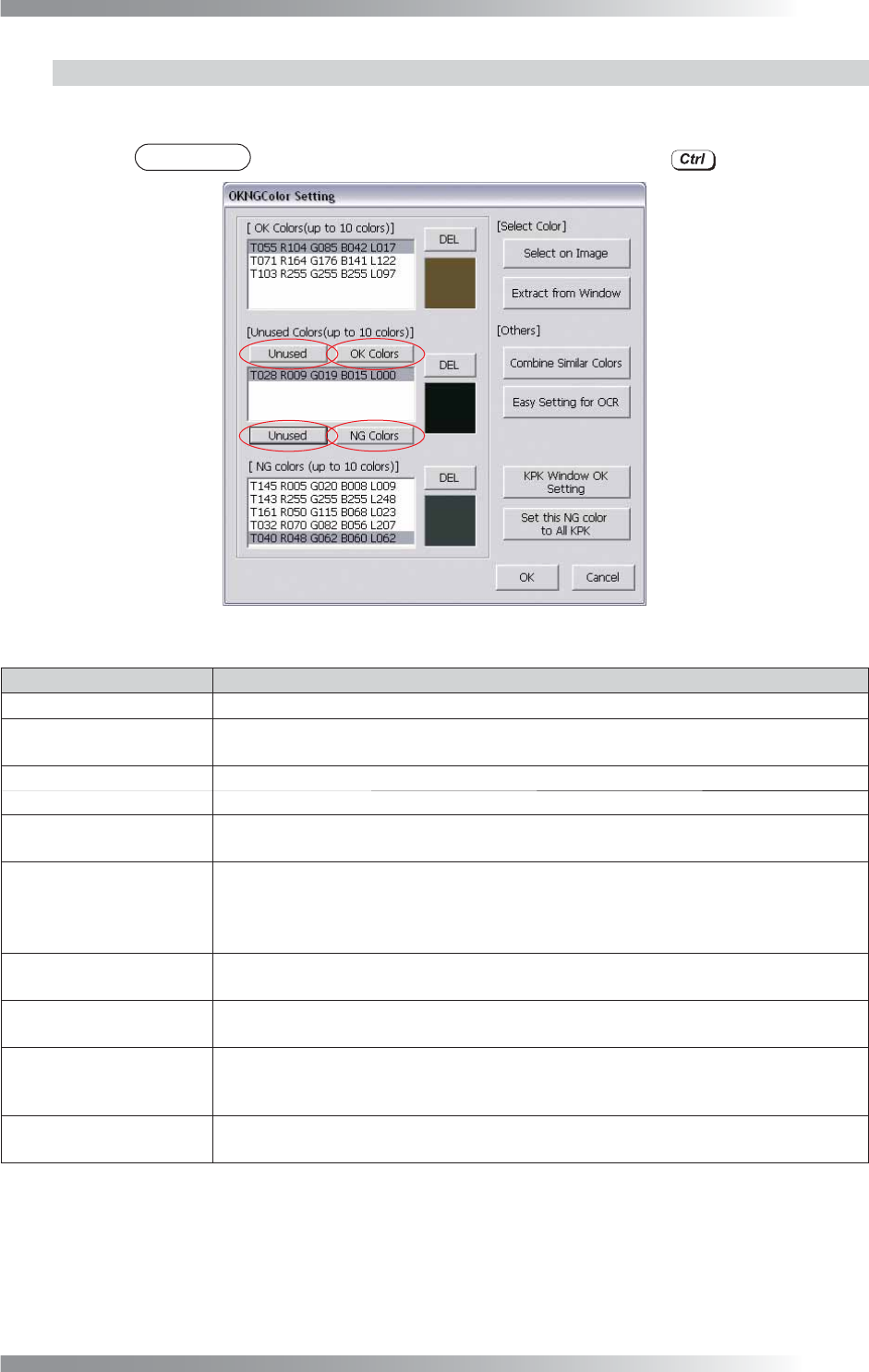
Press Set in the right side of Lighting in Figure 1-18. The dialog shown in Figure 1-19 appears. Press OK
Colors, Unused, or NG Colors to move colors to the list of OK Colors, Unused Colors, or NG Colors.
NOTE
Press OK Colors, Unused, or NG Colors by pressing to copy colors.
Figure 1-19 OKNGColors Lighting
Parameter Description
OK Colors
The top list is OK color list. Maximum 10 colors can be registered.
Unused Colors
The middle list is to save data for temporary purpose.
Colors listed here can be referred from any other components or libraries.
NG Colors
The bottom list is NG color list. Maximum 10 colors can be registered.
DEL
Deletes the selected color.
Select on Image
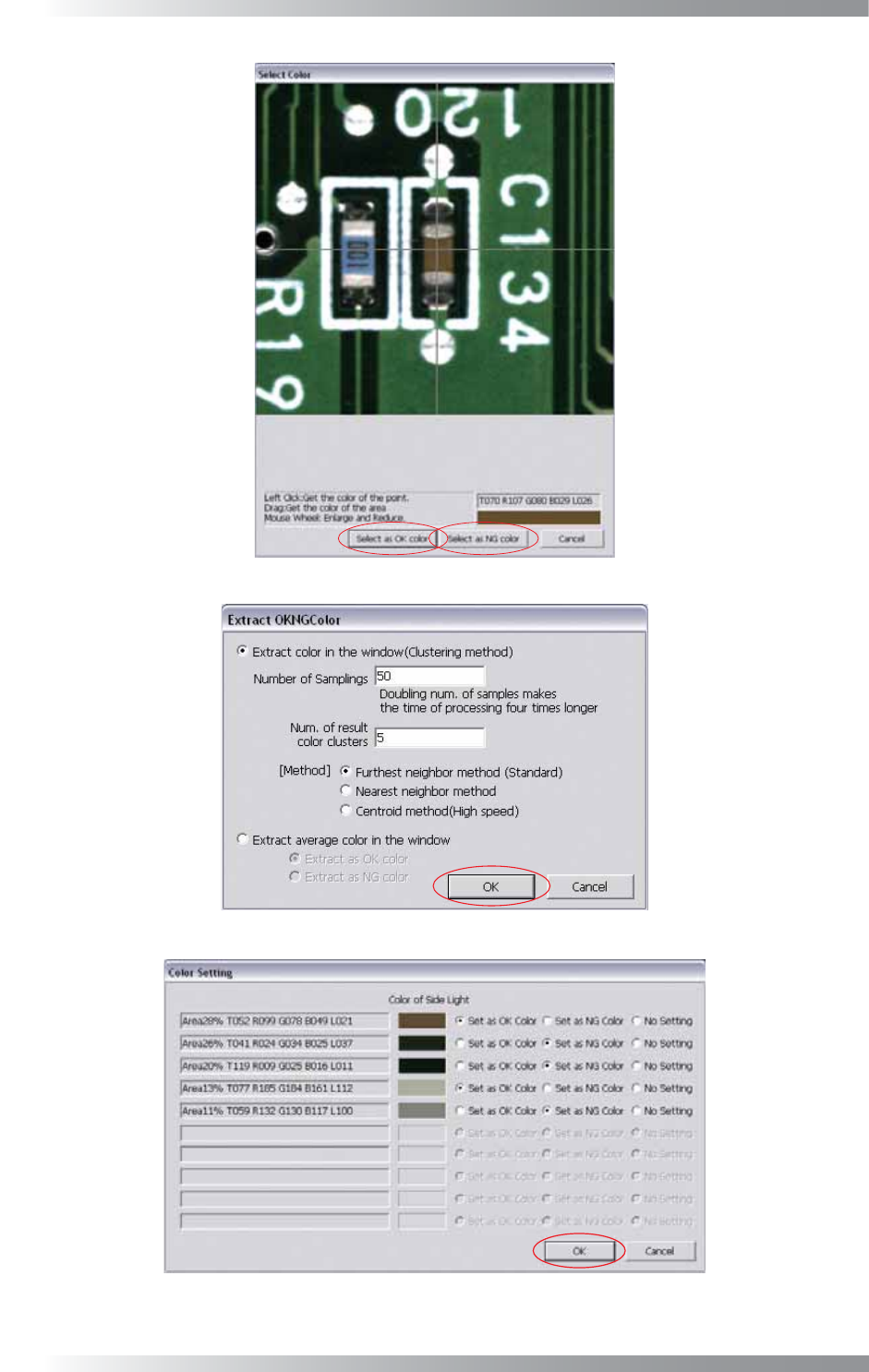
Extracts selected colors manually. Component dialog appears (refer to Figure 1-20).
Left-click colors and press Select as OK color or Select as NG color.
Extract from Window
Extracts colors from the window automatically. The dialog shown in Figure 1-21
appears. Press OK (the dialog shown in Figure 1-22 appears). Check Set as OK
Color, Set as NG Color, or No Setting. Press OK. This setting is suitable for if PCB
and component colors are very similar.
Combine similar Colors
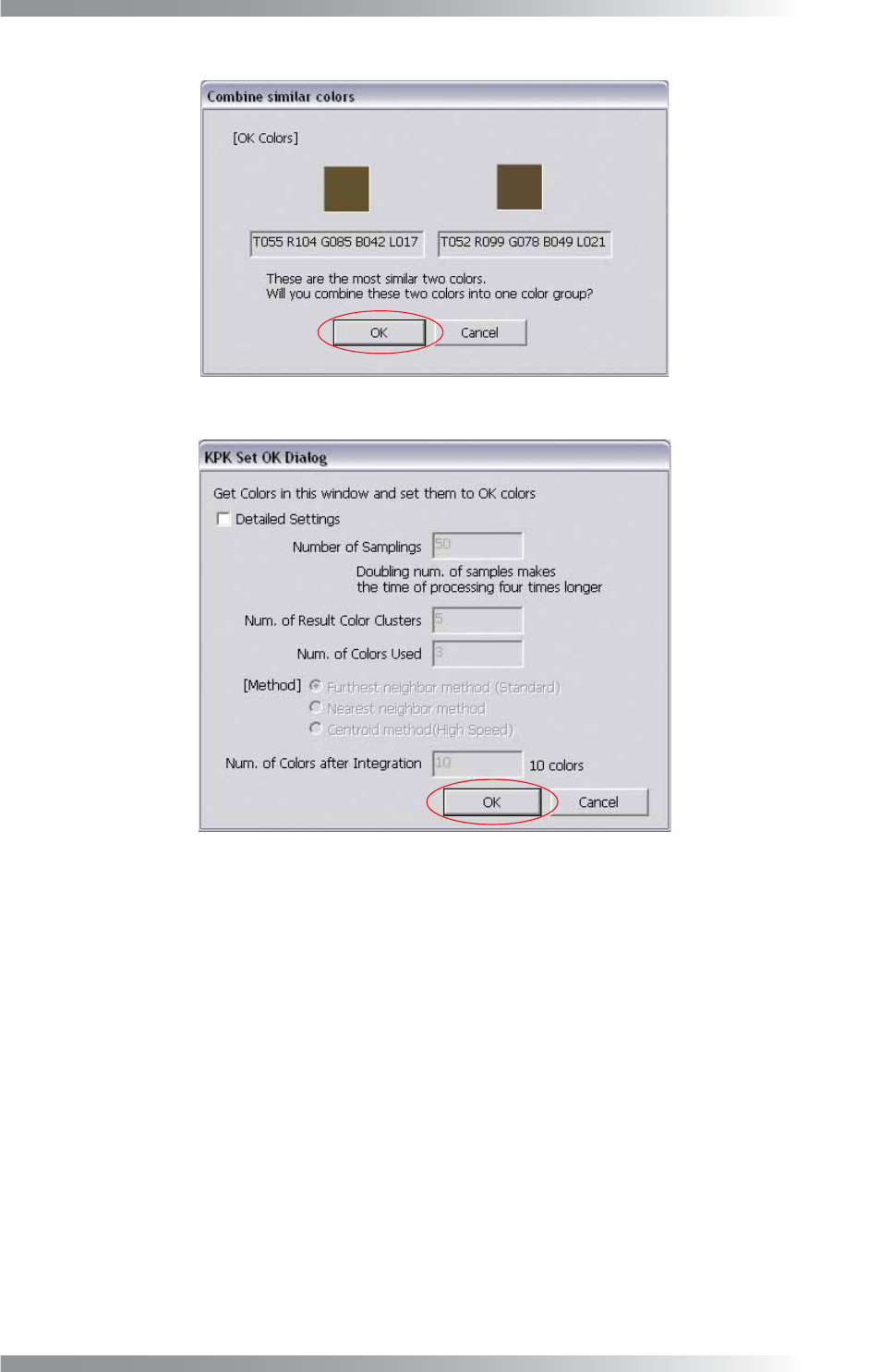
Combines the closest colors between OK/NG colors to reduce the number of colors
(refer to Figure 1-23). Press OK to combine the selected colors.
Easy Setting for OCR
Registers OK colors and NG colors automatically to recognize characters on the
component.
KPK Window OK Setting
Extracts component colors from the window automatically and register as OK Color.
The dialog shown in Figure 1-24 appears. Press OK. This setting is suitable for if
component color changed by a change to lot.
Set this NG Color to All KPK
Extracts the selected NG color of the current window and refl ect this NG color all KPK
windows. This setting is suitable for if PCB color changed by a change to lot.
Table 1-9 Detail Settings of OKNGColors Lighting
V-16
Programming Manual
Part V Other Function
Figure 1-20 Select on Image
Figure 1-21 Extract from Window 1
Figure 1-22 Extract from Window 2
V-17
Programming Manual
Part V Other Function
Figure 1-23 Combine Similar Colors
Figure 1-24 KPK Window OK Setting