Programming_mail.pdf - 第168页
IV - 4 Programming Manual Part IV Option Setting 1.2 Inspection Skip Setting 1.2.1 Skip by Inspection W indow Right-click an inspection window item listed on the upper left side of Edit Component Data and select Inspect …
IV-3
Programming Manual
Part IV Option Setting
Item Description
Jump
Jumps to a corner pin having the same NG type with the selected inspection window.
Same Moves to an inspection window having the same NG type with the selected inspection window.
Next NG
Moves to the next NG window.
Same NG
Moves an NG window having the same NG type with the selected inspection window.
Table 1-2 Each Item of Window Jump
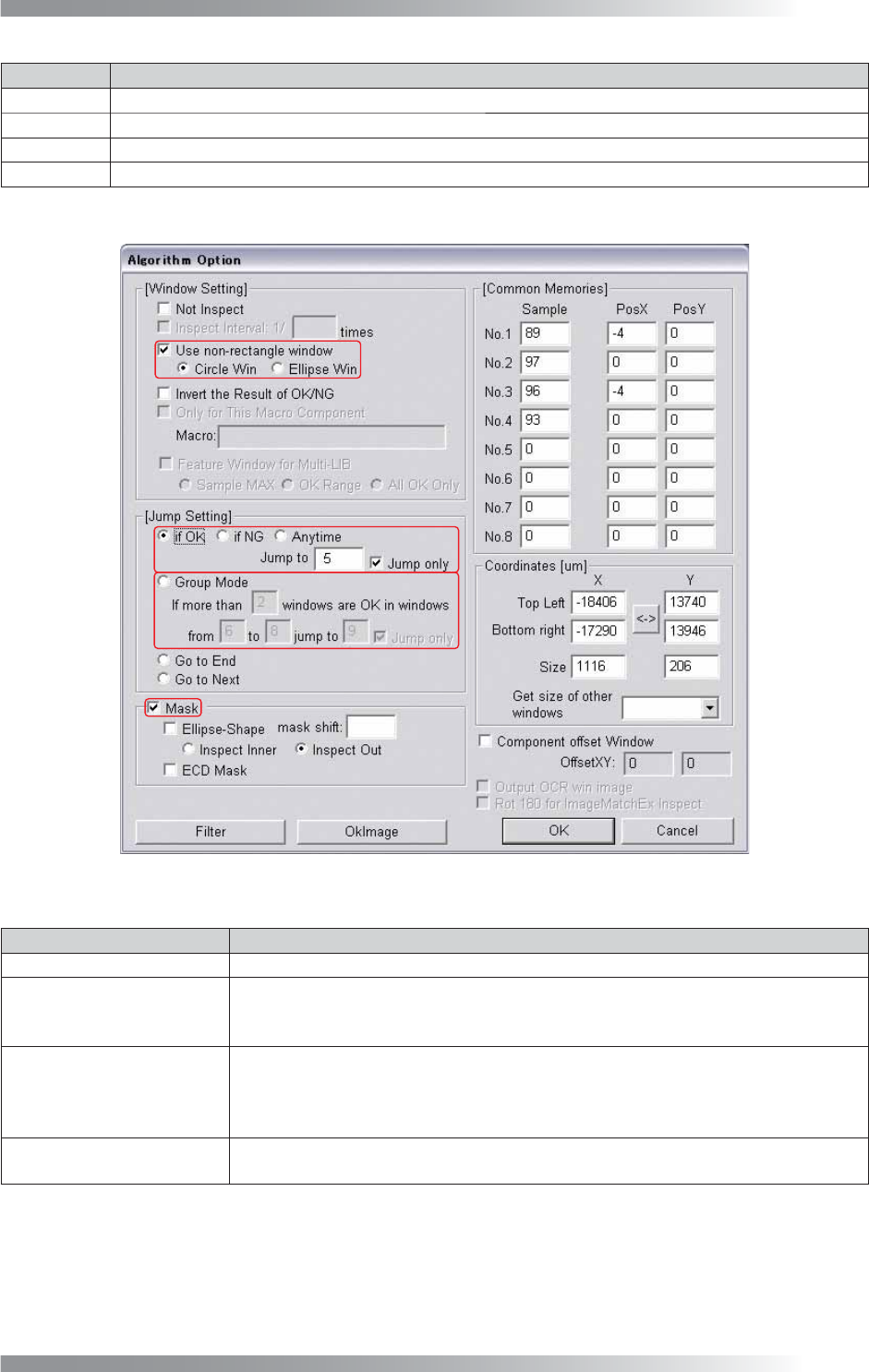
Figure 1-2 Algorithm Option
Item Description
Use non-rectangle window
Changes the inspection window shape to circle or ellipse.
If OK Jump to _
Jumps to the specifi ed inspection window if the selected window inspection result is OK.
Check If OK and Jump only and specify a jump point.
To reset to the default setting, check Go to Next.
Group Mode
Jumps to the specifi ed inspection window if a number of OK inspection windows are
bigger than specifi ed.
Check Group Mode and Jump only and specify the criteria.
To reset to the default setting, check Go to Next.
Mask
Excludes the masked area from the inspection. Press Using Mask on the upper
right corner of the dialog shown in Figure 1-2 to set a masked area.
Table 1-3 Algorithm Option
IV-4
Programming Manual
Part IV Option Setting
1.2 Inspection Skip Setting
1.2.1 Skip by Inspection Window
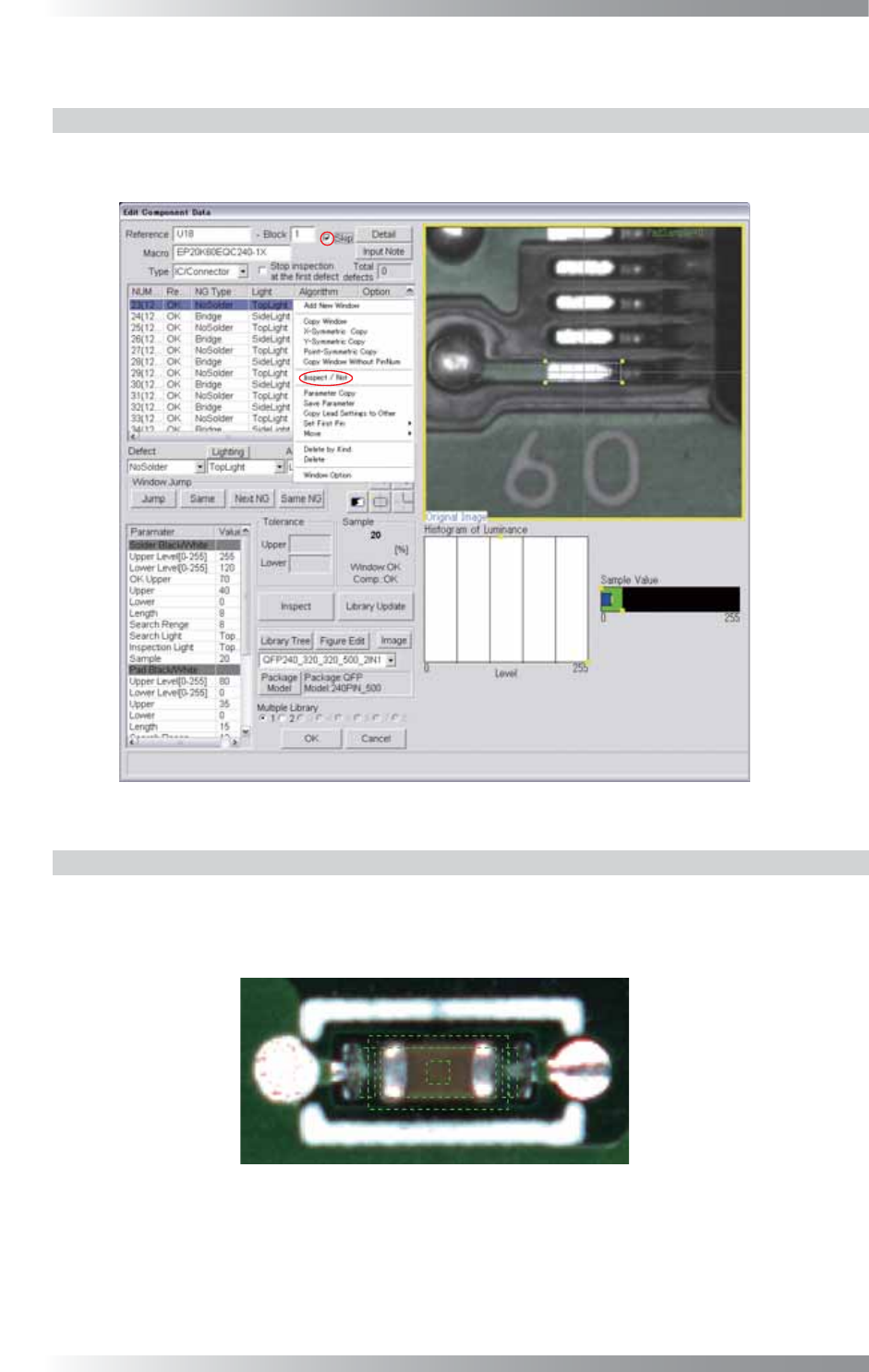
Right-click an inspection window item listed on the upper left side of Edit Component Data and
select Inspect / Not. To cancel the inspection skip setting, select Inspect / Not again.
Figure 1-3 Skip
1.2.2 Skip by Component
Check Skip on the upper side of the Edit Component Data dialog shown in Figure 1-3.
To cancel the inspection skip setting, un-check Skip.
If the inspection skip setting is applied, components are surrounded by green dotted lines.
Figure 1-4 Skip Inspection Component (Green Dotted Line)
IV-5
Programming Manual
Part IV Option Setting
1.2.3 Skip by Sub Board
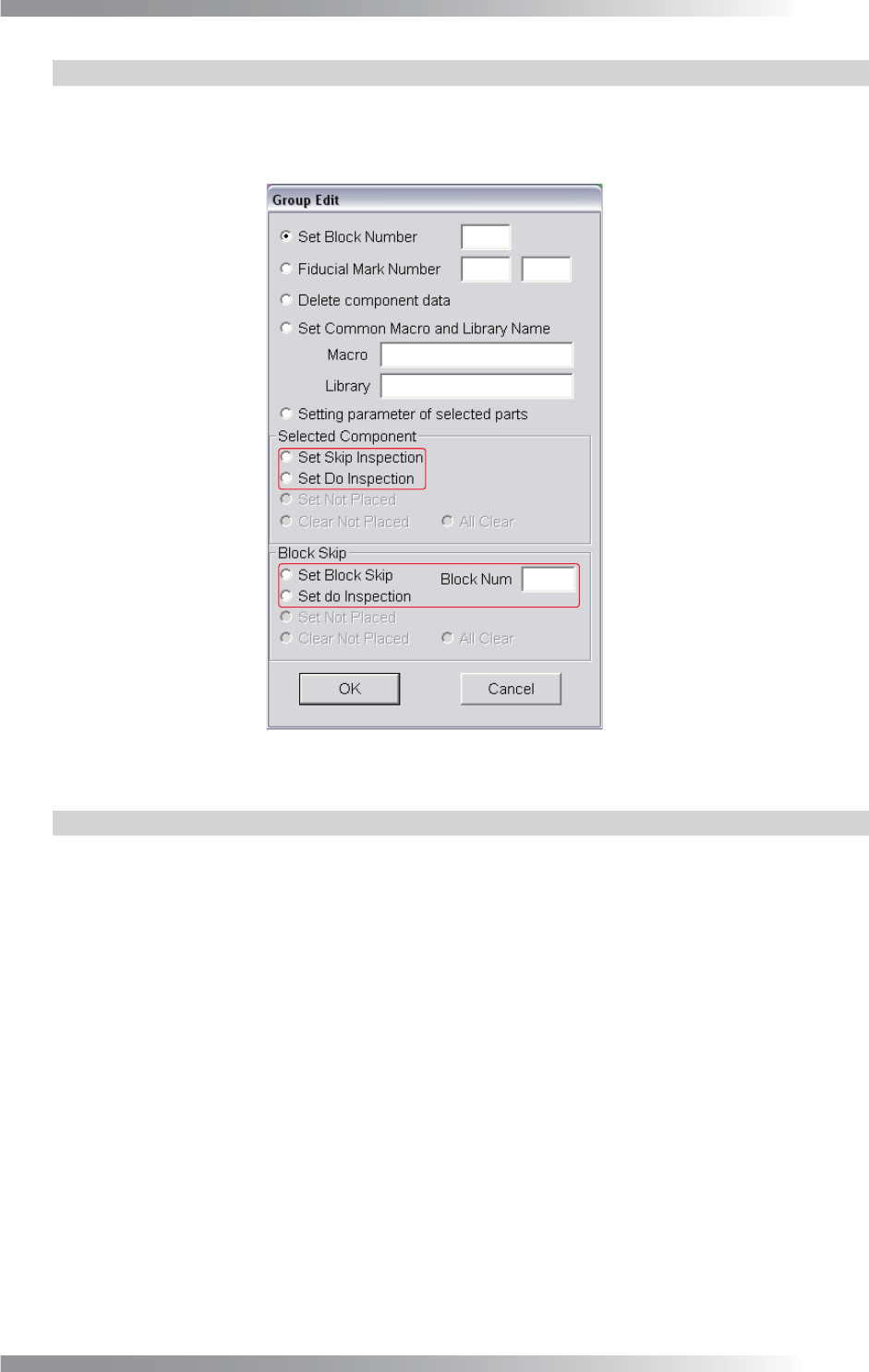
Surround a sub board to be skipped in inspections with a frame by mouse-dragging. The dialog shown
in Figure 1-5 appears. Enter a sub board number into the Block Num fi eld and check Set Block Skip
in Block Skip. To cancel the inspection skip setting, check Set Do Inspection in Block Skip.
Figure 1-5 Group Edit
1.2.4 Skip the inspection of arbitrary area
Surround a sub board to be skipped in inspections with a frame by mouse-dragging. The dialog
shown in Figure 1-5 appears. Check Set Skip Inspection in Selected Component.
To cancel the inspection skip setting, check Set Do Inspection in Selected Component.