Programming_mail.pdf - 第172页
IV - 8 Programming Manual Part IV Option Setting Step3: Press New button on the tool-bar or select File > New from the menu-bar. Figure 1-9 New Step4: Check Make Inspection Data for Side B and press Next . Figure 1-10…
IV-7
Programming Manual
Part IV Option Setting
1.4 Side Check
1.4.1 Making Inspection Data for a Double Side PCB
Step1: Make the side A inspection data by reference to Part II 1.1 Make Inspection Data on AOI
Machine.
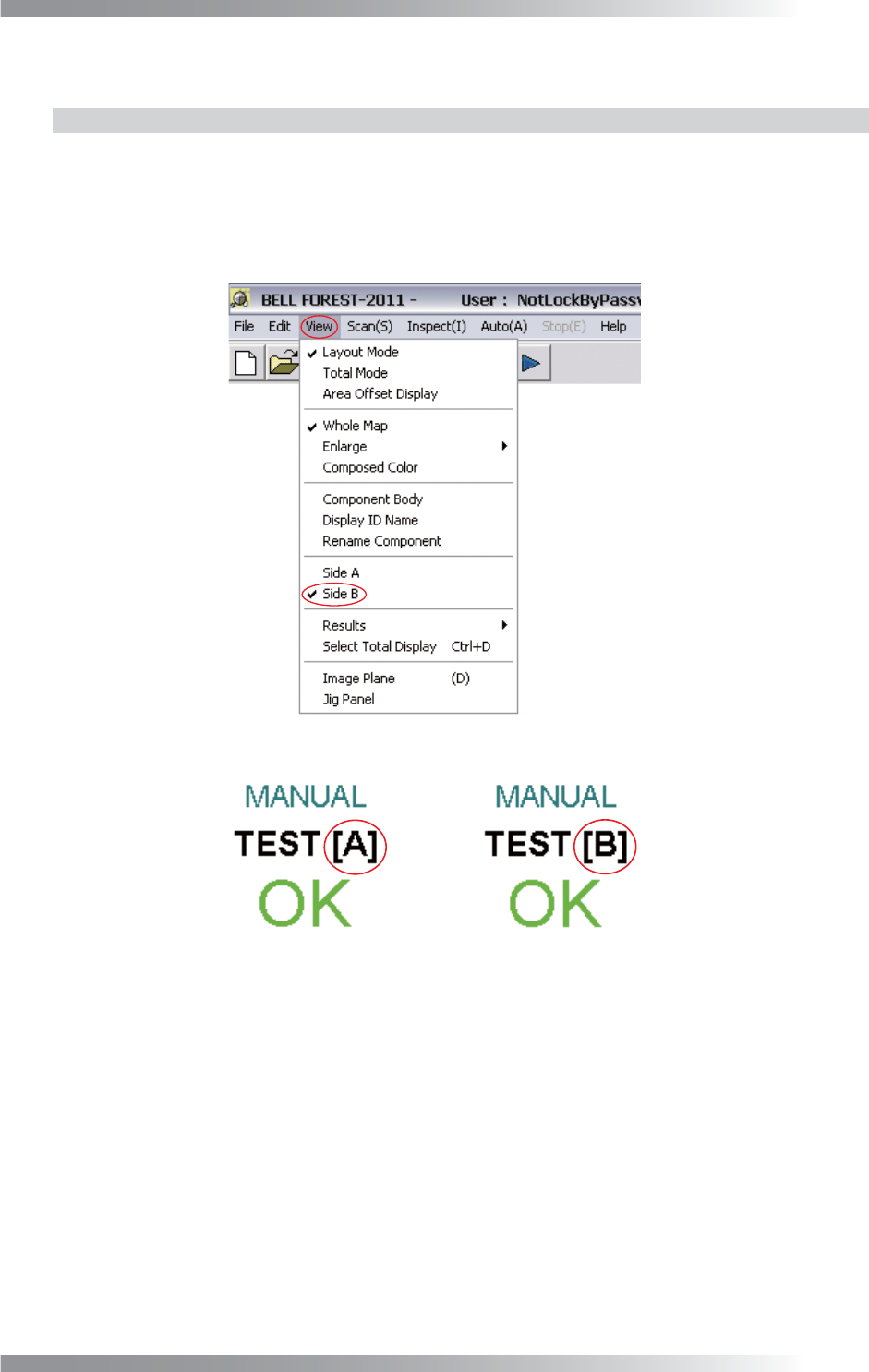
Step2: Select View > Side B from the menu-bar. The PCB side B will be displayed.
Make sure that B is displayed on the upper right corner of the display.
Figure 1-7 Side B
Figure 1-8 A→B
IV-8
Programming Manual
Part IV Option Setting
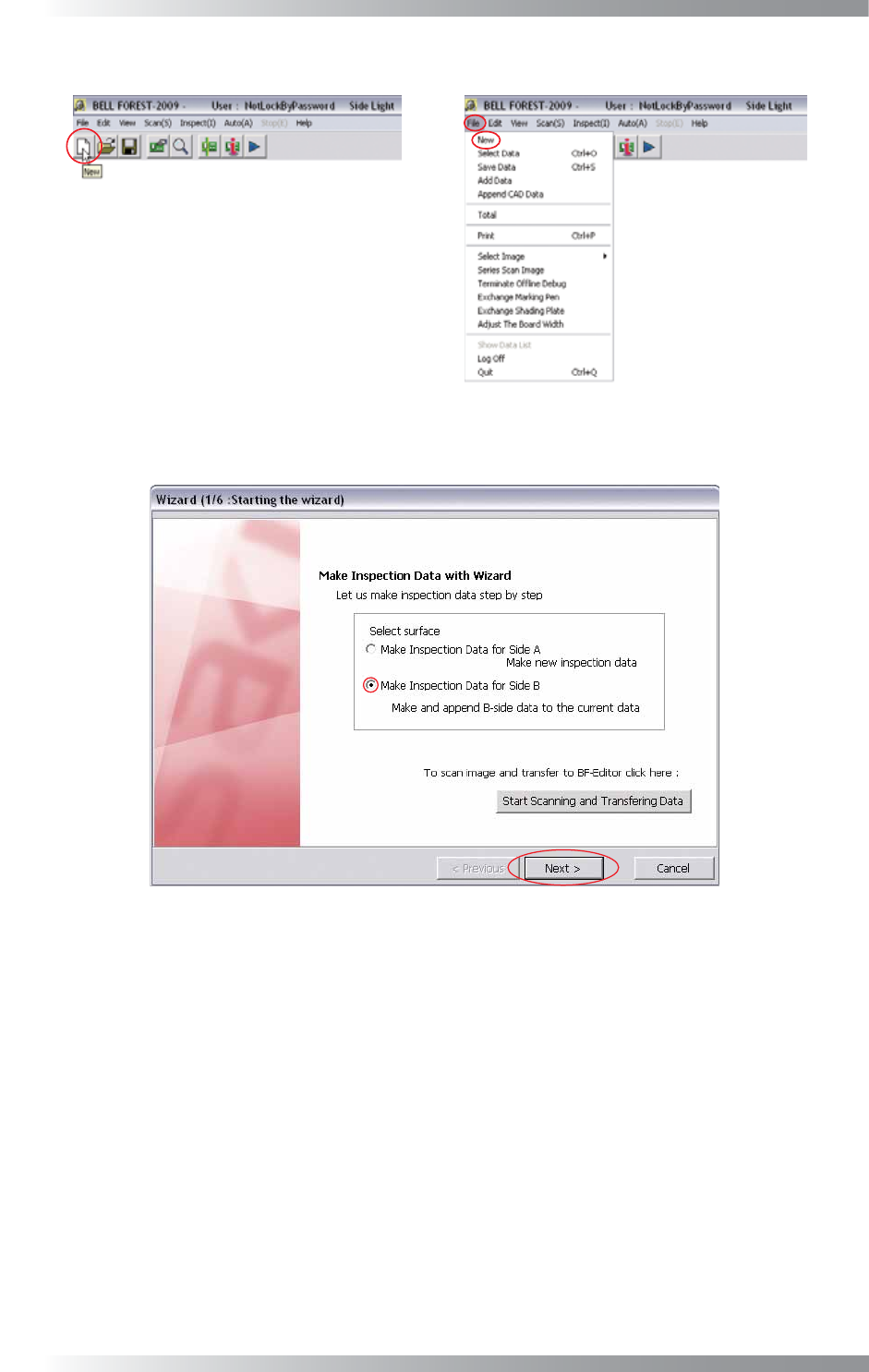
Step3: Press New button on the tool-bar or select File > New from the menu-bar.
Figure 1-9 New
Step4: Check Make Inspection Data for Side B and press Next.
Figure 1-10 Wizard 1
Step5: Make the side B inspection data by reference to Step3 and following steps in Part II 1.1
Make Inspection Data on AOI Machine.
IV-9
Programming Manual
Part IV Option Setting
1.4.2 Detecting Side A and Side B inspection data
Step1: Left-click the point whose side A is OK while its side B is NG.
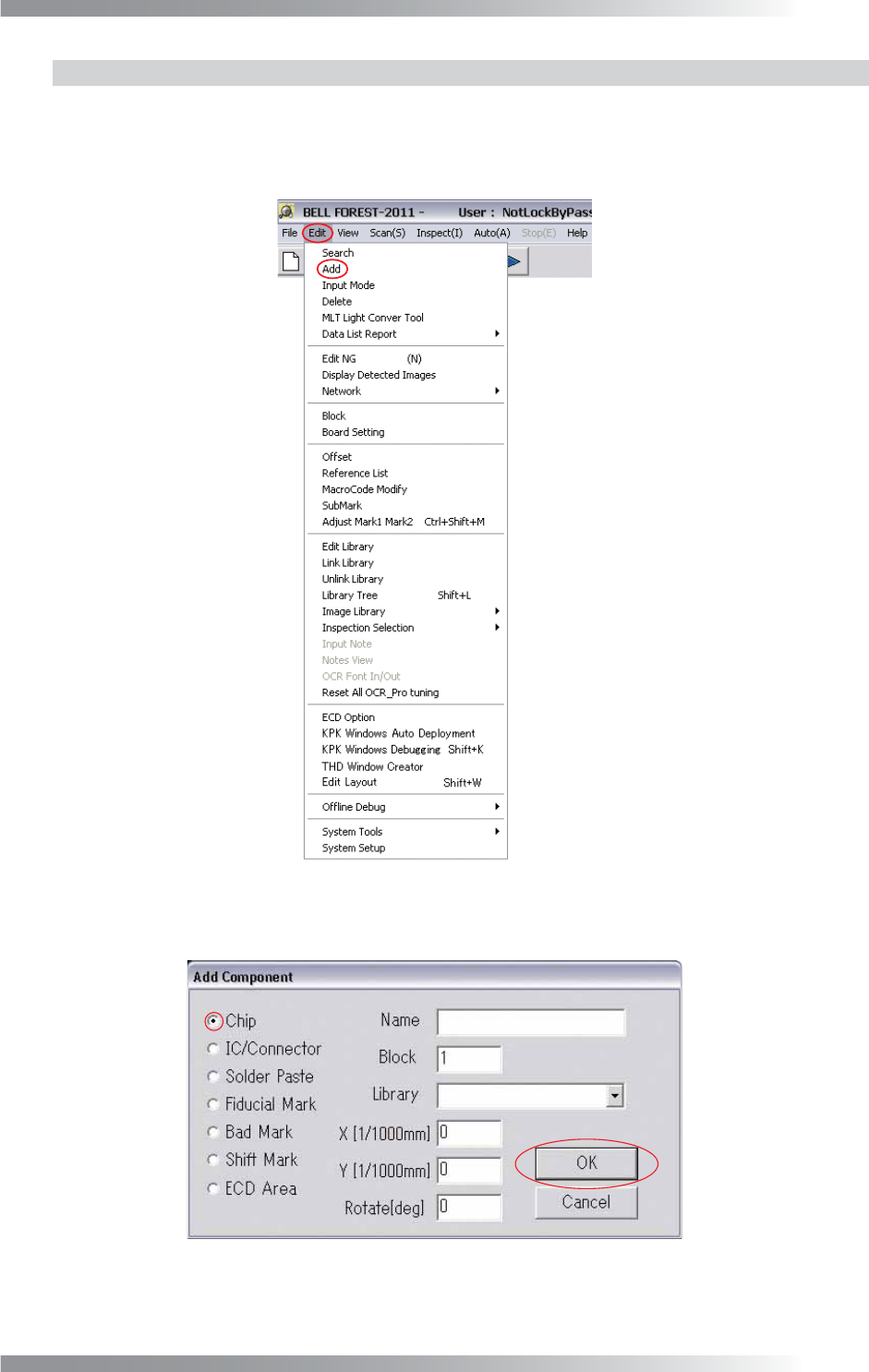
Step2: Select Edit > Add from the menu-bar.
Figure 1-11 Add
Step3: Check Chip and press OK.
Figure 1-12 Chip