sh030051g.pdf - 第121页
5 - 4 5. PARAMETERS 5.1.3 Selection of regenerative option Parameter Initial value Unit Setting range No. Symbol Name PA02 **REG Regenerative option 0000h Refer to the text. POINT This parameter value and switch power of…
5 - 3
5. PARAMETERS
5.1.2 Parameter write inhibit
Parameter
Initial value Unit Setting range
No. Symbol Name
PA19 *BLK Parameter write inhibit 000Bh Refer to the text.
POINT
When setting the parameter values from the servo system controller, the
parameter No.PA19 setting need not be changed.
This parameter is made valid when power is switched off, then on after
setting, or when the controller reset has been performed.
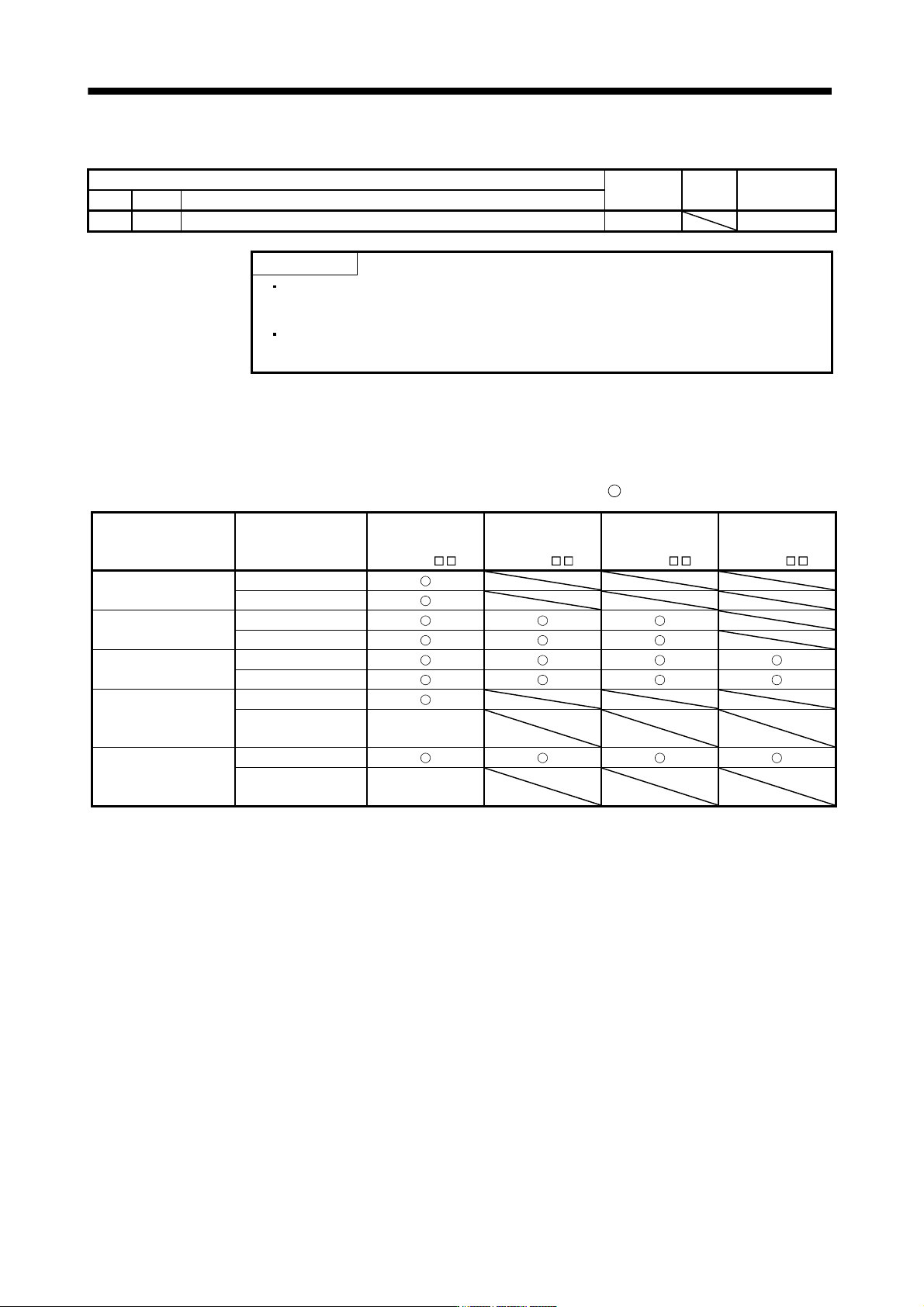
In the factory setting, this servo amplifier allows changes to the basic setting parameter, gain/filter parameter
and extension setting parameter settings. With the setting of parameter No.PA19, write can be disabled to
prevent accidental changes.
The following table indicates the parameters which are enabled for reference and write by the setting of
parameter No.PA19. Operation can be performed for the parameters marked
.
Parameter No.PA19
setting
Setting operation
Basic setting
parameters
No.PA
Gain/filter
parameters
No.PB
Extension setting
parameters
No.PC
I/O setting
parameters
No.PD
0000h
Reference
Write
000Bh
(initial value)
Reference
Write
000Ch
Reference
Write
100Bh
Reference
Write
Parameter
No.PA19 only
100Ch
Reference
Write
Parameter
No.PA19 only
5 - 4
5. PARAMETERS
5.1.3 Selection of regenerative option
Parameter
Initial value Unit Setting range
No. Symbol Name
PA02 **REG Regenerative option 0000h Refer to the text.
POINT
This parameter value and switch power off once, then switch it on again to
make that parameter setting valid.
Wrong setting may cause the regenerative option to burn.
If the regenerative option selected is not for use with the servo amplifier,
parameter error (37) occurs.
For a drive unit of 30kW or more, always set the parameter to " 00" since
selecting regenerative option is carried out by the converter unit.
Set this parameter when using the regenerative option, brake unit, power regeneration converter, or power
regeneration common converter.
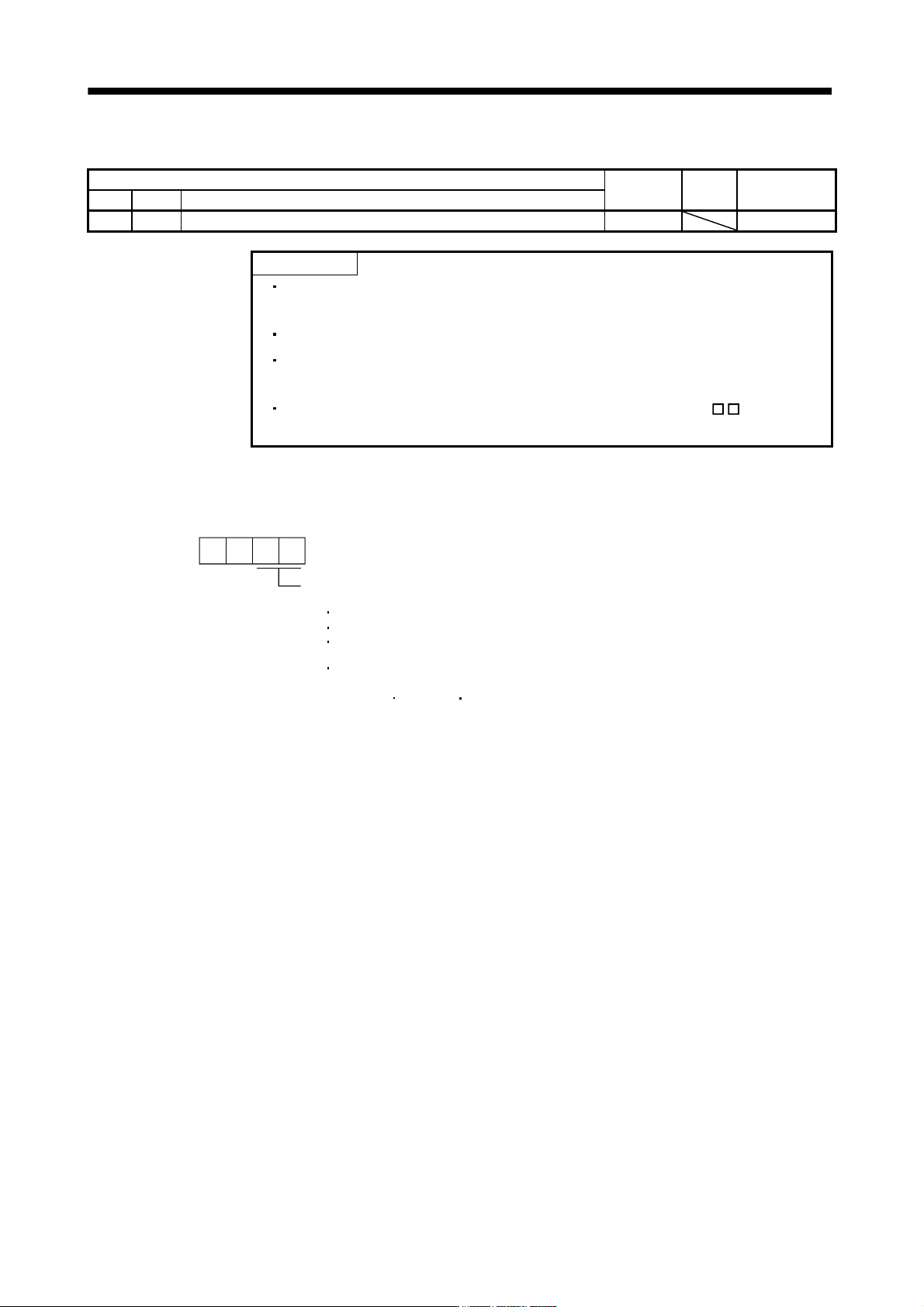
Selection of regenerative option
00: Regenerative option is not used
For servo amplifier of 100W, regenerative resistor is not used.
For servo amplifier of 200 to 7kW, built-in regenerative resistor is used.
Supplied regenerative resistors or regenerative option is used with
the servo amplifier of 11k to 22kW.
For a drive unit of 30kW or more, select regenerative option by the
converter unit.
01: FR-BU2-(H) FR-RC-(H) FR-CV-(H)
02: MR-RB032
03: MR-RB12
04: MR-RB32
05: MR-RB30
06: MR-RB50(Cooling fan is required)
08: MR-RB31
09: MR-RB51(Cooling fan is required)
80: MR-RB1H-4
81: MR-RB3M-4(Cooling fan is required)
82: MR-RB3G-4(Cooling fan is required)
83: MR-RB5G-4(Cooling fanis required)
84: MR-RB34-4(Cooling fanis required)
85: MR-RB54-4(Cooling fanis required)
FA: When the supplied regenerative resistor is cooled by the cooling fan to
increase the ability with the servo amplifier of 11k to 22kW.
00
Parameter No.PA02
5 - 5
5. PARAMETERS
5.1.4 Using absolute position detection system
Parameter
Initial value Unit Setting range
No. Symbol Name
PA03 *ABS Absolute position detection system 0000h Refer to the text.
POINT
This parameter is made valid when power is switched off, then on after
setting, or when the controller reset has been performed.
This parameter cannot be used in the speed control mode.
Set this parameter when using the absolute position detection system in the position control mode.
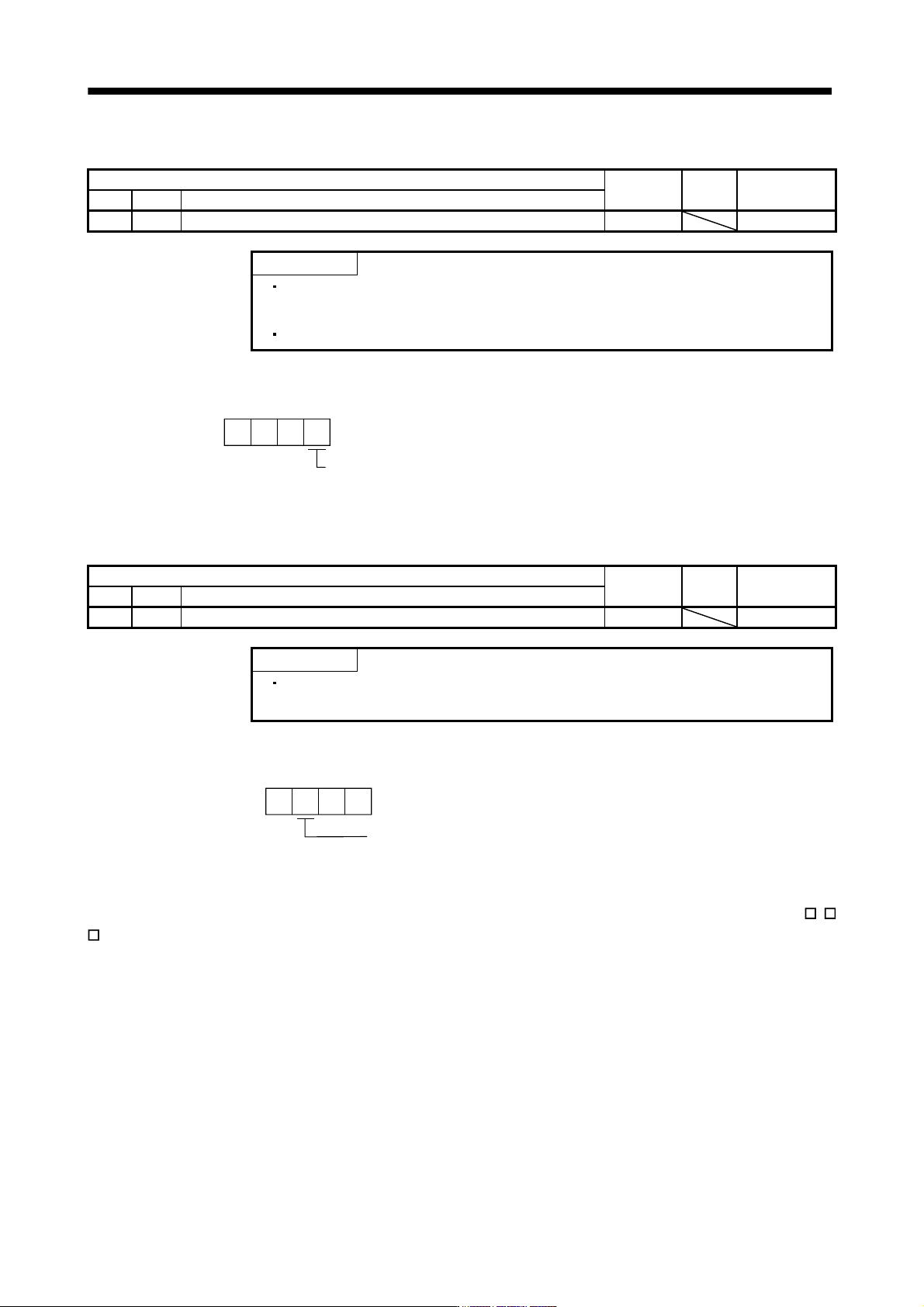
Selection of absolute position detection system (refer to chapter 12)
0: Used in incremental system
1: Used in absolute position detection system
Parameter No.PA03
000
5.1.5 Forced stop input selection
Parameter
Initial value Unit Setting range
No. Symbol Name
PA04 *AOP1 Function selection A-1 0000h Refer to the text.
POINT
This parameter is made valid when power is switched off, then on after
setting, or when the controller reset has been performed.
The servo forced stop function is avoidable.
Selection of servo forced stop
0: Valid (Forced stop (EM1) is used.)
1: Invalid (Forced stop (EM1) is not used.)
Parameter No.PA04
000
When not using the forced stop (EM1) of servo amplifier, set the selection of servo forced stop to Invalid (
1
). At this time, the forced stop (EM1) automatically turns on inside the servo amplifier.