sh030051g.pdf - 第132页
5 - 15 5. PARAMETERS No. Symbol Name and function Initial value Unit Setting range PB18 LPF Low -pass filter setting Set the low-pass filter. Setting parameter No.PB23 (low-pass filter selection) to " 0 " autom…
5 - 14
5. PARAMETERS
No. Symbol Name and function
Initial
value
Unit
Setting
range
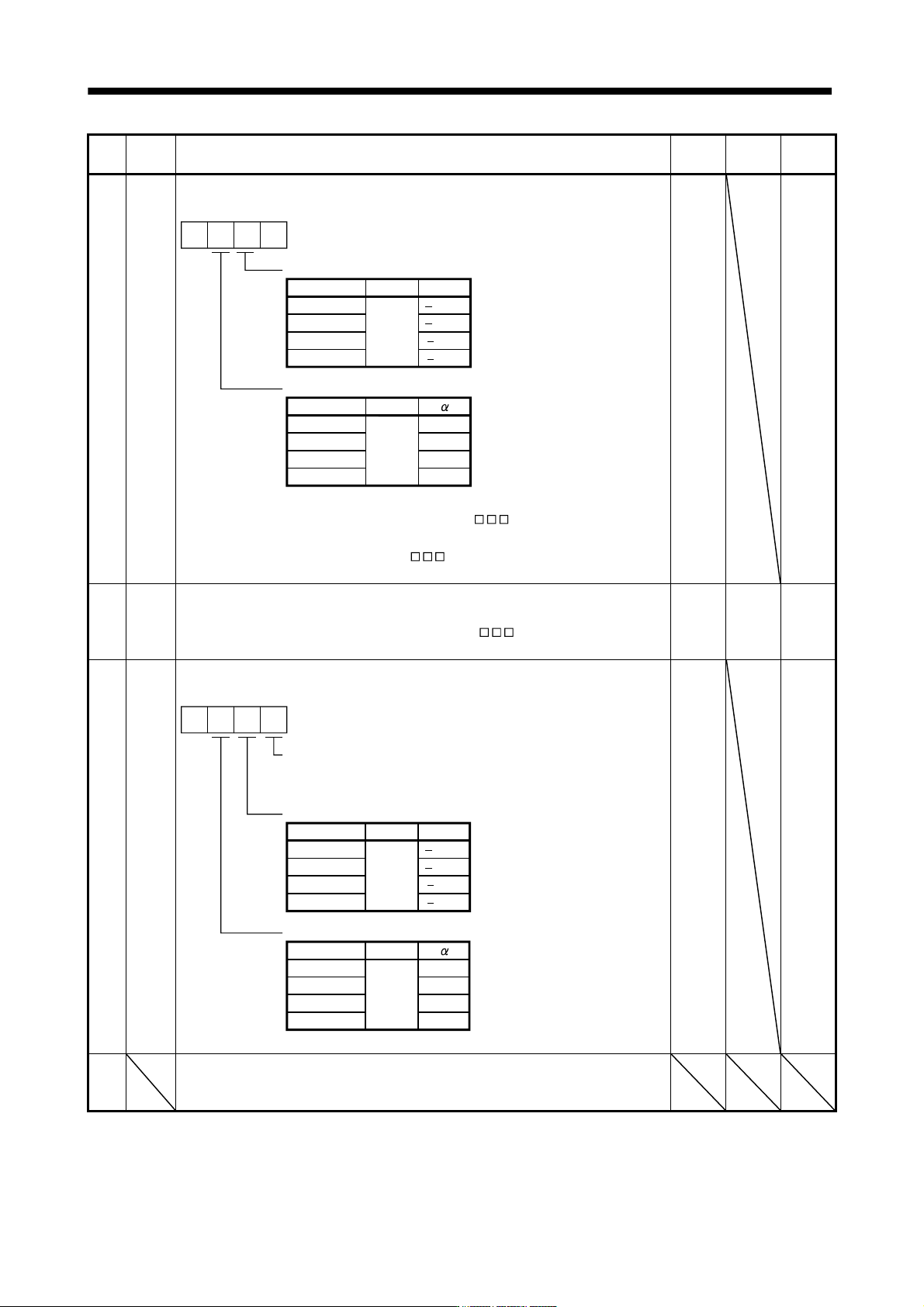
PB14 NHQ1 Notch shape selection 1
Used to selection the machine resonance suppression filter 1.
Notch depth selection
Setting value Depth Gain
0Deep
1 14dB
2 8dB
3 4dBShallow
Notch width
Setting value Width
02Standard
13
24
35Wide
0
0
to
to
40dB
Setting parameter No.PB01 (filter tuning mode 1) to " 1" automatically changes
this parameter.
When the parameter No.PB01 setting is "
0", the setting of this parameter is
ignored.
0000h Refer to
Name
and
function
column.
PB15 NH2 Machine resonance suppression filter 2
Set the notch frequency of the machine resonance suppression filter 2.
Set parameter No.PB16 (notch shape selection 2) to "
1" to make this parameter
valid.
4500 Hz
100
to
4500
PB16 NHQ2 Notch shape selection 2
Select the shape of the machine resonance suppression filter 2.
5
3
4
Notch depth selection
Setting value Depth Gain
0 40dBDeep
1 14dB
2 8dB
3 4dBShallow
to
Notch width
Setting value Width
02Standard
1
2
3Wide
to
0
Machine resonance suppression filter 2 selection
0: Invalid
1: Valid
0000h Refer to
Name
and
function
column.
PB17 Automatic setting parameter
The value of this parameter is set according to a set value of parameter No.PB06 (Ratio
of load inertia moment to servo motor inertia moment).
5 - 15
5. PARAMETERS
No. Symbol Name and function
Initial
value
Unit
Setting
range
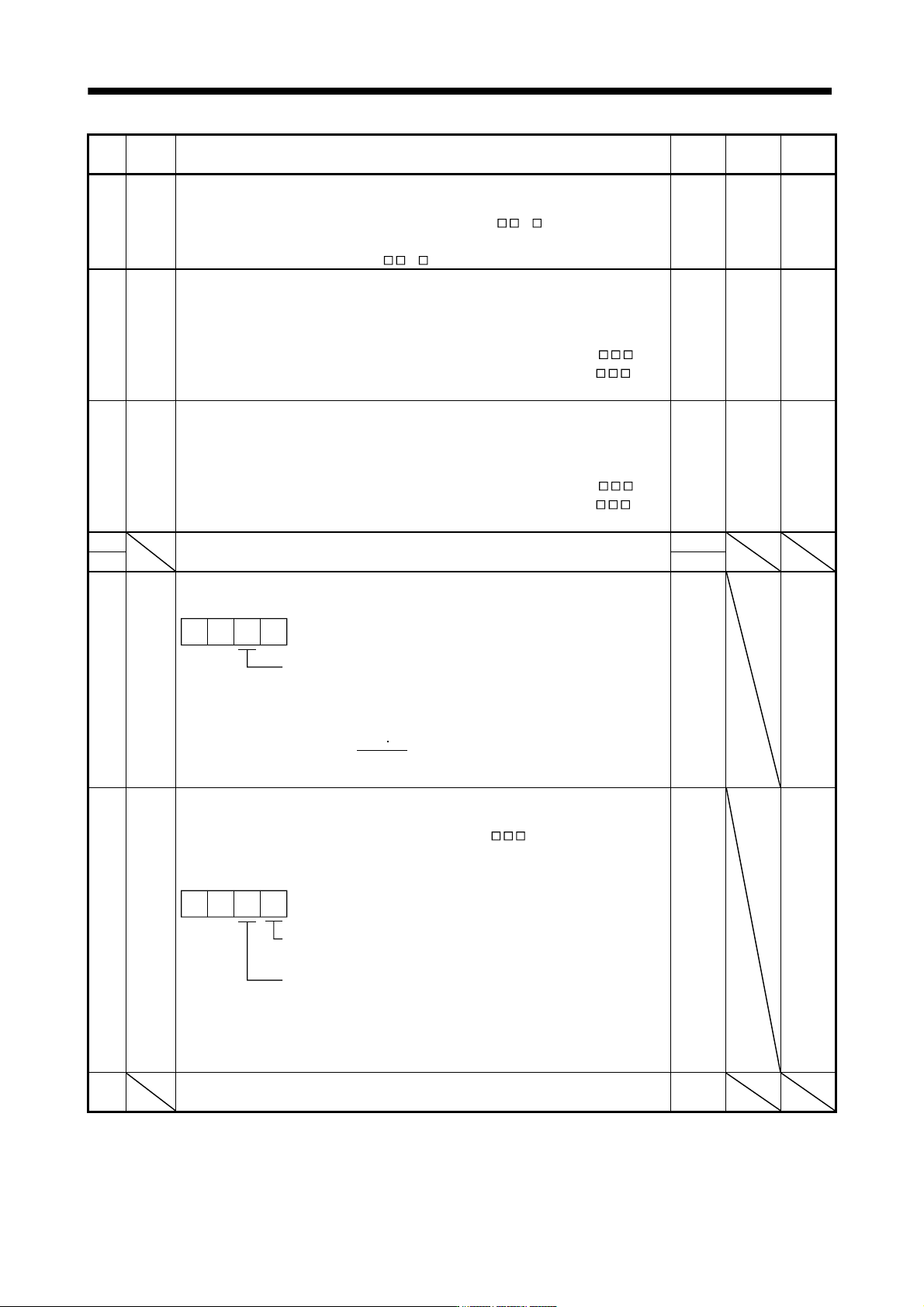
PB18 LPF Low-pass filter setting
Set the low-pass filter.
Setting parameter No.PB23 (low-pass filter selection) to "
0 " automatically
changes this parameter.
When parameter No.PB23 is set to "
1 ", this parameter can be set manually.
3141 rad/s 100
to
18000
PB19 VRF1 Vibration suppression control vibration frequency setting
This parameter cannot be used in the speed control mode.
Set the vibration frequency for vibration suppression control to suppress low-frequency
machine vibration, such as enclosure vibration. (Refer to section 7.4.(4))
Setting parameter No.PB02 (vibration suppression control tuning mode) to "
1"
automatically changes this parameter. When parameter No.PB02 is set to "
2",
this parameter can be set manually.
100.0 Hz 0.1
to
100.0
PB20 VRF2 Vibration suppression control resonance frequency setting
This parameter cannot be used in the speed control mode.
Set the resonance frequency for vibration suppression control to suppress low-
frequency machine vibration, such as enclosure vibration. (Refer to section 7.4.(4))
Setting parameter No.PB02 (vibration suppression control tuning mode) to "
1"
automatically changes this parameter. When parameter No.PB02 is set to "
2",
this parameter can be set manually.
100.0 Hz 0.1
to
100.0
PB21
For manufacturer setting
Do not change this value by any means.
0.00
PB22 0.00
PB23 VFBF Low-pass filter selection
Select the low-pass filter.
Low-pass filter selection
0: Automatic setting
1: Manual setting (parameter No.PB18 setting)
00 0
When automatic setting has been selected, select the filter that has the band width
close to the one calculated with
VG2 10
1 + GD2
[rad/s]
0000h Refer to
Name
and
function
column.
PB24 *MVS Slight vibration suppression control selection
Select the slight vibration suppression control and PI-PID change.
When parameter No.PA08 (auto tuning mode) is set to "
3", this parameter is
made valid. (Slight vibration suppression control cannot be used in the speed control
mode.)
Slight vibration suppression control selection
0: Invalid
1: Valid
00
PI-PID control switch over selection
0: PI control is valid. (Switching to PID
control is possible with instructions of
controller.)
3: PID control is alwa
y
s valid.
0000h Refer to
Name
and
function
column.
PB25 For manufacturer setting
Do not change this value by any means.
0000h
5 - 16
5. PARAMETERS
No. Symbol Name and function
Initial
value
Unit
Setting
range
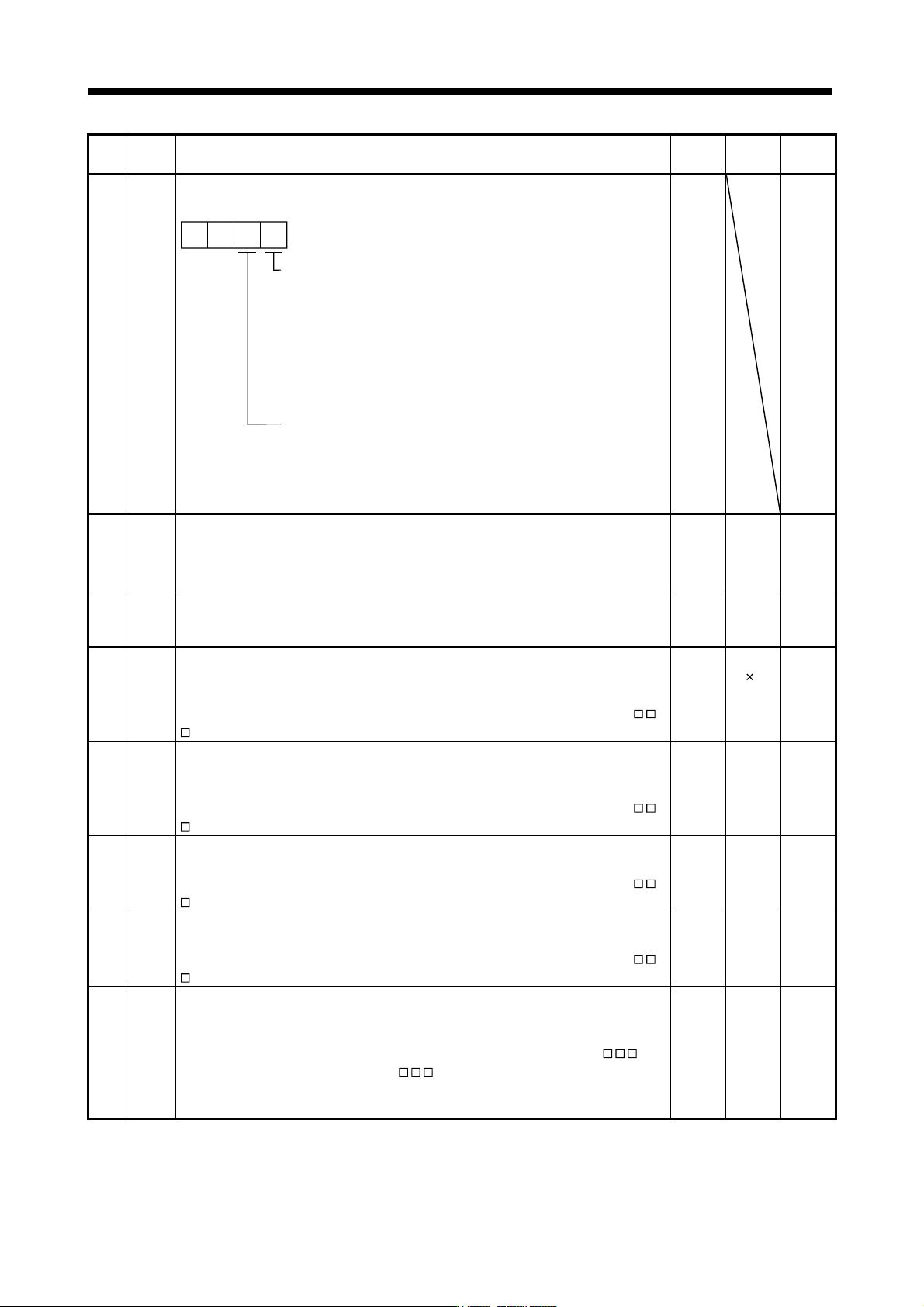
PB26 *CDP Gain changing selection
Select the gain changing condition. (Refer to section 7.6.)
Gain changing selection
Under any of the following conditions, the gains
change on the basis of the parameter No.PB29 to
PB32 settings.
0: Invalid
1: Control instructions from a controller.
2: Command frequency (Parameter No.PB27
setting)
3: Droop pulse value (Parameter No.PB27 setting)
4: Servo motor speed (Parameter No.PB27 setting)
00
Gain changing condition
0: Valid at more than condition (For control
instructions from a controller, valid with ON)
1: Valid at less than condition (For control
instructions from a controller, valid with OFF)
0000h Refer to
Name
and
function
column.
PB27 CDL Gain changing condition
Used to set the value of gain changing condition (command frequency, droop pulses,
servo motor speed) selected in parameter No.PB26.The set value unit changes with the
changing condition item. (Refer to section 7.6.)
10 kpps
pulse
r/min
0
to
9999
PB28 CDT Gain changing time constant
Used to set the time constant at which the gains will change in response to the
conditions set in parameters No.PB26 and PB27. (Refer to section 7.6.)
1 ms 0
to
100
PB29 GD2B Gain changing ratio of load inertia moment to servo motor inertia moment
Used to set the ratio of load inertia moment to servo motor inertia moment when gain
changing is valid.
This parameter is made valid when the auto tuning is invalid (parameter No.PA08:
3).
7.0 Multiplier
(
1)
0
to
300.0
PB30 PG2B Gain changing position loop gain
This parameter cannot be used in the speed control mode.
Set the position loop gain when the gain changing is valid.
This parameter is made valid when the auto tuning is invalid (parameter No.PA08:
3).
37 rad/s 1
to
2000
PB31 VG2B Gain changing speed loop gain
Set the speed loop gain when the gain changing is valid.
This parameter is made valid when the auto tuning is invalid (parameter No.PA08:
3).
823 rad/s 20
to
20000
PB32 VICB Gain changing speed integral compensation
Set the speed integral compensation when the gain changing is valid.
This parameter is made valid when the auto tuning is invalid (parameter No.PA08:
3).
33.7 ms 0.1
to
5000.0
PB33 VRF1B Gain changing vibration suppression control vibration frequency setting
This parameter cannot be used in the speed control mode.
Set the vibration frequency for vibration suppression control when the gain changing is
valid. This parameter is made valid when the parameter No.PB02 setting is "
2"
and the parameter No.PB26 setting is "
1".
When using the vibration suppression control gain changing, always execute the
changing after the servo motor has stopped.
100.0 Hz 0.1
to
100.0