SM482PLUS_Admin(Eng_Ver2.8).pdf - 第111页
4-23 Tools Shortcut Menu 4.10. Docking Cart Used to manipulate th e movement of the front or rear side docking cart clamp when applying the docking cart to the machine. Docking cart is option. 4.11. PM Manager The PM Man…
4-22
Multi-Functional Placer SM482(L) PLUS Administrator’s Guide
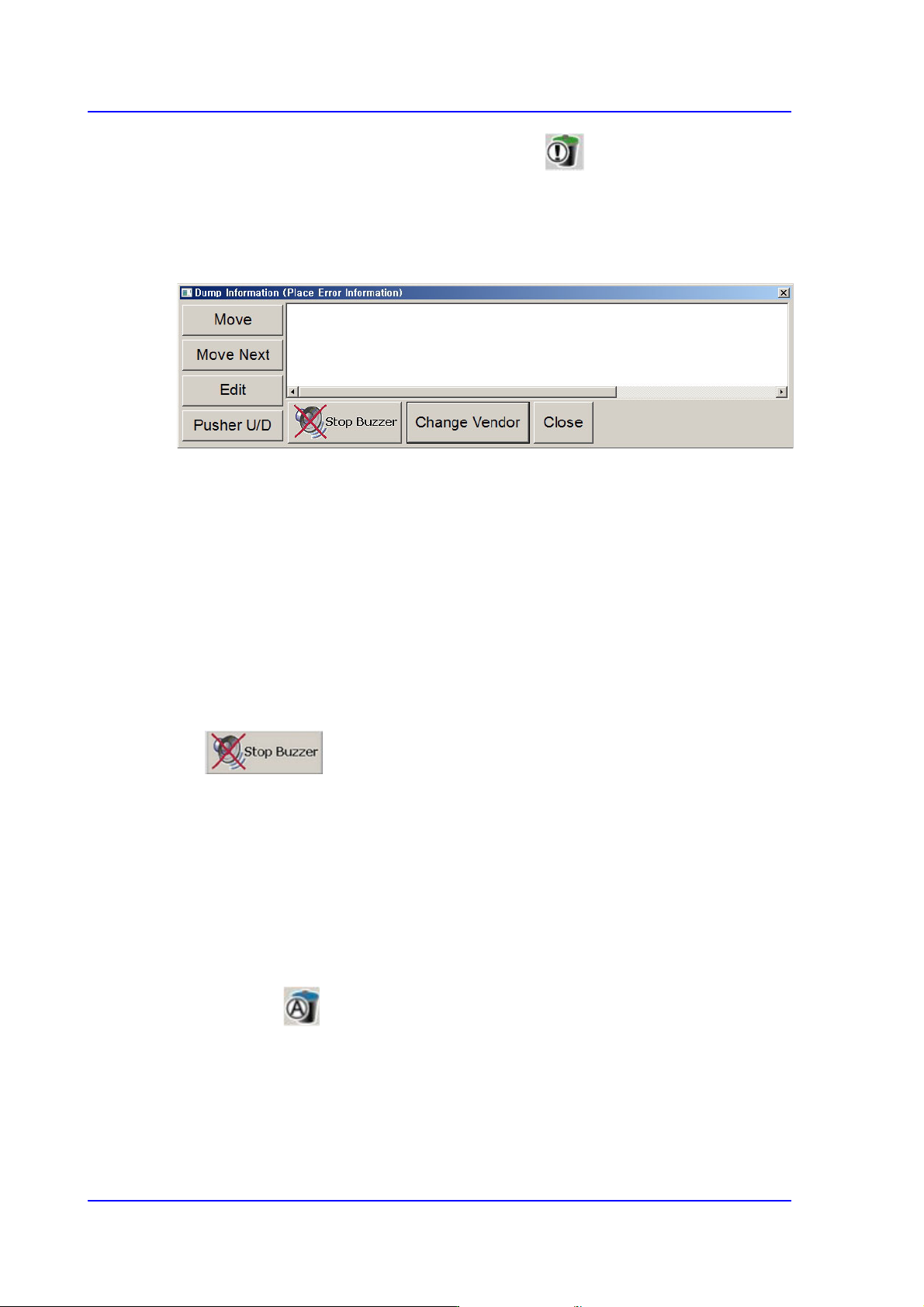
4.8. Dump Information (Place Error Information)
Used for confirming the message window indicating the contents on the abandoned parts
by placement error and feeder.
Figure4.9 “Dump Information (Place Error Information)” dialog box
<Move> button
Moves the fiducial camera to the position at where an error has occurred.
<Move Next> button
Moves the fiducial camera to the position at where an error has occurred.
<Edit> button
Used to open the “Feeders” dialog box and edit the data related to the tape feeder, stick
feeder and tray feeder. For further details, refer to “8.1 Feeder [F4]”.
<Pusher U/D> button
Selects the feeder to which an error occurred in the list box for feeding.
Button
Stops the sound of the buzzer.
<Change Vendor> Button
Selected when using the same part made by another manufacturer.
<Close> button
Close the corresponding dialog box.
4.9. Part Dump All
Used for dumping all the parts picked up by the head in the dump box.
4-23
Tools Shortcut Menu
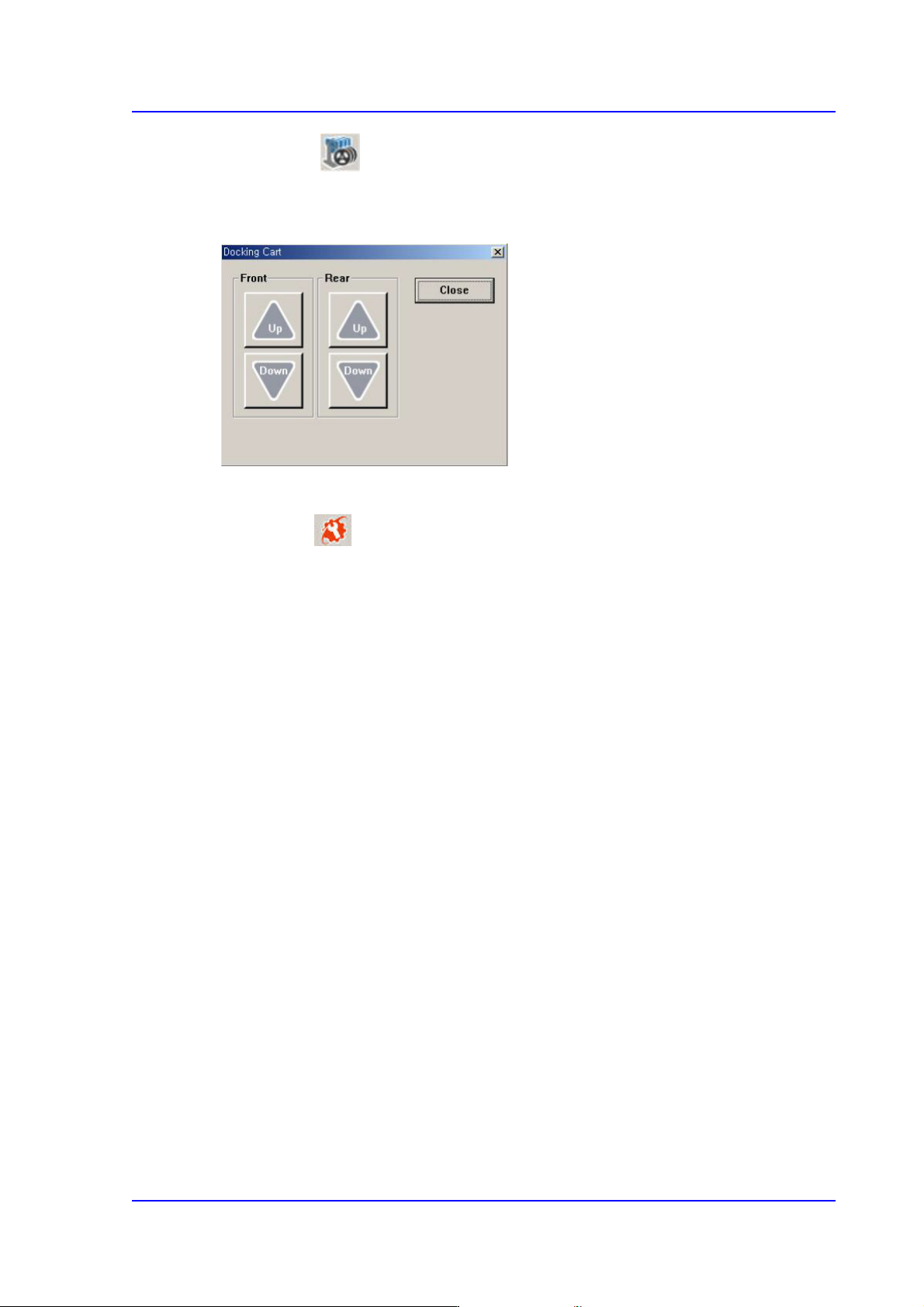
4.10. Docking Cart
Used to manipulate the movement of the front or rear side docking cart clamp when
applying the docking cart to the machine. Docking cart is option.
4.11. PM Manager
The PM Manager is a management menu that is used for the maintenance of the machine
in the MMI (Man-Machine Interface), an application program for machine operation. The
items to be inspected as well as check periods can be checked through the PM Manager,
and the machine can be managed more efficiently through the schedule check function.
For more details, refer to “Appendix. PM Manager” of the “Administrator’s Guide”
4-24
Multi-Functional Placer SM482(L) PLUS Administrator’s Guide
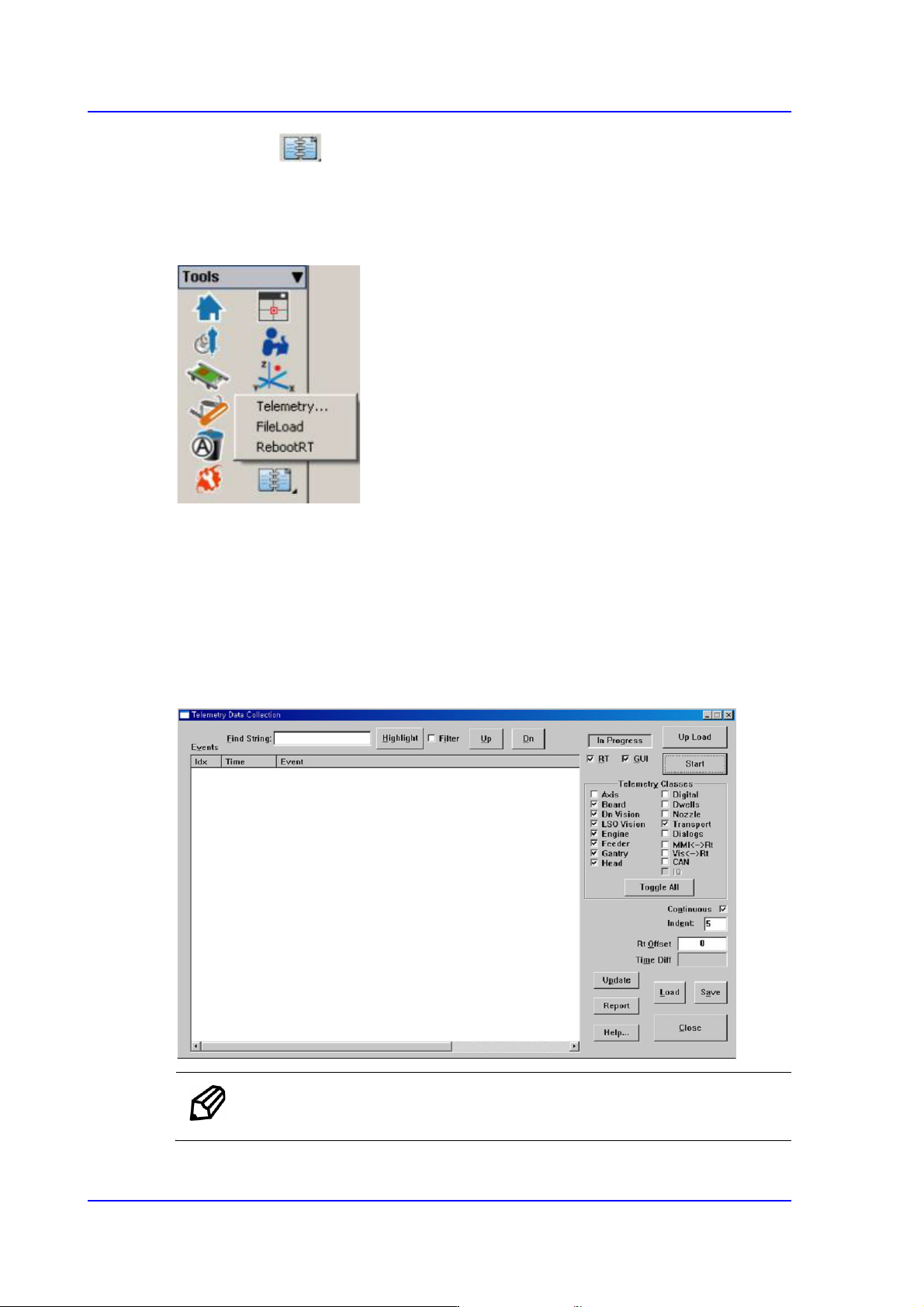
4.12. Data Logging
Selected when the Telemetry file is saved.
Use to record and manage various items related to the use of the machine. It is mainly
utilized to solve problems occurring in the machine using the log file recorded here.
4.12.1. Telemetry
Used to record and manage various items related to the use of the machine. When a
problem occurs with the machine, this menu is mainly used to examine its cause, and to
solve the problem using the log file recorded here.
This menu is used to debug the machine. For more details, refer to “1.1 General
Troubleshooting Guide” in the Troubleshooting Guide.
Memo It is possible to save up to 50 telemetry files.