SM482PLUS_Admin(Eng_Ver2.8).pdf - 第55页
1-7 Operation Mode and Password Change 1.1.2. Setti ng Manager Mode The system manage r password is needed to use the system setup menu. Access with system manager and the password setup mu st be done in the following ma…
1-6
Multi-Functional Placer SM482(L) PLUS Administrator’s Guide
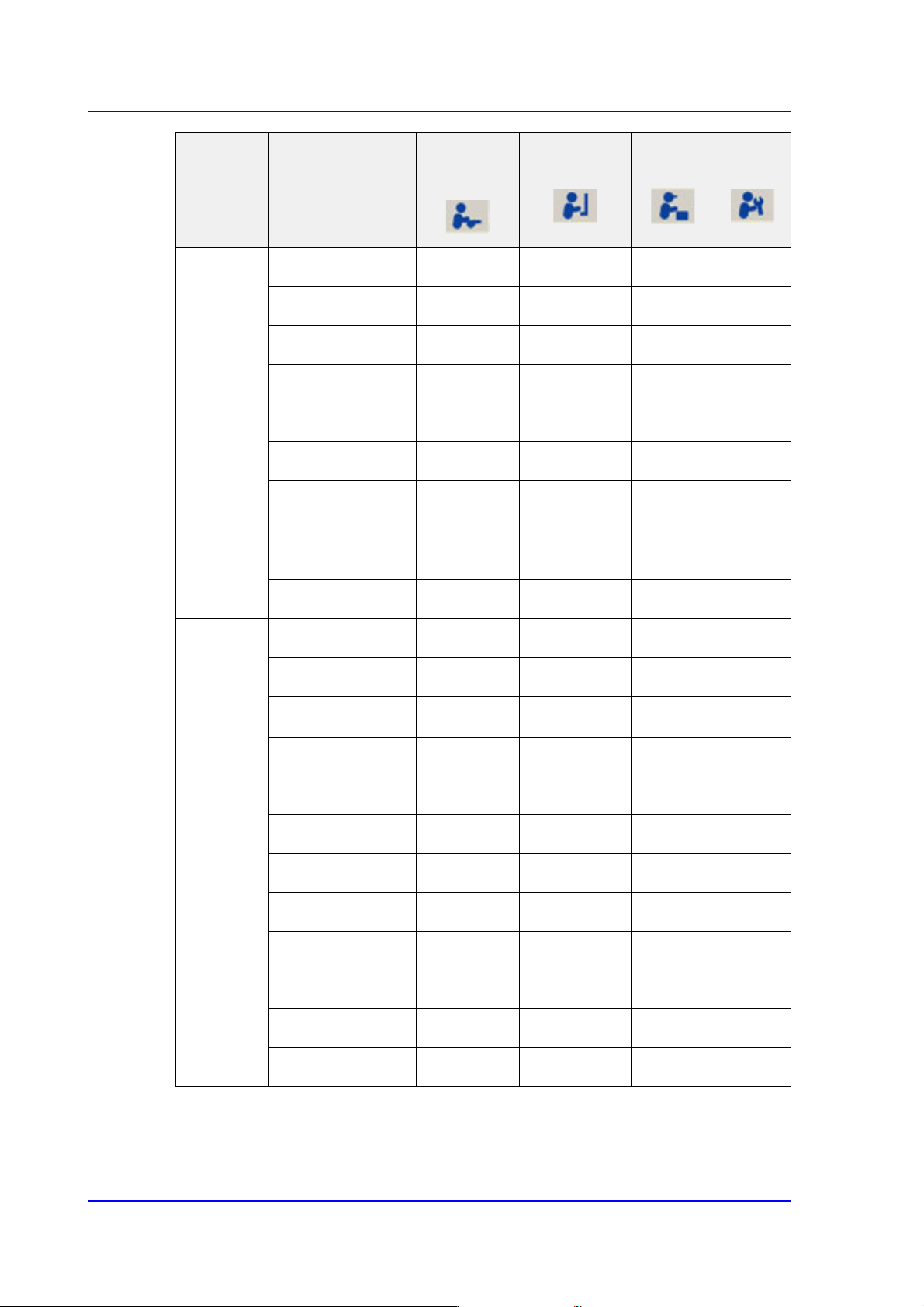
File New ×
○○○
Open ×
○○○
Recent Files ×
○○○
Save ×
○○○
Save As ×
○○○
Merge ×
○○○
ErrorMsgBar
Show/Hide
○○○○
Windows Tools ×
○○○
Exit ×
○○○
Tools Homing
○○○○
SMVision
○○○○
ANC △ ○○○
Operate Mode
○○○○
Conveyor ×
○○○
Position ×
○○○
Manual Tool ×
○○○
Dump information
○○○○
Dump All ×
○○○
Docking cart ×
○○○
PM Manager
○○○○
Data Logging ×
△ ○○
Menu bar Sub Toolbar
Operator/
Leader
Programmer
Manager
Service
1-7
Operation Mode and Password Change
1.1.2. Setting Manager Mode
The system manager password is needed to use the system setup menu. Access with
system manager and the password setup must be done in the following manner.
When accessing with system manager and setting up the password, perform access and
setup as follows.
When accessing with system manager, perform access as follows.
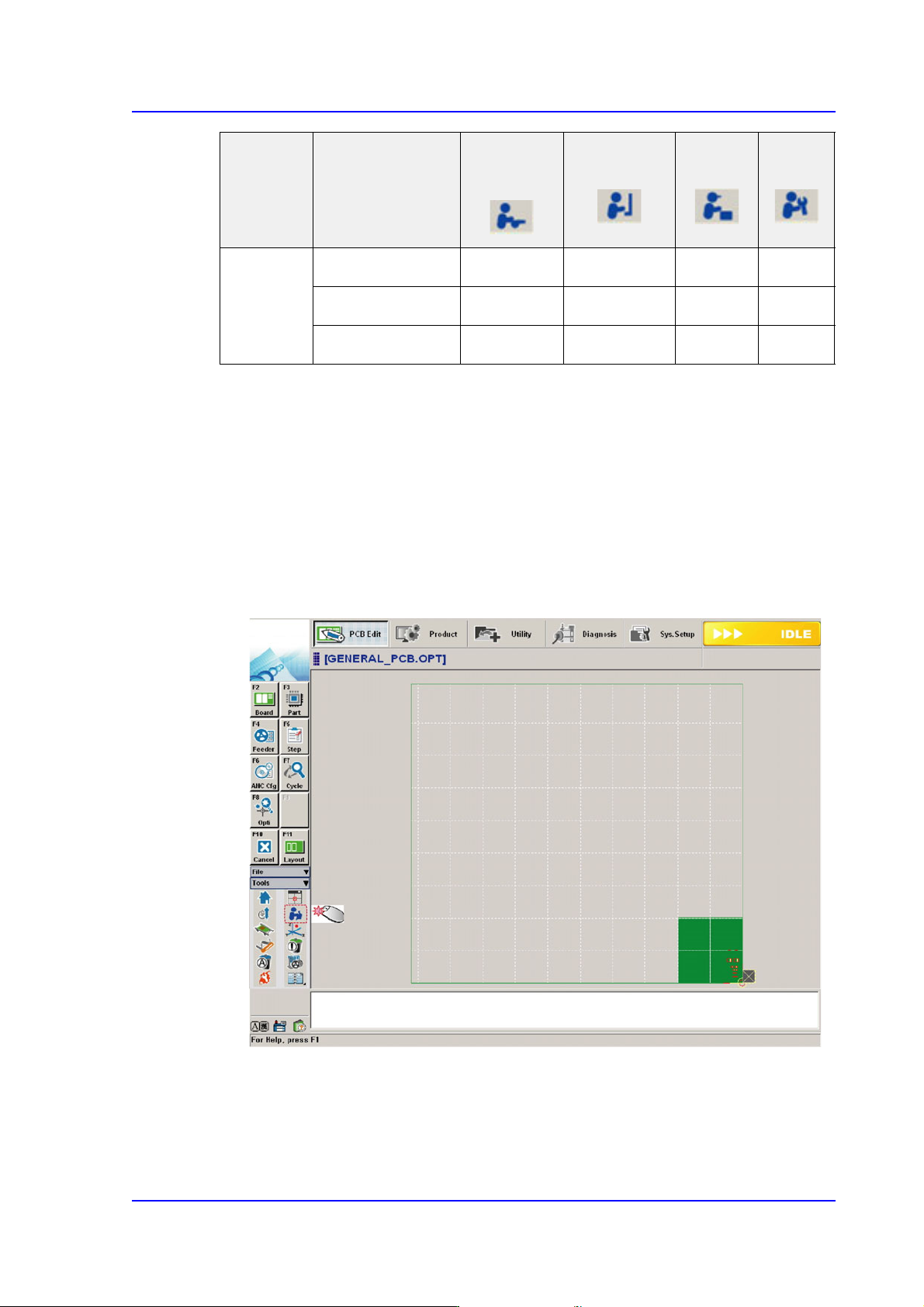
1. Click the ‘Operation Mode Change’ Button in the submenu
ETC Language
○○○○
About
○○○○
Help
○○○○
Menu bar Sub Toolbar
Operator/
Leader
Programmer
Manager
Service
1-8
Multi-Functional Placer SM482(L) PLUS Administrator’s Guide
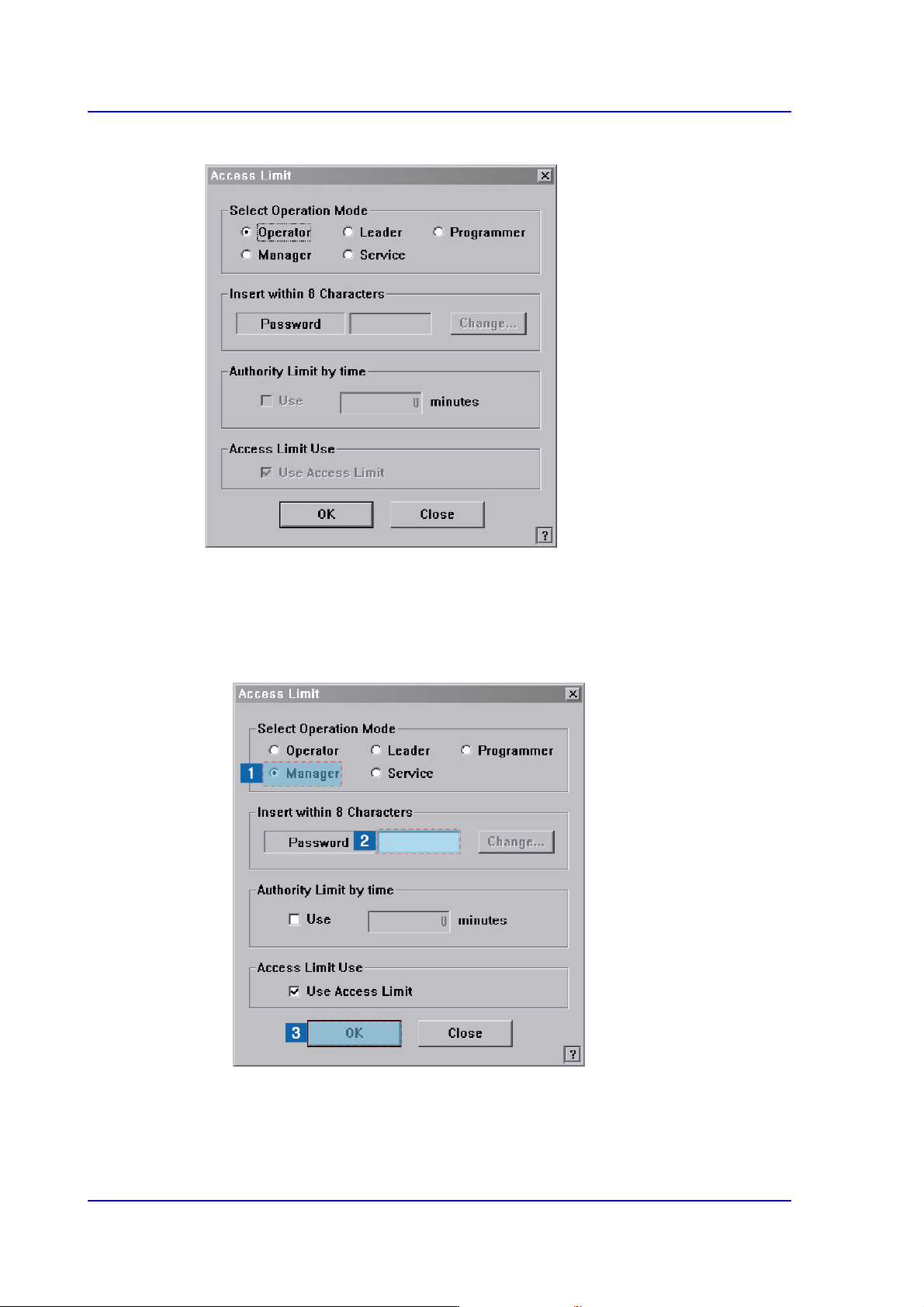
2. Then the following dialog box appears.
3. The setup with the manager mode is made in the following manner..
(1) Select the <Manager> option Button in the <Select Operation Mode> group
(2) Enter the manager password in the <Password> editor box.
(3) Click the <OK> button.