SM482PLUS_Admin(Eng_Ver2.8).pdf - 第422页
14-50 Multi-Functional Placer SM482( L) PLUS Administrator’s Guide 4. Once the <Start> button is clicked after selecting <Automatic Next>, the equipment automatically performs calibration. 5. Once automatic c…
14-49
Machine Calibration
14.3.7.2. Fix Cam. Thermal Origin Calibration
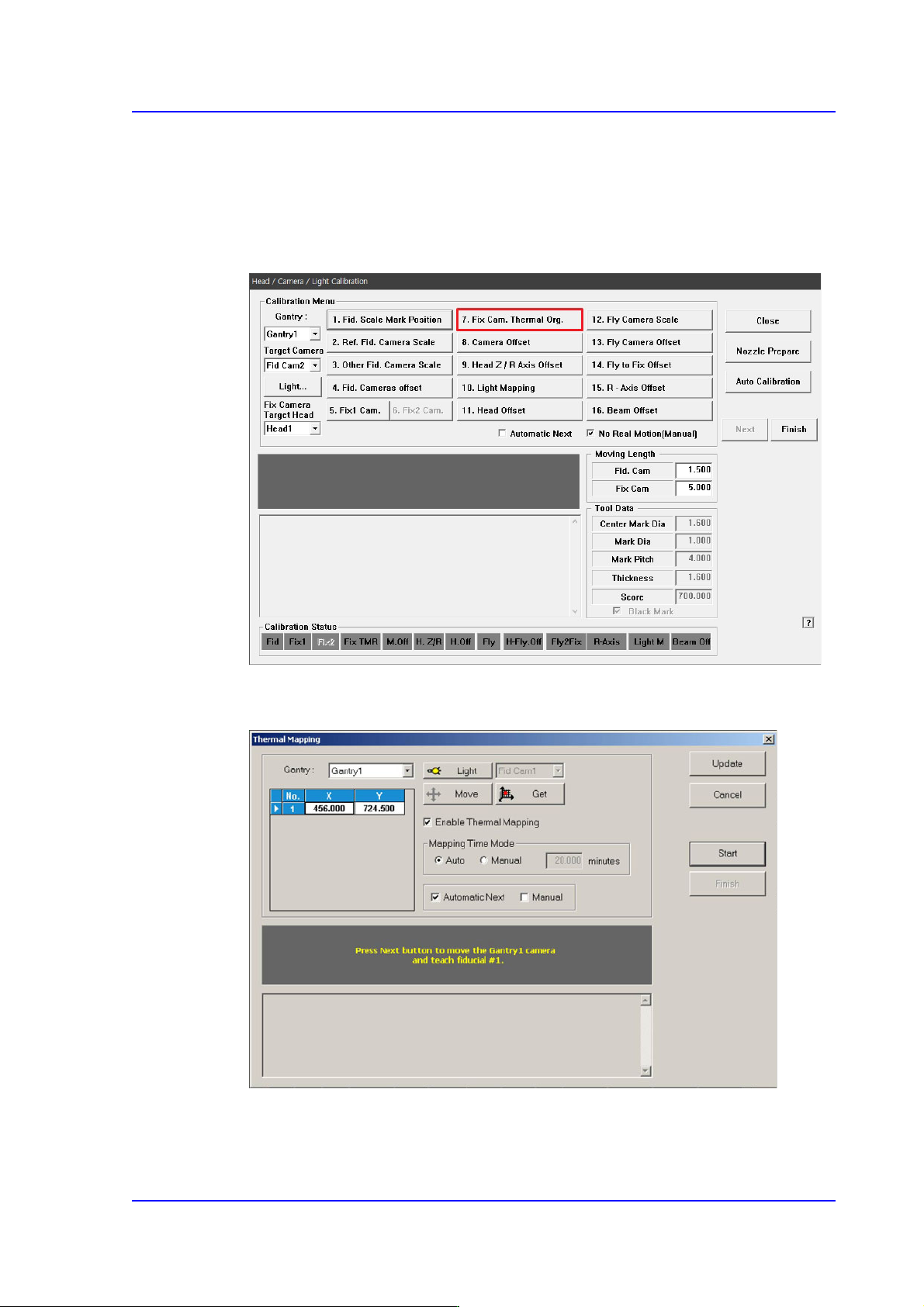
You must teach a fiducial mark displayed in the ANC to compensate for the thermal
deformation of the XY coordinate system caused by frictional heat from the ball screws
after the equipment starts running.
1. Click the <7. Fix Cam. Thermal Origin> button.
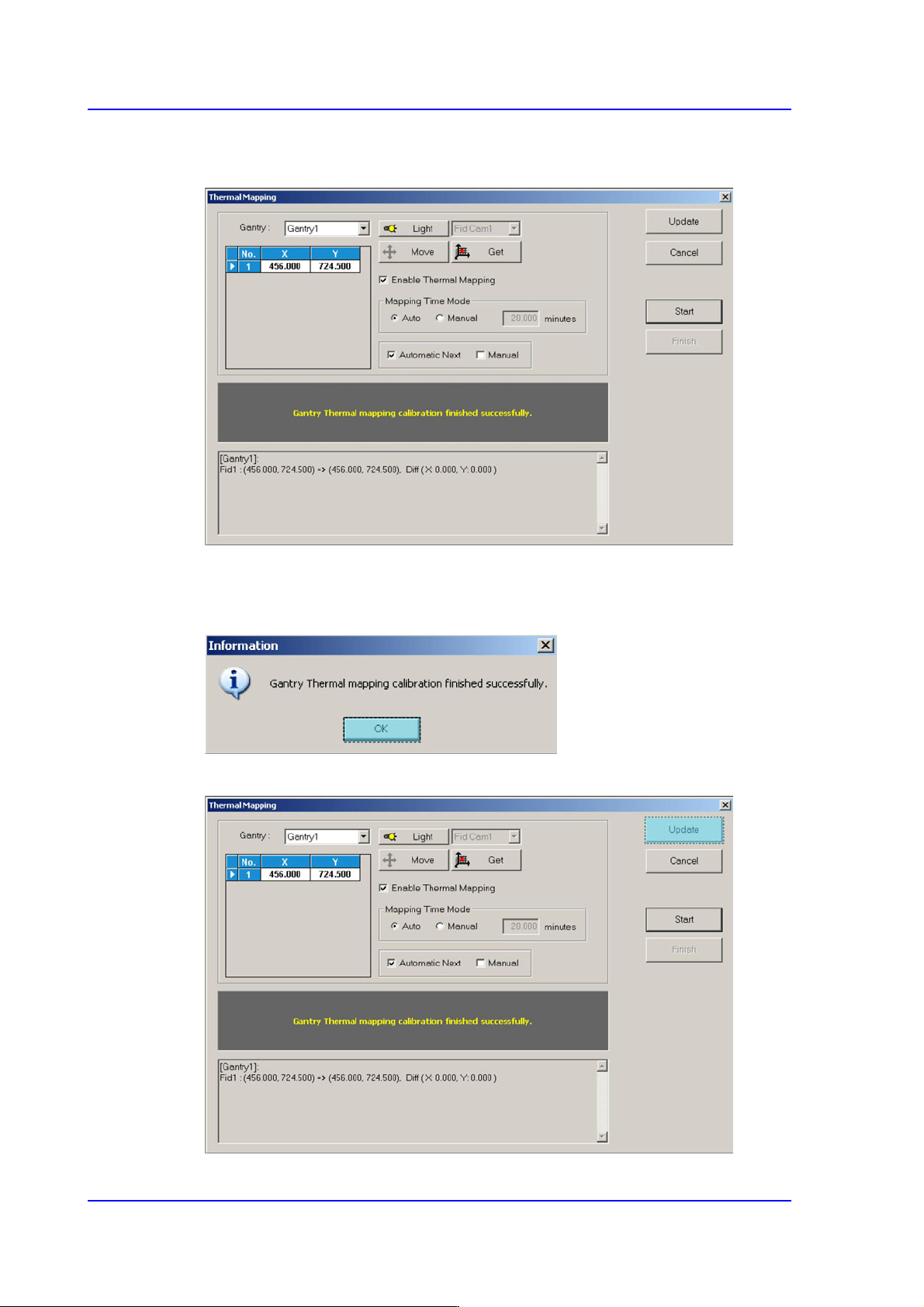
2. Click the <Move> button to check if the location of the default coordinates match the
location for the fiducial mark displayed in the ANC.
3. If the default coordinates do not match the location for the fiducial mark displayed in
the ANC, manually teach the coordinates.
14-50
Multi-Functional Placer SM482(L) PLUS Administrator’s Guide
4. Once the <Start> button is clicked after selecting <Automatic Next>, the equipment
automatically performs calibration.
5. Once automatic calibration is completed, a message "Gantry Thermal mapping
calibration finished successfully" is displayed, showing result value as indicated in the
following figure.
6. Click <Update> button to apply the new calibration value.
14-51
Machine Calibration
14.3.7.3. Camera Offset Calibration
Measure the offset between the center of the fiducial camera and the first head (Head 1) of
each gantry.
This offset measurement must be completed to be able to use the Auto Nozzle Change
function for calibrations that follow. This process is performed only in the Manual Mode.
A calibration glass must be used to perform this calibration and calibration is required only
for a single fix camera even if there are two fix cameras.
Calibration using a calibration glass (fix camera option)
The following is the procedure to calibrate the Fid Cam Offset of the head;
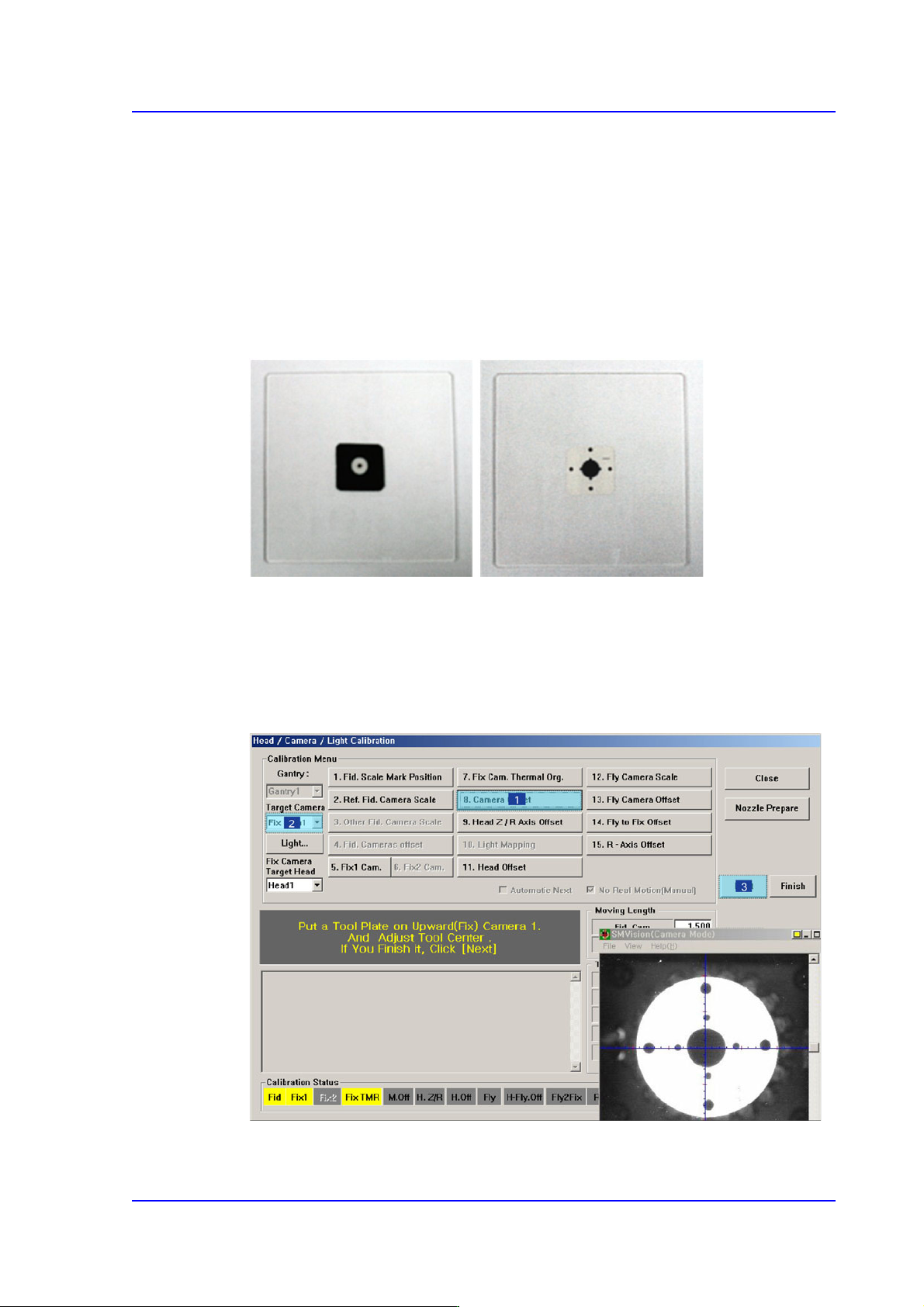
1. If the <8. Camera Offset> button is clicked, the message “Put a Tool Plate on
Upward(Fix) Camera 1. And Adjust Tool Center. If you Finish it, Click [Next].”
appears in the message box. Click the <Next> button to move down the Z axis of the
head in order to remove all nozzles inserted in the nozzle-holder manually.