SM482PLUS_Admin(Eng_Ver2.8).pdf - 第338页
12-12 Multi-Functional Placer SM48 2(L) Administrator’s Guide 12.4. Optimization 12.4.1. Rank Arranges feeders automatically for placement points by the rank of the LED according to the characteristics of the PCB for lig…
12-11
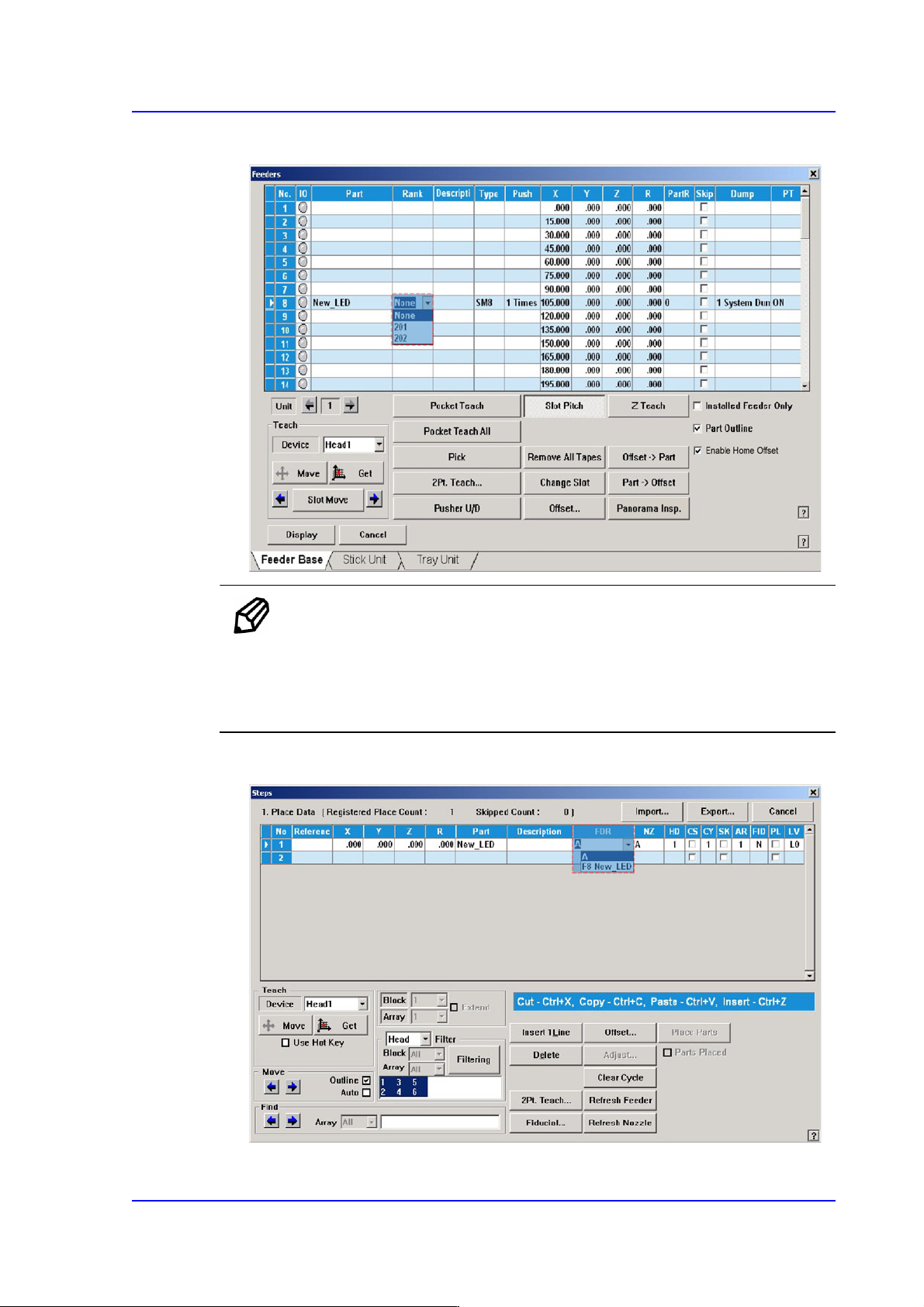
LED placement
3) Select the rank of the LED part.
Memo Double clicking the rank column of the LED parts will execute
the dialog box that can add or delete the rank.
For an LED part for which rank is set, its rank is indicated along
with the feeder.
4) Select the LED part using the corresponding rank in the part registration menu.
12-12
Multi-Functional Placer SM482(L) Administrator’s Guide
12.4. Optimization
12.4.1. Rank
Arranges feeders automatically for placement points by the rank of the LED according to
the characteristics of the PCB for lighting.
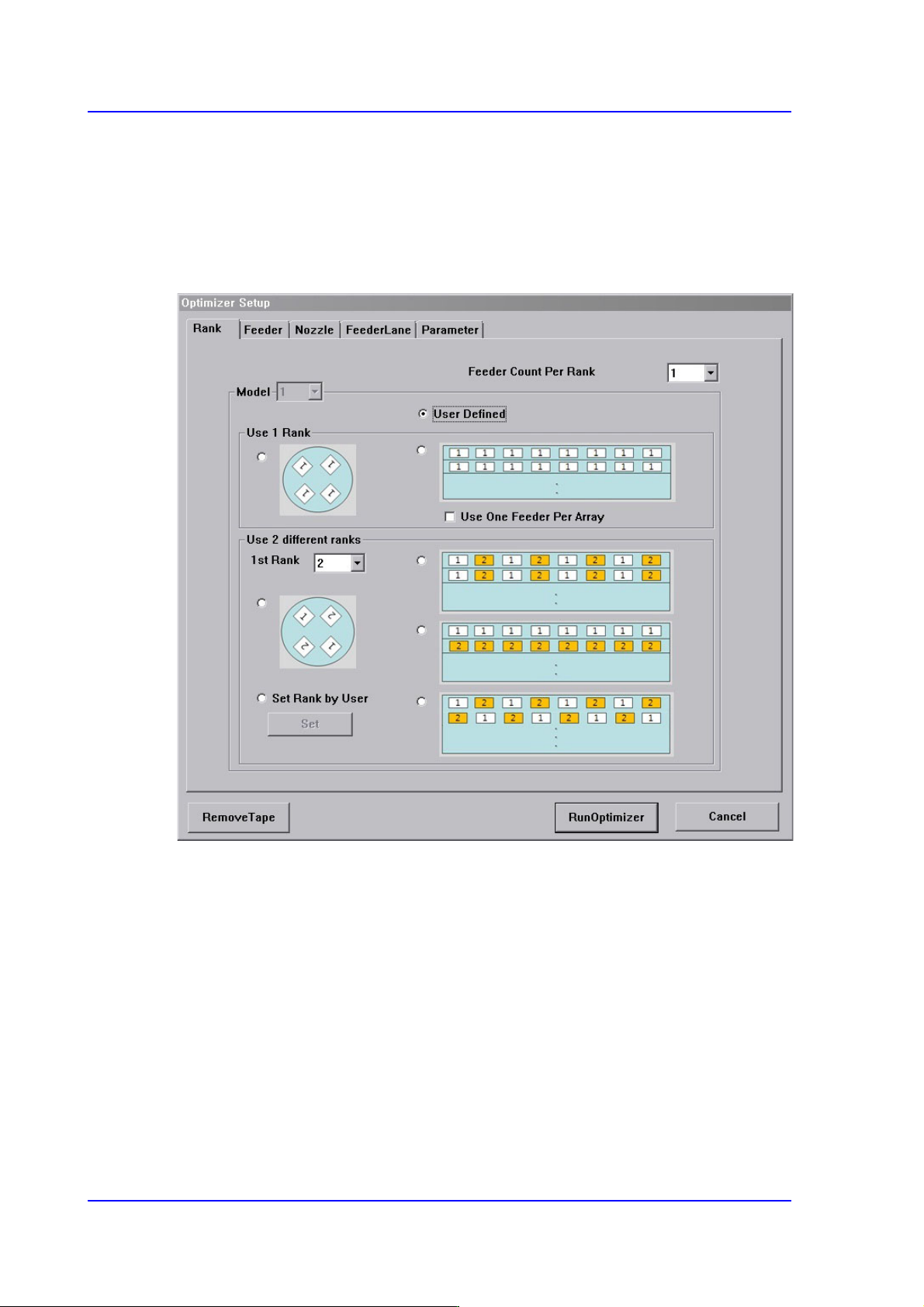
Figure12.3 “Optimizer Setup: Rank” tab dialog box
Refers to the dialog box that allows the user to select the work type according to the
characteristics of the PCB for LED lighting and optimize the feeder arrangement.
Generally, in the case of the PCB for LED lighting, the user must directly designate the
feeder manually for each placement point in one array in order to perform setup for the
feeder by rank.
However, the user does not need to directly perform feeder arrangement for many
placement points by selecting the appropriate type for the work type in this dialog box.
The rank option may be set differently depending on each model.
<Use 1 Rank> group
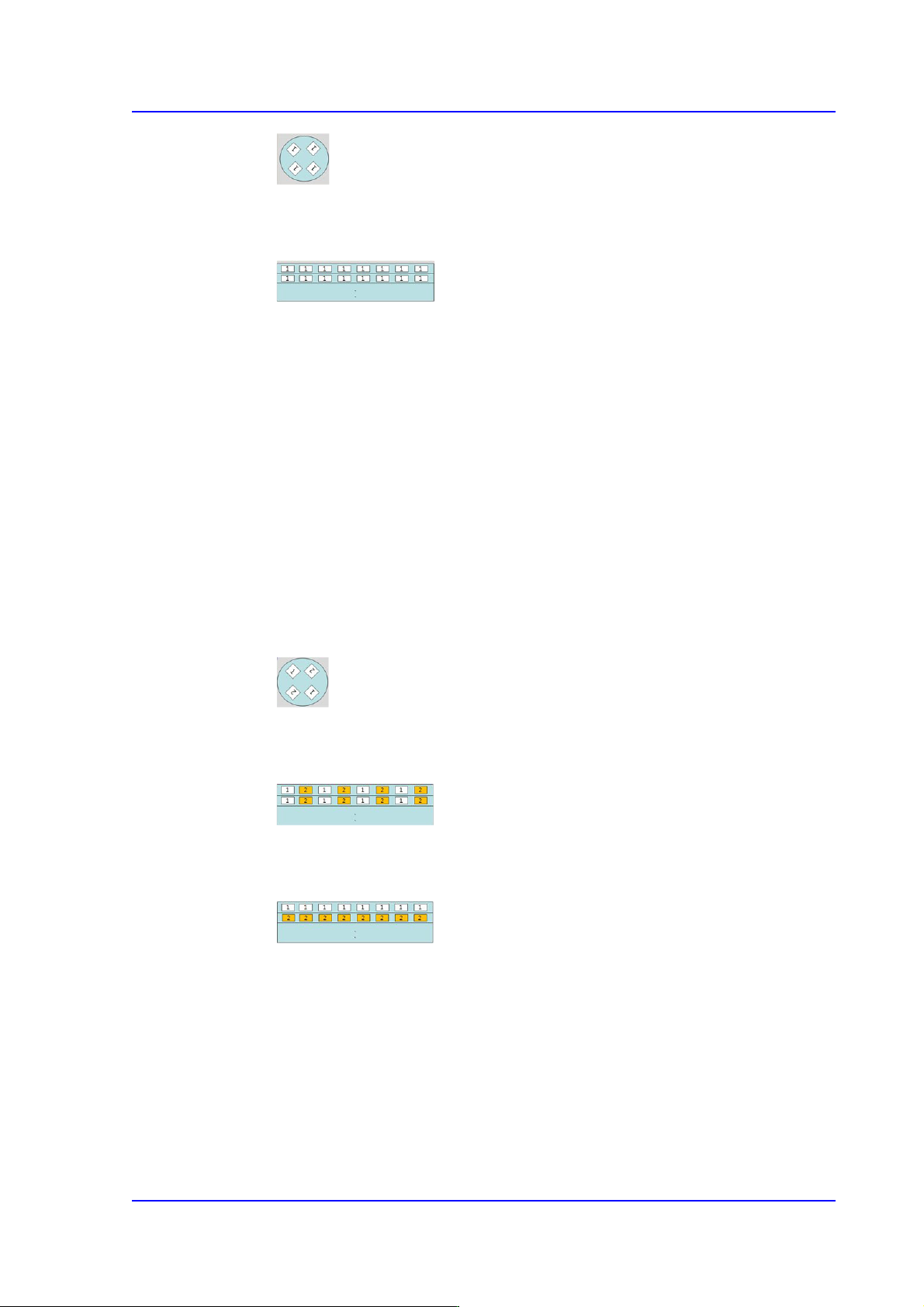
Refers to the method to work on the PCB using LEDs of the same rank.
12-13
LED placement
Refers to the round lighting board. When working on LEDs of the same rank,
select this type.
Refers to bar type lighting boards. When working on LEDs of the same rank,
select this type.
<Bar-Feeder Matching> check box
In the case of bar type lighting boards, select this check box when receiving parts
from one feeder for all placement points in one line.
<Use 2 Rank> group
Refers to the method to perform work on the PCB using two types of LED of different
rank.
<1st Rank> Combo box
The 1st rank refers to the part with the rank to be placed first. That is, select the
part with the rank to be placed first. The part corresponding to the number ‘1’ in
the figure is the one with the 1st rank.
Refers to the round lighting board. Select this type when performing work with
LEDs of the same rank facing each other.
Refers to bar type lighting boards. Select this type when performing work on
LEDs of different rank in one line.
Refers to bar type lighting boards. Select this type when working on LEDs of the
same rank by line.
<User Defined> option button
Refers to the existing setup option. Select this setup when performing work on general
PCBs other than PCBs for LED lighting. At this time, for the part selected from the
<1st Rank> combo box, the rank order is set to ‘1’ and another one to ‘2’. The rank
order of the other part that is not set will be set to ‘0’