SM482PLUS_Admin(Eng_Ver2.8).pdf - 第213页
7-41 Part Registration Shape definition - Others (Line) 1: Length and dir ection of the line ( Posi tion change of the selected point ) Shape definition - Others (Rectangle) 1: Length of the r ectangle in the X dir e…
7-40
SM PLUS Administrator’s Guide
the selected object.
<Width> edit box
Input the width of an object to suit the image of an actual part. If the selected
object is round, set the diameter.
<Height> edit box
Input the height of an object to suit the image of an actual part. Only when the
selected object is rectangular is this enabled.
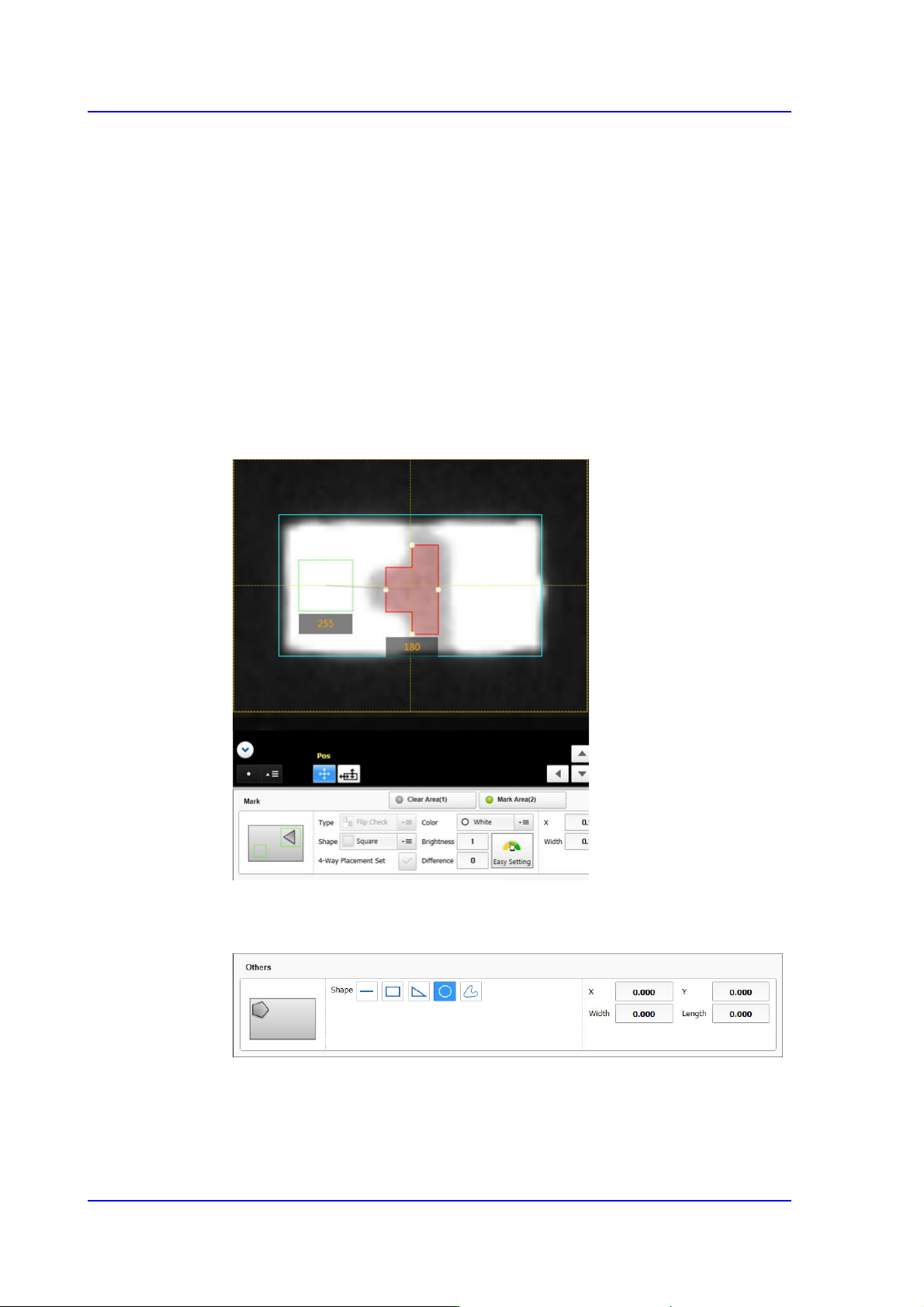
<Clear Area (1)> switch button
Selected in order to set the area where there is no LED mark.
<Mark Area (2)> switch button
Selected in order to set the Black area where there is an LED mark.
Others
Edits other shapes to objects or deletes them.
<Shape> group
It is possible to select shapes such as straight lines, rectangles, triangles,
circles, polygons, etc.
7-41
Part Registration
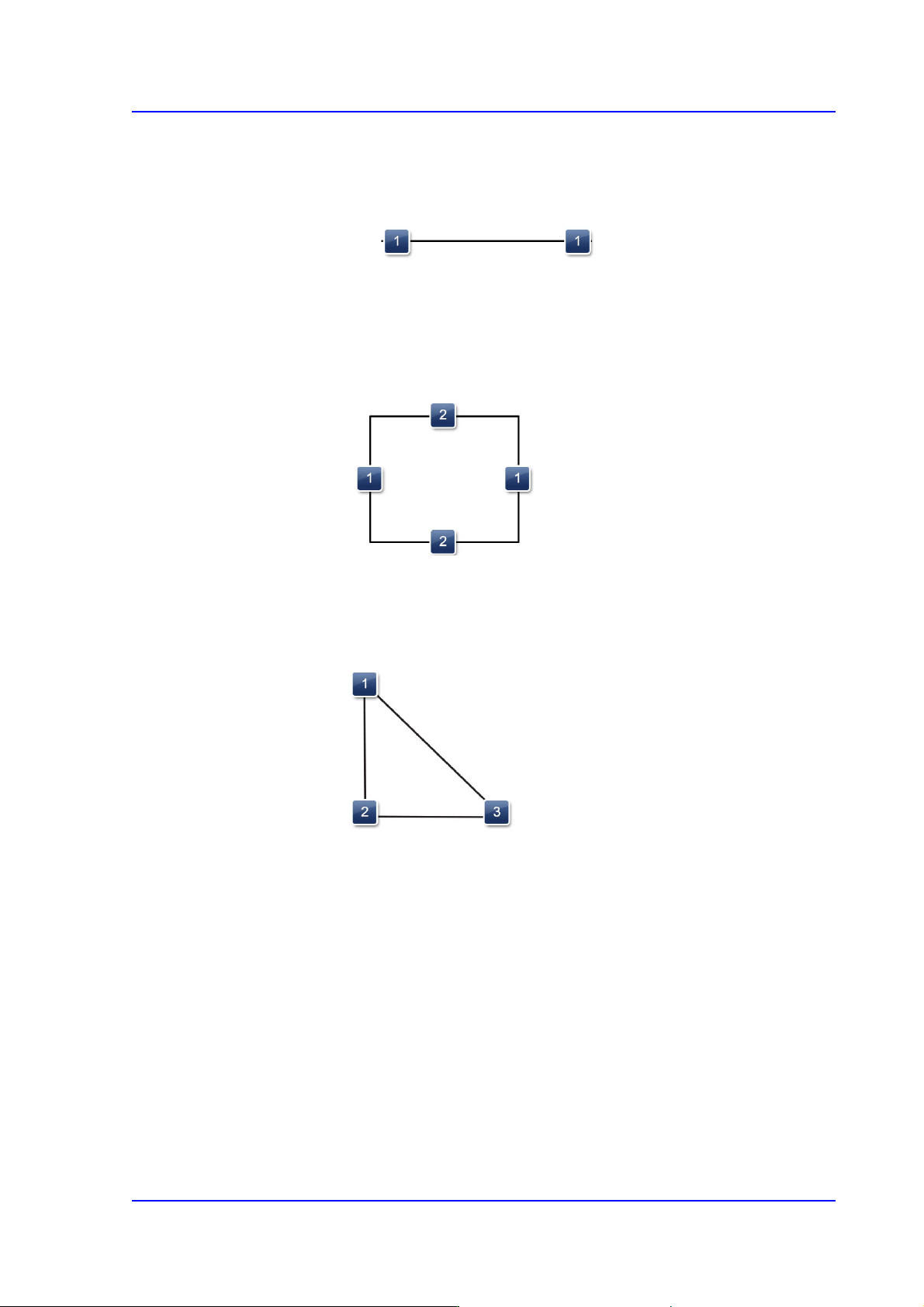
Shape definition - Others (Line)
1: Length and direction of the line ( Position change of the selected point )
Shape definition - Others (Rectangle)
1: Length of the rectangle in the X direction
2: Length of the rectangle in the Y direction
Shape definition - Others (Triangle)
1: Position change of the selected point
2: Position change of the selected point
3: Position change of the selected point
7-42
SM PLUS Administrator’s Guide
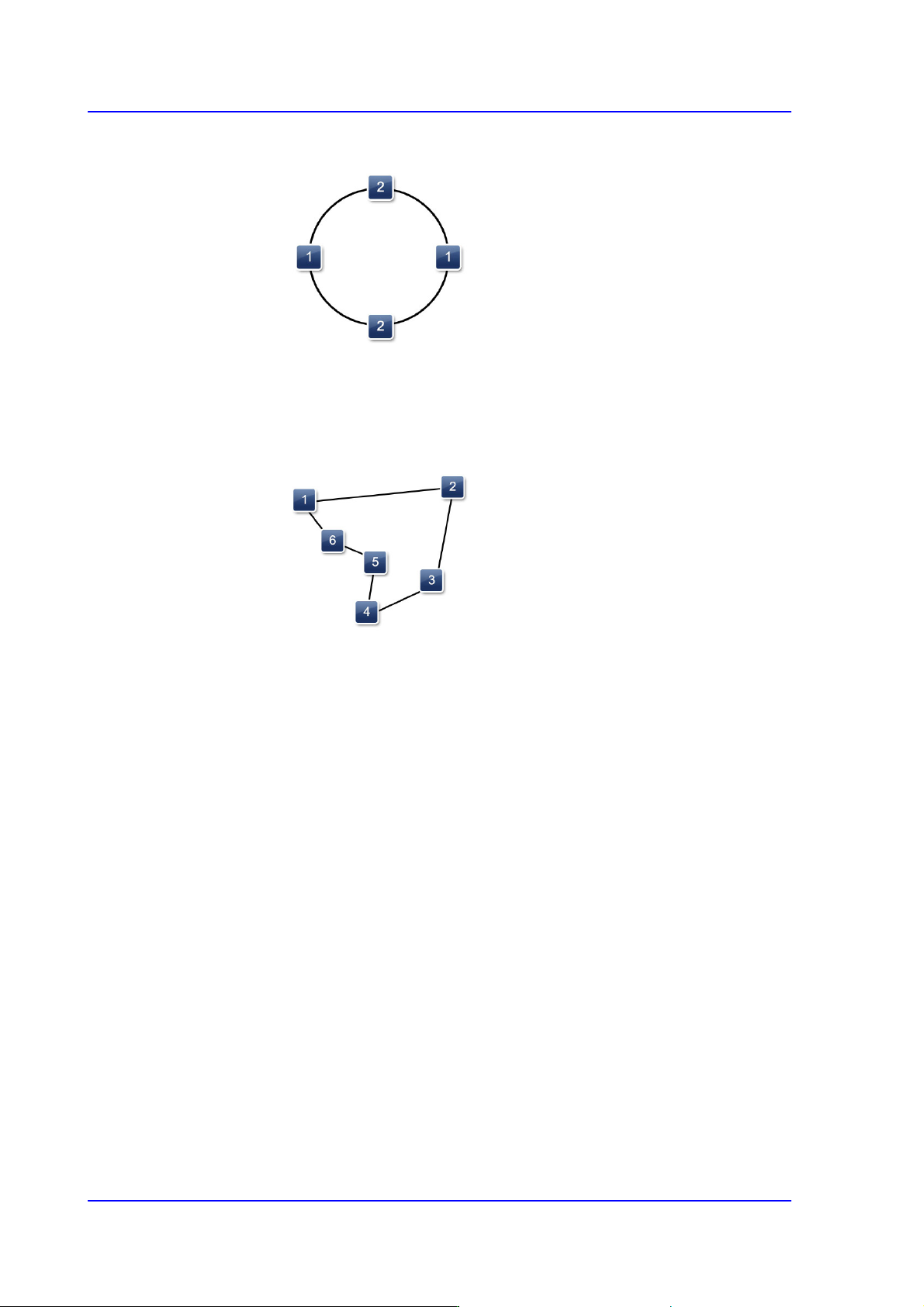
Shape definition - Others (Circle)
1: Length of the oval in the X direction
2: Length of the oval in the Y direction
Shape definition - Others (Polygon)
1: Basic Marker(Min Mark: 3)
2: Basic Marker
3: Basic Marker
4: Basic Marker
5: Additional Marker (Double clicking the line will add a marker / Double clicking a
marker will remove the marker)
6: Additional Marker
<X/ Y> edit box
Input the X and Y offsets between the vision window center and the center of
the selected object.
<Width> edit box
This input field is not enabled when the selected object is a dot, straight line,
triangle or polygon.
Input the width of an object to suit the image of an actual part. If the selected
object is round, input the diameter.
<Height> edit box
This input field is not enabled when the selected object is a dot, straight line,
triangle or polygon.
Input the height of an object to suit the image of the actual part.