SM482PLUS_Admin(Eng_Ver2.8).pdf - 第387页
14-15 Machine Calibration 4) In the ‘Camera’ ta b dialog box, selec t the camera corresponding to the he ad that will check the existanc e of the nozzle. 5) Operate the motor that drives the mirror-ax is by using the tea…
14-14
Multi-Functional Placer SM482(L) PLUS Administrator’s Guide
2) Click the <Manual Tools> button in the ‘Nozzle Check’ tab dialog box to
execute the ‘Manual Control’ dialog box.
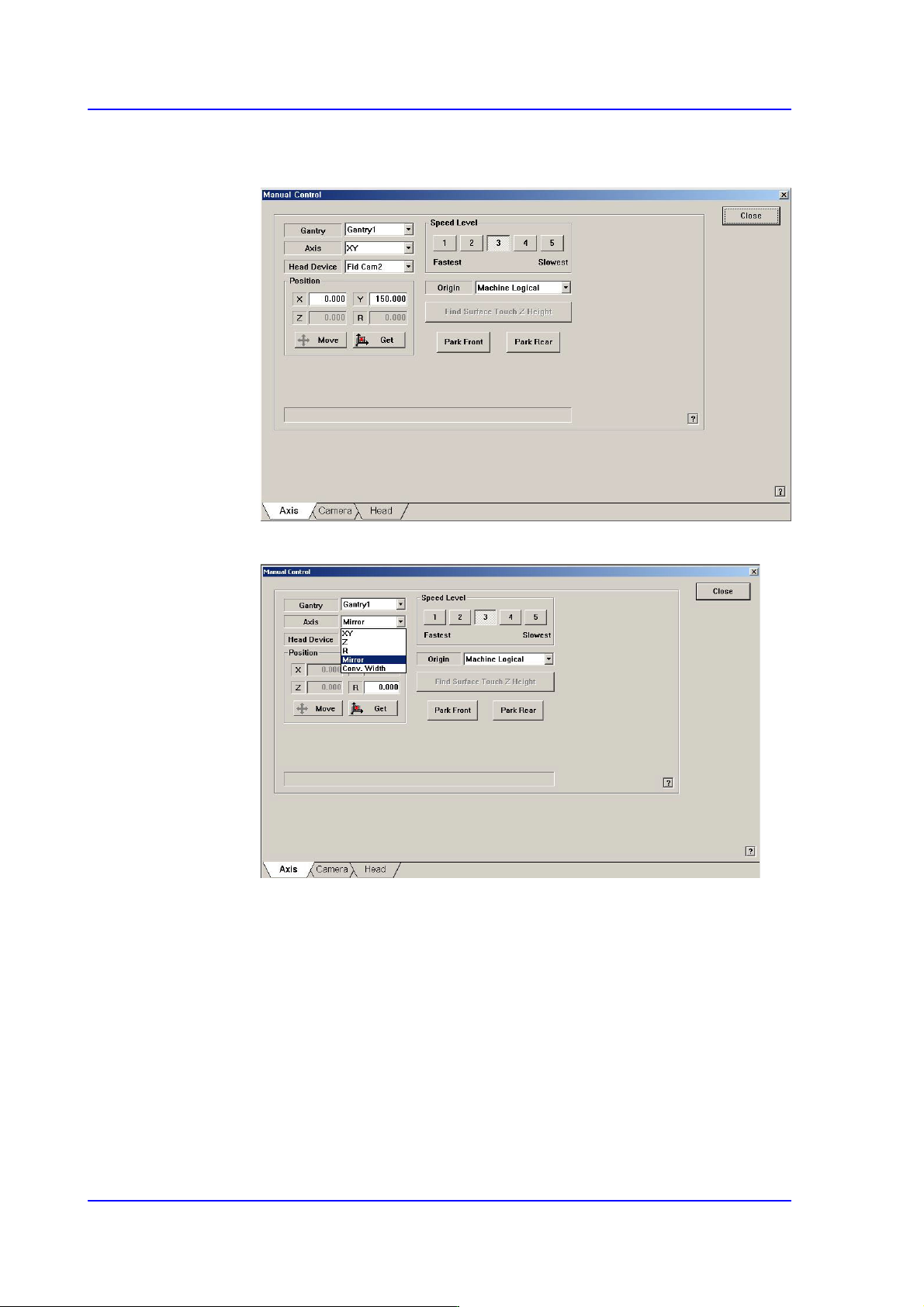
3) Select Mirror in the <Axis> combo box of the Axis Tab dialog box..
14-15
Machine Calibration
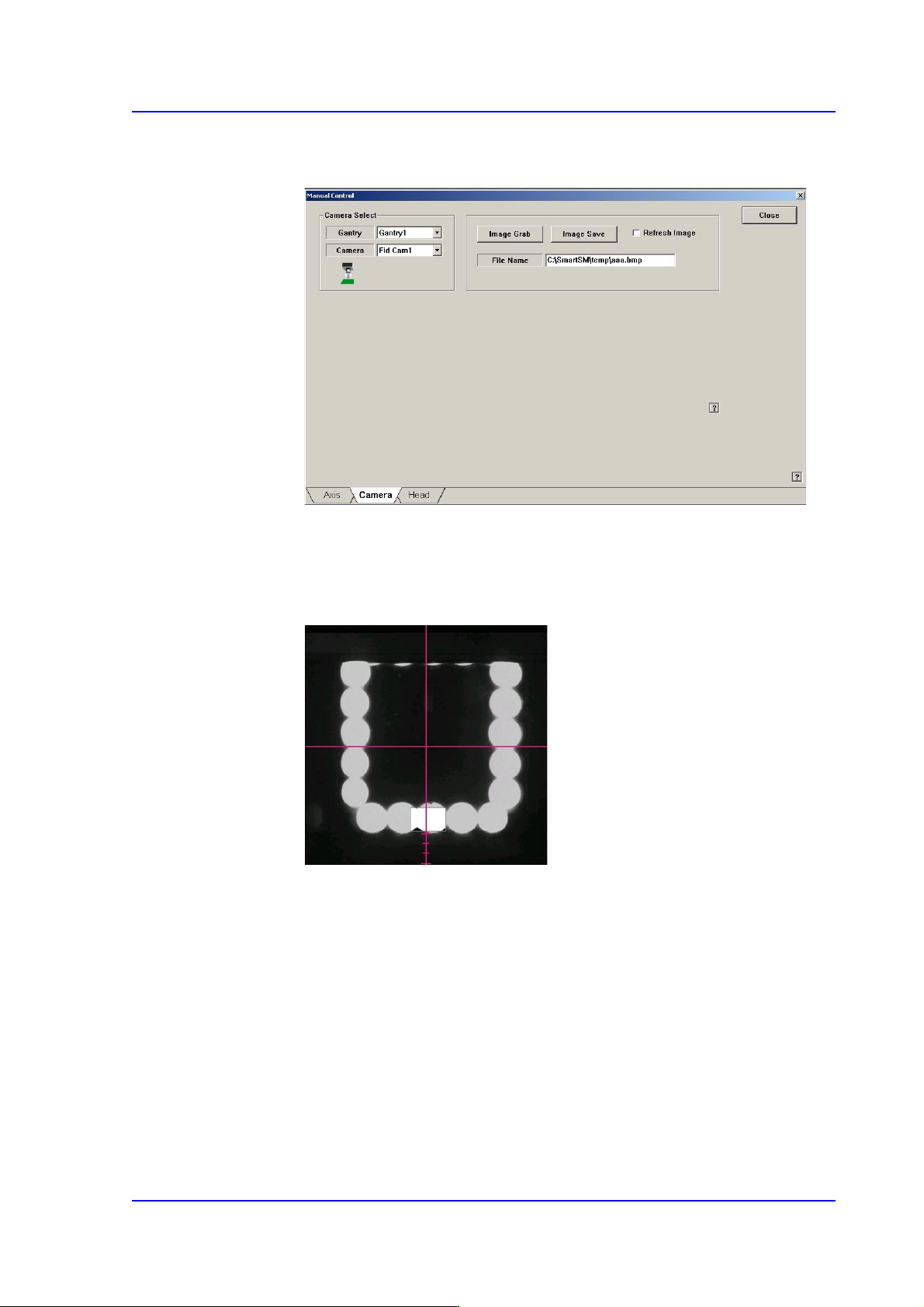
4) In the ‘Camera’ tab dialog box, select the camera corresponding to the head
that will check the existance of the nozzle.
5) Operate the motor that drives the mirror-axis by using the teaching box so that
the middle buttom of the LED of the corresponding camera comes to the third
scale from the bottom of the cross hair in the ‘SMVision’ window..
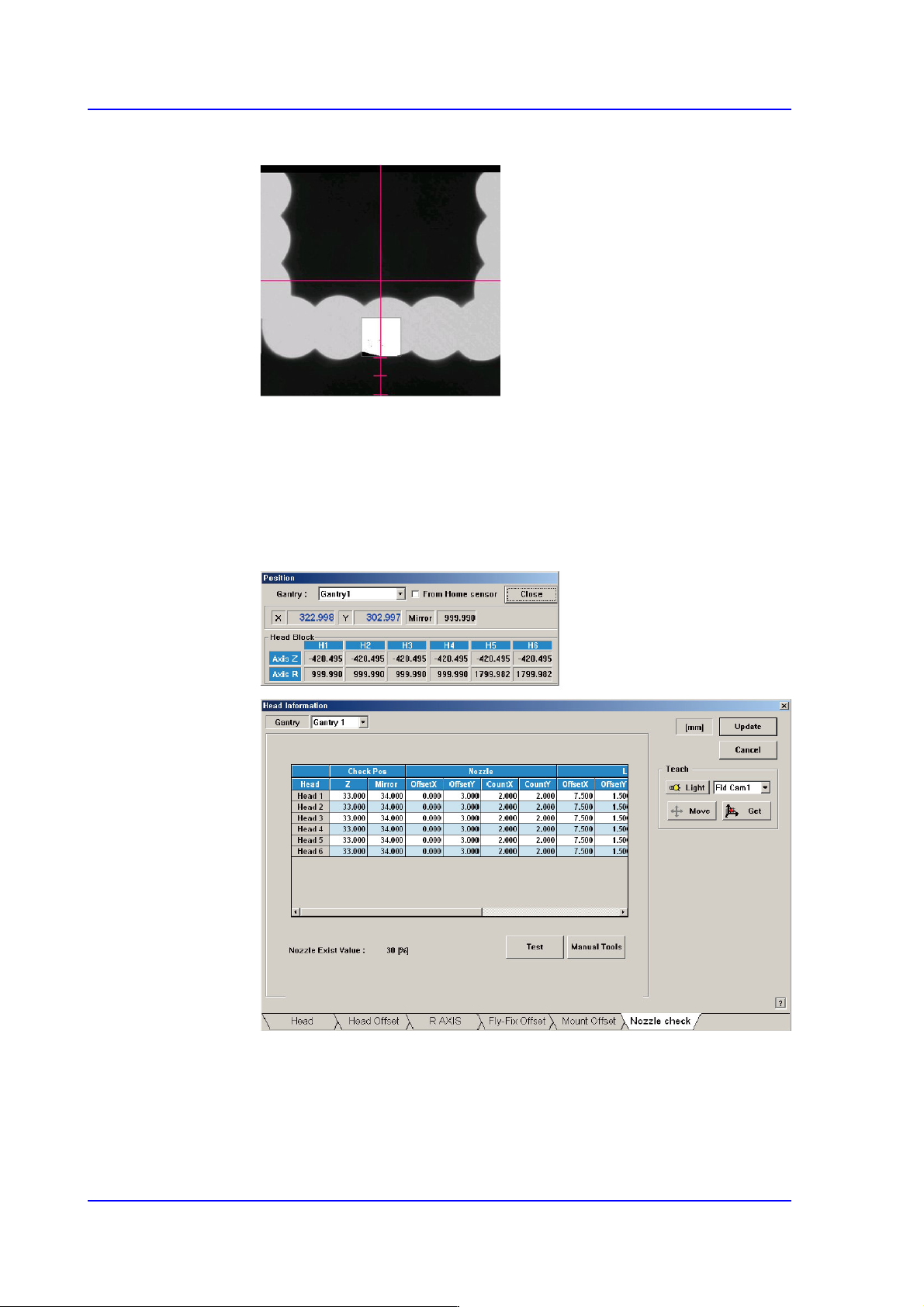
<When using the FOV 25mm Fly Camera>
In the case of the fly-camera with FOV 25mm, match the bottom of the LED
with the third scale from the bottom of the cross hair in the ‘SMVision’
window.
14-16
Multi-Functional Placer SM482(L) PLUS Administrator’s Guide
<When using the FOV 16mm Fly Camera>
In the case of the fly-camera with FOV 16mm, match the bottom of the LED
with the second scale from the bottom of the cross hair in the ‘SMVision’
window.
6) Close the Manual Tools dialog box..
7) At this time, apply the Mirror value in the “Position” dialog box as the Mirror
value of the Check Position.