SM482PLUS_Admin(Eng_Ver2.8).pdf - 第249页
7-77 Part Registration Not Use: Set this function so that it is not used. Pick: Set this functio n so that it is used only fo r pickup. Mount: Set this functi on so that it is used only for placement. Pick&Mo…
7-76
SM PLUS Administrator’s Guide
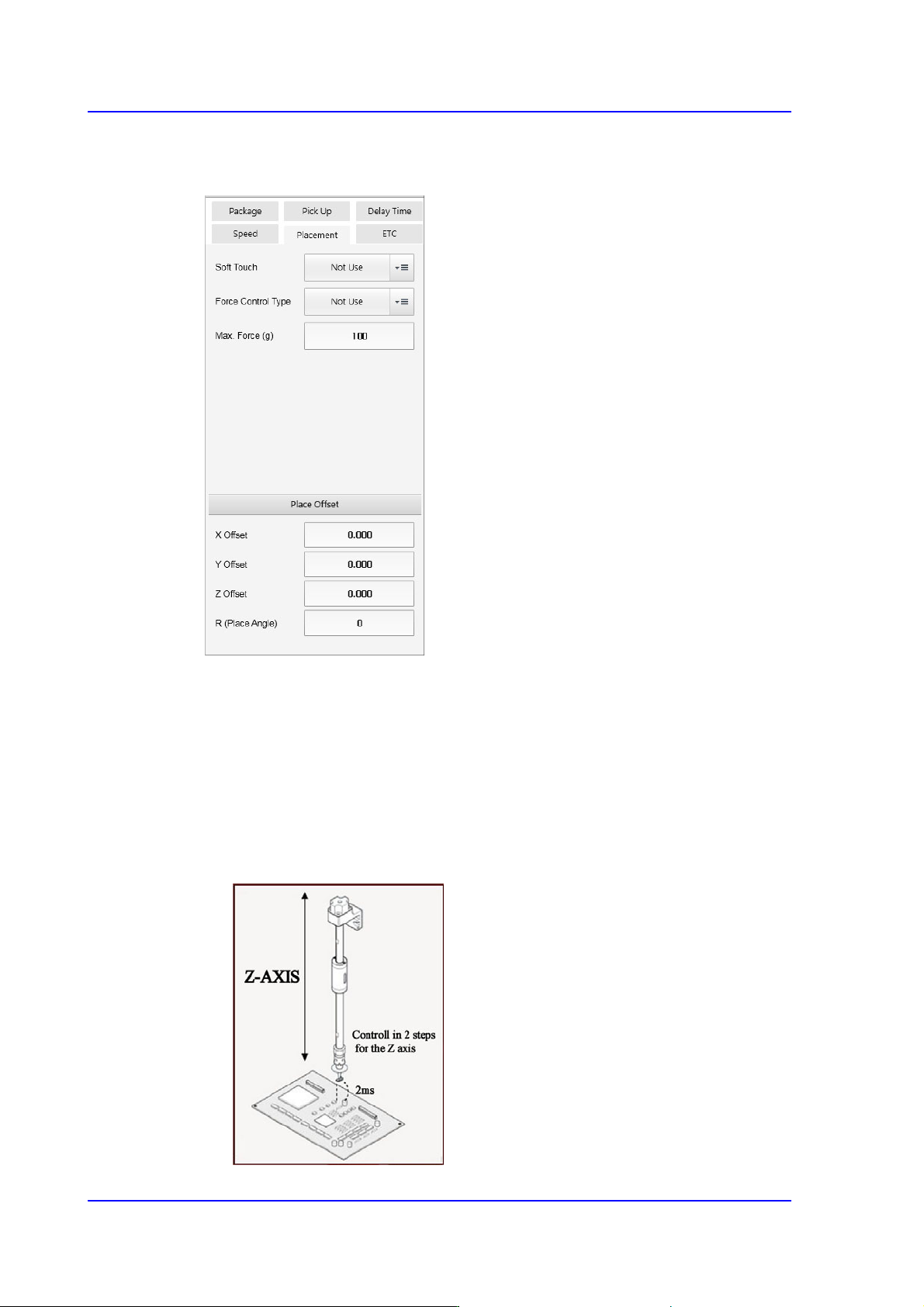
<Placement> tab
Sets the parameters related to part placement.
<Soft Touch> combo box
This can be applied for the part pickup and placement. It allows the speed of the Z
axis to become 4 (slow) at 2mm height from the PCB upper surface when the head
moves down regardless of the speed set in the <Speed> group.
That is, the speed is controlled in 2 steps for the Z axis. For example, if cracks
occur frequently in the part. The overall speed of the Z axis may be reduced.
However, in this case, overall efficiency decreases.
At this time, the work can be done efficiently using this function.
7-77
Part Registration
Not Use: Set this function so that it is not used.
Pick: Set this function so that it is used only for pickup.
Mount: Set this function so that it is used only for placement.
Pick&Mount: Set this function so that it is used only for pickup and
placement.
Caution In case of shock sensitive components like CSP or μBGA,
the z-axis related speed parameters must be set according
to the component manufacturer’s specification or standards.
And use the nozzle suitable to component manufacturer’s
specification or standards.
If necessary, please contact our Business Department or
the local agent for the nozzle suitable to component
manufacturer’s specification or standards.
<Force Control Type> selection box
Select the method to control the force imposed on the part when the head spindle
moves down for part pickup or placement.
This function is supported for machines equipped with a head module that
provides a force control function.
Not Use
Selected in cases to setup so the force control function will not be used.
Pickup
Selected in cases to setup so that the force control function will be applied
only for part pickup.
Place
Selected in cases to setup so that the force control function will be applied
only for part placement.
Both
Selected in cases to setup so that the force control function will be applied
only for part pickup and placement.
<Max. Force (g)> edit box
Input the maximum force controlled by the head module.
If a PIP part is not inserted into a PCB hole by 1 kg of force, perform a PIP part
insert test by increasing the force by 500g each time.
<Place Offset> group
It is possible to set the part placement offset.
7-78
SM PLUS Administrator’s Guide
<X Offset> edit box
It is possible to set the X offset.
<Y Offset> edit box
It is possible to set the Y offset.
<Z Offset> edit box
It is possible to set the Z offset.
<R (Place Angle> edit box
It is possible to set the R offset.
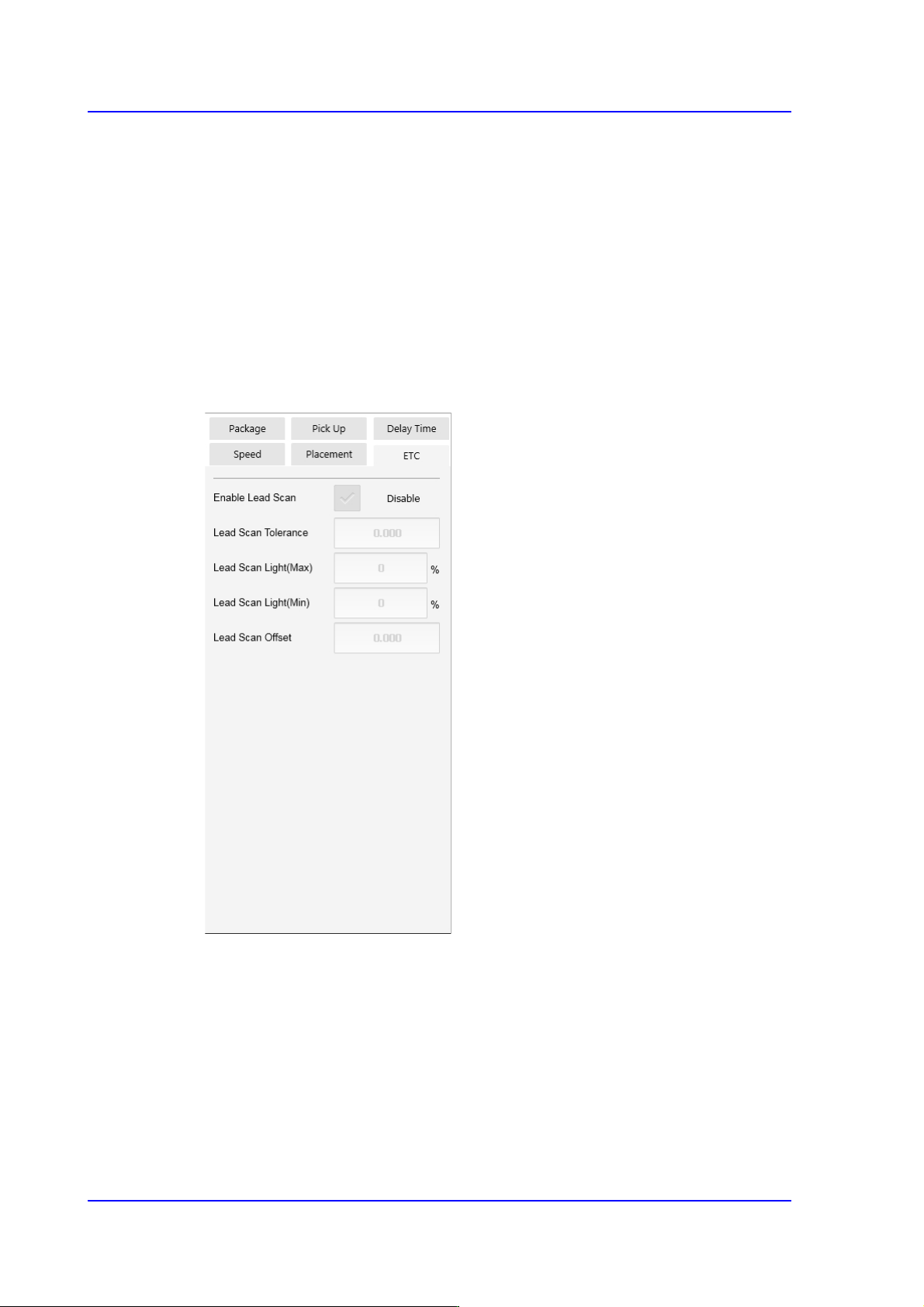
<ETC> tab
<Flux Type> selection box
Selects the method for flux part recognition. This function can be used for the
machine equipped with a flux device.
No Flux
Selected when the part is not a flux part. If this option is selected, the POP
function cannot be used.
Post Flux
Selected in cases to recognizes a part after dipping it into flux.