SM482PLUS_Admin(Eng_Ver2.8).pdf - 第173页
7-1 Part Registration Chapter7. Part Registration The <Part> command is used to register co mponents nec essary for PCB operation and edit data. Part data is composed of “Align Data” and “Common Data”. Align Data…

7-1
Part Registration
Chapter7. Part Registration
The <Part> command is used to register components necessary for PCB operation and edit
data.
Part data is composed of “Align Data” and “Common Data”.
Align Data
Consists of information related to part recognition
Common Data
Consists of parameters related to part feeding device, nozzle for part pickup and
placement, pneumatic condition and driving speed
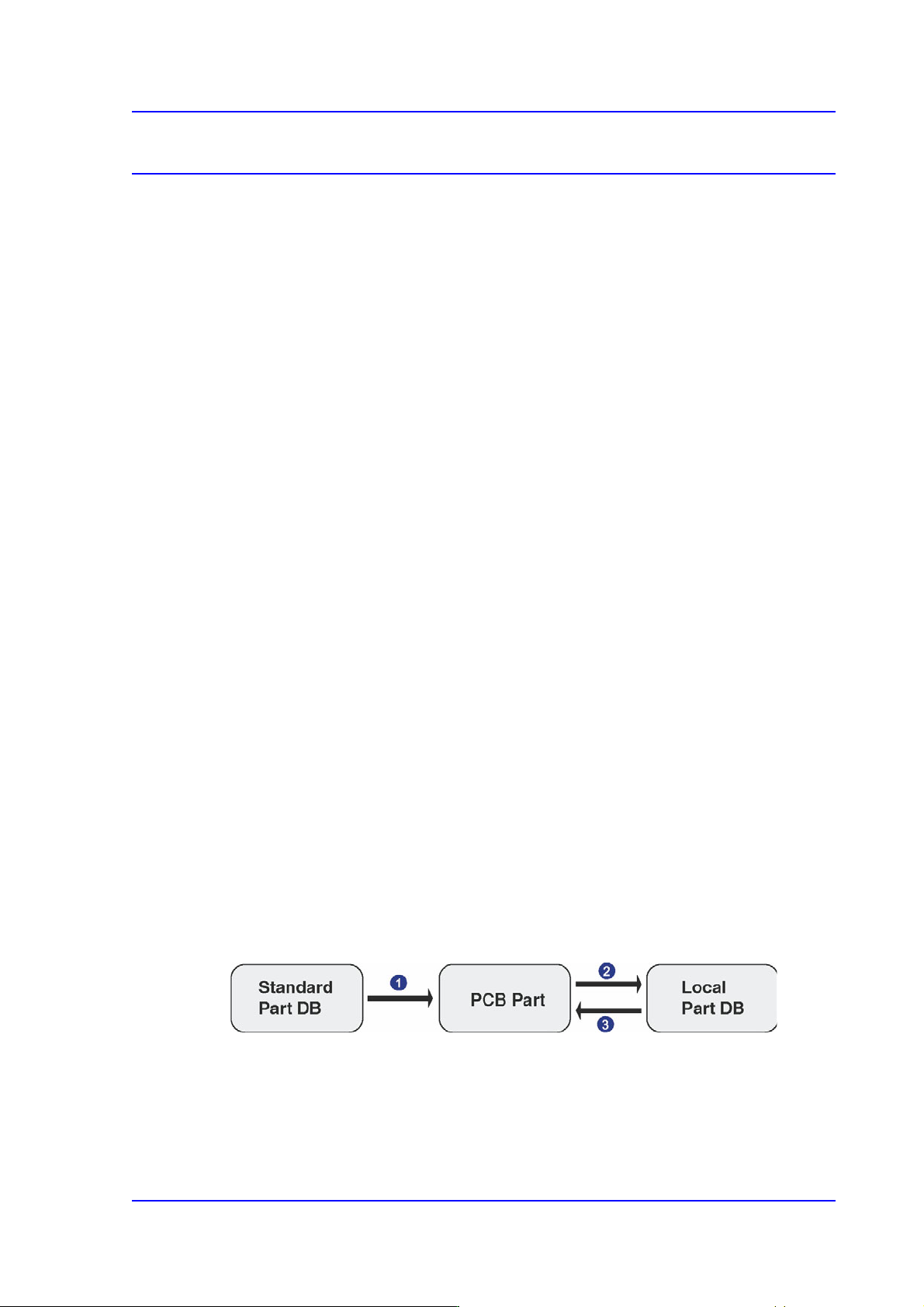
The component data managed by MMI include PCB Part, Local Part, and Standard Part
DB.
PCB Part: Parts registered in the PCB file
Local Part DB [UPD.mdb]: Parts registered after installing MMI in the equipment
Standard Part DB [STDUPD.mdb]: Simultaneous installation with MMI is DB
managing the data for standard parts (Read only)
Each PCB controls component data on all components operated on the corresponding PCB
and saves the component data in the Local Part DB of the machine.
To create component data for a new PCB, component data stored in the Local Part DB can
be copied. To create component data for a new component whose data is not stored in the
Local Part DB, data for a similar component stored in the Local Part DB can be copied and
edited or standard component data can be copied from the Standard Part DB and edited.
The Standard Part DB is a DB of generally used components developed and supplied by
this machine manufacturer. The relationship between component data is shown in the
following.
Figure7.1 Relationship between component DBs
Applied to all PCBs Controlled by each PCB Controlled by
each machine
1) Create new part
2) Save
3) Copy
7-2
SM PLUS Administrator’s Guide
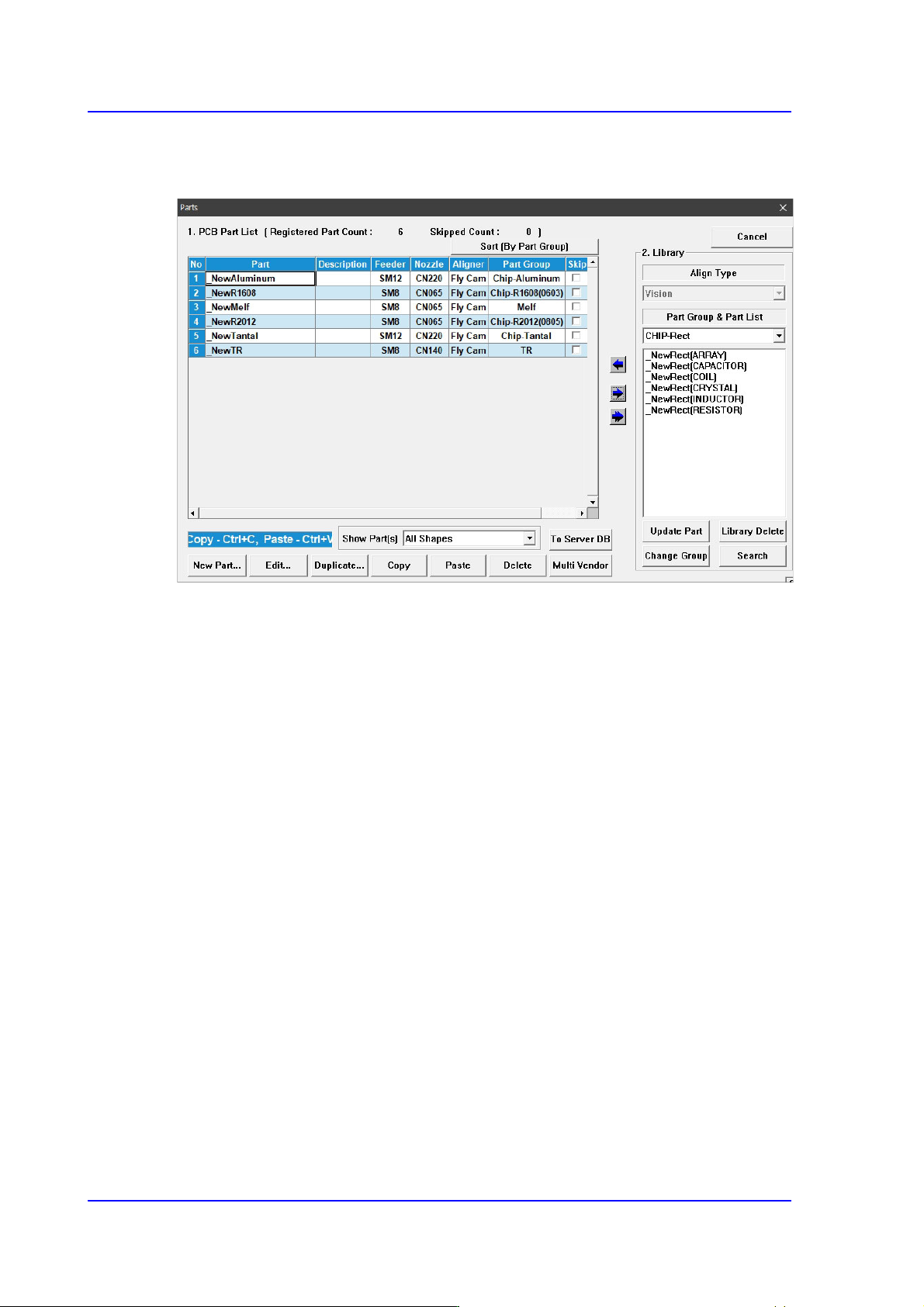
When the ‘Part’ submenu is selected, the initial screen is as follows.
Figure7.2 “Parts” dialog box
<1. PCB Part List> group
Display a list of currently registered components.
<Part> column
Displays the component name.
<Feeder> column
Displays the type of the feeder supplying components.
<Nozzle> column
Displays the nozzle that pick up components. The nozzle types are as follows;
<Aligner> column
Indicates the camera used to recognize a part.
<Part Group> column
Displays the component Part Group.
<Skip> column
When it is checked, this part is skipped during placing
<2. Library> group
Display the component list of the Local Part DB managed by the machine.
<Align Type> combo box
Select the align type of the component to be displayed. The Vision Align is used as
default.