SM482PLUS_Admin(Eng_Ver2.8).pdf - 第302页
9-14 Multi-Functional Placer SM482( L) PLUS Administrator’s Guide Click the <Register> button to register the componen t to the PCB Part List.
9-13
Step Programming
The component that has already been registered in the Local Part DB is
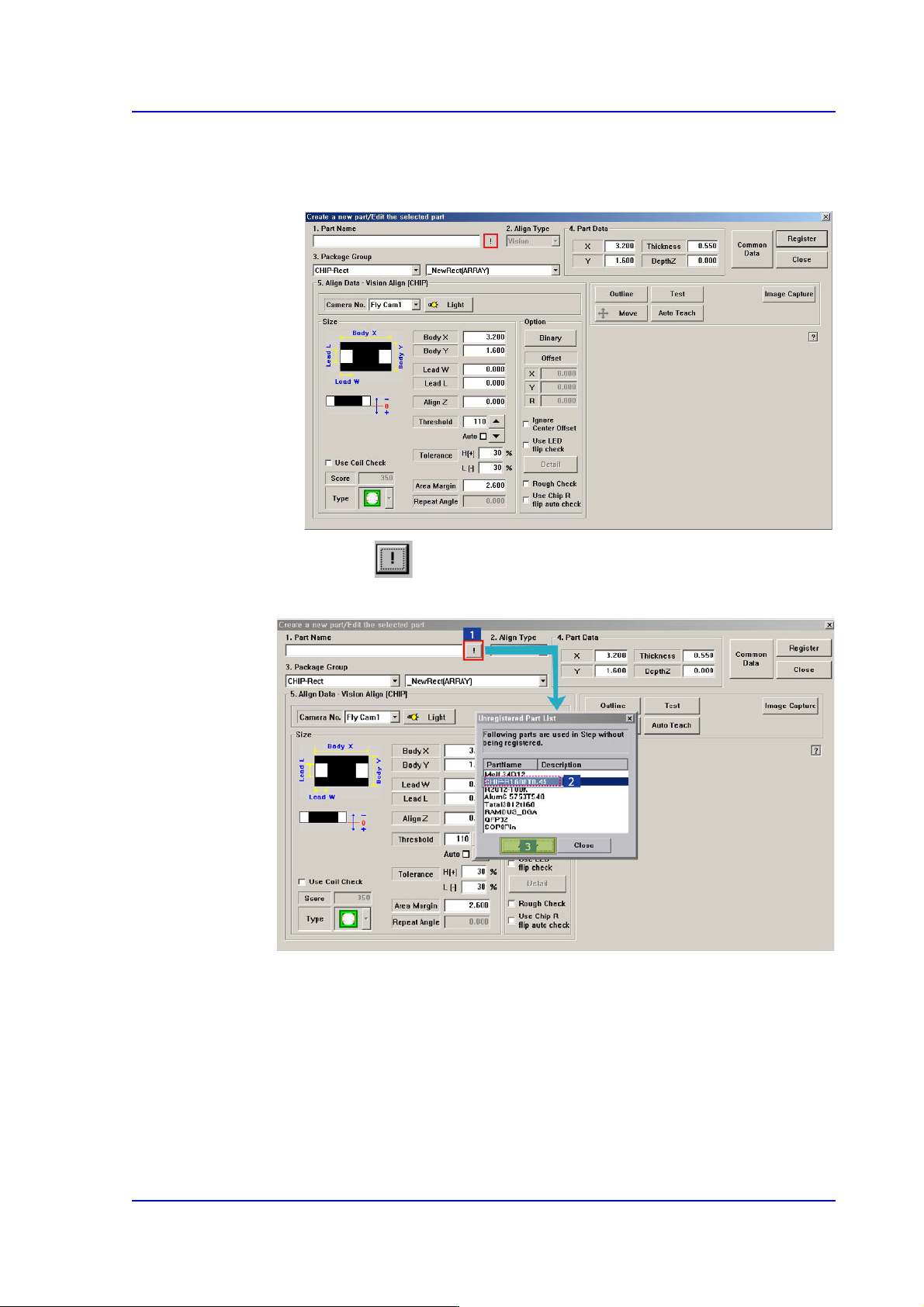
registered automatically as can be seen above. Click the <New Part…> button
and execute the <Part Edit> dialog box.
When the button is clicked, the unregistered part list is displayed as
shown in the following figure.
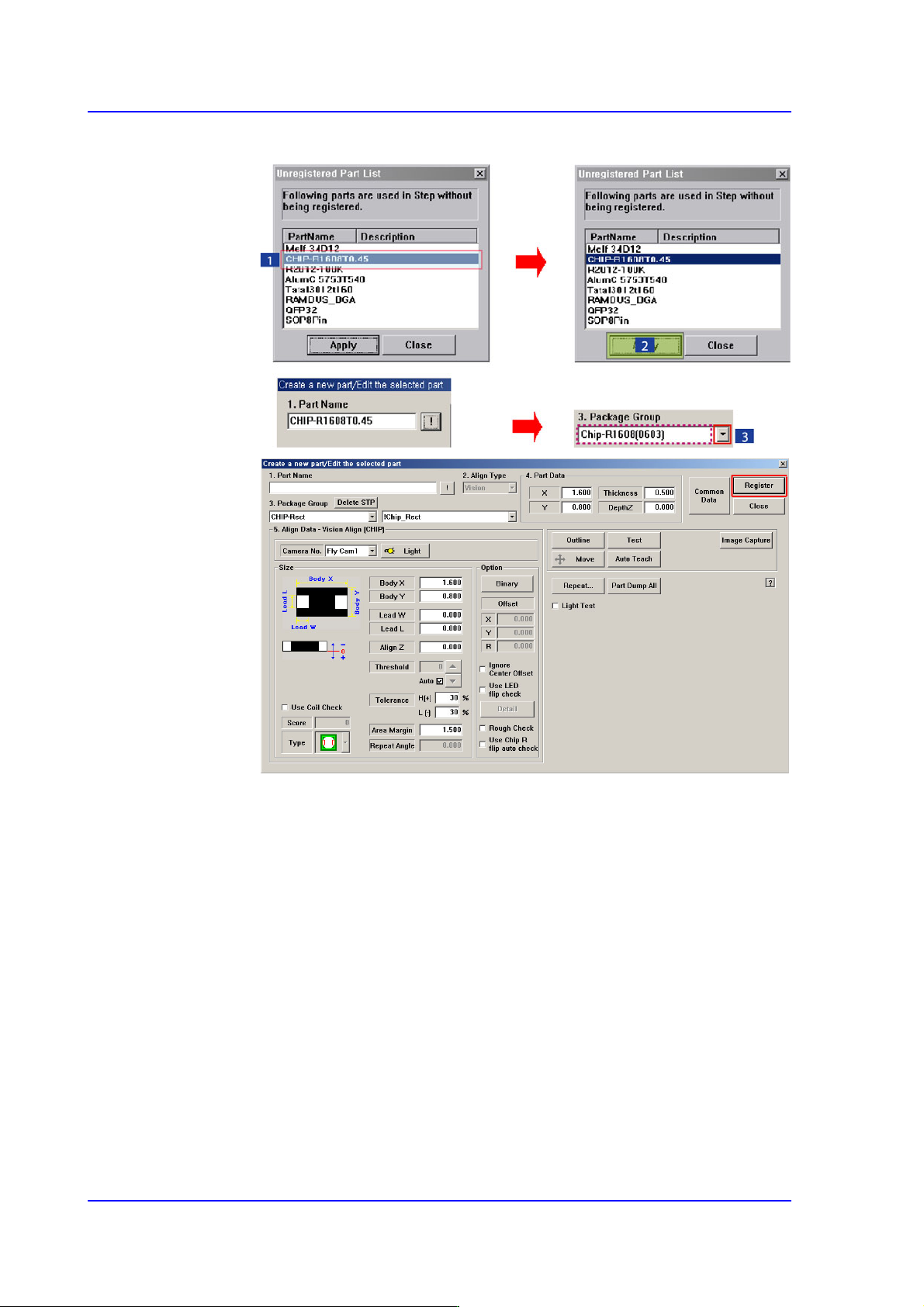
When the <OK> button is clicked after selecting a component, the name of the
selected file is inputted in the <1.Part Name> edit box.
Select the <Package Group> corresponding to the selected component and
revise the component profile according to the selected component.
9-14
Multi-Functional Placer SM482(L) PLUS Administrator’s Guide
Click the <Register> button to register the component to the PCB Part List.
9-15
Step Programming
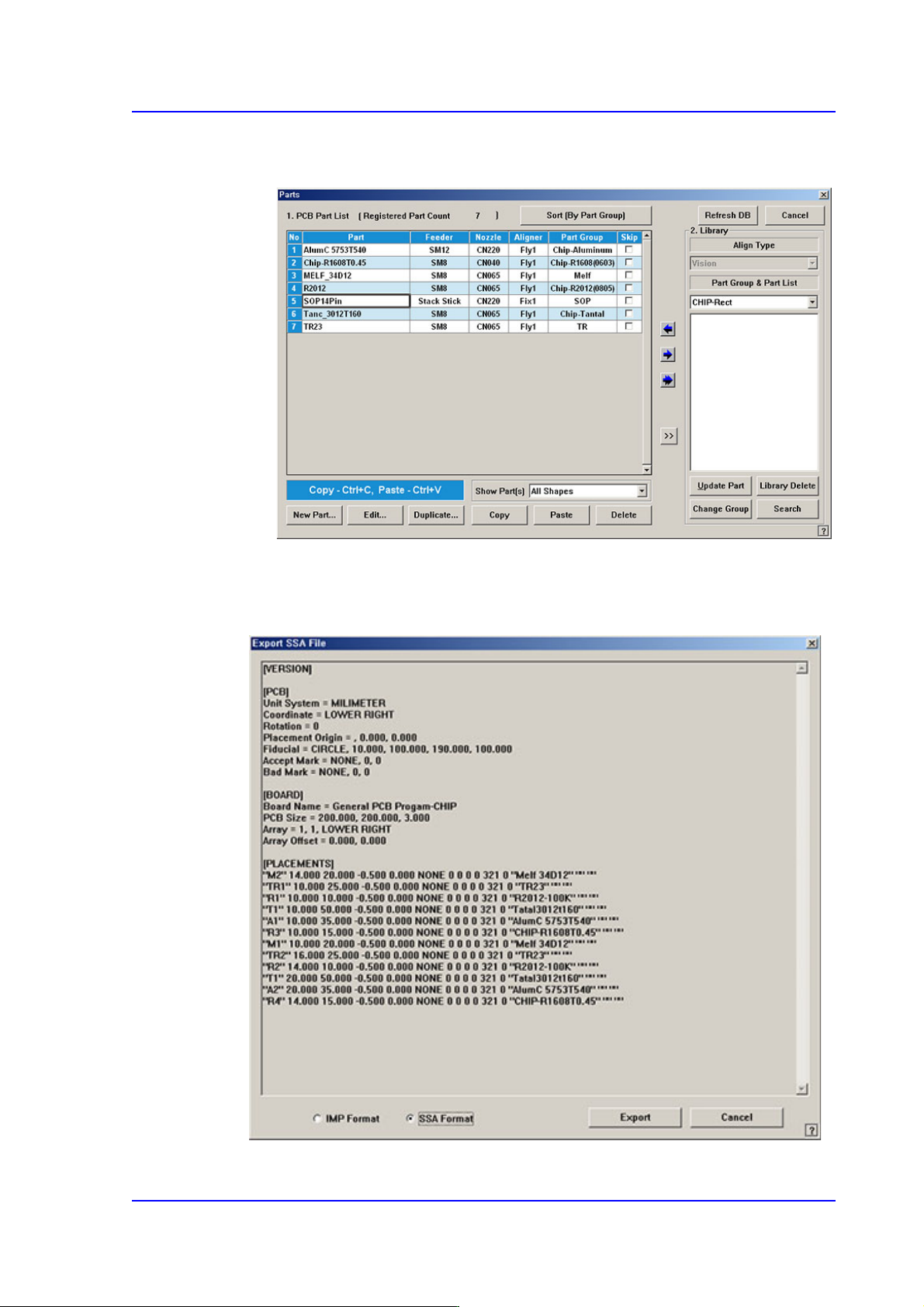
When all the unregistered part information is registered, they are displayed as
follows.
<Export…> button
Converts the step data created by this machine into other format (SSA Format) ASCII
File. When this button is clicked on, the following dialog box is displayed.