SM482PLUS_Admin(Eng_Ver2.8).pdf - 第185页
7-13 Part Registration 7.2.2. Edit Part Parameter It is possible to set the parameters related to part recognition as well as the parameters related to feeders, nozzles, pneumatic pressure and speed.
7-12
SM PLUS Administrator’s Guide
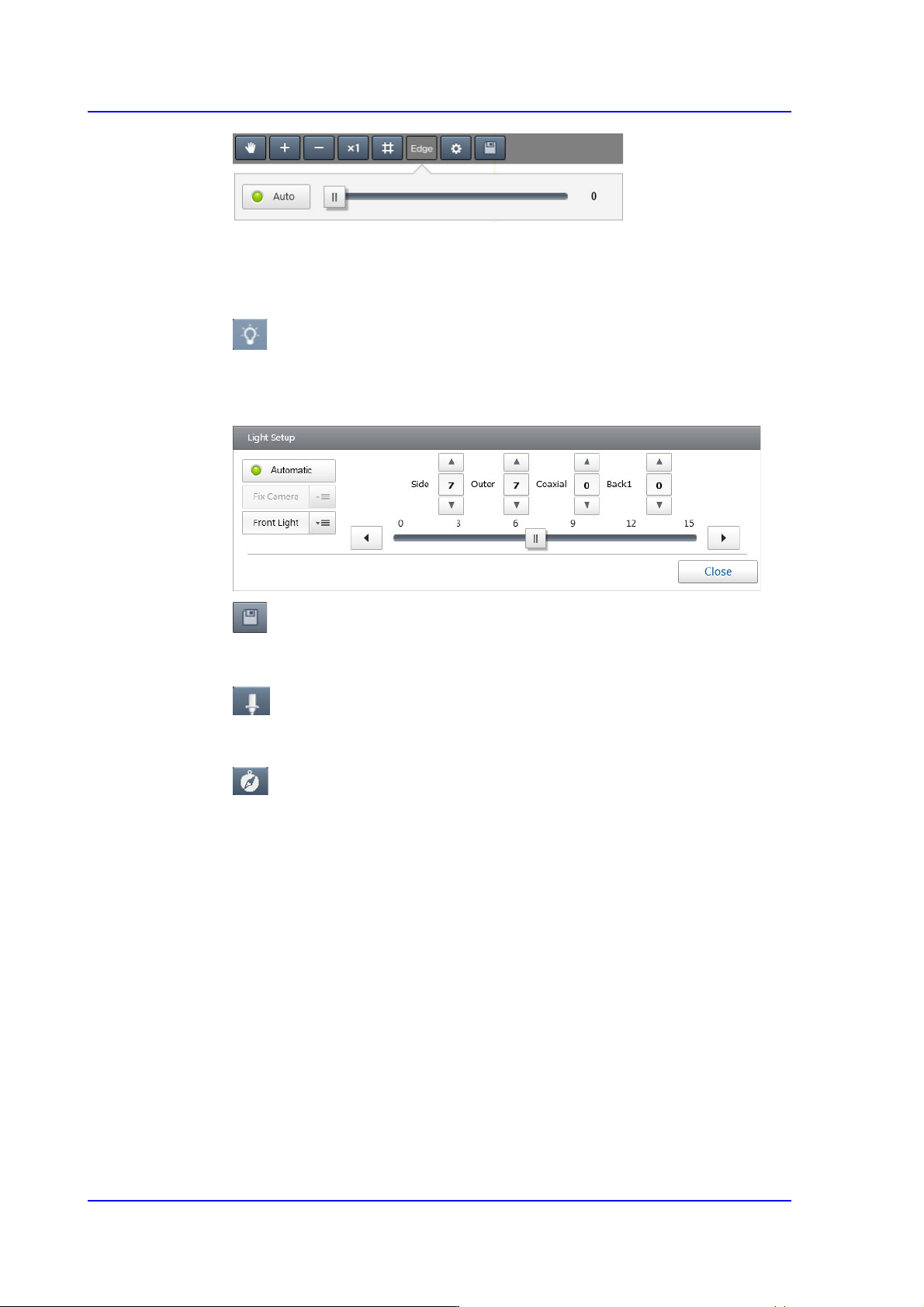
<Auto> switch button
Selected in cases to automatically set the threshold to be applied when
displaying a black and image.
button
Executes the dialog box that can set the lighting value of the camera recognizing a
part.
button
Saves the image viewed in the vision window currently.
button
Displays the nozzle shape in the vision window.
button
Displays the polarity of the part in the vision window.
<Align Test> button
Performs the part recognition test using the set part recognition data.
Displays the recognition test result at the bottom of the vision window.
<Auto Teach> button
Finds the part recognition data automatically.
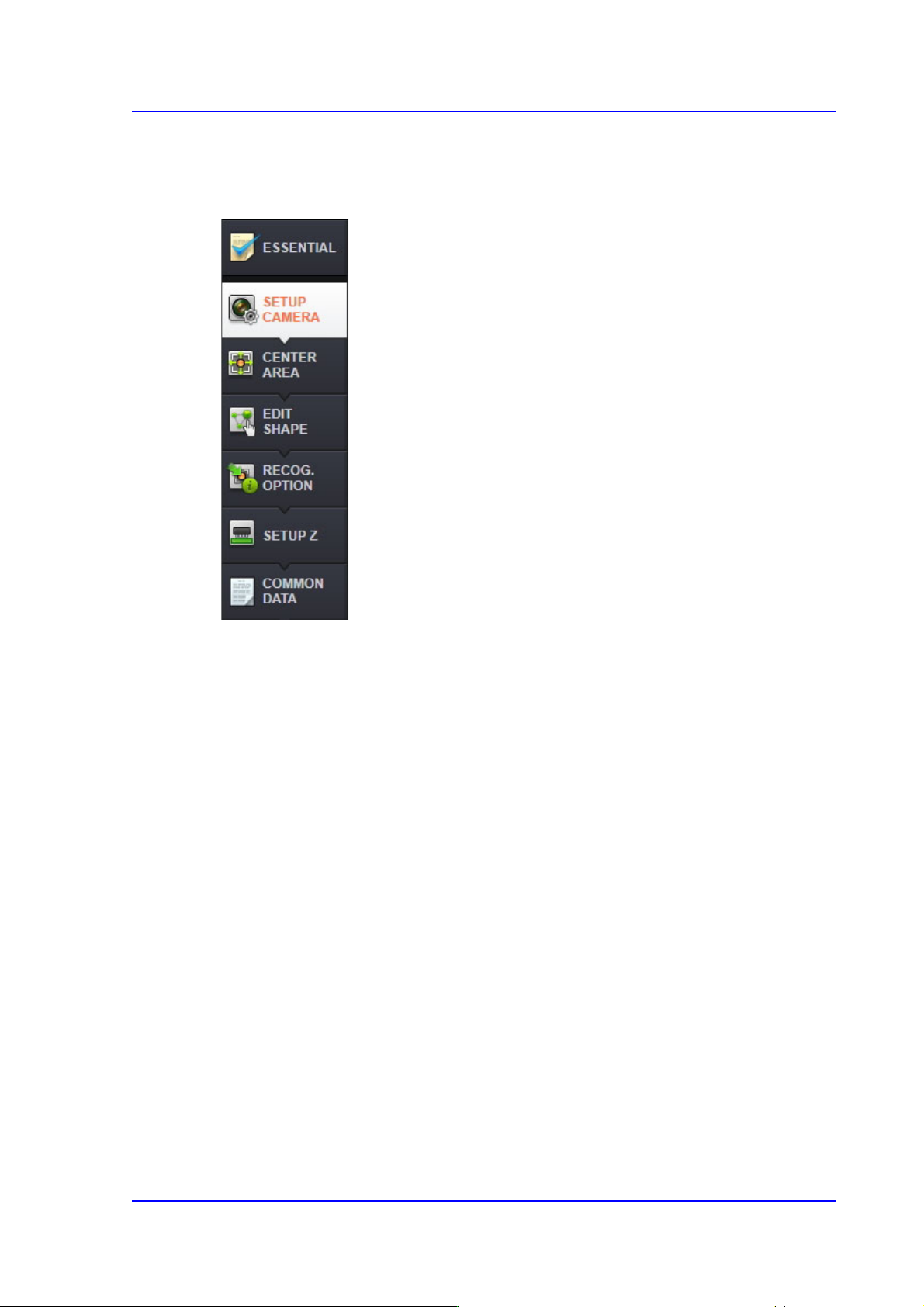
'Part Parameters' area
Selected when registering a new part or modifying the data of the registered part. Part
data consists of two types of part parameters as follows:
For more details, refer to “7.2.2. Edit Part Parameter”.
7-13
Part Registration
7.2.2. Edit Part Parameter
It is possible to set the parameters related to part recognition as well as the parameters
related to feeders, nozzles, pneumatic pressure and speed.
7-14
SM PLUS Administrator’s Guide
7.2.2.1. ESSENTIAL
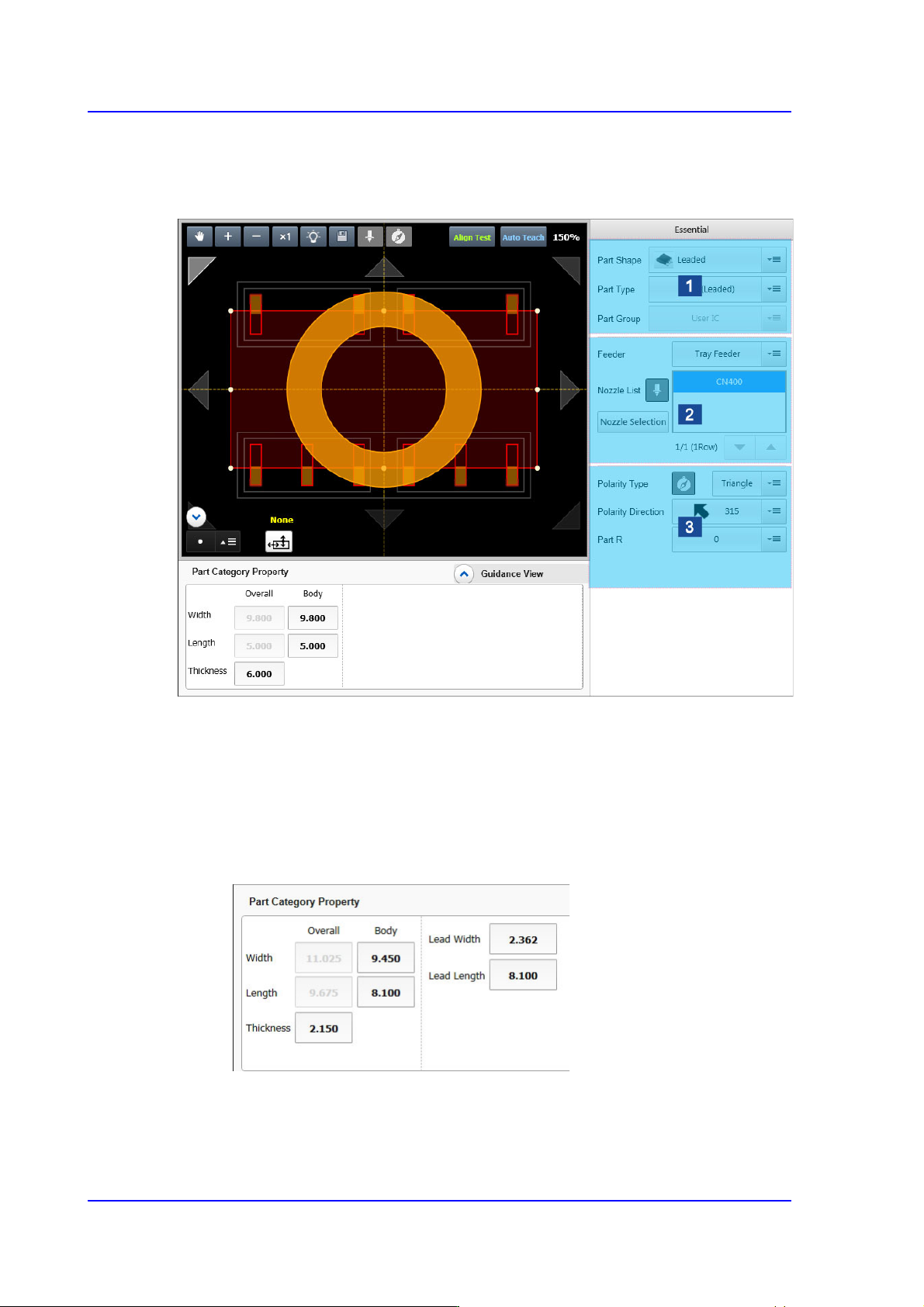
Of general common parameters, sets the mandatory parameters that the user must check
and set.
1: Part Type Setup
2: Feeder/Nozzle Setup
3: Setup of Other Options
<Part Category Property> group
Set the size of the part to be registered.
Leadless and odd form parts
<Body Width/Length>: Part size in the X/Y direction
<Thickness>: Part thickness
<Lead Width>: Lead width