SM482PLUS_Admin(Eng_Ver2.8).pdf - 第193页
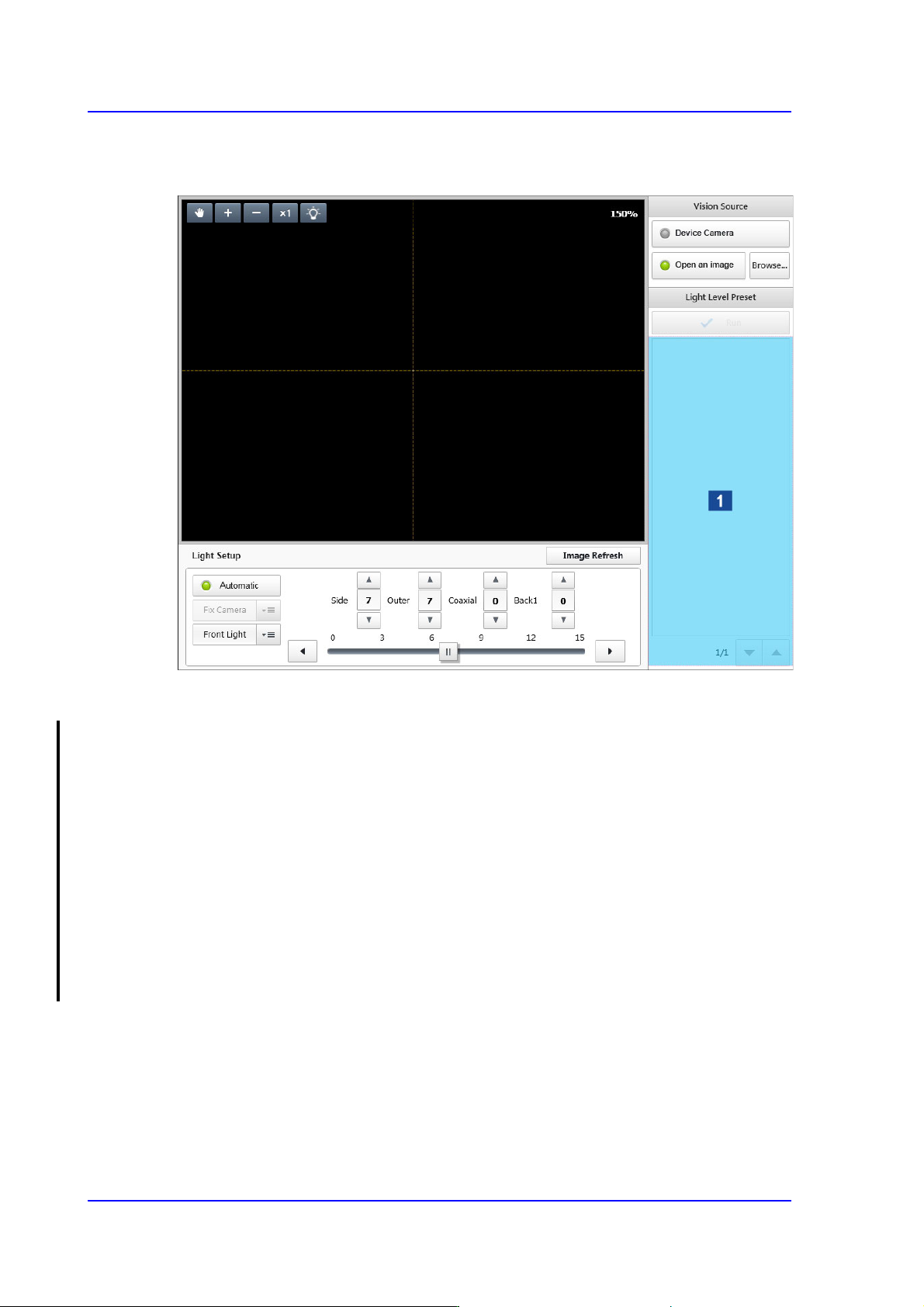
7-21 Part Registration If it starts to capture the pa rt image by clicki ng the <Run> button, this button is changed to the <Stop> button. 'Thumbnail Image' area Displays the thumbn a il image of …
7-20
SM PLUS Administrator’s Guide
7.2.2.2. SETUP CAMERA
Sets the lighting value of the camera recognizing a part.
1: Thumbnail Image
<Vision Source> group
Selects the source of a vision image.
<Device Camera> switch Button
Selected in cases to used the camera image of the Parts registration device as the
source of the vision image.
<Open an image> switch Button
Selected in cases to use the saved part image as the source of the vision image.
<Browse...> button
Enabled only when the <Image open> switch button is selected. Executes the
dialog box so that the saved part image can be selected.
<Light Level Preset> area
It is possible to view a part image at the lighting value recommended depending on the
part group selected from the <Part Category> group.
<Run> button
Captures the part image according to the recommended lighting value and shows it
in the 'Thumbnail Image' area.
7-21
Part Registration
If it starts to capture the part image by clicking the <Run> button, this button is
changed to the <Stop> button.
'Thumbnail Image' area
Displays the thumbnail image of the part captured according to the lighting value.
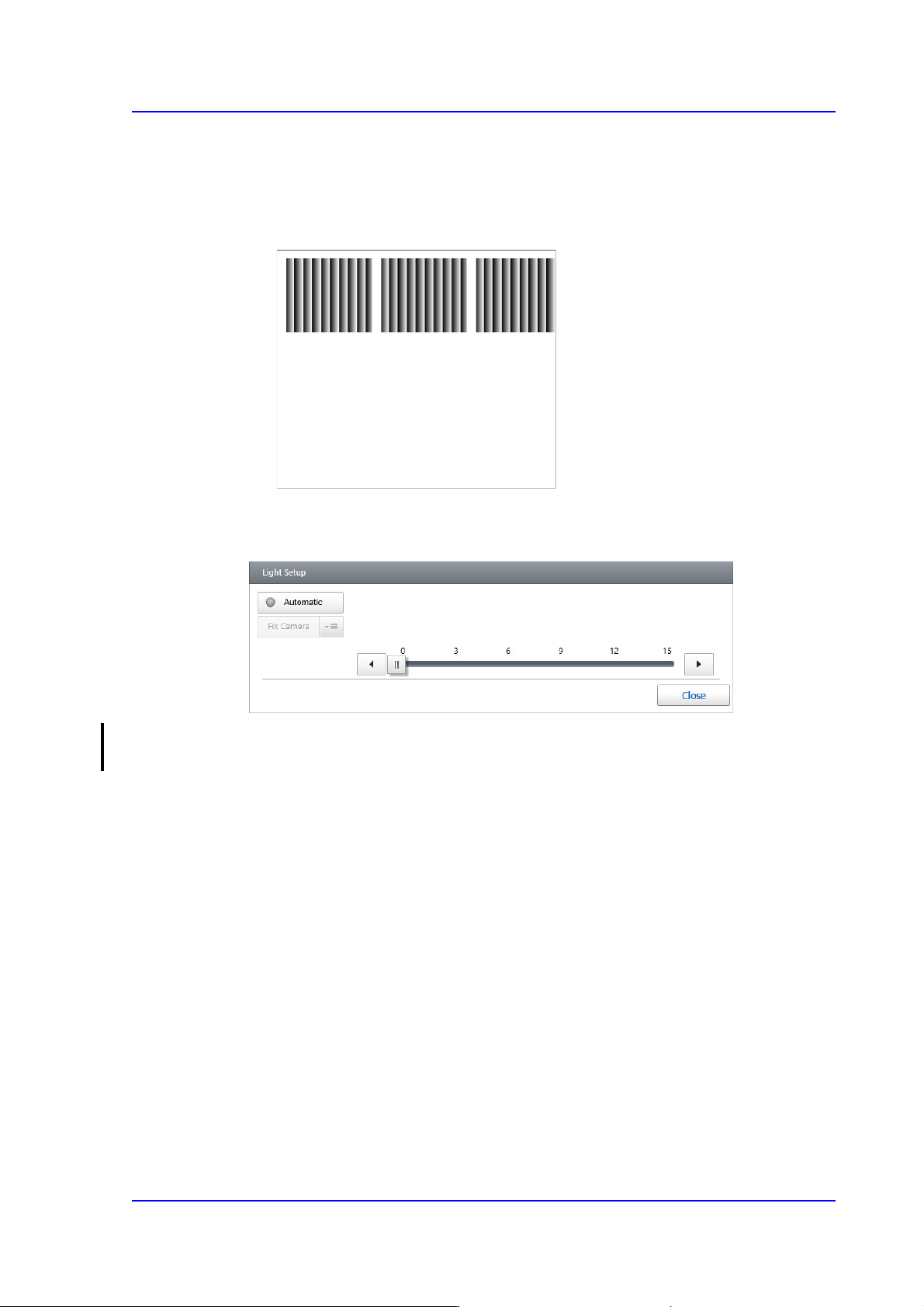
<Light Setup> group
Sets the lighting value of the camera recognizing a part.
<Automatic> switch button
Selected when the camera to recognize the part is set automatically.
<Image Refresh> button
Refresh the image of the displayed part in the vision window.
7-22
SM PLUS Administrator’s Guide
7.2.2.3. CENTER AREA
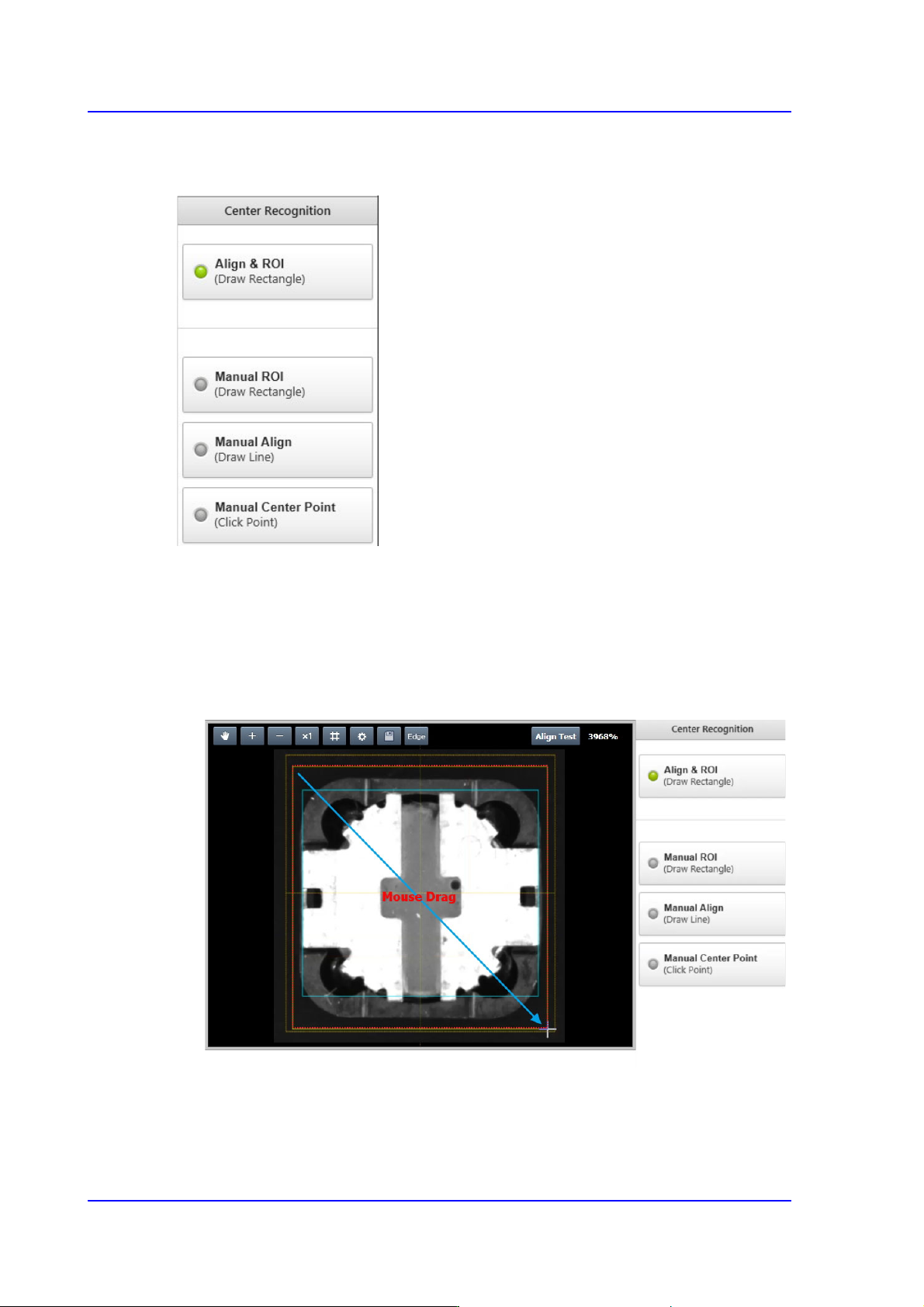
Sets the part inspection range and part center in order to recognize a part easily.
<Align & ROI> switch button
Using the mouse will automatically set the part inspection range and part center by
drawing a rectangle using the mouse so that the part is to be included in the vision
window.
In addition, it creates a part image by automatically rotating the part image at an angle
at which the part can be easily edited.