SM482PLUS_Admin(Eng_Ver2.8).pdf - 第280页
8-28 Multi-Functional Placer SM482( L) PLUS Administrator’s Guide <2Pocket Y -Axis> As shown in the following figure, input th e coordinates of the center point of any one pocket in the Y direction, the coordi na…
8-27
Feeder Setup
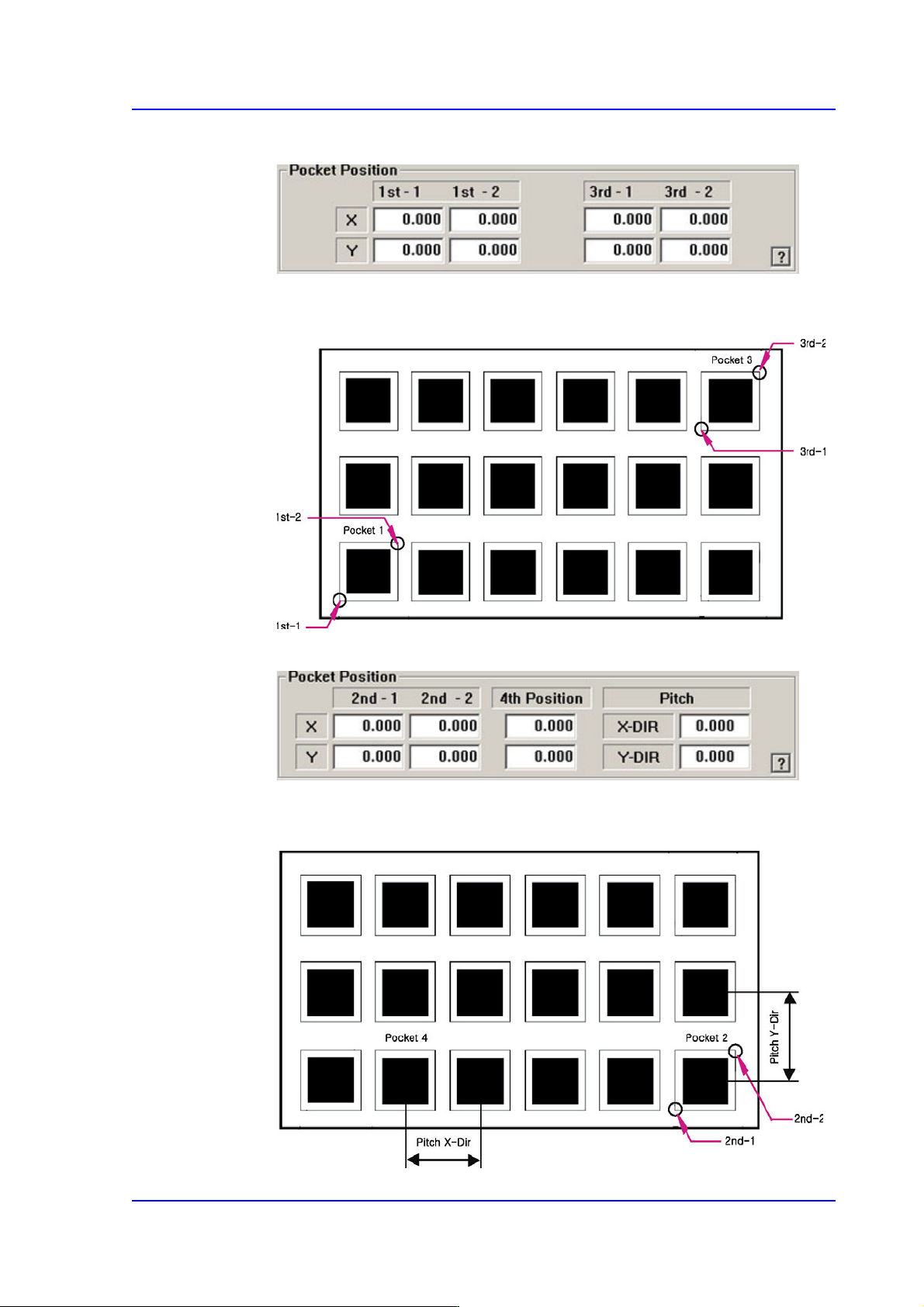
<2Pocket Diagonal>
As per the following figure, input two corner points of pocket No’s. 1, 2 and 3 that
face each other diagonally.
<2Pocket X-Axis>
Enter coordinate of a pocket center in the X direction, coordinate of the diagonal
vertex of the second pocket and the pitches in the X and Y directions.
8-28
Multi-Functional Placer SM482(L) PLUS Administrator’s Guide
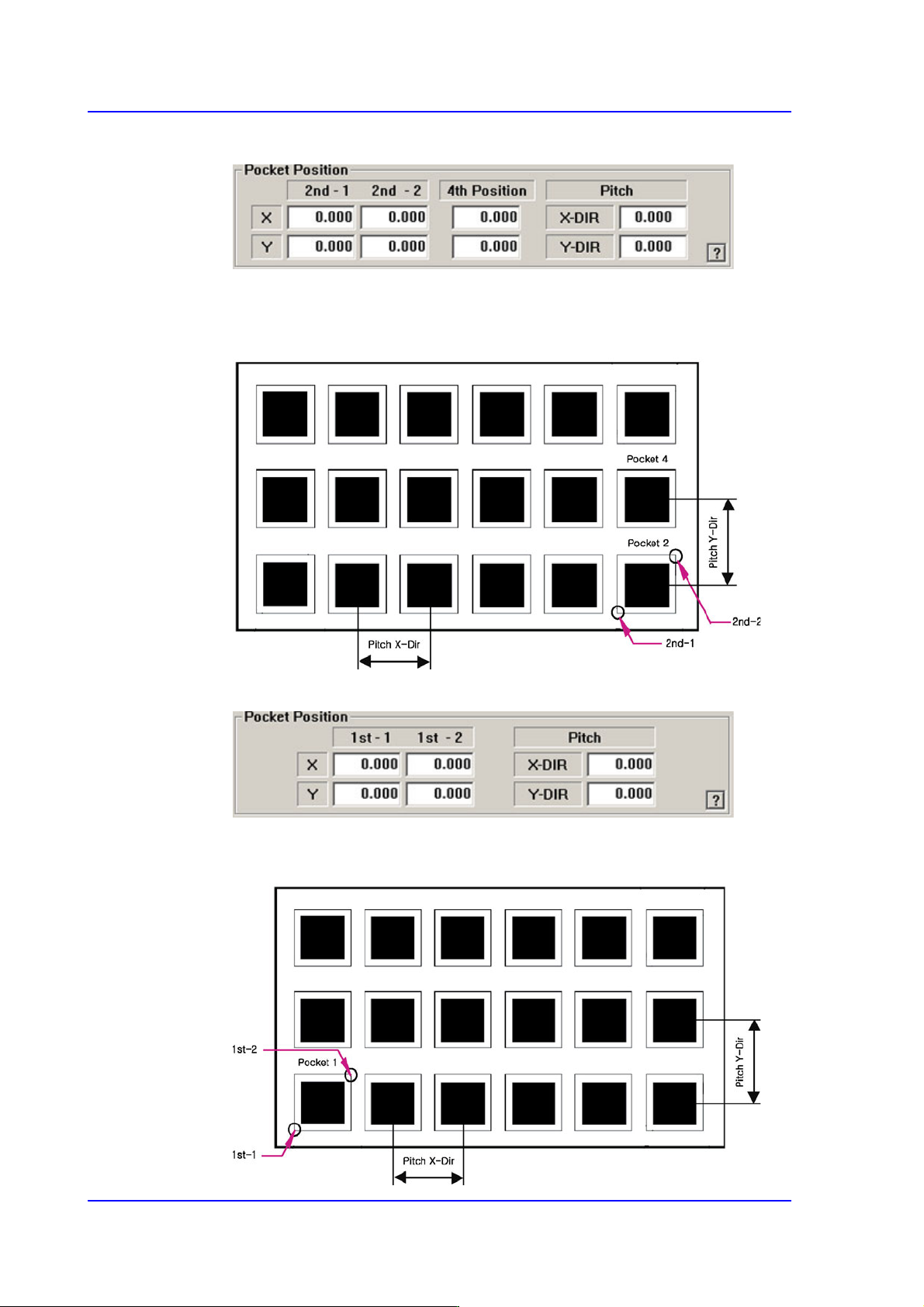
<2Pocket Y-Axis>
As shown in the following figure, input the coordinates of the center point of any
one pocket in the Y direction, the coordinates of the two corners in the diagonal
position of the second pocket and the pocket pitch in the X and Y directions.
<1Pocket>
As shown in the following figure, input the coordinates of the center point of
pocket No. 1 and the pocket pitch in the X and Y directions.
8-29
Feeder Setup
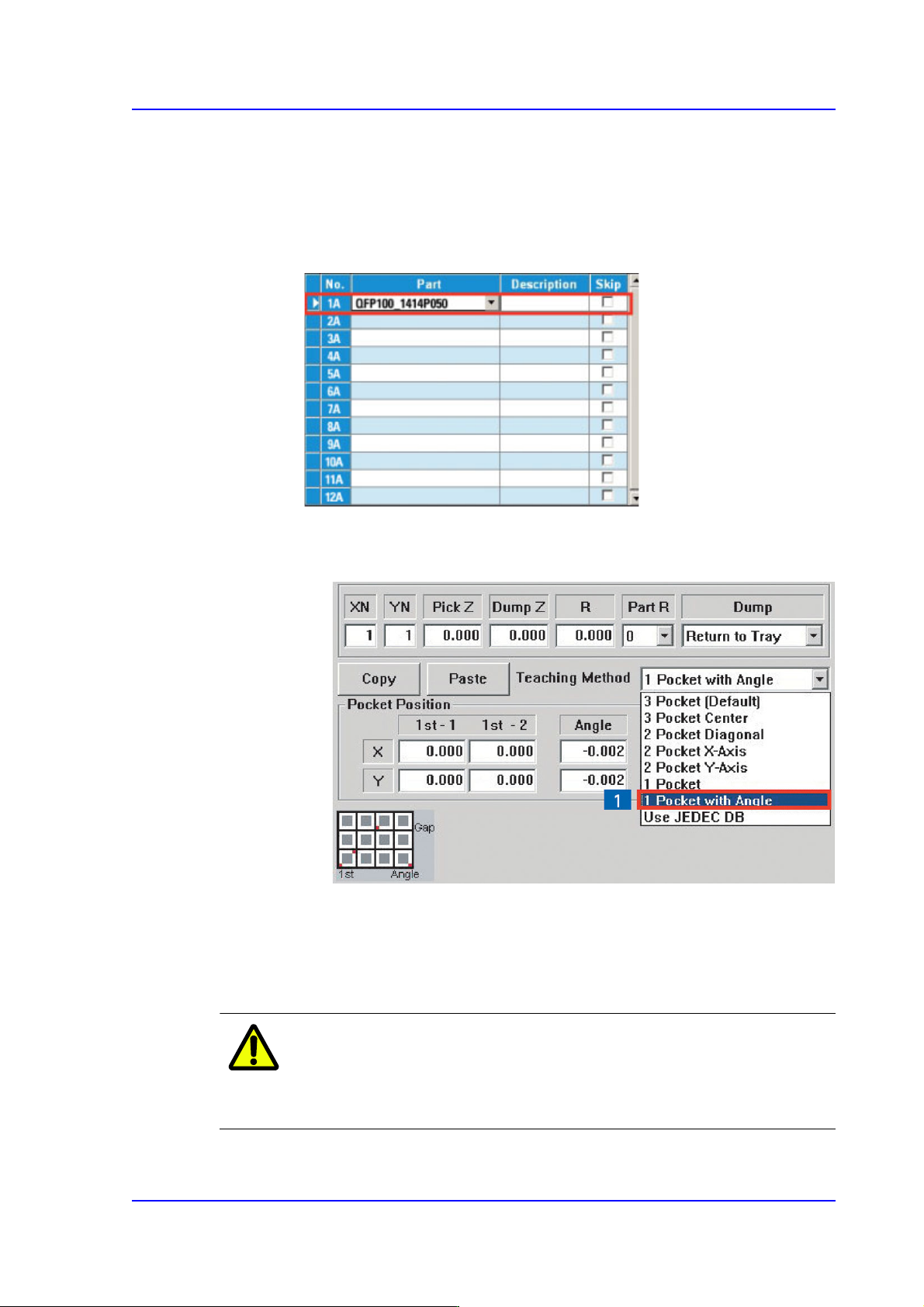
<1Pocket with Angle>
This is a teaching method that is useful when the the fiducial camera is movable to
a definite area of the tray and when the tray is installed on an angle, and not in
parallel with the X-axis of the tray. (When 2 Trays on a palette is applied)
1. Select the required tray feeder.
2. Perform pocket teaching in the following order.
(1) Select the [1 Pocket with Angle] in the scroll menu on the right.
(2) Enter the XN and YN values first to input the total number of pockets of
the tray.
XN: Total number of pockets in X direction
YN: Total number of pockets in Y direction
Caution Be sure to input the XN and YN values first before teaching
the coordinates of a pocket. If not, wrong data will be
inputted.