SM482PLUS_Admin(Eng_Ver2.8).pdf - 第366页
13-18 Multi-Functional Placer SM482( L) PLUS Administrator’s Guide 13.2. Start [F2] When the “PCB Download” operation has been completed, this button is activated while the placement is not in progress, and it is inactiv…
13-17
Production Setup
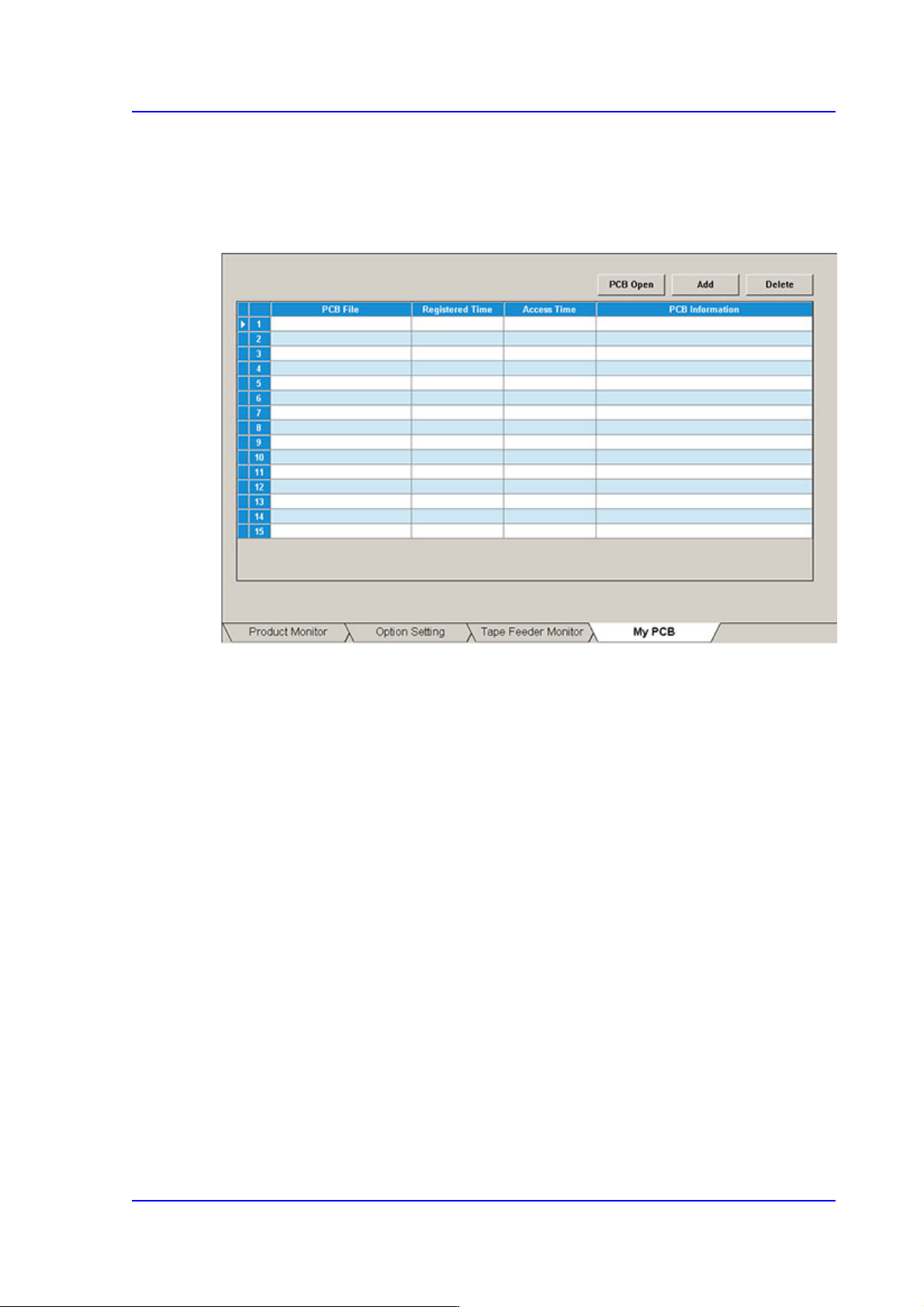
13.1.4. My PCB
Used for easily loading the registered PCB files by registering the PCB primarily worked
on. Up to 15 PCB files that are frequently used can be set in advance.
Figure13.6 “My PCB” tab dialog
<Add> button
Register the PCB file primarily worked on.
<Delete> button
Registration is canceled when this button is clicked after selecting the registered PCB
file.
<PCB Open> button
Perform loading of the selected PCB file by clicking this button is clicked after
selecting the registered PCB file.
13-18
Multi-Functional Placer SM482(L) PLUS Administrator’s Guide
13.2. Start [F2]
When the “PCB Download” operation has been completed, this button is activated while
the placement is not in progress, and it is inactivated while the placement is in progress.
This submenu transmits the command to start the placement related to the downloaded
PCB data to the equipment.
Caution Pressing the Start switch without checking the presence of
worker nearby could cause injury.
Be sure to check if there is any worker near the equipment
before pressing the Start switch.
13.3. Stop [F3]
When the “PCB Download” operation has been completed, this button is activated while
the placement is in progress, and it is inactivated while the placement is not in progress.
This submenu transmits the command to stop the placement related to the downloaded
PCB data to the equipment.
Caution Inserting a part of body while the equipment is in operation
or in temporary stop could result in severe injury.
Do not insert a part of body while the equipment is in
operation or in temporary stop.

13-19
Production Setup
13.4. Count. [F4]
When the “PCB Download” operation has been completed, this button is activated while
the placement is not in progress, and it is inactivated while the placement is in progress.
This command transmits the command to continue the placement related to the
downloaded PCB data at the position where the operation was stopped previously to the
equipment.
The cases that “Count.” command is not available are as follows:
When a new PCB file is downloaded
When the number of Cycle is changed
When the number of Cycle is changed
“Count.” command is available is for the following case
When the step data related to head or feeder or nozzle or skip is changed
13.5. Finish [F5]
This submenu transmits to the equipment the command to completely stop the placement
related to the downloaded PCB data.