SM482PLUS_Admin(Eng_Ver2.8).pdf - 第51页
1-3 Operation Mode and Password Change <Programmer> option Button Select the MMI to set it as the operation mo de for a programmer . <Manager> option Button Set the MMI as the operation mode for a ma nage…
1-2
Multi-Functional Placer SM482(L) PLUS Administrator’s Guide
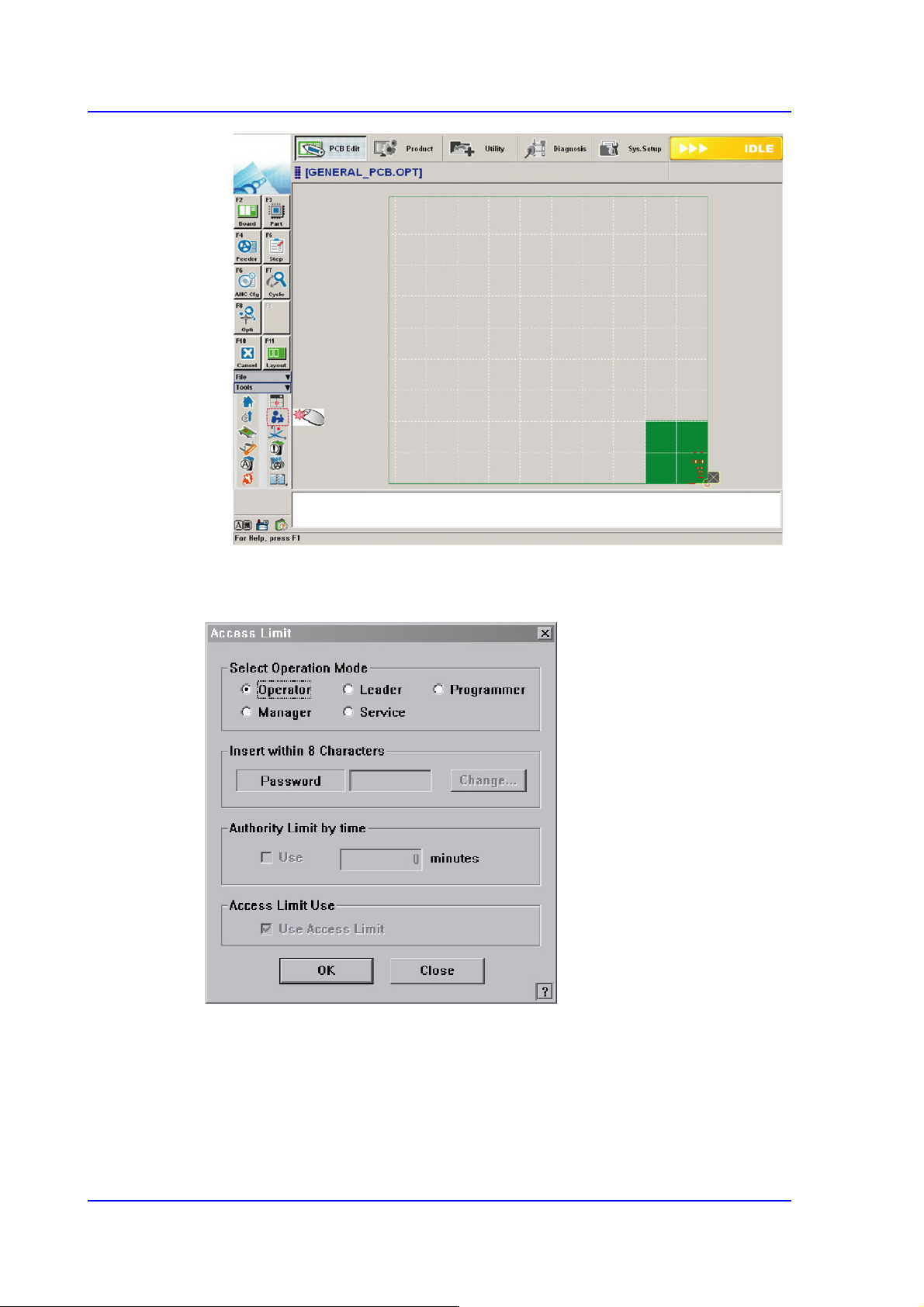
Operation Mode Change
Figure1.1 Operation Mode Change
<Select Operation Mode> group
Select the Operation Mode of the machine, and Click the <OK> button and set the
user mode.
<Operator>/ <Leader> option Button
Select the MMI to set it as the operation mode for a plain user.

1-3
Operation Mode and Password Change
<Programmer> option Button
Select the MMI to set it as the operation mode for a programmer.
<Manager> option Button
Set the MMI as the operation mode for a manager.
<Service> option Button
Set the MMI as the operation mode for service.
<Insert within 8 Characters> group
The password for the corresponding mode can be changed.
<Password> edit box
Used to enter the password of the corresponding operation mode in order to
change the operation mode.
<Authority Limit by time> group
User authorization is automatically changed to 'Operator' after the set period of
time.
<Use> check box
To use this function, select the check box and set the time in the right edit box.
<Access Limit Use> group
Performs setup so that the authorization to access the MMI menus can be limited
according to users. This function can be used only in the operation mode higher
than the manager mode.
<Use Access Limit> check box
Select the check box when limiting the access to the MMI menu according to
the users.
1-4
Multi-Functional Placer SM482(L) PLUS Administrator’s Guide
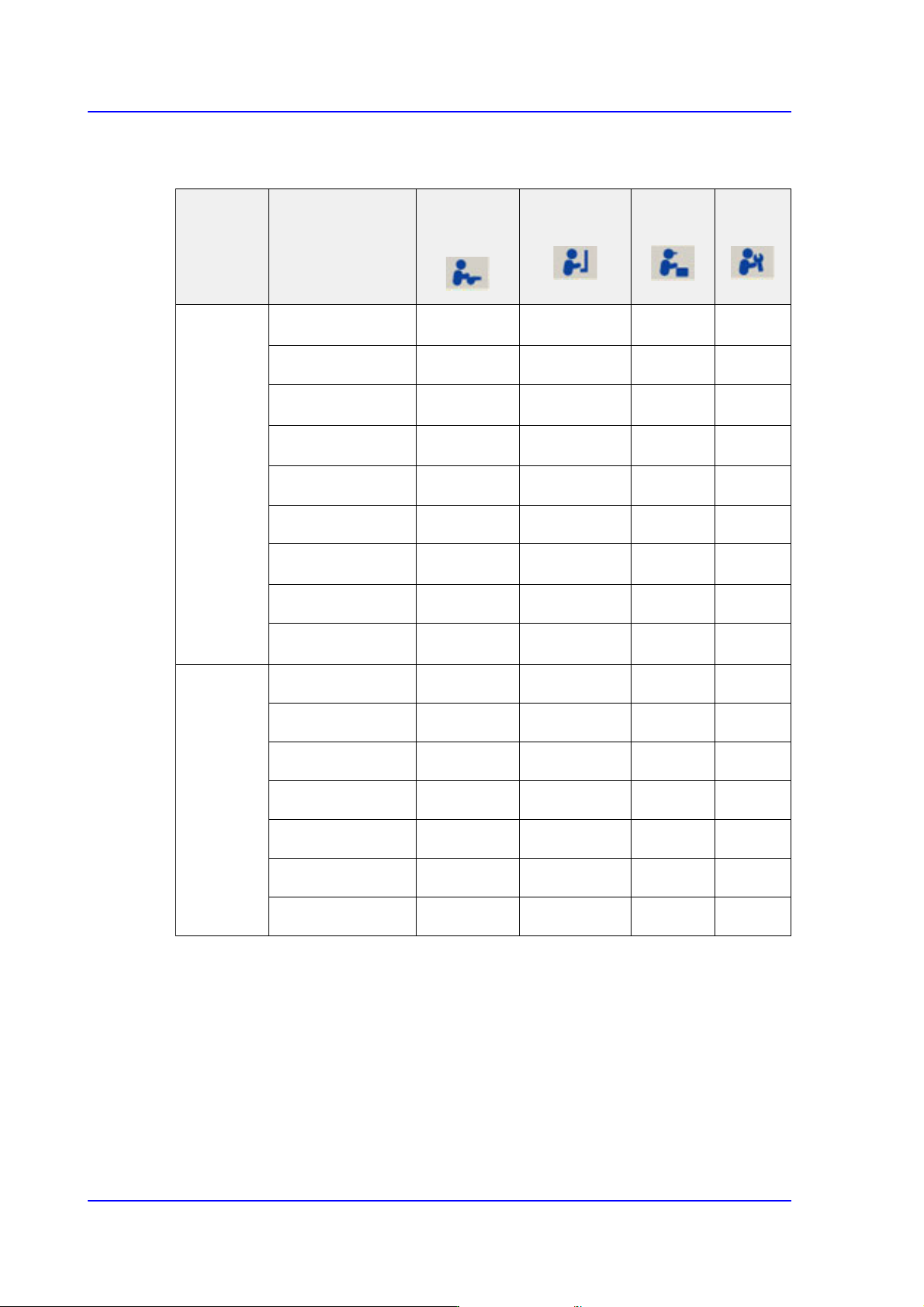
The following table shows the authorization for the MMI menu according to the users..
O: Permission, △:Partly Access, :Access Deny
Table1.1 User Access Limit
Menu bar Sub Toolbar
Operator/
Leader
Programmer
Manager
Service
PCB Edit
Board △ ○○○
Part
△ ○○○
Feeder △ ○○○
Step △ ○○○
ANC Cfg
○○○○
Cycle
○○○○
Opti
○○○
Cancel
○○○○
Layout △ ○○○
Product Start
○○○○
Stop
○○○○
Cont.
○○○○
Finish
○○○○
T/F Cnt
○○○○
PCB D/L
○○○○
Pd.Info
○○○○