SM482PLUS_Admin(Eng_Ver2.8).pdf - 第556页
18-6 Multi-Functional Placer SM482( L) PLUS Administrator’s Guide 18.1.2. Head Displays the operation data for each head. Sh ows the overall statistics information related with placement. <Head> column Displays t…
18-5
Production Information Management
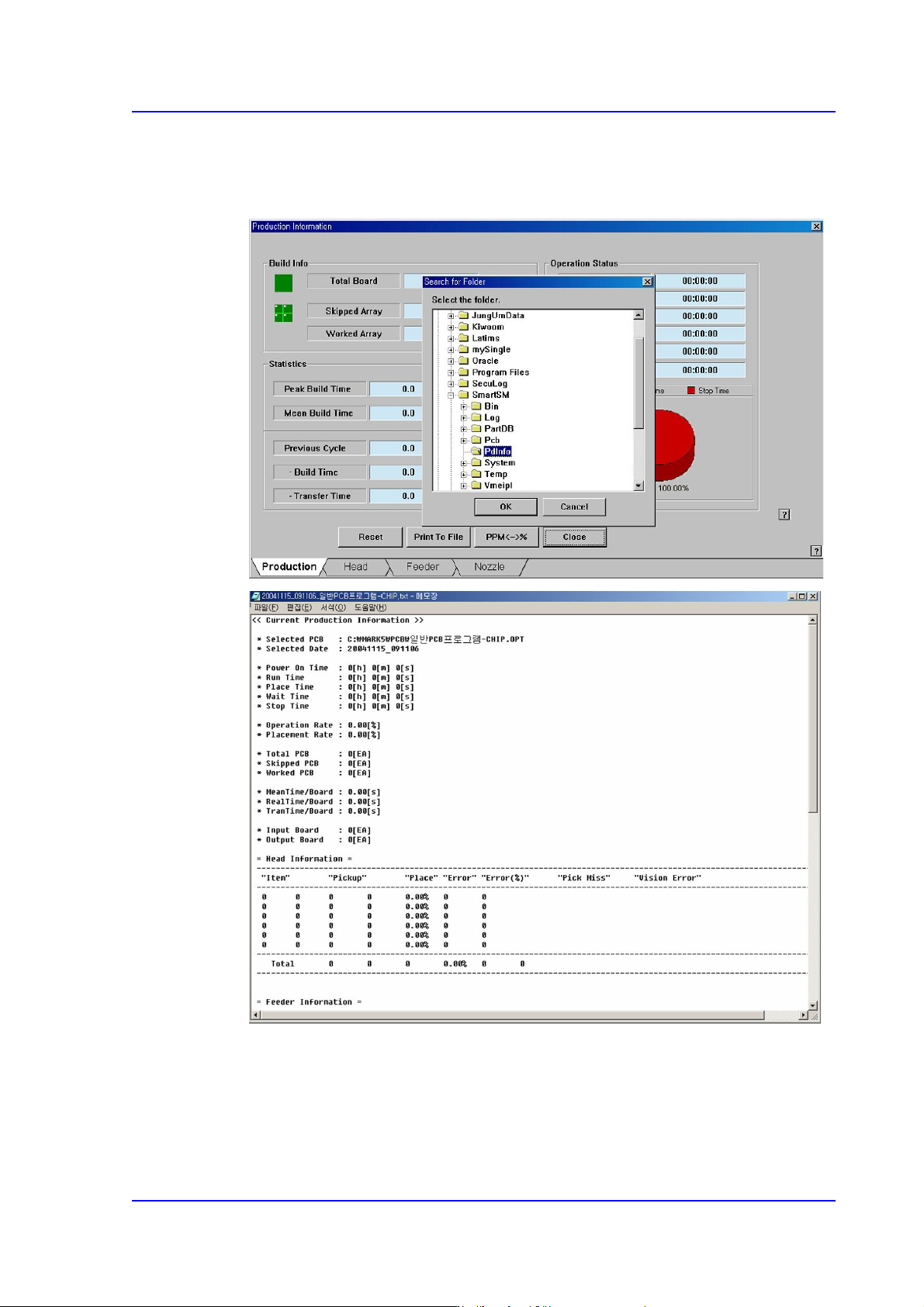
<Print To File> button
Saves the placement information related with PCB production in the assigned folder
(C:\ SmartSM\Pdinfo) in text file(*.txt) format.
<PPM<->%> button
Converts the indicated unit. (PPM<->%)
<Close> button
Closes the screen.
18-6
Multi-Functional Placer SM482(L) PLUS Administrator’s Guide
18.1.2. Head
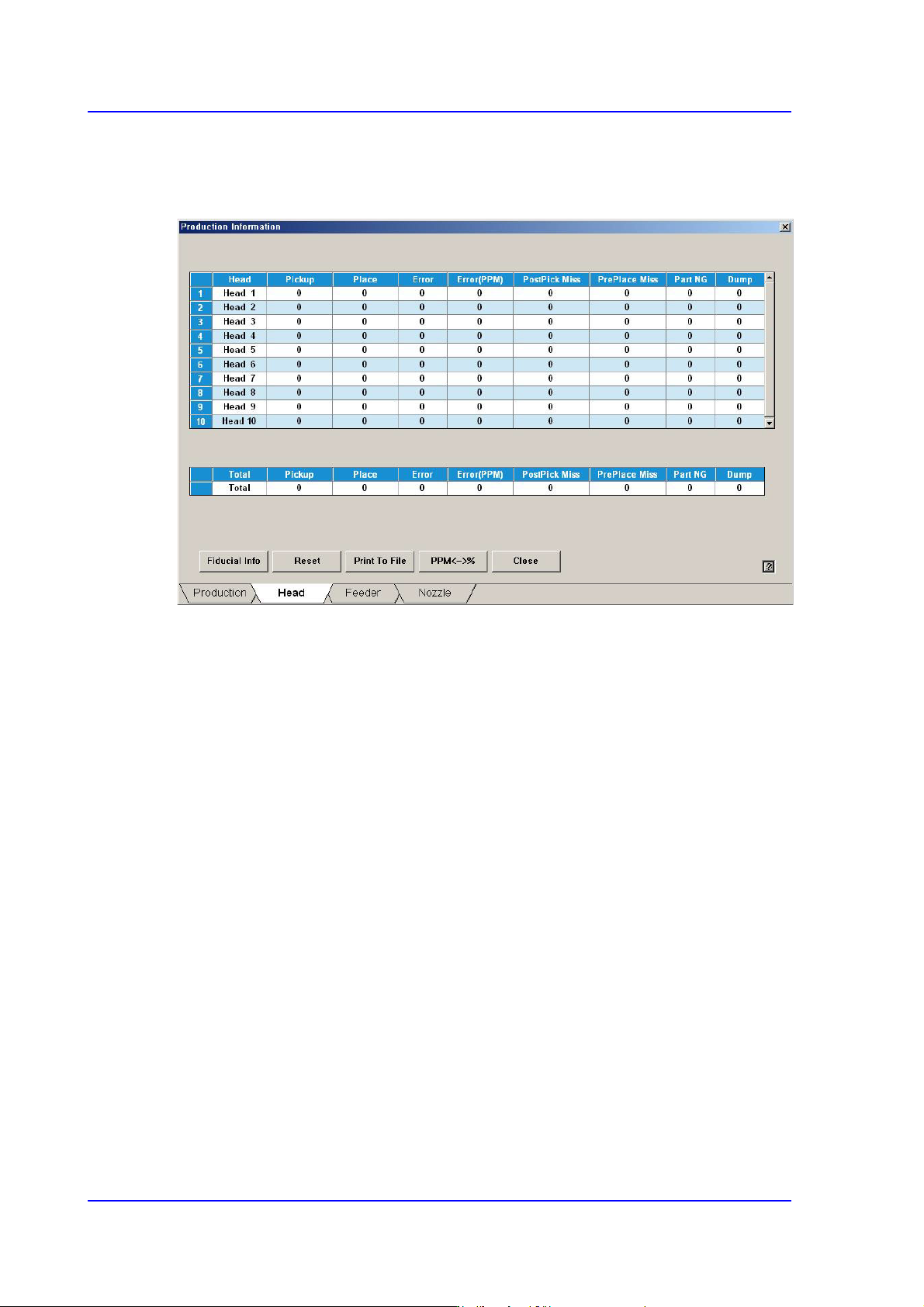
Displays the operation data for each head. Shows the overall statistics information related
with placement.
<Head> column
Displays the total head number.
<Pickup> column
Displays the total number of components picked up.
<Place> column
Displays the total number of components placed.
<Error> column
Indicates the number of part placement failures after recognizing the picked up parts
using ‘Vision’.
<Error (PPM)> column
Recognize the picked part by using the vision system and indicate the non-placement
error in PPM unit.
<Pick Miss> column
Indicates the number of part pickup failures.
<Part NG> column
Indicates the number of part recognition failures using ‘Vision’ after pickup of parts.
<Dump> column
Indicates the number of times part dumping has been performed by the corresponding
head.
18-7
Production Information Management
18.1.3. Feeder
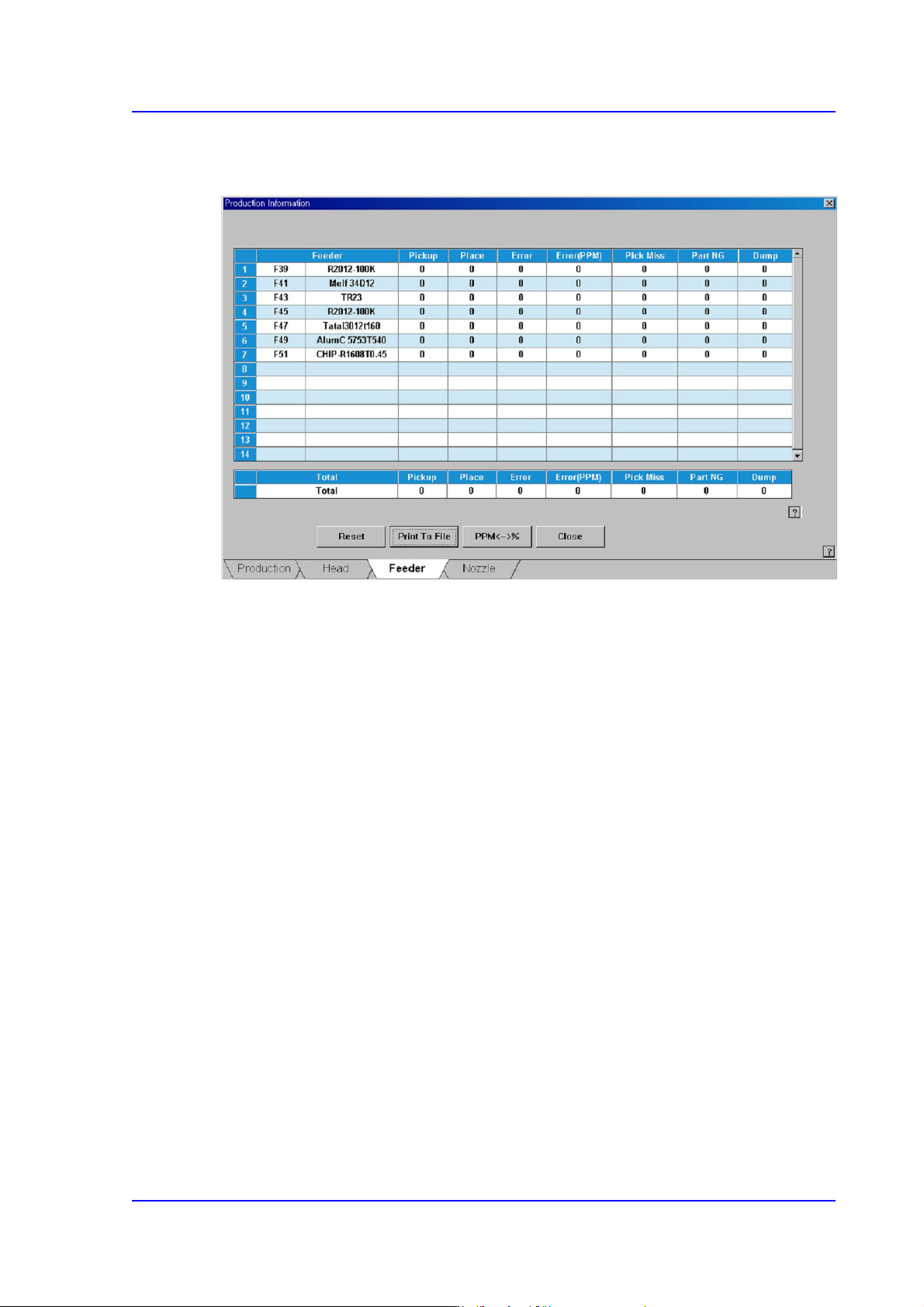
Displays the operation information of each feeder.
<Feeder> column
Indicates the information on the slot where the feeder is installed and the parts are
supplied.
<Pickup> column
Displays the number of components picked up from the corresponding feeder.
<Place> column
Displays the number of components placed from the corresponding feeder.
<Error> column
Displays the number of components placed from the corresponding feeder.
<Error (PPM)> column
Indicate the feeder error, which caused the fed parts not to be placed, in the PPM unit.
<Pick Miss> column
Indicates the number of part pickup failures.
<Part NG> column
Indicates the number of part recognition failures using ‘Vision’ after pick up by the
feeder.
<Dump> column
Indicates the number of times part dumping has been performed by the corresponding
head.