SM482PLUS_Admin(Eng_Ver2.8).pdf - 第46页
在线预览 SM482PLUS_Admin(Eng_Ver2.8).pdf PDF 文档。
xxxi
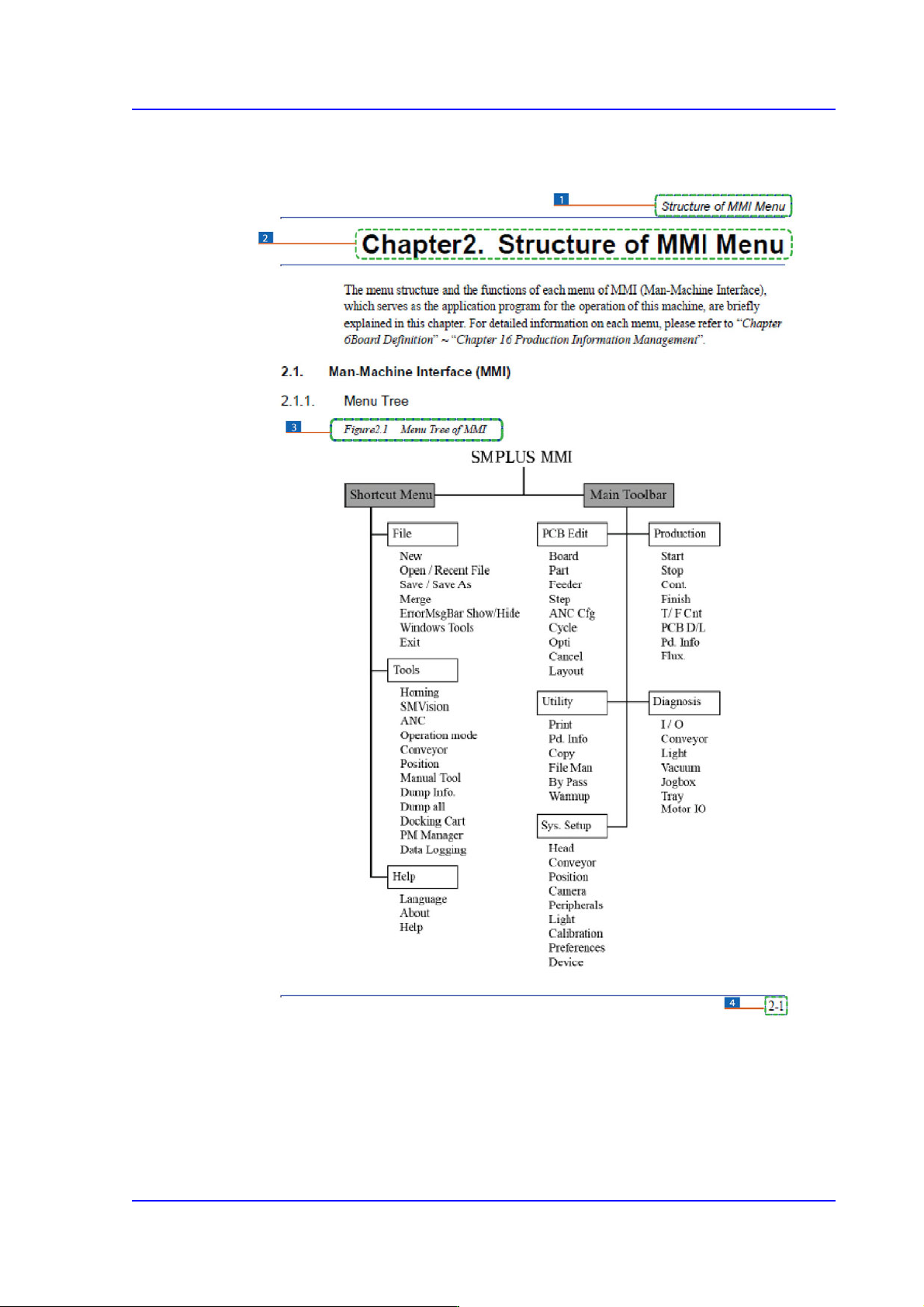
Page Layout
1: Chapter Title / Manual Name
2: Chapter Title
3: Figure (Chapter number)-(Serial number) (Title of the figure)
Indicates that this is the first figure of Chapter 4 and that the title of the figure is ‘Operation Panel’.
4: Chapter number – page (Indicates the first page of Chapter 1)


Operation Mode and
Password Change