SM482PLUS_Admin(Eng_Ver2.8).pdf - 第279页
8-27 Feeder Setup <2Pocket Diagonal > As per the following figure, input two corner points of pocket No’s. 1, 2 and 3 that face each other diagonally . <2Pocket X-Axis > Enter coordinate of a pocket cente…
8-26
Multi-Functional Placer SM482(L) PLUS Administrator’s Guide
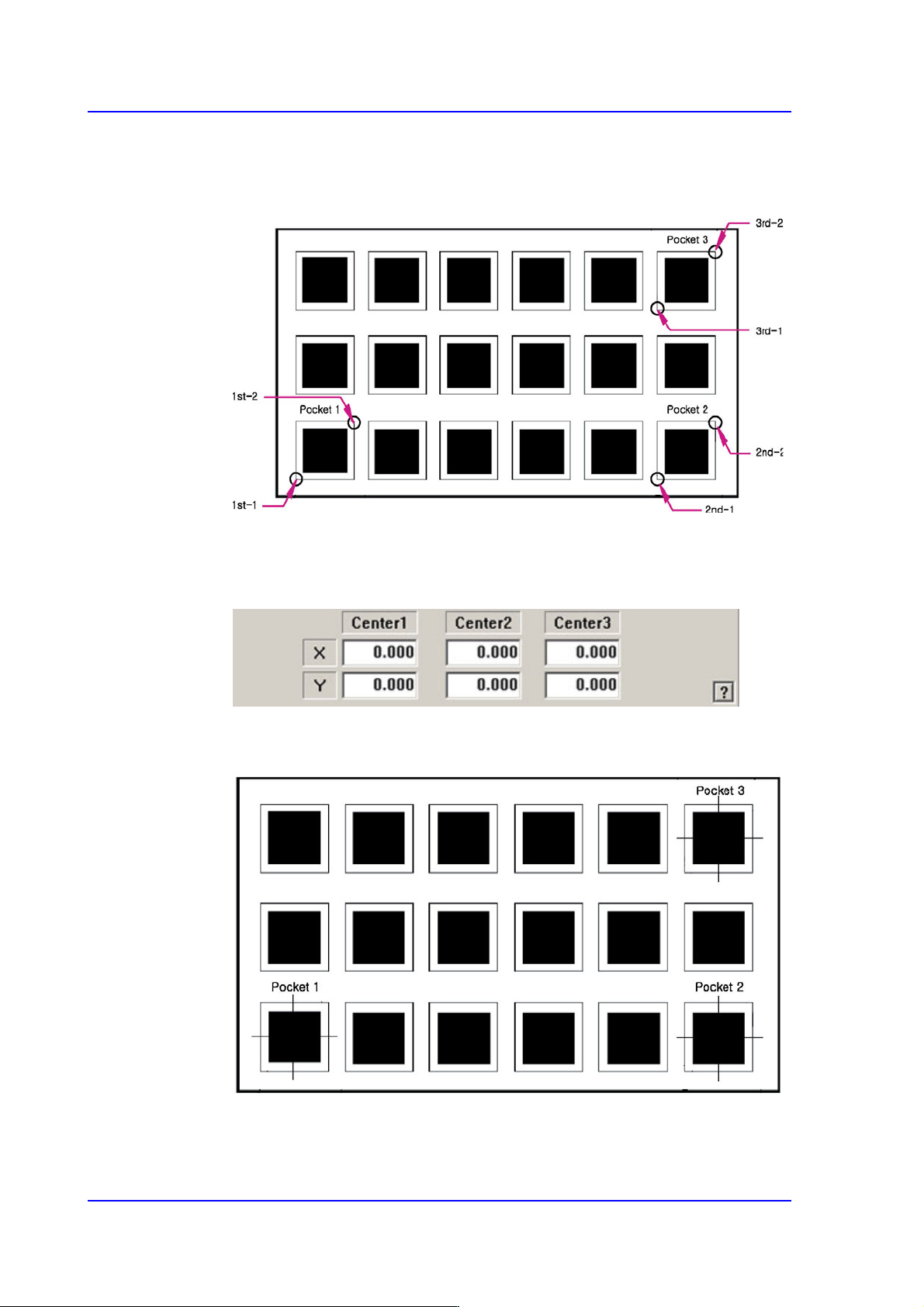
3Pocket [Default]
As shown in the following figure, input the positions of the two corner points
facing each other diagonally for 3 pockets.
The pick-up position of the parts can also be designated using the following
method.
<3Pocket Center>
As shown in the following figure, input the coordinates of the center points of
pocket No’s. 1, 2 and 3.
8-27
Feeder Setup
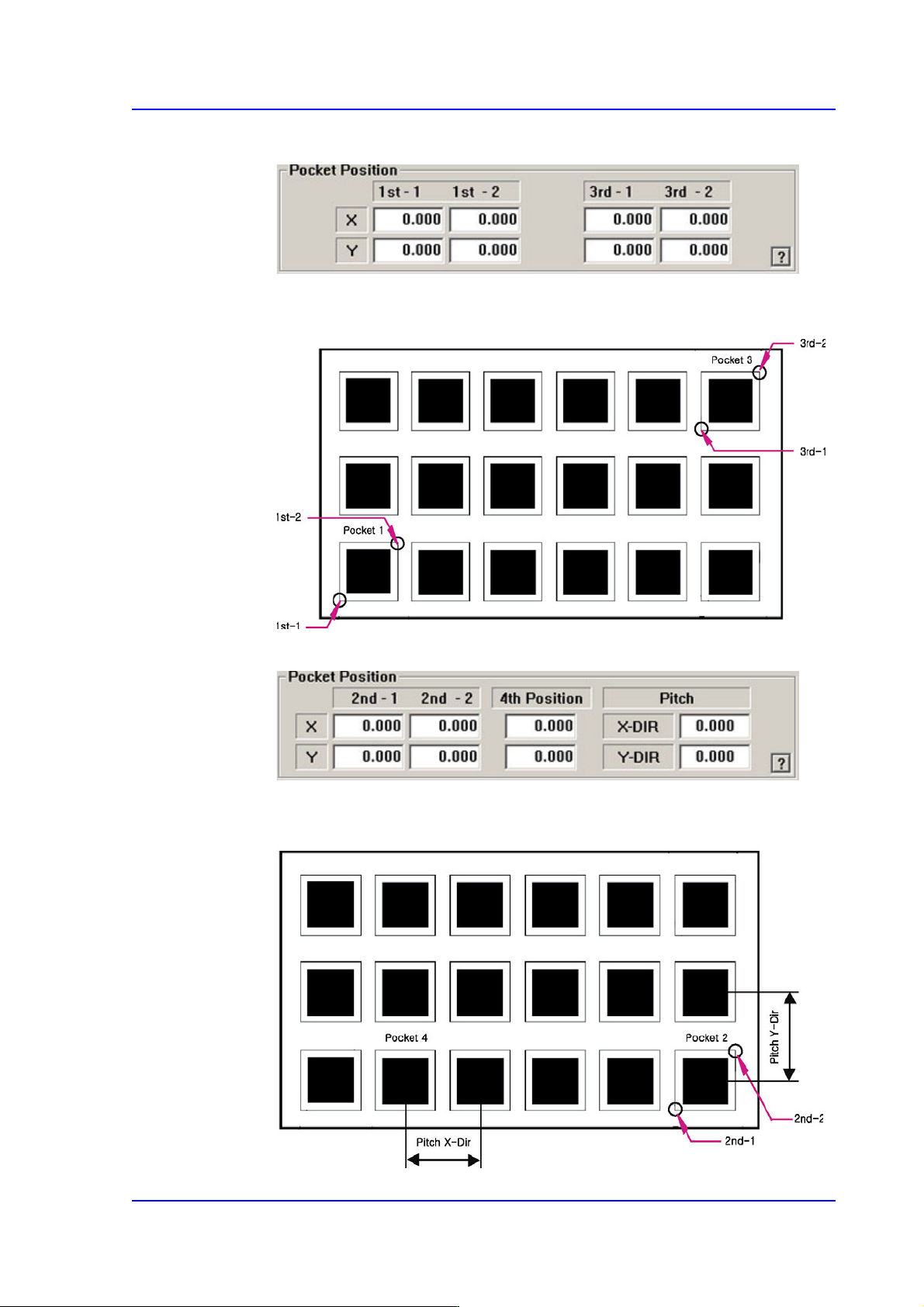
<2Pocket Diagonal>
As per the following figure, input two corner points of pocket No’s. 1, 2 and 3 that
face each other diagonally.
<2Pocket X-Axis>
Enter coordinate of a pocket center in the X direction, coordinate of the diagonal
vertex of the second pocket and the pitches in the X and Y directions.
8-28
Multi-Functional Placer SM482(L) PLUS Administrator’s Guide
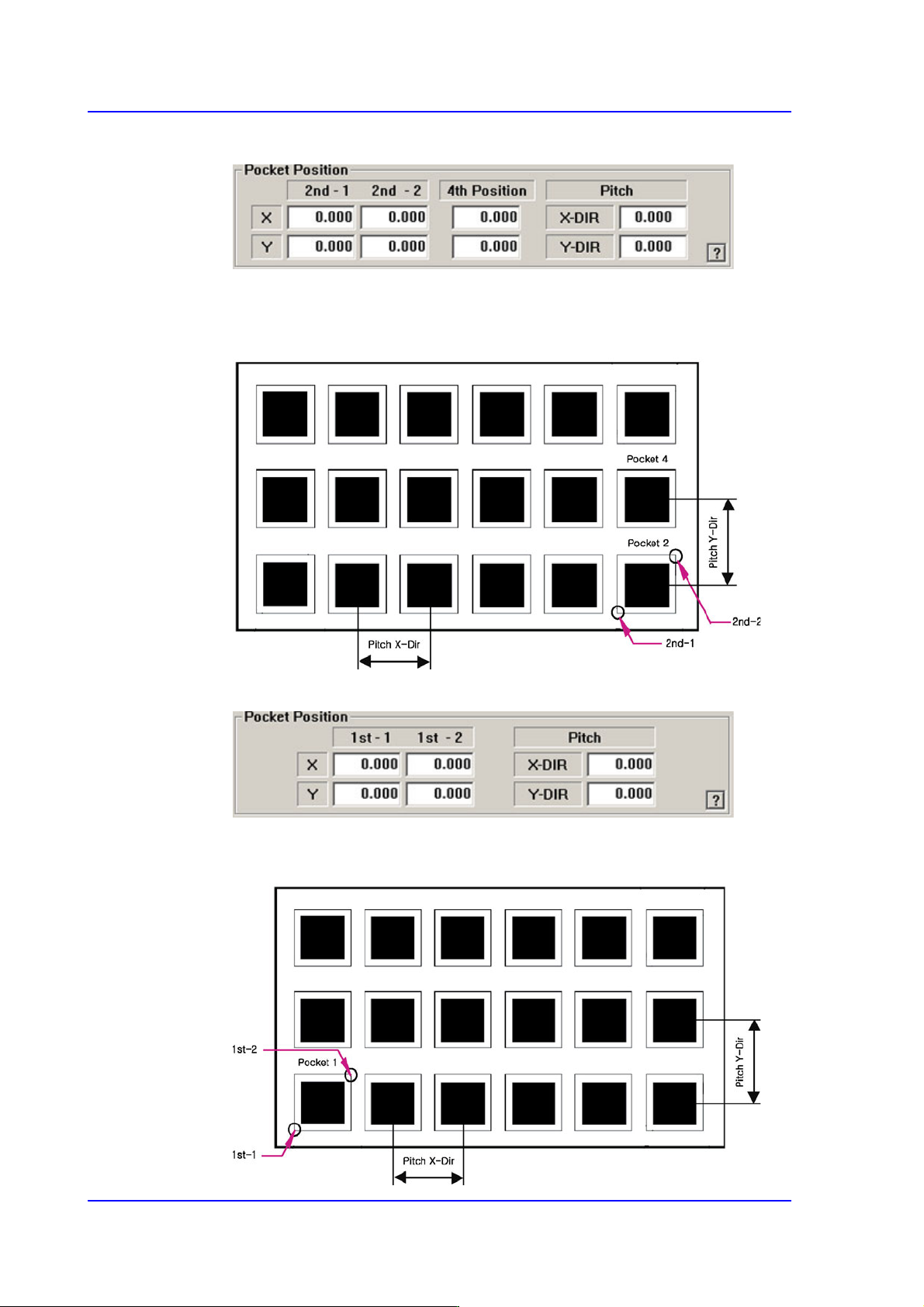
<2Pocket Y-Axis>
As shown in the following figure, input the coordinates of the center point of any
one pocket in the Y direction, the coordinates of the two corners in the diagonal
position of the second pocket and the pocket pitch in the X and Y directions.
<1Pocket>
As shown in the following figure, input the coordinates of the center point of
pocket No. 1 and the pocket pitch in the X and Y directions.