SM482PLUS_Admin(Eng_Ver2.8).pdf - 第113页
4-25 Tools Shortcut Menu 4.12.2. File Load This menu is used to update the booting image of the R T . After selecting the image to be updated, clicking the <Open> b utton will transmit the corr esponding image from…
4-24
Multi-Functional Placer SM482(L) PLUS Administrator’s Guide
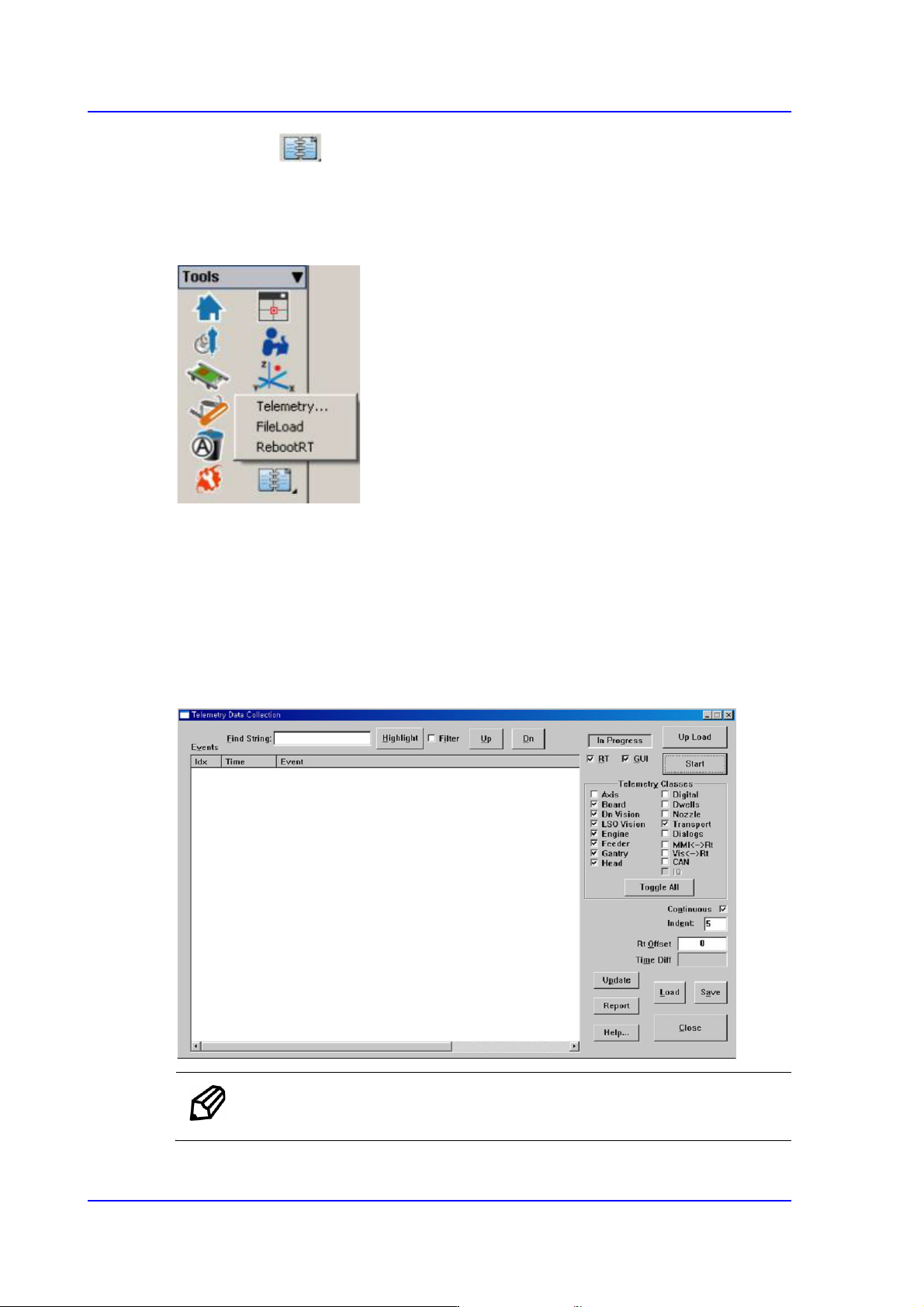
4.12. Data Logging
Selected when the Telemetry file is saved.
Use to record and manage various items related to the use of the machine. It is mainly
utilized to solve problems occurring in the machine using the log file recorded here.
4.12.1. Telemetry
Used to record and manage various items related to the use of the machine. When a
problem occurs with the machine, this menu is mainly used to examine its cause, and to
solve the problem using the log file recorded here.
This menu is used to debug the machine. For more details, refer to “1.1 General
Troubleshooting Guide” in the Troubleshooting Guide.
Memo It is possible to save up to 50 telemetry files.
4-25
Tools Shortcut Menu
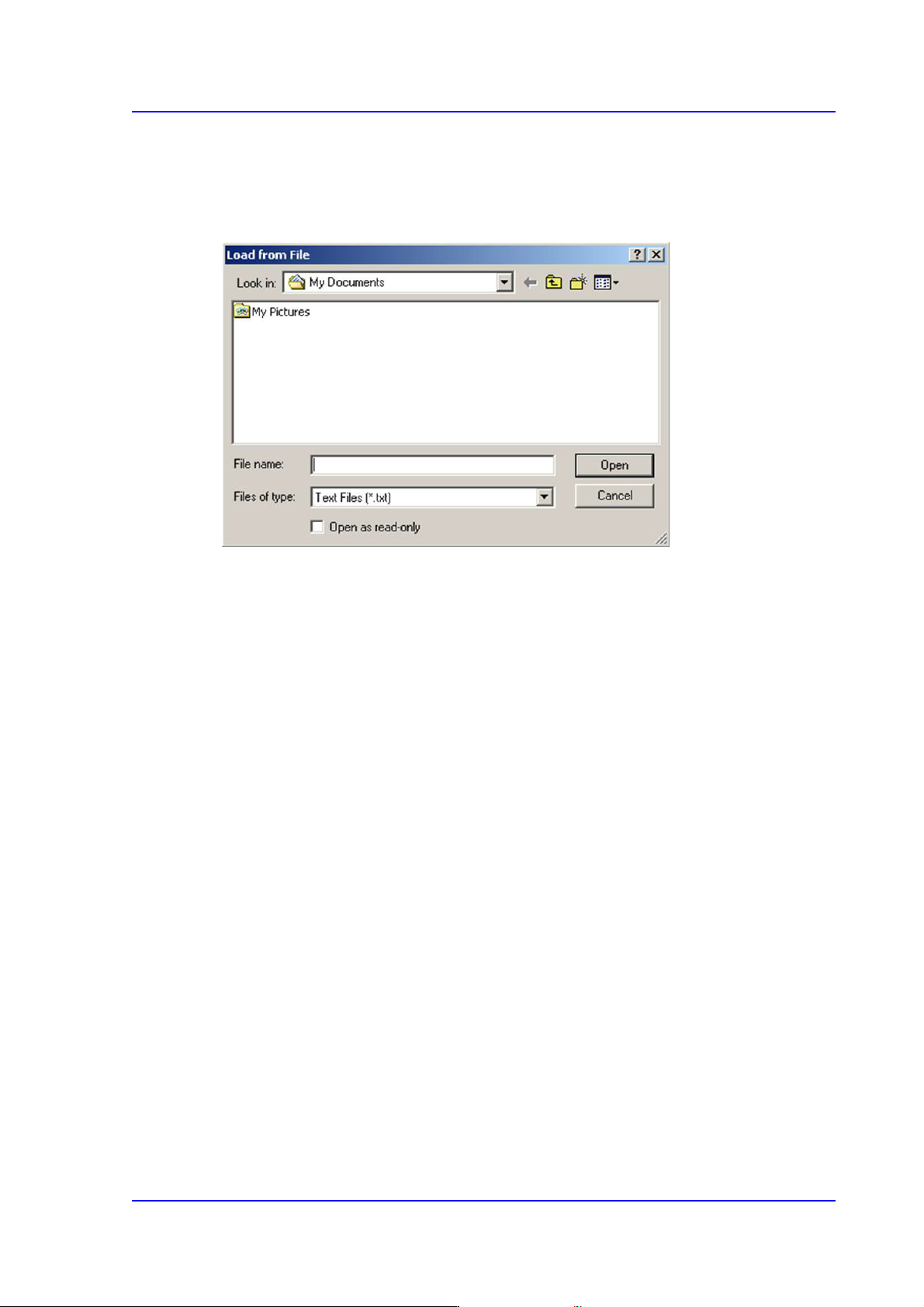
4.12.2. File Load
This menu is used to update the booting image of the RT. After selecting the image to be
updated, clicking the <Open> button will transmit the corresponding image from MMI to
RT. It is used in the service mode.
4.12.3. RebootRT
This menu is used to initialize the machine without rebooting it. It is used in the service
mode.
4.12.4. Mean TimeLog
Refers to the PCB production data log, which is one of the developer’s menus.