SM482PLUS_Admin(Eng_Ver2.8).pdf - 第527页
16-7 Diagnosis <Light V alue> group Set the light value. When the fiduci al camera is selected, the ra nge of light level that can be set is as follows. <Outer>: The range of t h e Outer light level is 0~…
16-6
Multi-Functional Placer SM482(L)P PLUS Administrator’s Guide
16.3. Light [F4]
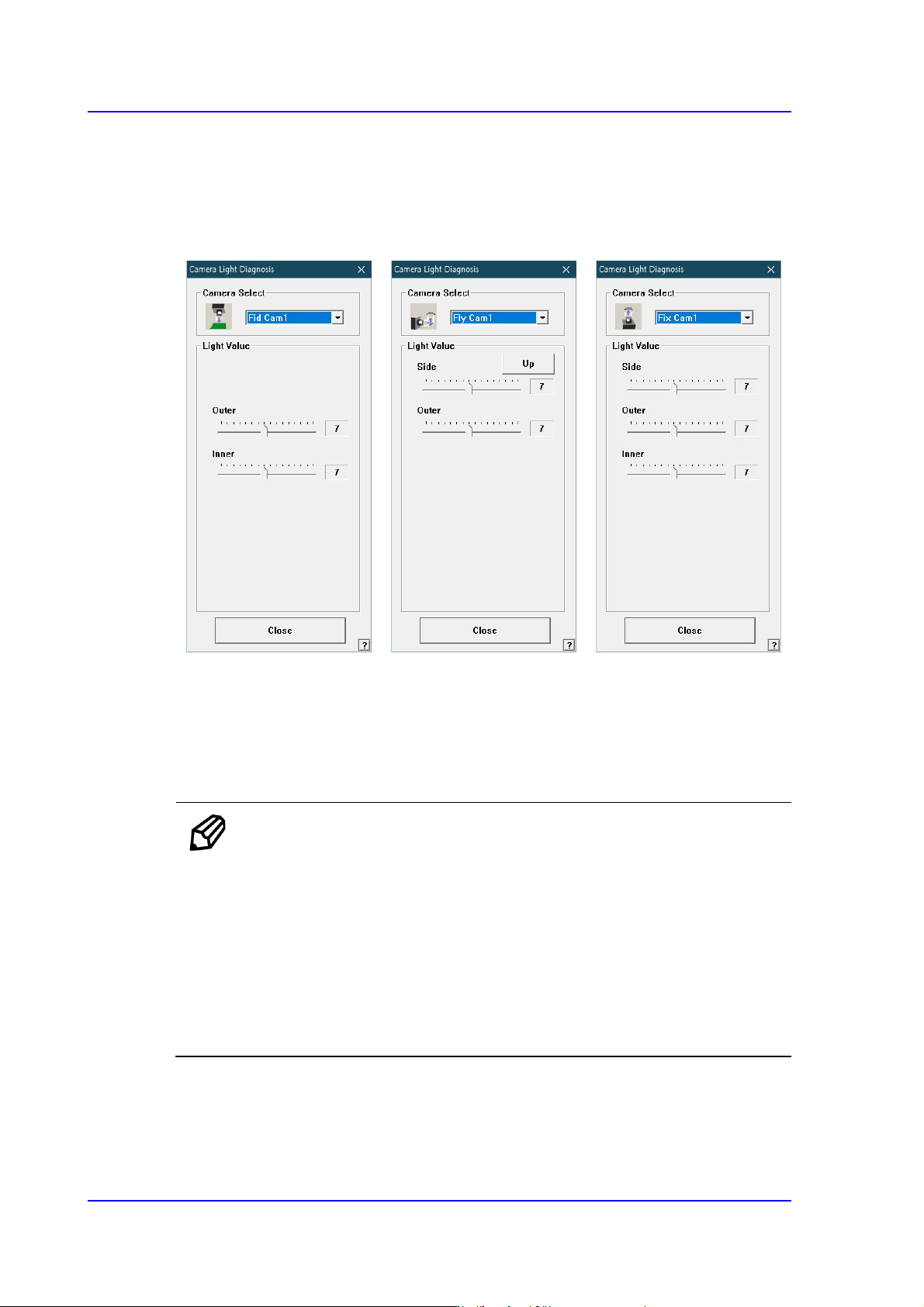
Checks the lighting devices installed on the fiducial camera, fly camera, and fix camera.
Figure16.6 “Camera Light Diagnosis “dialog box
<Camera Select> combo box
Select the camera on which the lighting device to be checked is installed.
<Camera No.> combo box
Fly Cam: Select the Fly camera on the front gantry.
Memo The Fly camera for recognizing each head is as follows:
Fly Cam1: Head #1
Fly Cam2: Head #2
Fly Cam3: Head #3
Fly Cam4: Head #4
Fly Cam5: Head #5
Fly Cam6: Head #6
Fix Cam(Option): Select the fix camera.
Fid Cam: Select the fiducial camera.

16-7
Diagnosis
<Light Value> group
Set the light value.
When the fiducial camera is selected, the range of light level that can be set is as
follows.
<Outer>: The range of the Outer light level is 0~15.
<Inner>: The range of the Inner light level is 0~15.
When the fly camera is selected, the range of light level that can be set is as follows.
<Side>: The range of the side light level is 0~15.
<Outer>: The range of the Outer light level is 0~15.
When the fix camera is selected, the range of light level that can be set is as follows.
<Side>: The range of the side light level is 0~15.
<Outer>: The range of the Outer light level is 0~15.
<Inner>: The range of the Inner light level is 0~15.
<Close> button
Closes the dialog box.
16-8
Multi-Functional Placer SM482(L)P PLUS Administrator’s Guide
16.4. Vacuum [F5]
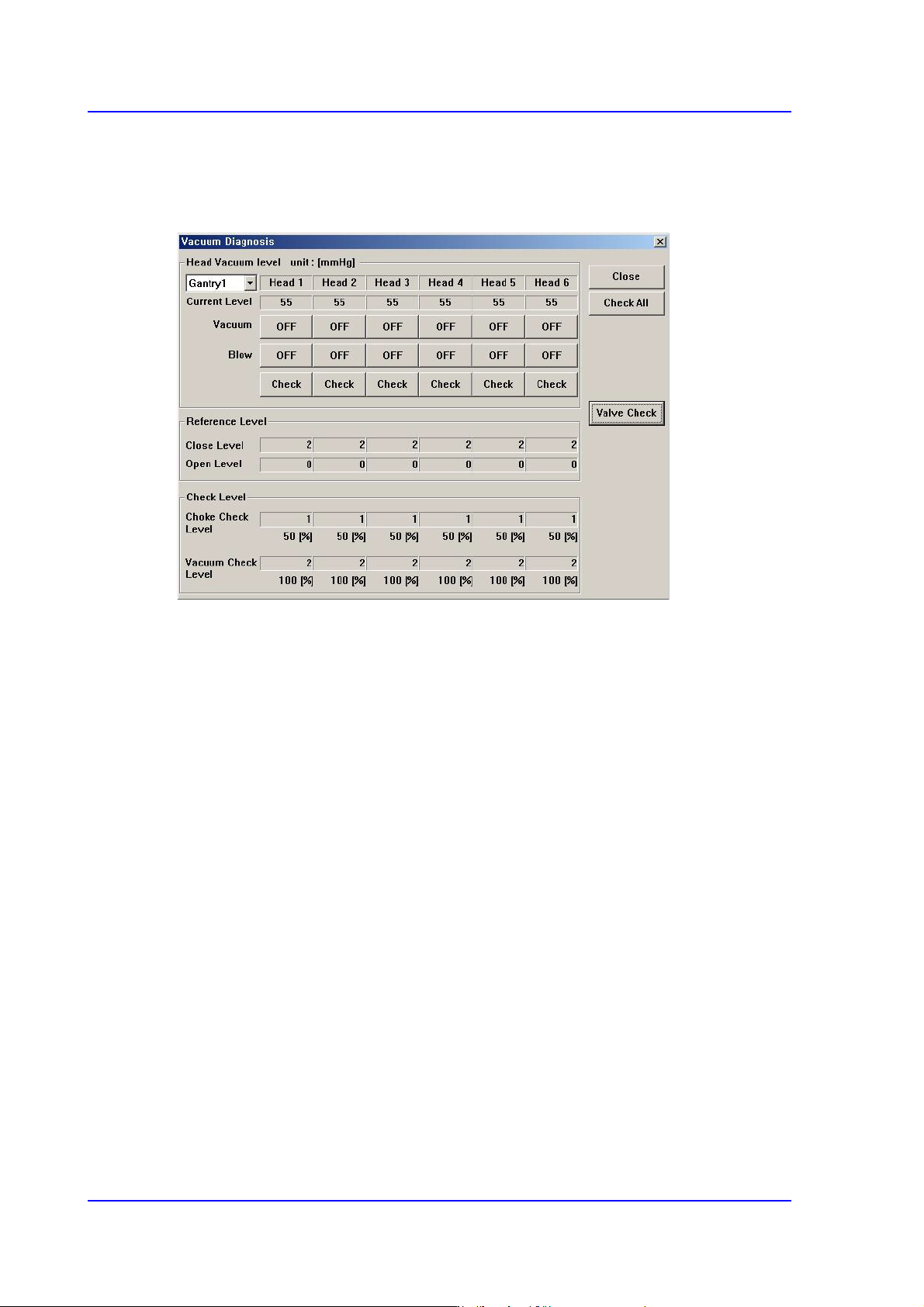
Checks the air pressure status of the head.
Figure16.7 “Vacuum Diagnosis” dialog box
<Head Vacuum level> group
Displays the vacuum level of each head and controls the vacuum generator.
<Gantry> combo box
Select the gantry for which the pneumatic pressure can be checked.
<Current Level>
Indicate the current pneumatic pressure of each head.
<Vacuum OFF> button
Pressing this button when “OFF” is indicated will supply constant pneumatic
pressure of 0.1Mpa inside the spindle and indicate “ON” on the button.
<Blow OFF> button
Pressing this button when “On” is indicated will shut off the pneumatic pressure
supplied to the spindle and indicate “OFF” on the button.
<Reference Level> group
When the vacuum level is used as a criteria for determining the component pick-up by
each head, displays the standard value.
<Close Level>
Indicate the pneumatic pressure of each head when the nozzle hole is plugged,
with the nozzle being inserted into the nozzle holder.