SM482PLUS_Admin(Eng_Ver2.8).pdf - 第438页
14-66 Multi-Functional Placer SM482( L) PLUS Administrator’s Guide 12. T he result value can be confirmed in th e Camera di alog box in the S ystem Setup menu. Memo The range of the referen ce values for the ‘fly-ca mera…
14-65
Machine Calibration
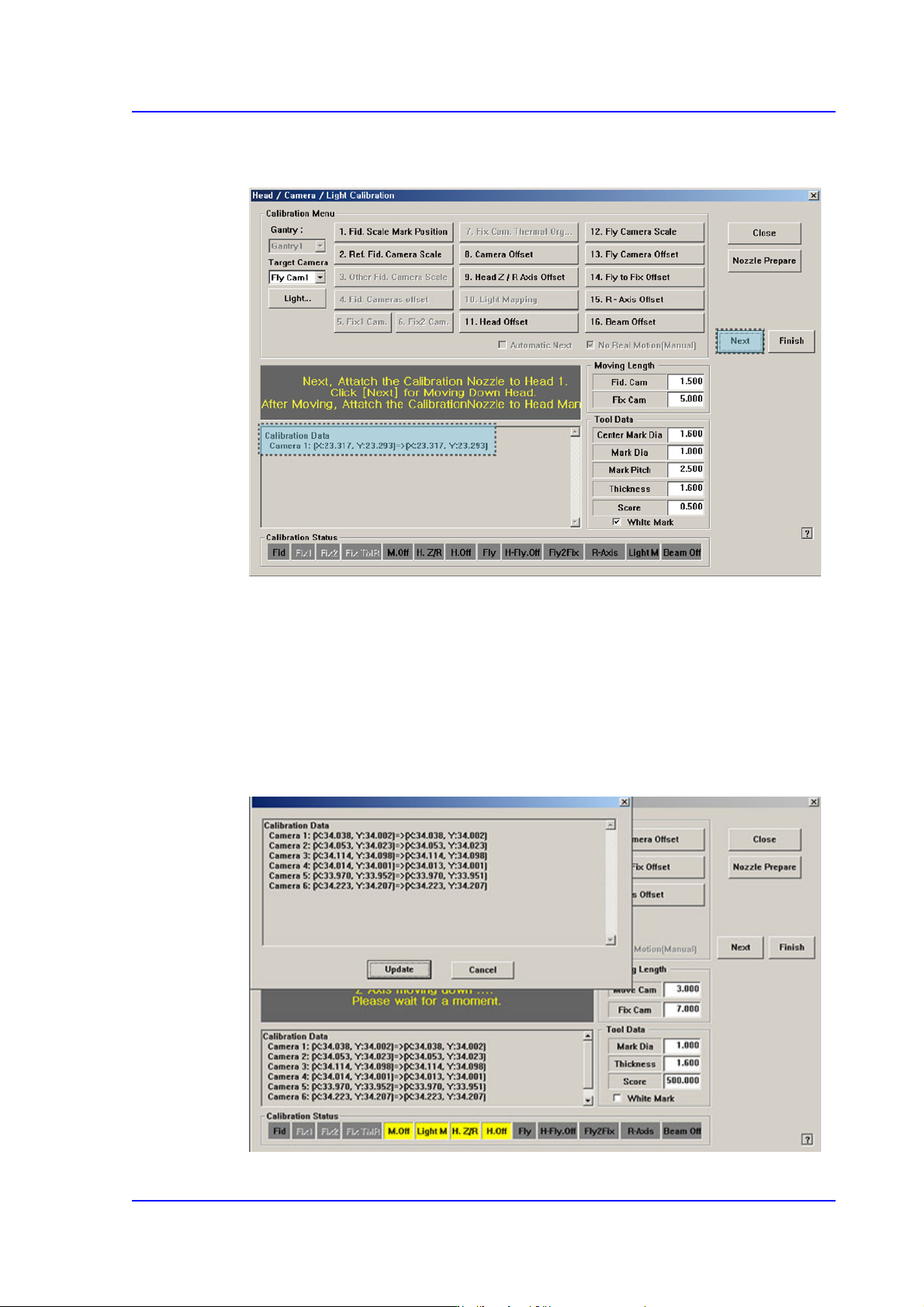
9. The calibration is performed automatically. If it is completed, the calibration result is
displayed as shown in the following figure. Click the <Next> button.
10. Then the message “Next, Remove the Calibration Nozzle From Head 1. Click [Next]
for Moving Down Head. After Moving, Remove the Nozzle Manually” appears. Click
the <Next> button to remove the CNT20 nozzle from the nozzle-holder of Head #1
manually.
11. Form Fly-Camera #2 to Fly-Camera #6, perform calibration in the same manner as it
was performed for Fly-Camera #1.
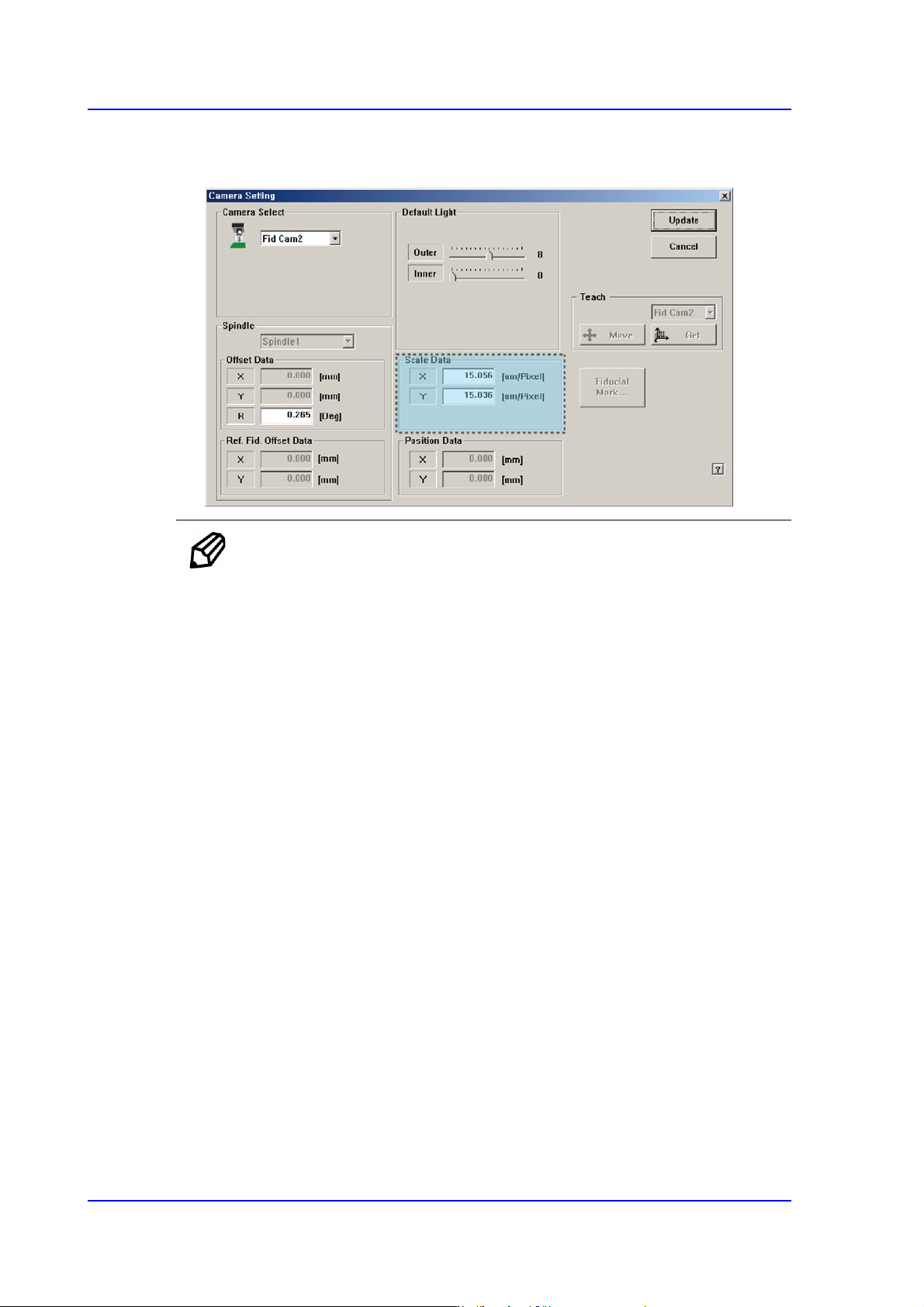
If the calibration procedure is completed for all fly-cameras normally, the result is
displayed as shown in the following figure.
14-66
Multi-Functional Placer SM482(L) PLUS Administrator’s Guide
12. The result value can be confirmed in the Camera dialog box in the System Setup
menu.
Memo The range of the reference values for the ‘fly-camera calibration’ is as
follows:.
FOV 16 (HEXA)
ScaleX: 14.30~15.70 (μm/pixel)
ScaleY: 14.30~15.70 (μm/pixel)
FOV 25 (HEXA)
ScaleX: 22.10~24.10 (μm/pixel)
ScaleY: 22.10~24.10 (μm/pixel)
FOV 16 (MEGA)
ScaleX: 15.15~16.59 (μm/pixel)
ScaleY: 15.15~16.59 (μm/pixel)
FOV 25 (MEGA)
ScaleX: 23.00~25.00 (μm/pixel)
ScaleY: 23.00~25.00 (μm/pixel)
FOV 16
ScaleX: 32.82~35.94 (μm/pixel)
ScaleY: 32.82~35.94 (μm/pixel)
FOV 25
ScaleX: 50.00~54.16 (μm/pixel)

14-67
Machine Calibration
ScaleY: 50.00~54.16 (μm/pixel)