SM482PLUS_Admin(Eng_Ver2.8).pdf - 第218页
7-46 SM PLUS Administrator’s Guide 3) Create a shape object to be recognized partially and perform a recognition test button Adds a lead, ball, corner , mark and other shape objects manually . button Deletes the obje…
7-45
Part Registration
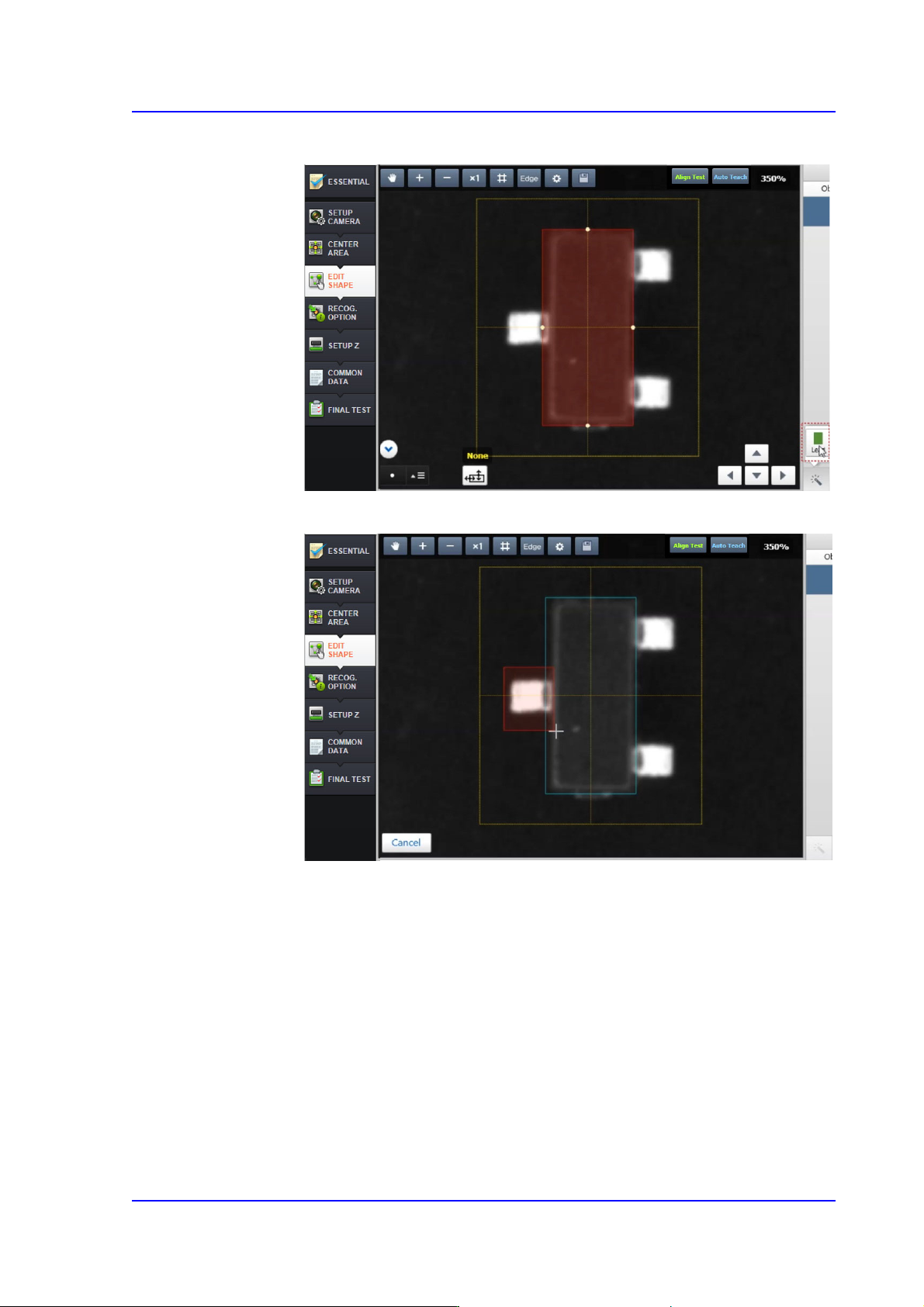
1) Select a shape object to be added (Lead)
2) Drag and select the area to be recognized partially using the mouse
7-46
SM PLUS Administrator’s Guide
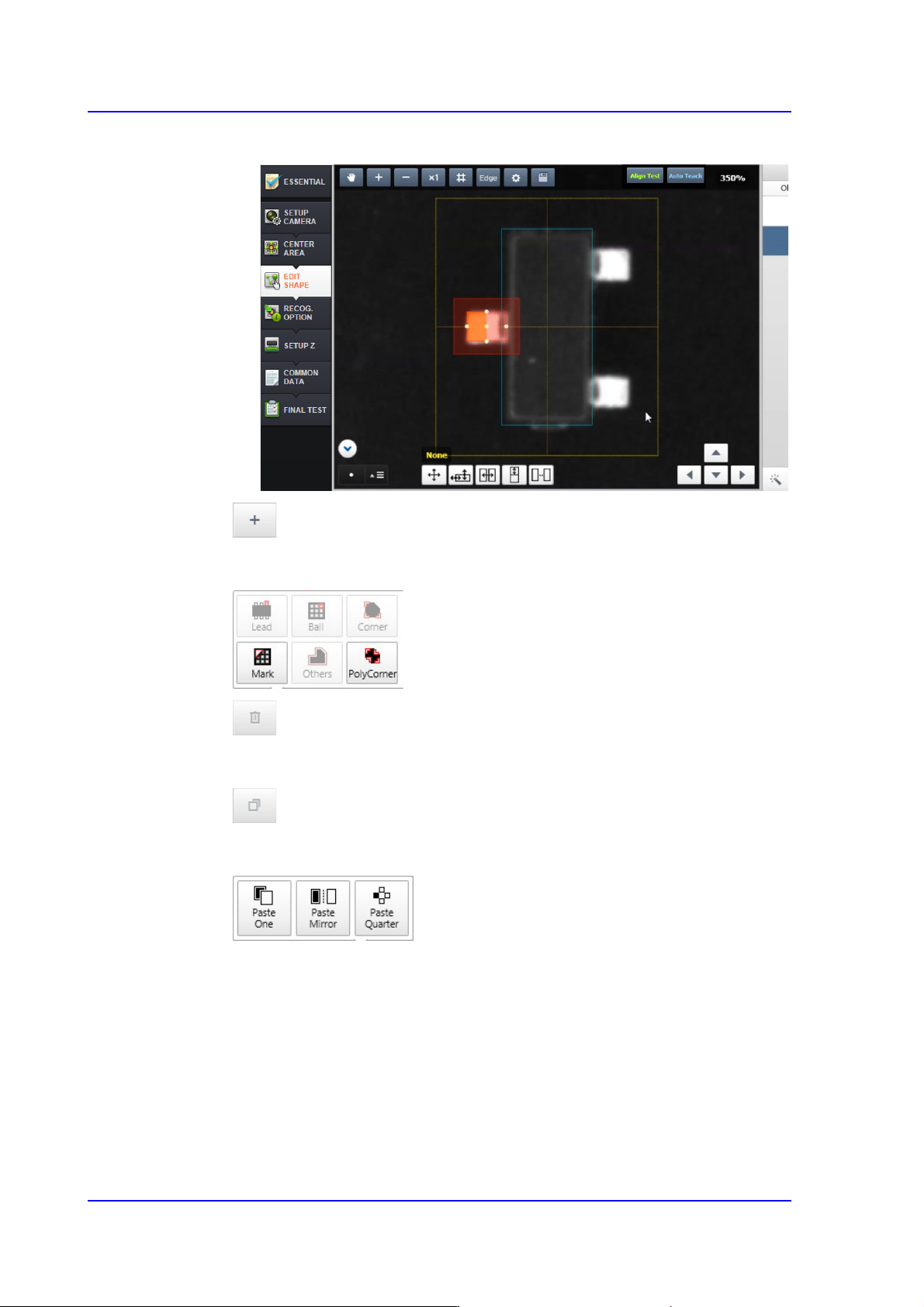
3) Create a shape object to be recognized partially and perform a recognition test
button
Adds a lead, ball, corner, mark and other shape objects manually.
button
Deletes the object selected from the <Object List> group.
button
Copies the object selected from the <Object List> group.
Past One
Adds an object identical to the selected object.
Paste Mirror
Adds an object so that it will be symmetrical to the selected object.
paste Quarter
Adds objects so that they will be symmetrical to each other in four directions.
7-47
Part Registration
button
Groups the objects selected from the <Object List> group.
7.2.2.5. RECOG. OPTION
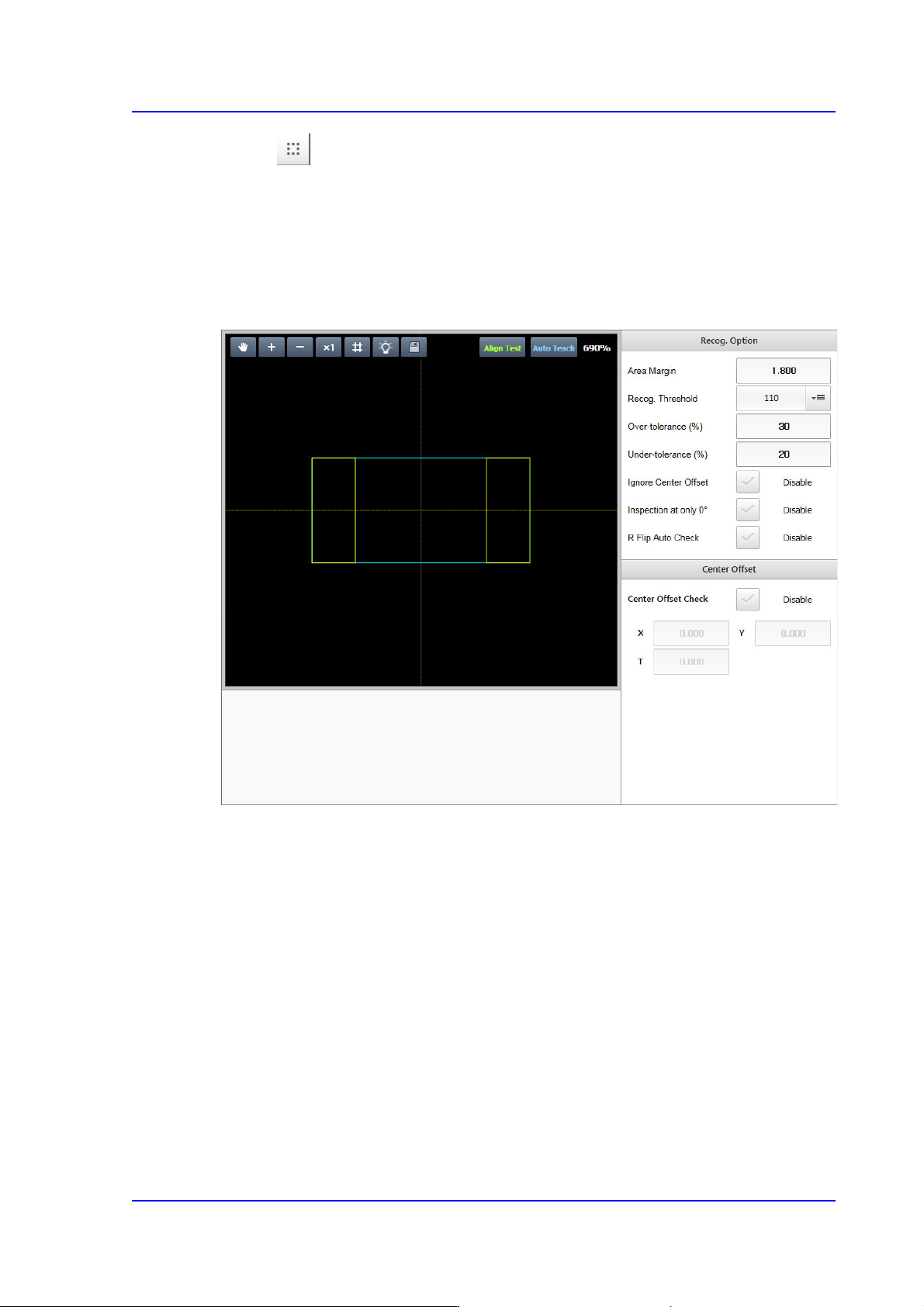
Sets the option related parameters allowing a part to be recognized under various
conditions by part.
<Recog. Option> group
It is possible to set the recognition option applied to all parts.
<Recognition Area Margin> edit box
If the area obtained by adding the 'Recognition Area Margin' to the part size is
called the ‘Part Recognition Area’, in normal cases the shape of the picked part
must be within the ‘Part Recognition Area’.
However, even though the shape of the picked part has gotten out of the ‘Part
Recognition Area’ due to other external factors, if the part can be placed properly
by compensating the extent of deviation, it is possible to place the corresponding
part properly by setting the 'Recognition Area Margin'.
In general, set a value within the range of 0~6. For a chip part, it is recommended
that the default value be used.