SM482PLUS_Admin(Eng_Ver2.8).pdf - 第84页
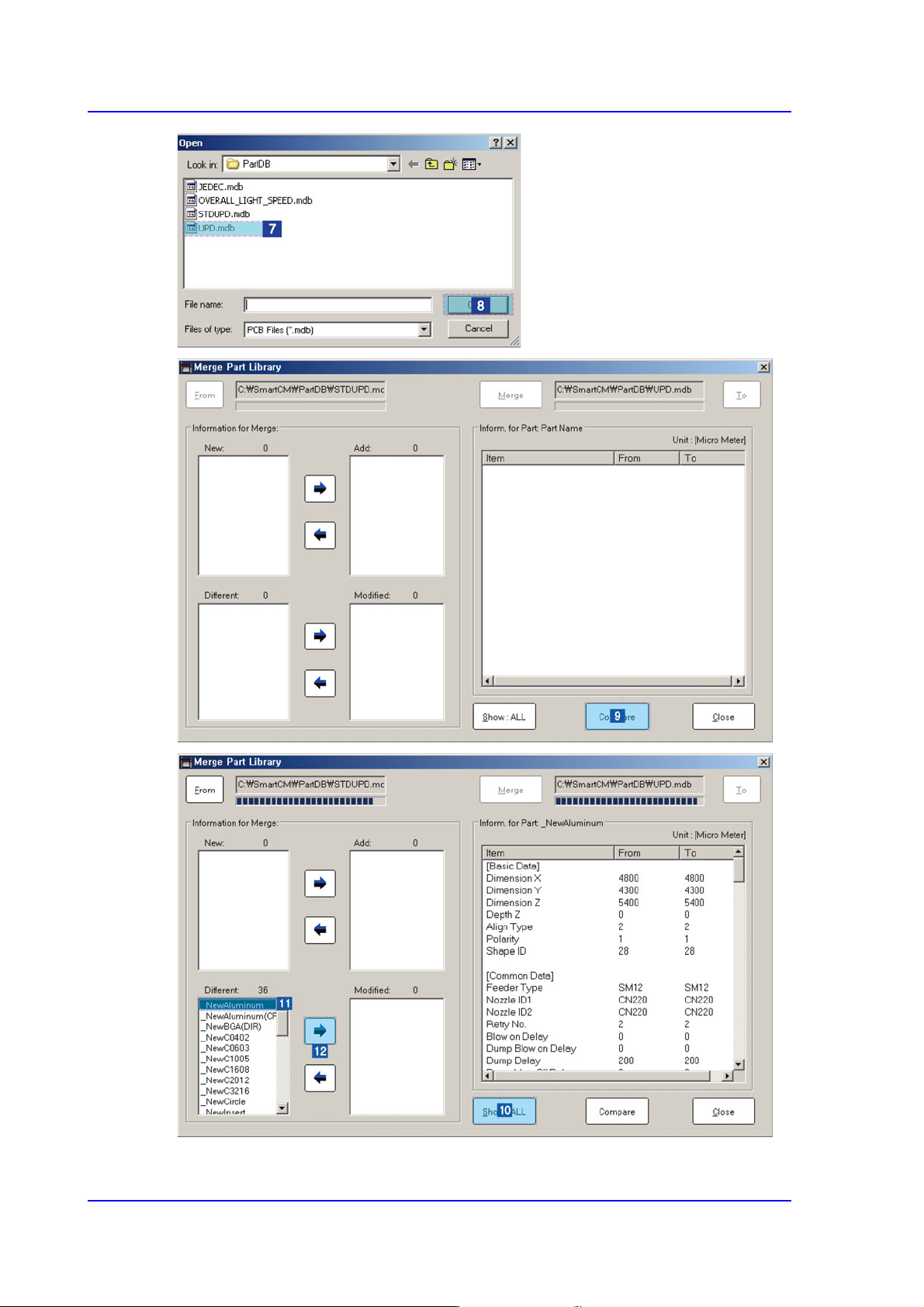
3-16 Multi-Functional Placer SM482( L) PLUS Administrator’s Guide Click the <V iew All> button to compare and check items with dif ferent part information.
3-15
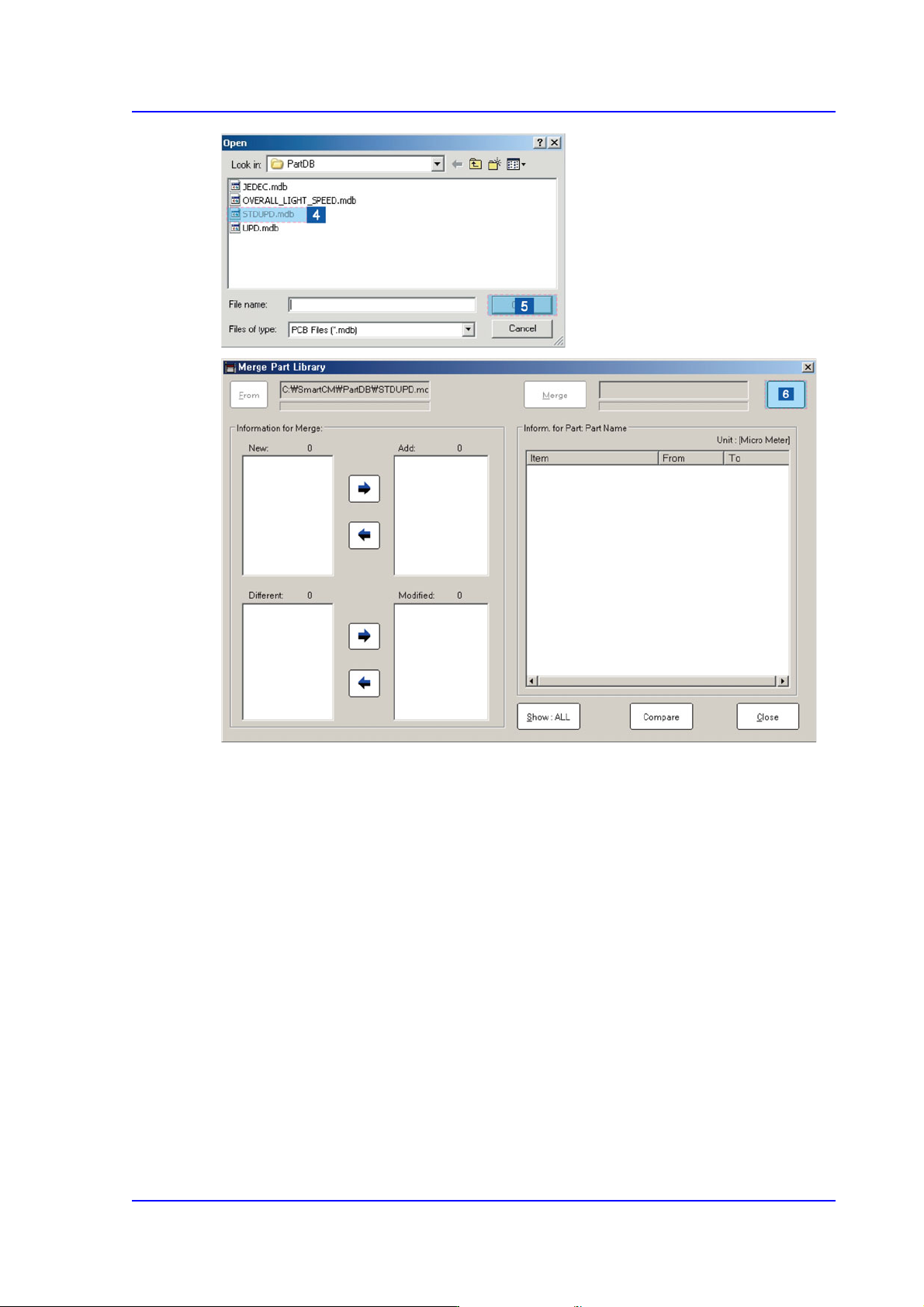
File Shortcut Menu
Click the <To> button to select the target DB file.
3-16
Multi-Functional Placer SM482(L) PLUS Administrator’s Guide
Click the <View All> button to compare and check items with different part information.
3-17
File Shortcut Menu
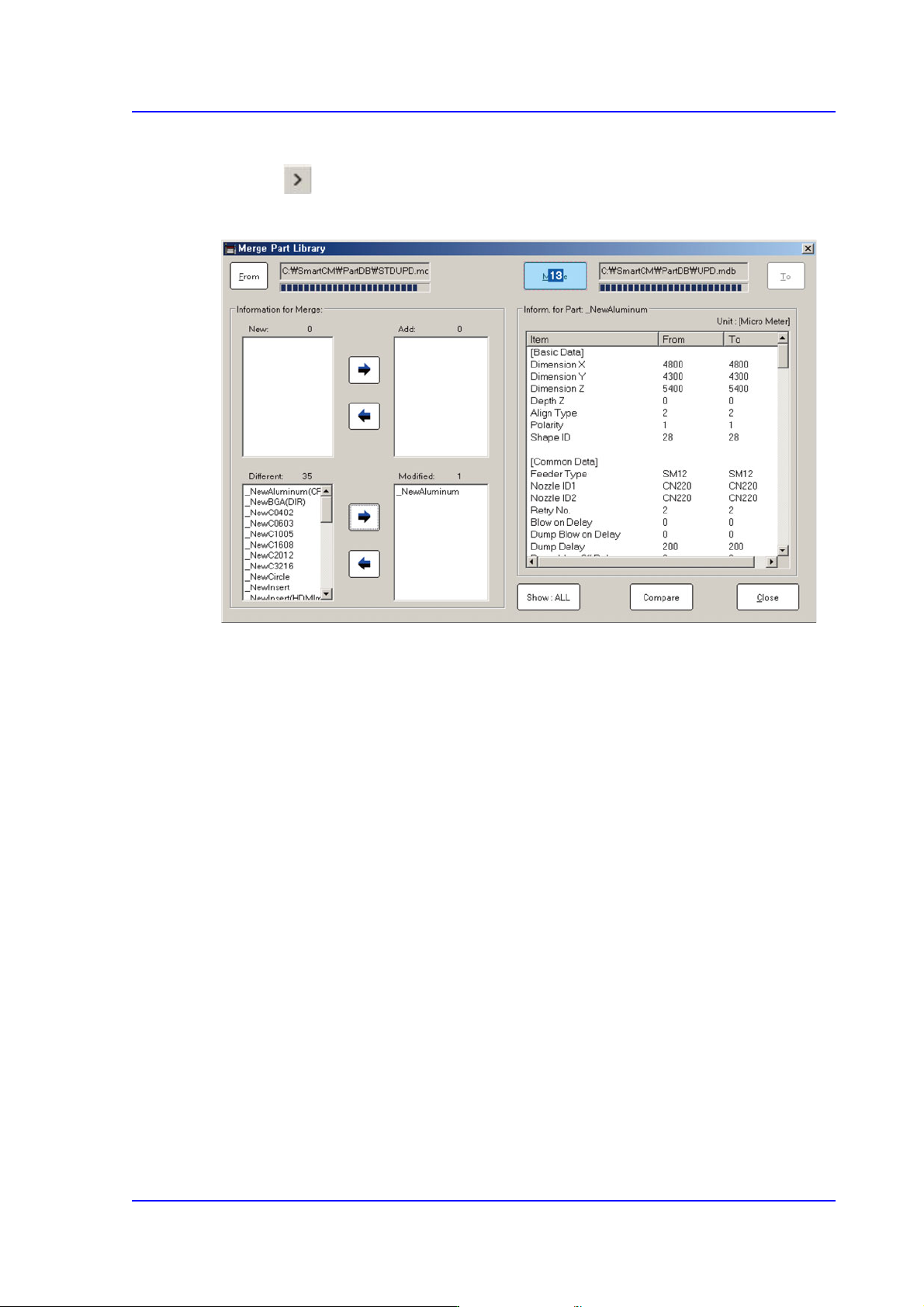
Select the part name to be merged from the <New:> or <Different:> list box.
Click the Button and add the item to be merged into the <Add:> or <Modified:> list
box
Click the <Merge> button to merge the corresponding item into the part library.