SM482PLUS_Admin(Eng_Ver2.8).pdf - 第480页
15-26 Multi-Functional Placer SM482( L) PLUS Administrator’s Guide 8. Select the LM_MAP_FIX in the < Open> dialog box and click the <Open> button . 9. Once the file import is completed, chec k whether light m…
15-25
System Setup
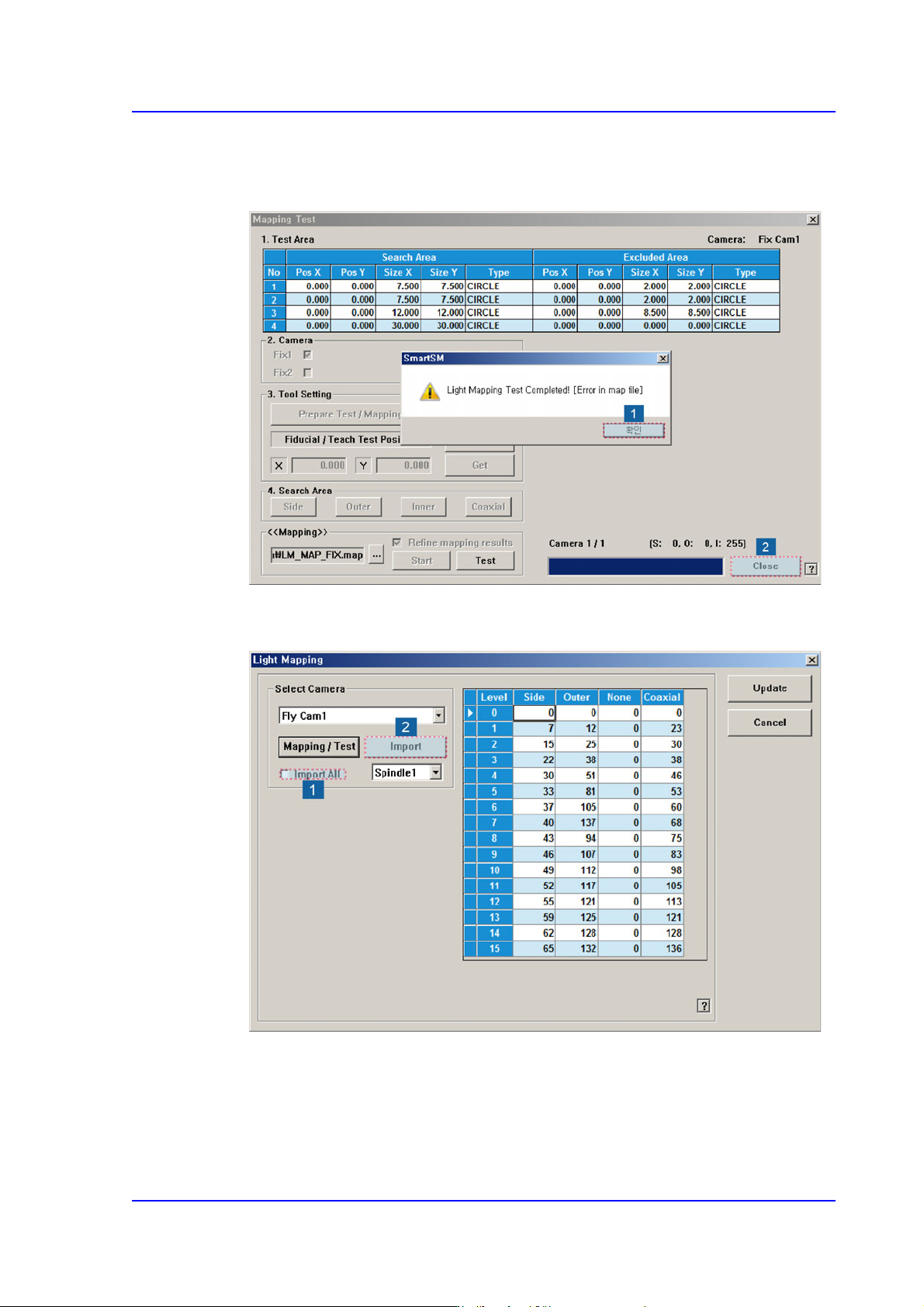
6. If the dialog box saying that the light mapping test has been completed is displayed,
click the <OK> button. Then click the <Close> button to close the mapping test dialog
box.
7. Check the <Import All> check box in the <Select Camera> group and click the
<Import> button.
15-26
Multi-Functional Placer SM482(L) PLUS Administrator’s Guide
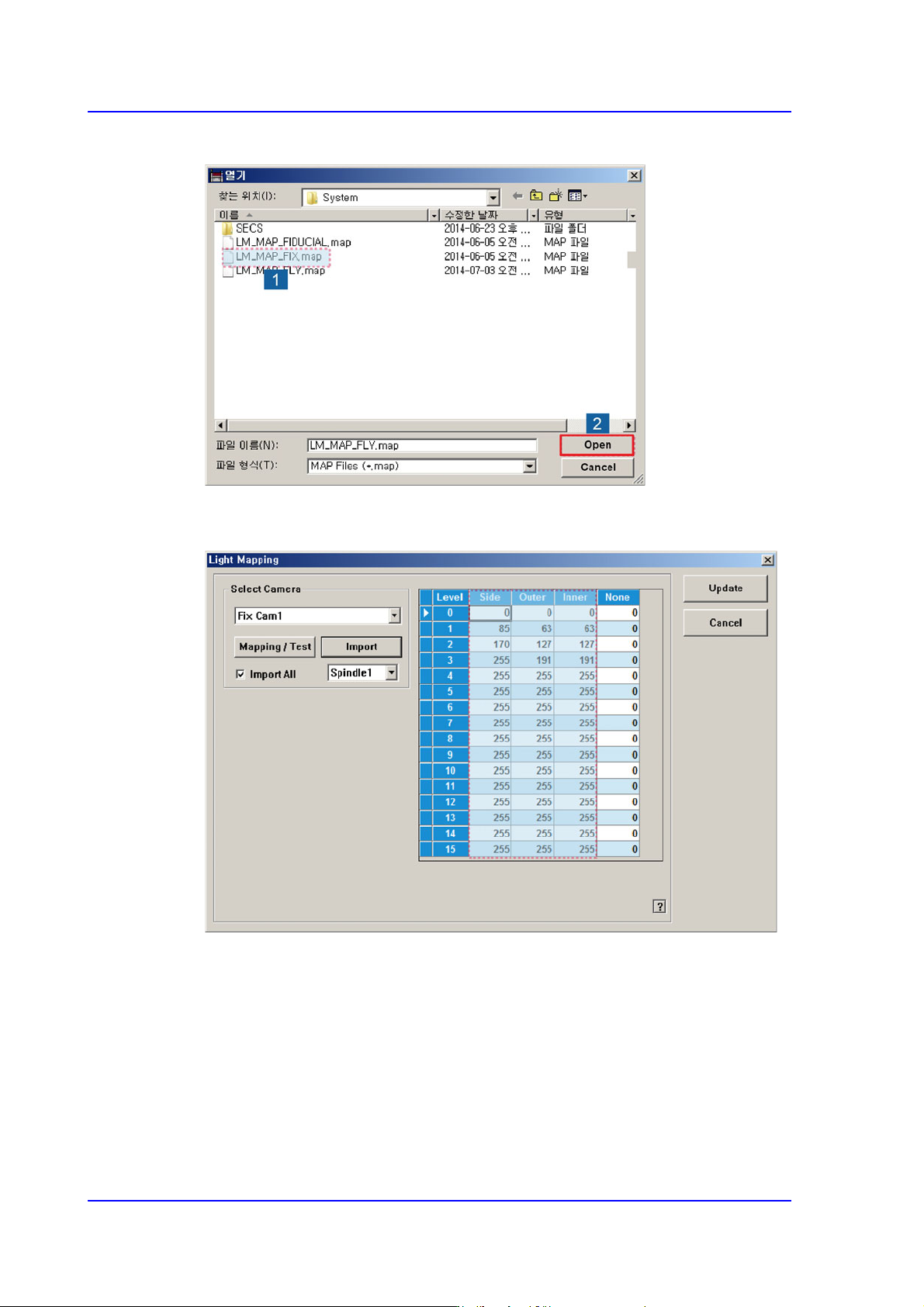
8. Select the LM_MAP_FIX in the <Open> dialog box and click the <Open> button.
9. Once the file import is completed, check whether light mapping data values increase
gradually from Level 0 to Level 15. Then click the <Update> button.
15-27
System Setup
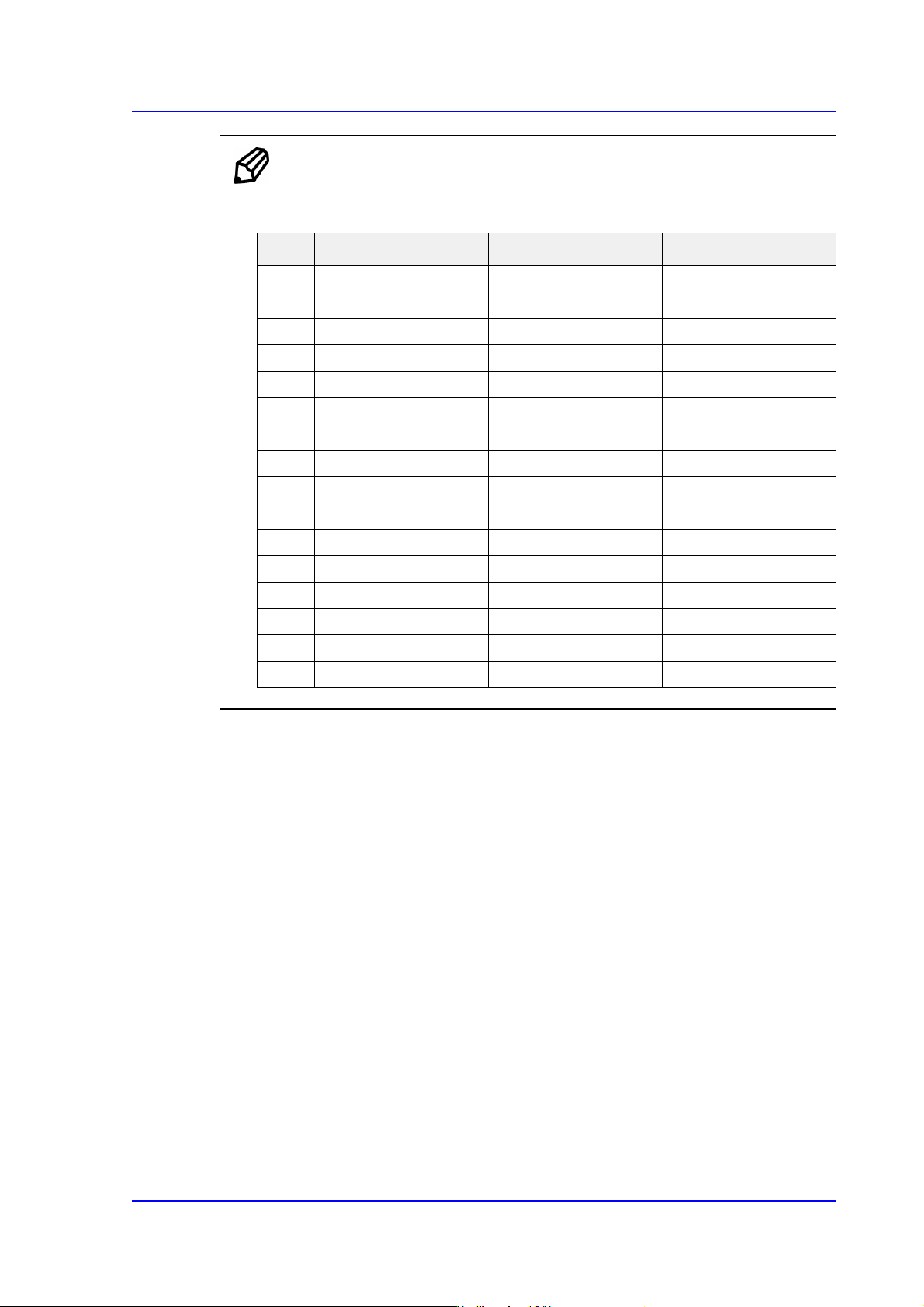
Ref. The test result value must be within ±10 from the following reference
value.
Perform light mapping of the Fly Camera in the following manner:
1. After selecting the camera for which light mapping is to be performed in the <Select
Camera> group, click the <Mapping/Test> button.
Side Outer Inner
0121212
1252323
2393335
3514245
4625154
5736064
6867075
7967985
8 105 87 94
9 115 95 102
10 125 103 112
11 135 111 121
12 143 118 128
13 151 125 136
14 160 133 145
15 168 140 152