SM482PLUS_Admin(Eng_Ver2.8).pdf - 第240页
7-68 SM PLUS Administrator’s Guide <R (Pick Up Angle)> edit box It is recommended to use the value without setting the offset. <Delay T ime> tab Sets the delay time related to the head move ment when the …
7-67
Part Registration
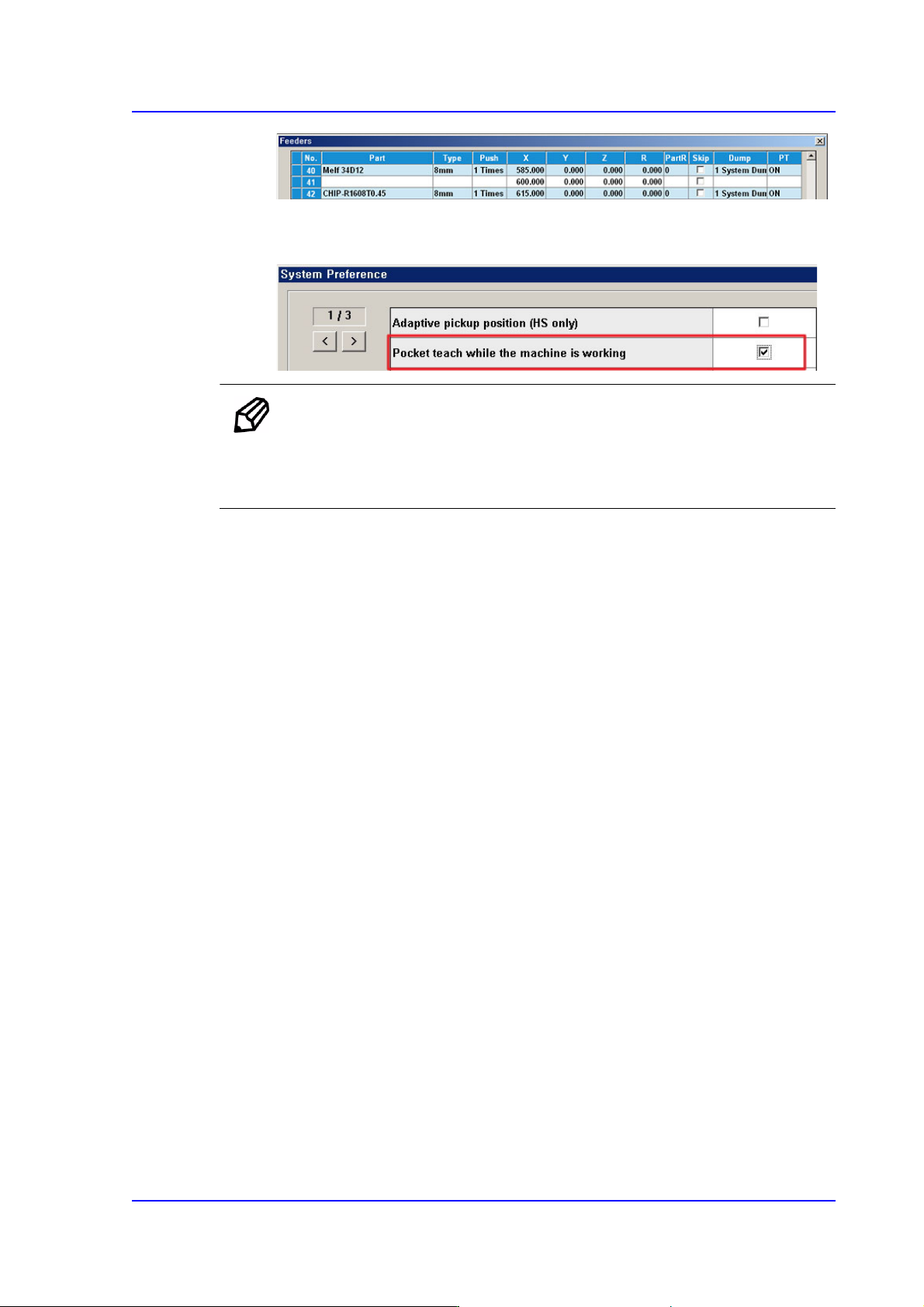
In order to allow the Pocket Teach to be actually applied, the Pocket Teach option
of the Preference submenu of the System Setup menu must be set up.
Memo For parts fed by an 8mm tape feeder, it is recommended that this
function be applied.
Basically, the black splicing tape must be used.
<Vacuum Check> check button
Selected when checking vacuum pressure first before picking or placing a part.
Since the micro chip is very small, even though it has not been actually placed
after performing placement, not only is it difficult to detect such errors in the next
process but also great effort is needed when placing the part again (applicable to
1608 chip and smaller). If this function is used, the machine compares the vacuum
pressure when picking a part with the vacuum pressure when placing it finally and
checks whether there is any difference.
If so, the part may have dropped down due to any reason while the head moves to
the placement point after picking it up.
<Pickup Offset> group
<X Offset> edit box
It is recommended to use the value without setting the offset.
<Y Offset> edit box
It is recommended to use the value without setting the offset.
<Z Offset> edit box
For parts supplied by a tape feeder, it is recommended to set the Z value
referring to the following table:
7-68
SM PLUS Administrator’s Guide
<R (Pick Up Angle)> edit box
It is recommended to use the value without setting the offset.
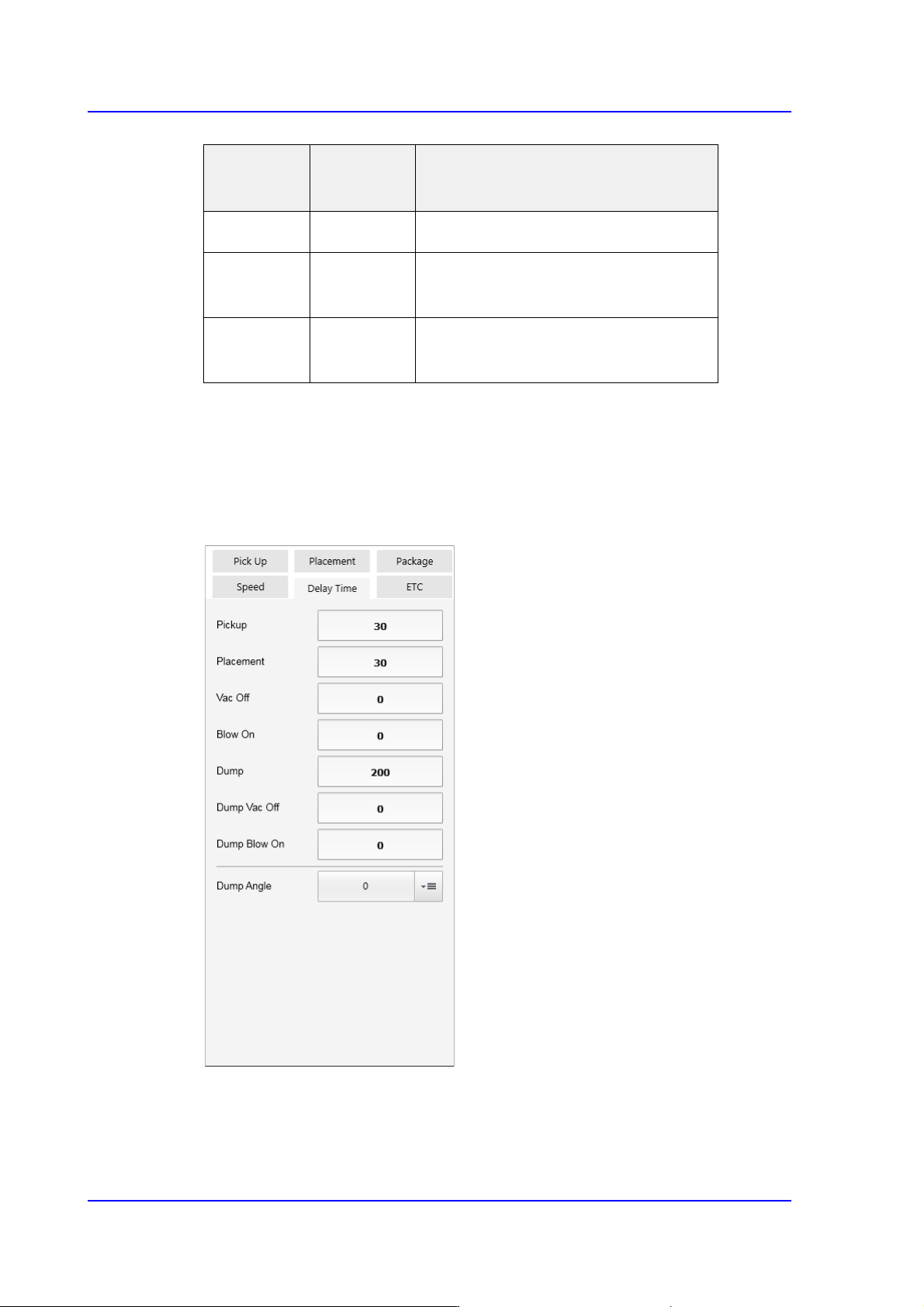
<Delay Time> tab
Sets the delay time related to the head movement when the head spindle picks, places
and dumps a part.
<Pickup> edit box
Input the time from when the head spindle has stopped after moving down for part
pickup until it starts to move up.
Tape
Feeder
Tape Type Z
8mm
Paper/PE
Part thickness
8mm Emboss -0.2
(Manual teaching for particular parts)
Larger than
12mm
Emboss -0.2
(Manual teaching for particular parts)
7-69
Part Registration
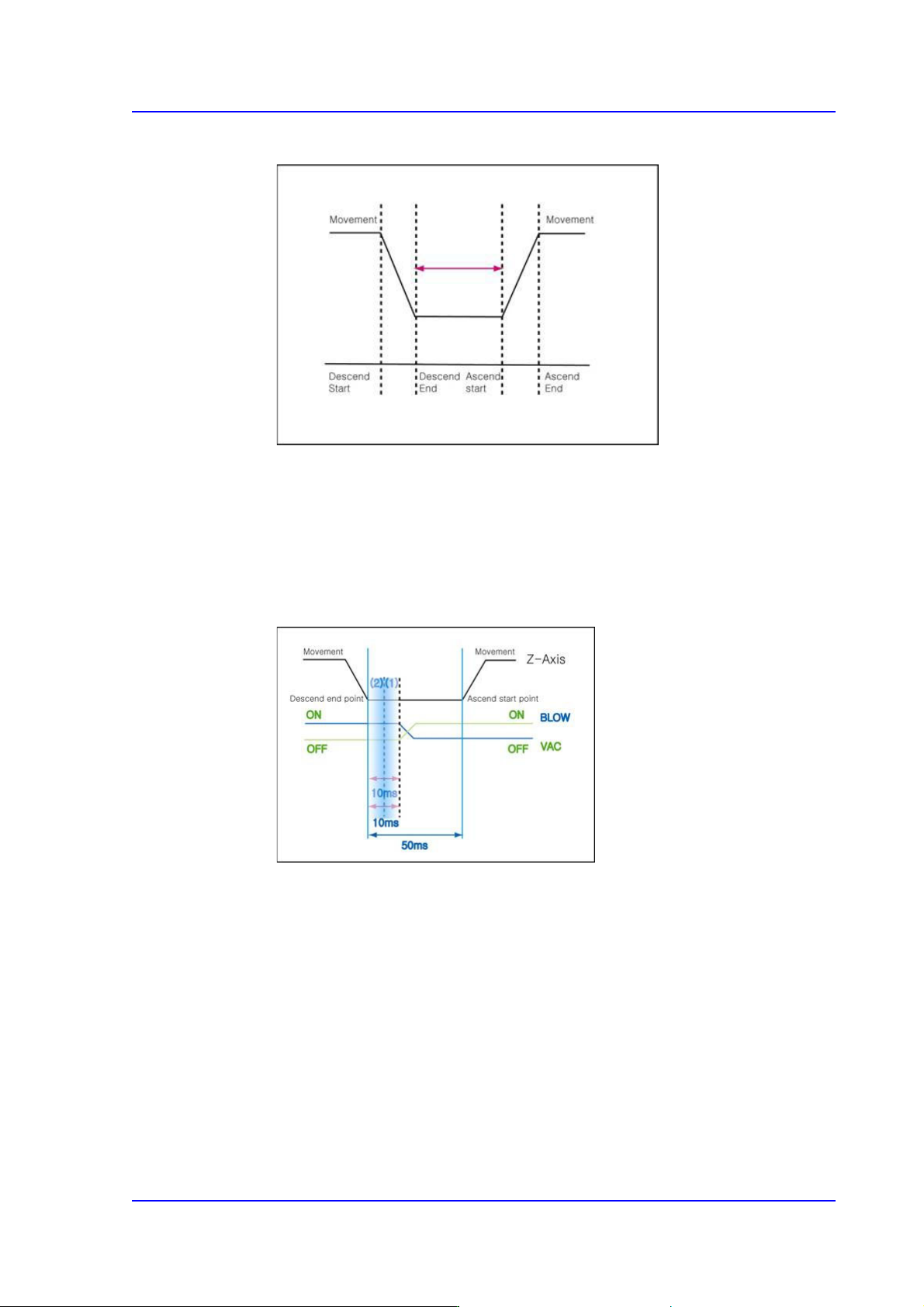
The following is the 'Pickup Delay Time’ Sequence Diagram.
<Placement> edit box
Input the time from when the head spindle has stopped after moving down for part
placement until it starts to move up.
<Vac Off> edit box
During component placement, the delay time after the head spindle has come
down until vacuum is off.
For example, if the ‘Place’, ‘Vac OFF’ and ‘Blow ON’ are set to 50, 10 and 10
respectively,
The time required is 50ms from the time the Z axis finishes moving down for
placement until the Z axis begins to move up after all processes are completed.
The ‘Vac off’ 10 means that the vacuum will be turned off in 10ms after the Z
axis finishes moving down for placement.
The ‘Blow ON’ 10 refers to the delay time from the time the Z axis finishes
moving down to the time the Blow On is performed.
In general, the time for 'Vac OFF' should be set identical to the time for 'Blow ON'.