SM482PLUS_Admin(Eng_Ver2.8).pdf - 第547页
17-9 Utility 17.5. Bypass [F8] The following dialog box is displayed an d shows it is in the PCB Bypass status. If the head is a bove the co nveyor , the PCB sens ing sensor gets af fecte d. Therefore, move the head out …

17-8
Multi-Functional Placer SM482(L) PLUS Administrator’s Guide
saves the copied file under a different file name when using the <Copy> command.
<Move> button
Moves the selected file to the other folder.
<Delete> button
Deletes the selected file.
<Rename> button
Renames the selected file.
<Clear> button
If the file size of a *.log file is very big, deletes the data saved previously.
<Error Log> button
When machine error occurs, it creates a zip file for all log files of corresponding works
necessary for the examination of the cause of the error to allow easy transmission of
the files to our C/S company and local agent.
17-9
Utility
17.5. Bypass [F8]
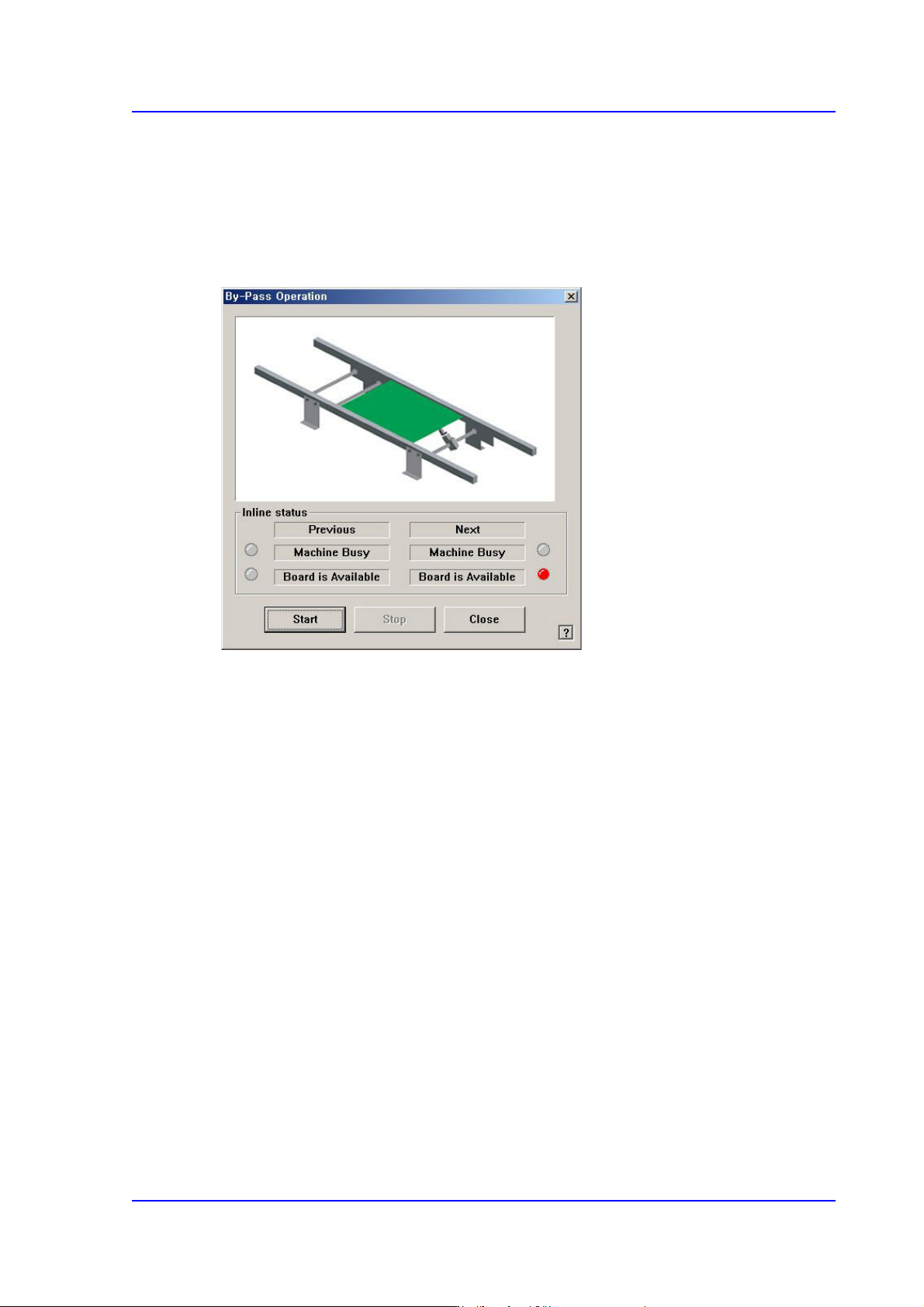
The following dialog box is displayed and shows it is in the PCB Bypass status.
If the head is above the conveyor, the PCB sensing sensor gets affected. Therefore, move
the head out of the conveyor and execute the command.
Figure17.7 “By-pass Operation” dialog box
<Inline status> group
Indicates the SMEMA related input status. (Lighted On: On, Lighted Off: Off)
Previous
Indicates the status of the previous machine.
Next
Indicates the status of the next machine.
Machine Busy
PCB not transferred.
Board is Available
PCB can be transferred.
<Start> button
Starts the ‘PCB bypass’.
<Stop> button
Stops the ‘PCB bypass’.
<Close> button
Closes the dialog box.
17-10
Multi-Functional Placer SM482(L) PLUS Administrator’s Guide
17.6. WarmUp [F9]
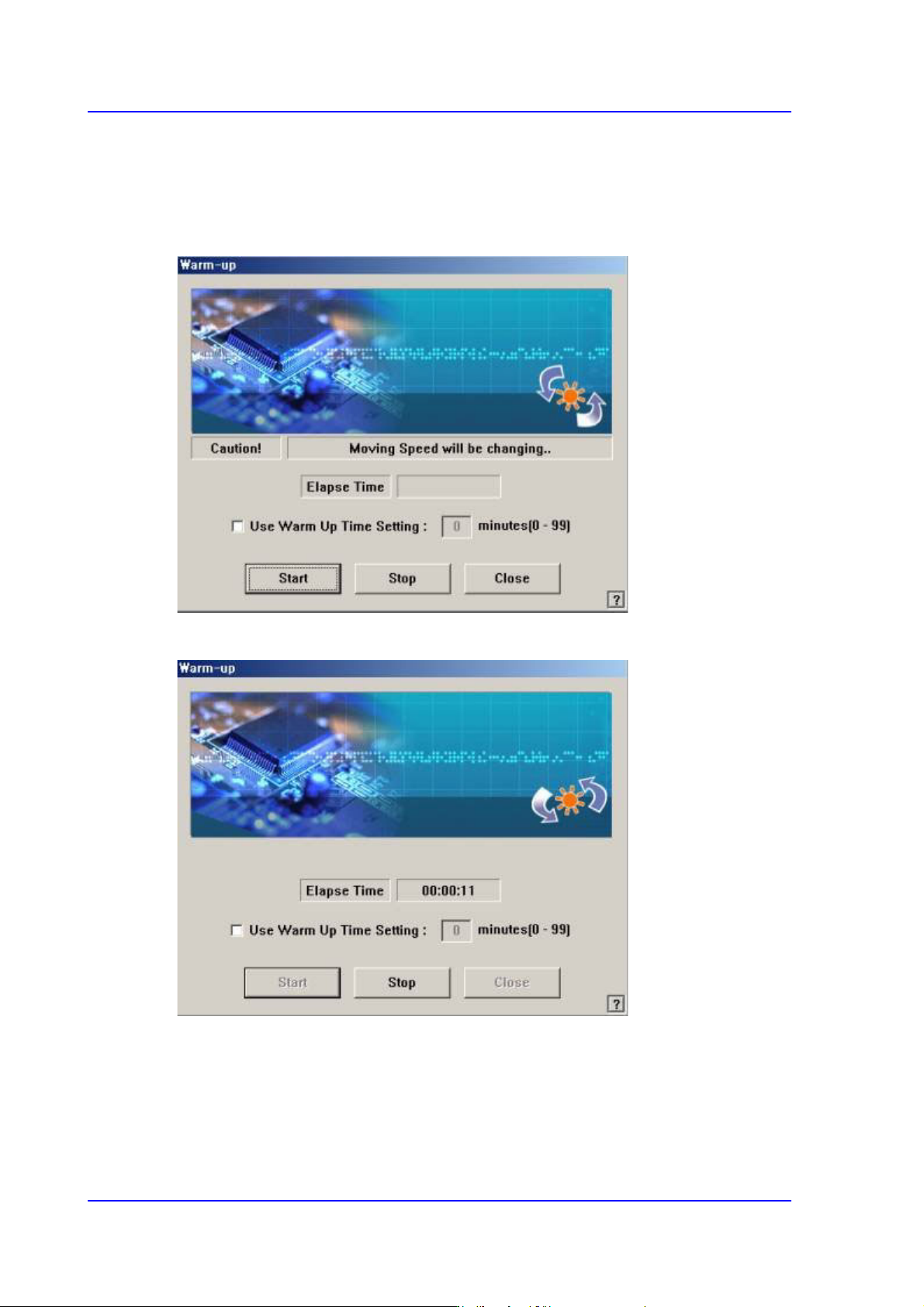
The <WarmUp> command is used to warm up each axis after power supply. When this
command is selected, the following dialog box is displayed.
Figure17.8 “Warm-Up” dialog box
Figure17.9 “Warm-Up” dialog box, After pressing the Start button
<Start> button
Starts the warm up operation. When this button is clicked on, starts the warm-up
operation and the elapsed time is displayed in the “Warm-up” dialog box.
<Stop> button
When this button is clicked on, stops the <Warm-up>.