SM482PLUS_Admin(Eng_Ver2.8).pdf - 第403页
14-31 Machine Calibration <1. Fid. Scale Mark Position> button Set the position of the refere nce fiducial mark located at the top surface of the ANC. The following is the process that performs t eaching of the c…
14-30
Multi-Functional Placer SM482(L) PLUS Administrator’s Guide
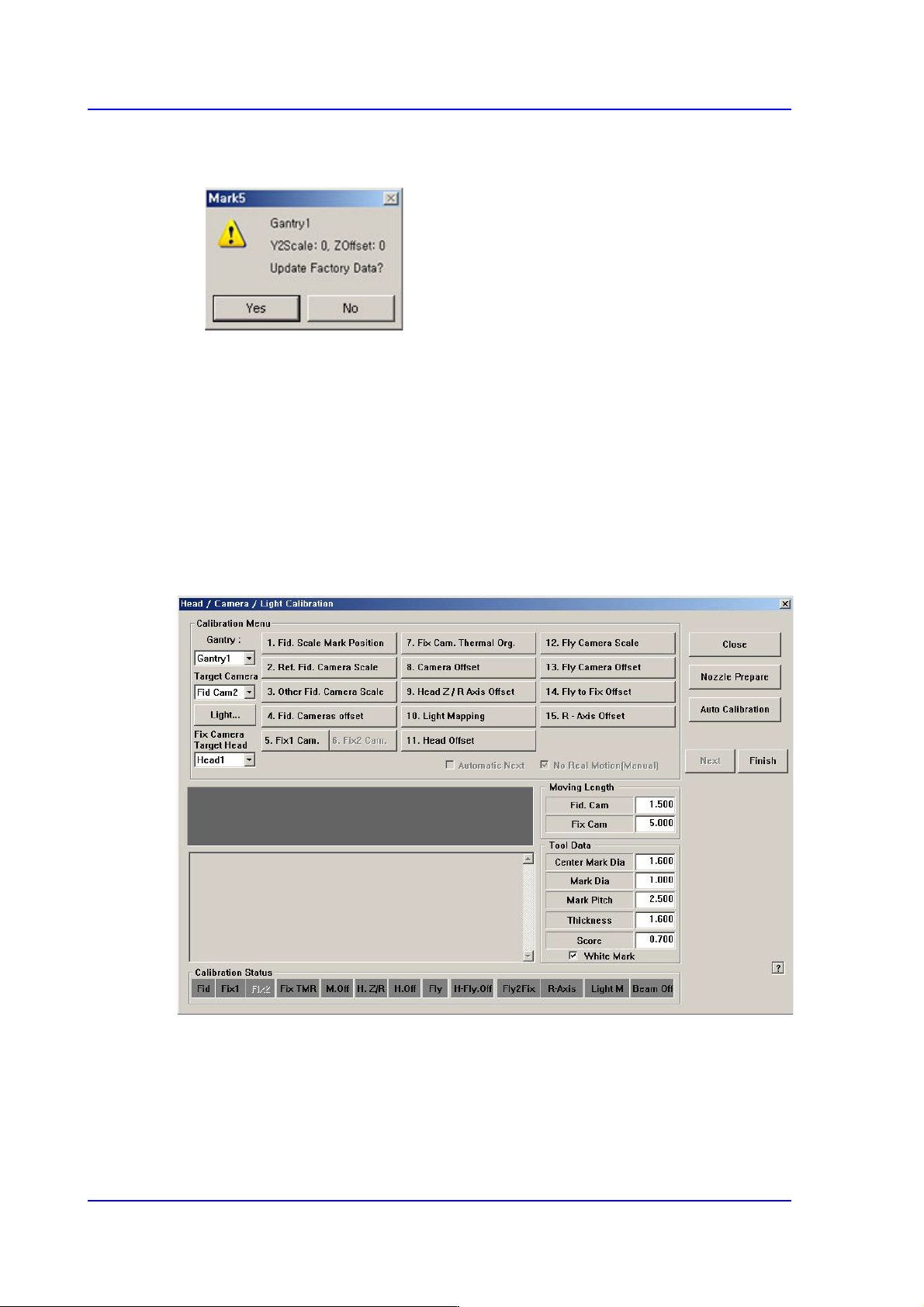
5. Then the equipment will display the skew information and ask whether to apply this
value as shown below.
6. Click the <Yes(Y)> button for the equipment to perform homing based on the newly
applied skew information.
14.3.3. Fiducial Camera Scale
Most of the calibration must be performed using the fiducial camera. Therefore, scale
calibration of the fiducial camera must be performed first.
If the fiducial camera is not calibrated, all other buttons will be disabled.
Once fiducial camera scale calibration is complete, the <3. Fiducial Camera Scale> button
will no longer be displayed in the <Calibration> window.
14-31
Machine Calibration
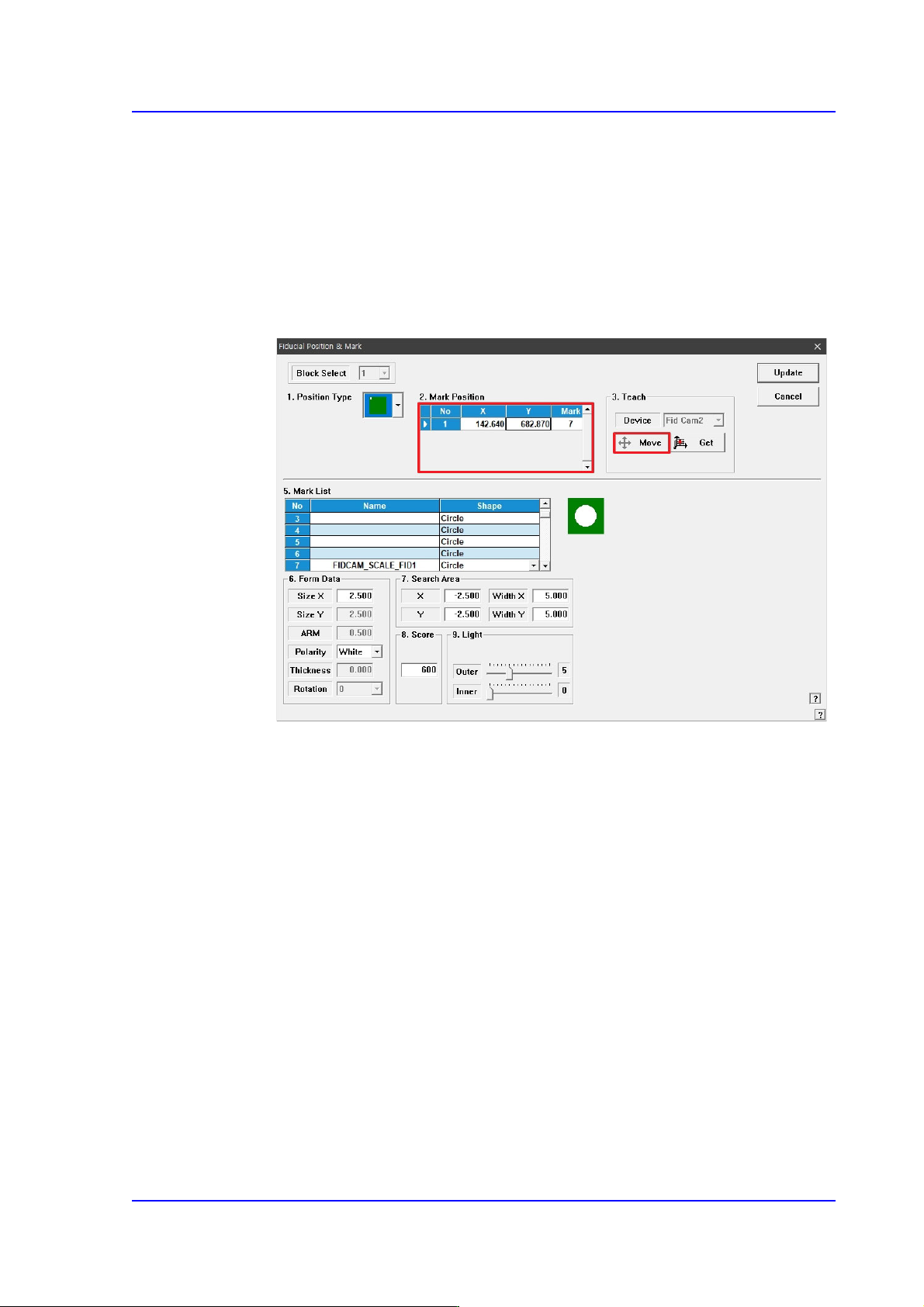
<1. Fid. Scale Mark Position> button
Set the position of the reference fiducial mark located at the top surface of the ANC.
The following is the process that performs teaching of the calibration tool placed on
the top surface of the ANC by using the fiducial camera.
1. When performing the mark setup, select the gantry and click the <1. Fid. Scale
Mark Position> button. If the following screen appears, click the <Move> button
in the <Teach> group.
2. Accurately teach the location of the fiducial mark displayed on the ANC (size of
the fiducial mark is 2.5mm).
3. Once the location of the fiducial mark has been taught accurately, click the
<Update> button to apply the modified value.
<2. Ref. Fid. Camera Scale> button
There is no calibration required to be done in advance in order to calibrate the scale
(um/pixel) and rotation (deg) of the fiducial camera.
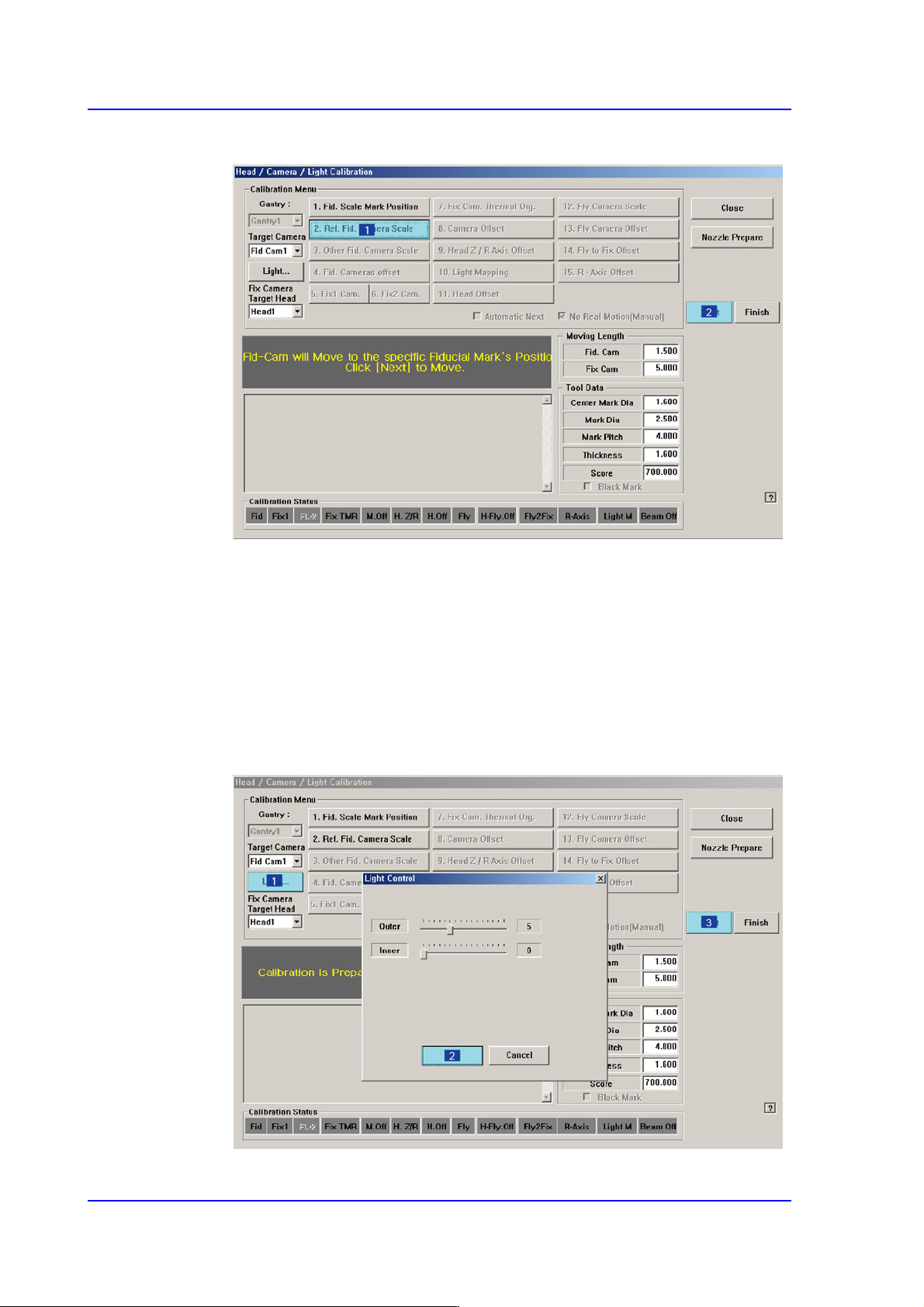
The following shows how to calibrate the fiducial camera scale manually. If the
<Automatic Next> check box has been selected, the next step is performed
automatically.
14-32
Multi-Functional Placer SM482(L) PLUS Administrator’s Guide
1. Click the <2. Ref. Fid. Camera Scale> button in the <Calibration Menu> group.
2. If the <2. Ref. Fid. Camera Scale> button is clicked, a message “Set calibration
tool to the specific tool’s position on ANC. Click [Next] to Move.” appears in the
message box. Next place the calibration tool at the position for the front ANC
calibration tool and click the <Next> button to move the fiducial camera to this
position.
3. The message “Calibration is Prepared. To Calibrate, Click [Next]” appears. At this
time, click the <Light…> button and adjust the brightness of the light in the ‘Light
Control’ dialog box so that the fiducial mark that is seen in the ‘SMVision’
window can be seen clearly. Then click the <Next> button.