SM482PLUS_Admin(Eng_Ver2.8).pdf - 第305页
10-1 Optimization Chapter10. Optimization The Optimizer automatically creates a progra m to maximize the production efficiency by optimizing the arrangement pos ition and operation order of ta pe feeder , nozzle, ANC, an…
9-16
Multi-Functional Placer SM482(L) PLUS Administrator’s Guide
Select the format to be converted and press the <Export> button. The formats that can
be selected are as follows:
IMP Format: Converts the file to the file in IMP format.
SSA Format: Converts the file to the file in SSA format.
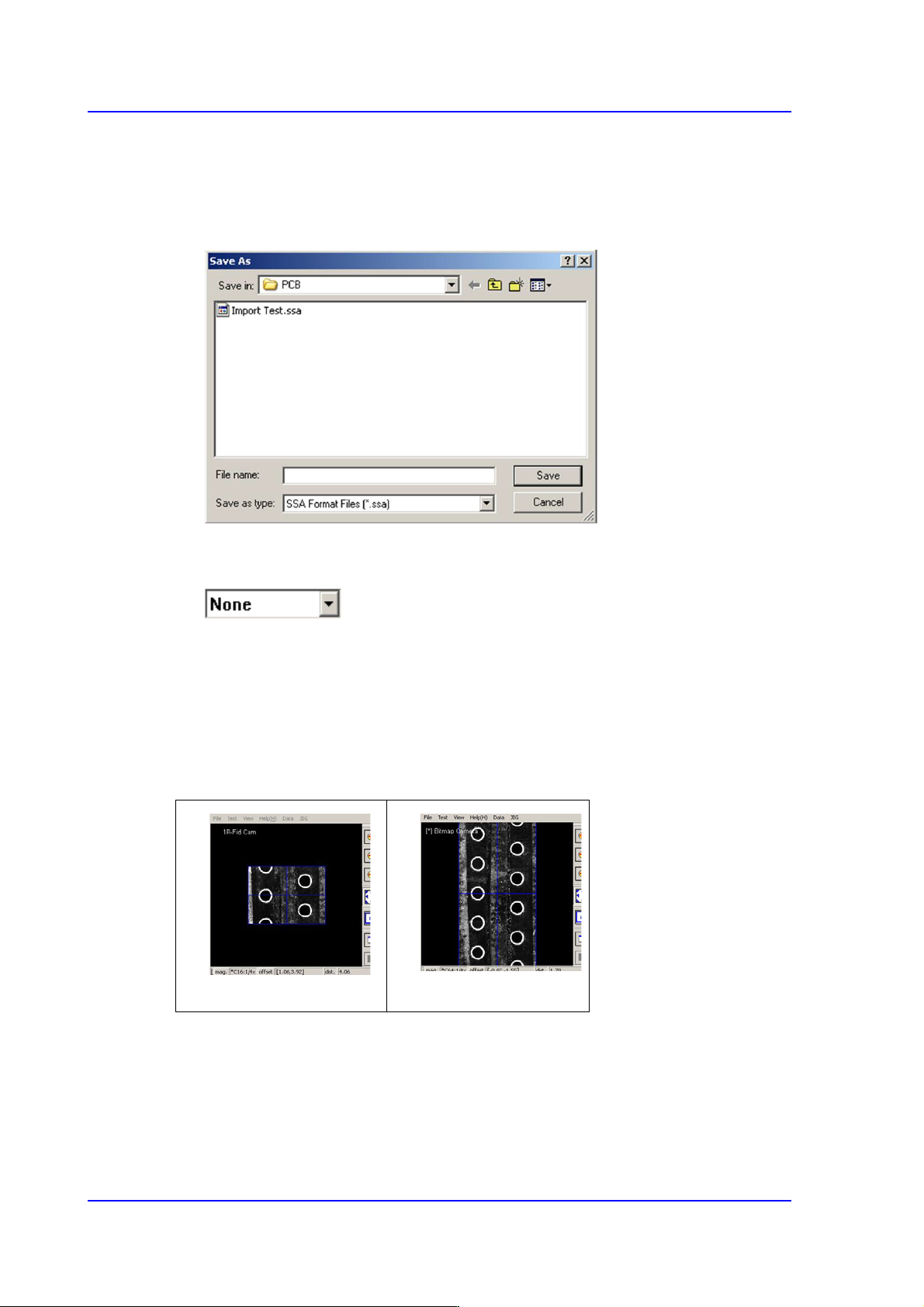
When the <Save> button is clicked on after the ASCII File name has been set,
converts the step data into SSA format and saves the data under the set file name.
button
<None>
The panorama recognition function of the PCB vision is not used.
<Panorama>
It is possible to display the PCB shape on one vision window by performing split
recognition of the PCB shape and composing the split images into one.
<Cancel> button
Cancels the edited data.
None
Panorama

10-1
Optimization
Chapter10. Optimization
The Optimizer automatically creates a program to maximize the production efficiency by
optimizing the arrangement position and operation order of tape feeder, nozzle, ANC, and
others. The method to achieve the maximum production efficiency is as follows;
The balance between Gantries
Minimize the number of nozzle changes
Maximize the number of simultaneous pickups by the feeder
Arrange the feeders so that the time for XY gantry movement is minimized
Decide the order of optimum mounting operation
The Optimizer takes into account of various operation conditions and executes the
optimum algorithm to achieve these results. In this chapter, the structures of various
setting screens and setting methods necessary to execute the Optimizer are explained.
10-2
Multi-Functional Placer SM482(L) PLUS Administrator’s Guide
10.1. Tape Feeder
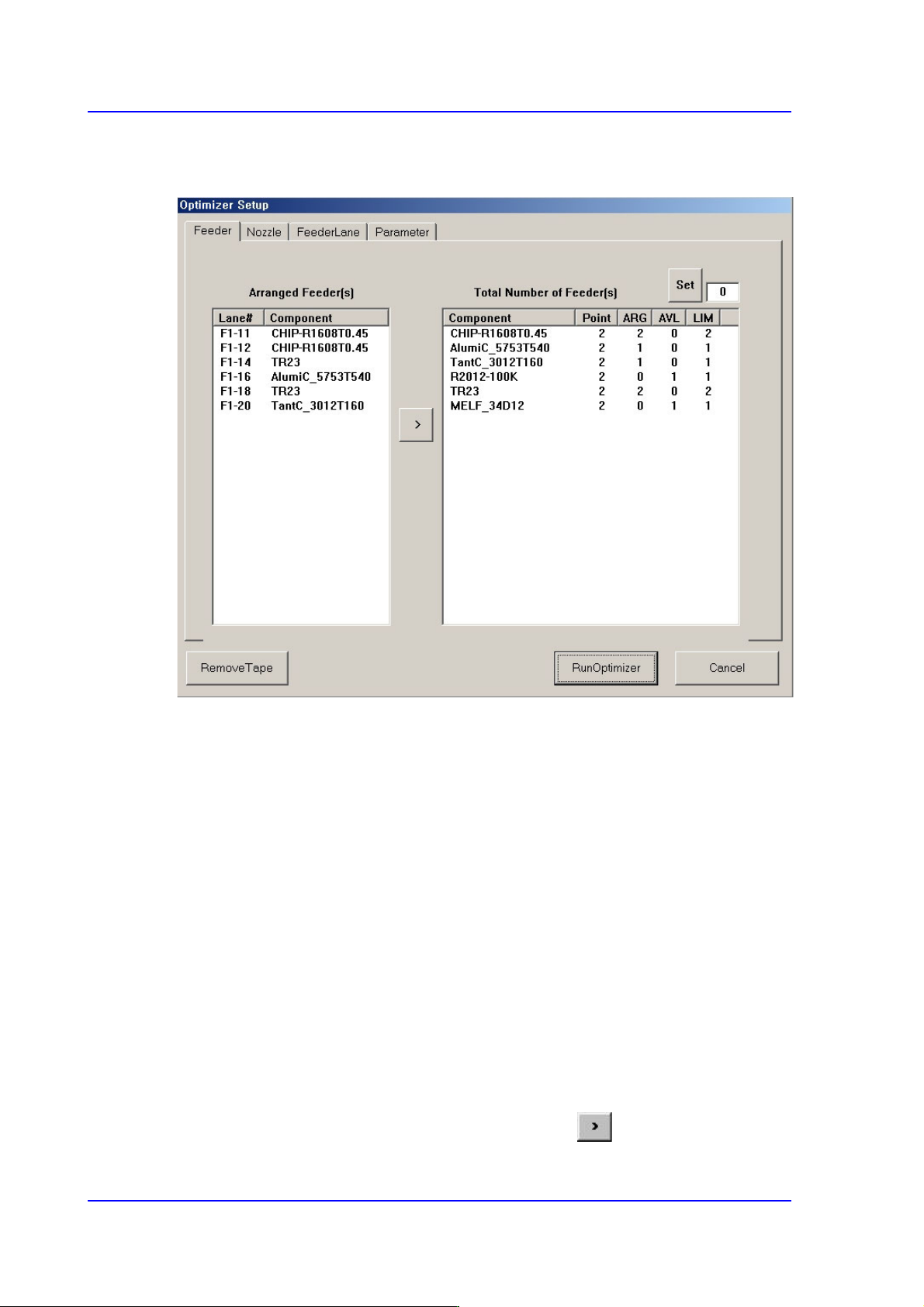
Figure10.1 “Optimizer Setup: Feeder Arrangement” dialog box
A window to set the optimum arrangement of tape feeders. Optimizer can arrange Tape
feeders on the optimum feeder lanes automatically in consideration of simultaneous
pickup and operation time. However, the user must specify mounting positions for Tray
Feeders and Stick Feeders.
<Arranged Feeder(s)> list box
<FDLane> column
The number in []is the feeder base number. The feeder lane number with F in front
is Front Feeder Base and that with R in front is Rear Feeder Base.
<Component> column
Displays the component name of the tape feeder mounted on the corresponding
lane. This list displays already arranged feeders. As these feeders are not arranged
arbitrarily by Optimizer, they affect arrangement of other feeders by Optimizer.
In other words, if there are feeders already arranged, the Optimizer arranges other
feeders to increase simultaneous pickups in consideration of these.
For the tape feeders of those indicated here, which are desired to be arranged
optimally by the optimizer, click the arrow button ( ) to move then to the right
list box and execute the optimizer.