SM482PLUS_Admin(Eng_Ver2.8).pdf - 第534页
16-14 Multi-Functional Placer SM482( L)P PLUS Administrator’s Guide Caution As the vacuum filter cleanin g is poorer, Vacuum Off occurs faster. If the result values are ind icated at the left one- sidedly based on the av…
16-13
Diagnosis
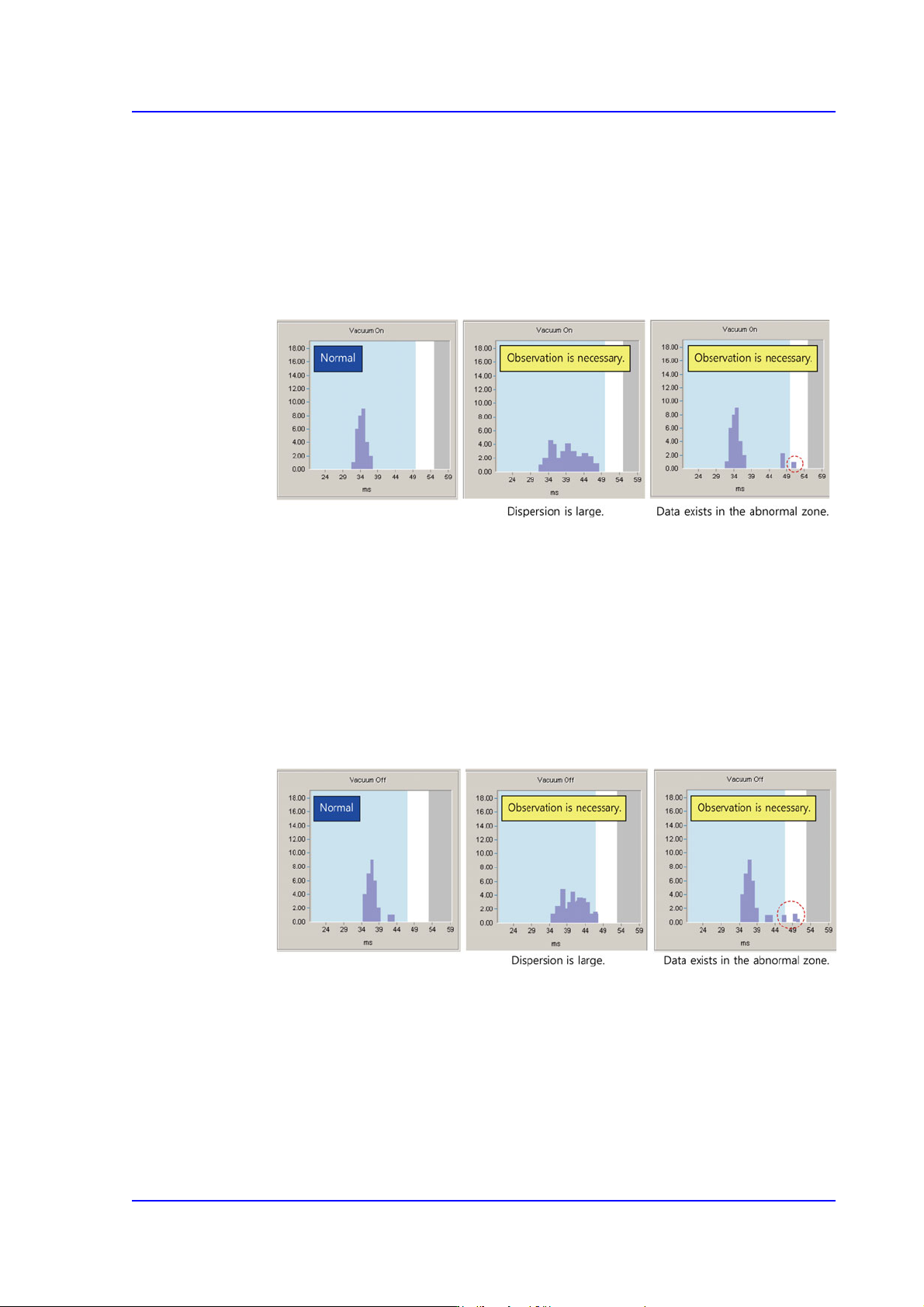
<Vacuum On>
Indicates the time taken to reach 90% of the vacuum level. Smaller dispersion is
better based on the average value. (Average value: 34 ms)
If the result value exists in the blue area, it is normal. If it is indicated in the white
area, it has a problem. In this case, it is necessary to observe the vacuum level
continuously. If it is indicated in the grey area, it is abnormal. In this case replace
the corresponding part.
It is better when the dispersion of all result values is smaller than the average value
in the blue area. If the dispersion is larger, there is considered to be a problem.
Therefore, continuous observation is necessary.
<Vacuum Off>
Indicates the time taken to reach 90% Vacuum Off. (Average value: 32 ms)
If the result value exists within the blue area, it is normal. However, if it is
indicated in the white area, it has a problem. In this case, it is necessary to observe
the vacuum level continuously. If the result value is indicated in the grey area, it is
abnormal. In such case, contact our STS or local agent for precise check.
It is better when the dispersion of all result values is smaller than the average value
in the blue area. If the dispersion is larger, it is considered to have problem.
Therefore, continuous observation is necessary.
16-14
Multi-Functional Placer SM482(L)P PLUS Administrator’s Guide
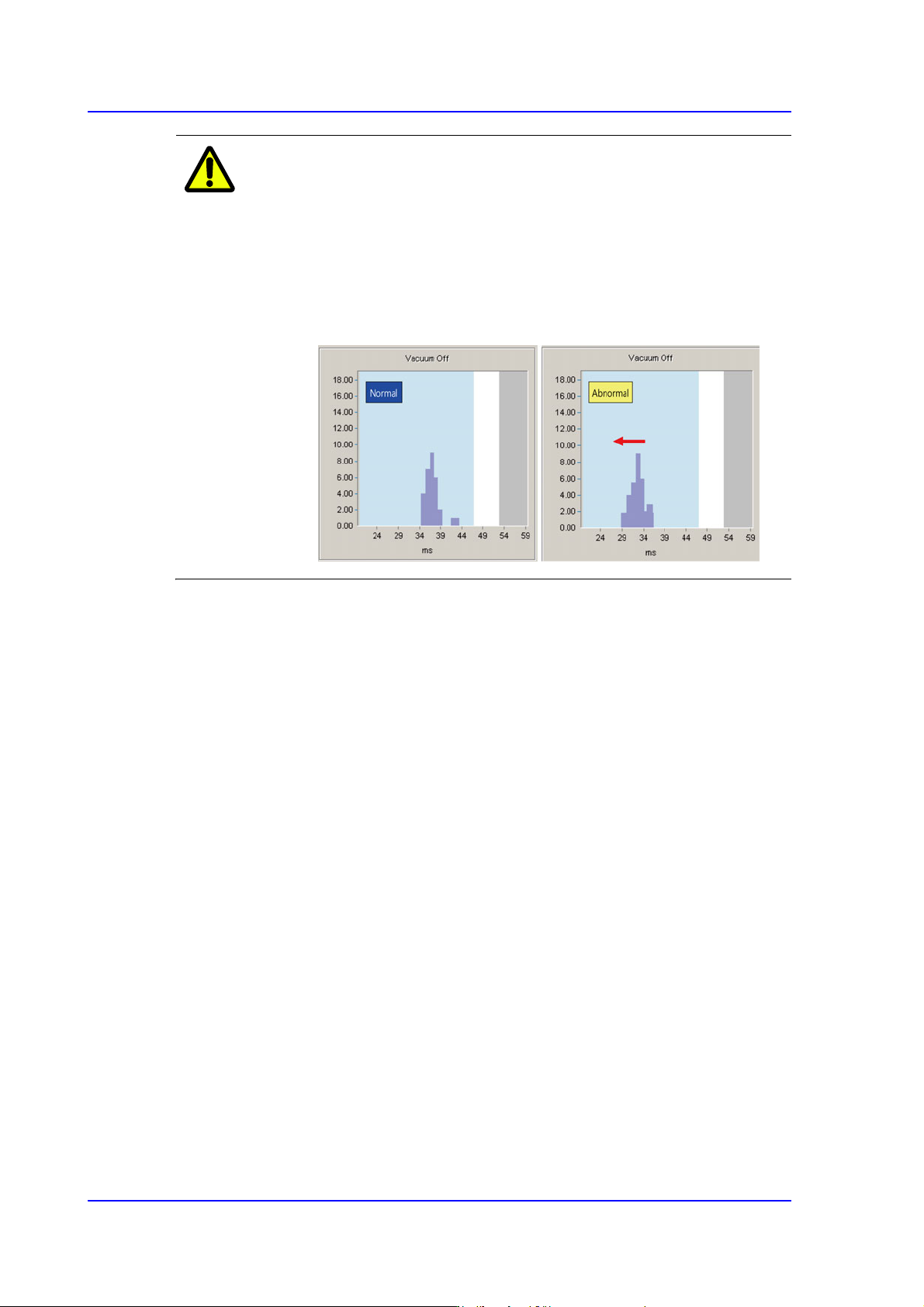
Caution As the vacuum filter cleaning is poorer, Vacuum Off occurs
faster. If the result values are indicated at the left one-
sidedly based on the average value as shown in the
following figure, replace the vacuum filter.
Otherwise, the solenoid valve will be damaged, which as a
result affects the machine’s performance. (Replacement
cycle of vacuum filter: 6 months).
<Close> button
Closes the dialog box.
16-15
Diagnosis
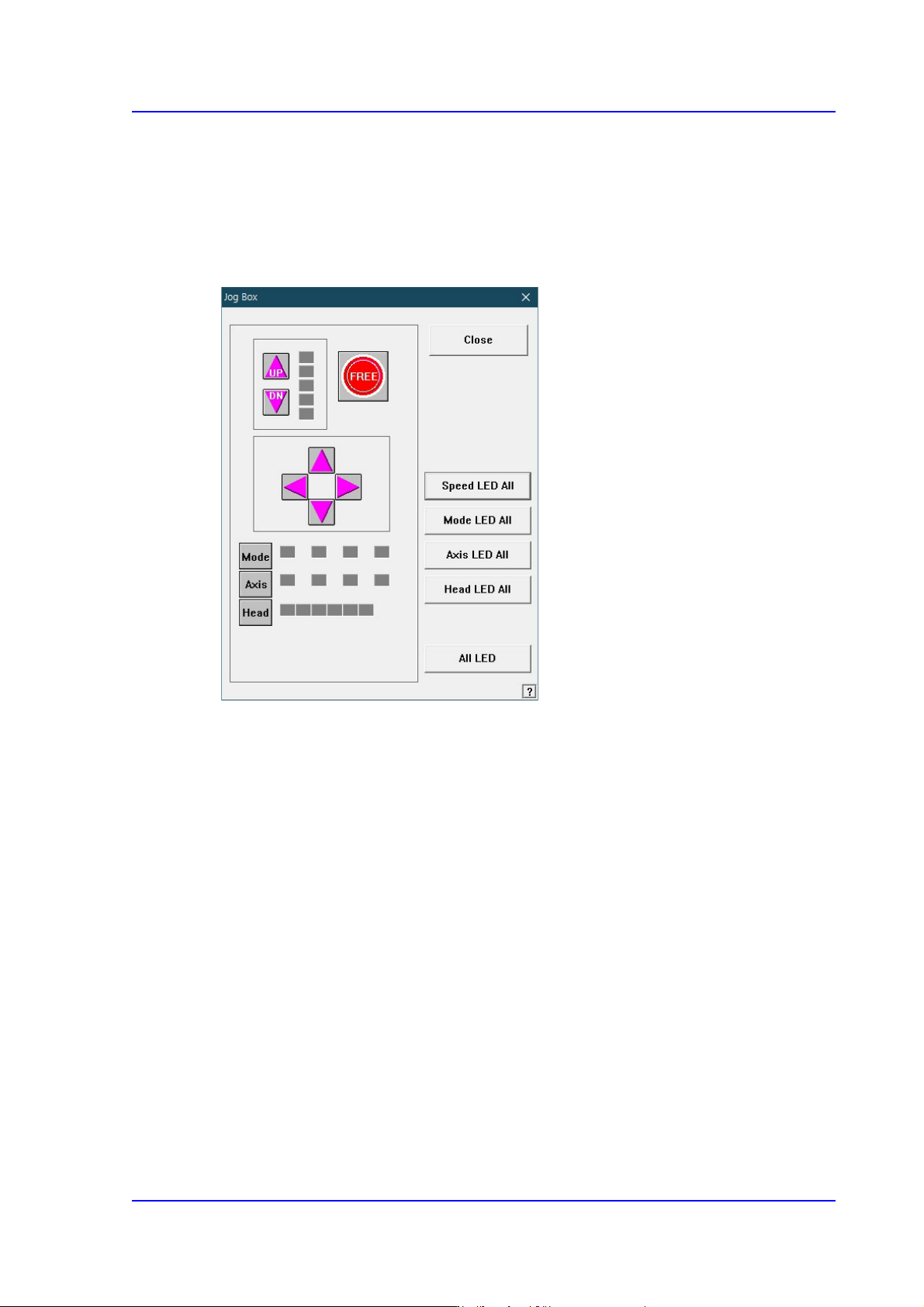
16.5. Jogbox [F6]
Checks the operation of the Teaching Box. When this button is clicked on, the following
dialog box is displayed.
When each button in the actual Teaching Box is operated, displays the operation status.
Figure16.8 “Jog Box Diagnosis” dialog box
<Speed LED All> button
Turns ON/OFF all Speed LEDs.
<Mode LED All> button
Turns ON/OFF all Mode LEDs.
<Axis LED All> button
Turns ON/OFF all Axis LEDs.
<Head LED All> button
Turns ON/OFF all Head LEDs.
<All LED> button
Turns ON/OFF all Gantry LED.
<Close> button
Closes the dialog box.