SM482PLUS_Admin(Eng_Ver2.8).pdf - 第22页
Multi-Functional Placer SM482( L) PLUS Administrator’s Guide viii Do not touch the head assembly . Be careful of electric shock. T urn of f the main switch b efore performing maintenance since fa tal personnel in jury ma…
Preface
vii
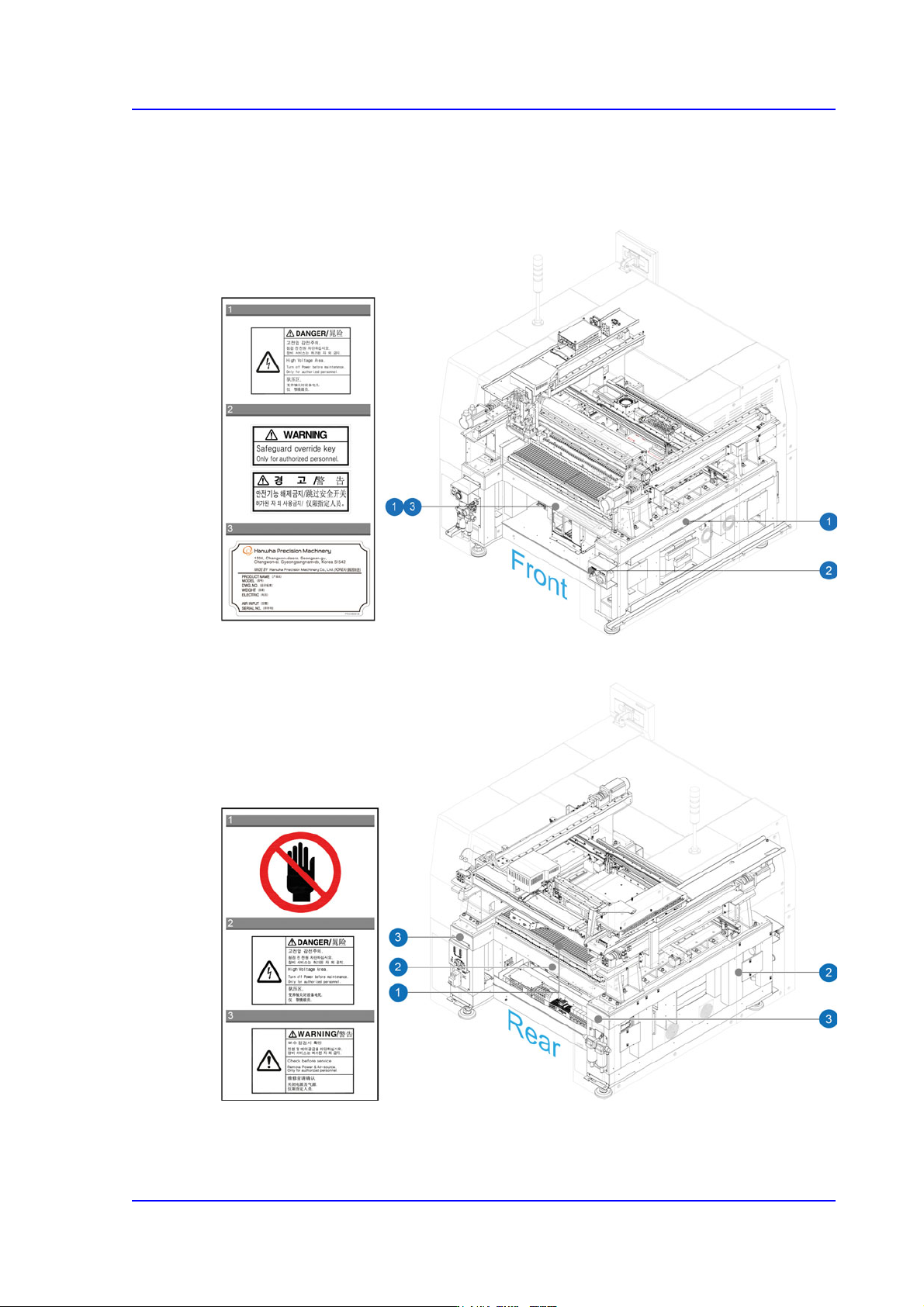
Internal Part of the Machine.
The following labels are attached on the rear part of this machine.
Figurei.3 Safety labels attached to the inside of the machine at the front
Figurei.4 Safety labels attached on the inside of the machine at the rear
Multi-Functional Placer SM482(L) PLUS Administrator’s Guide
viii
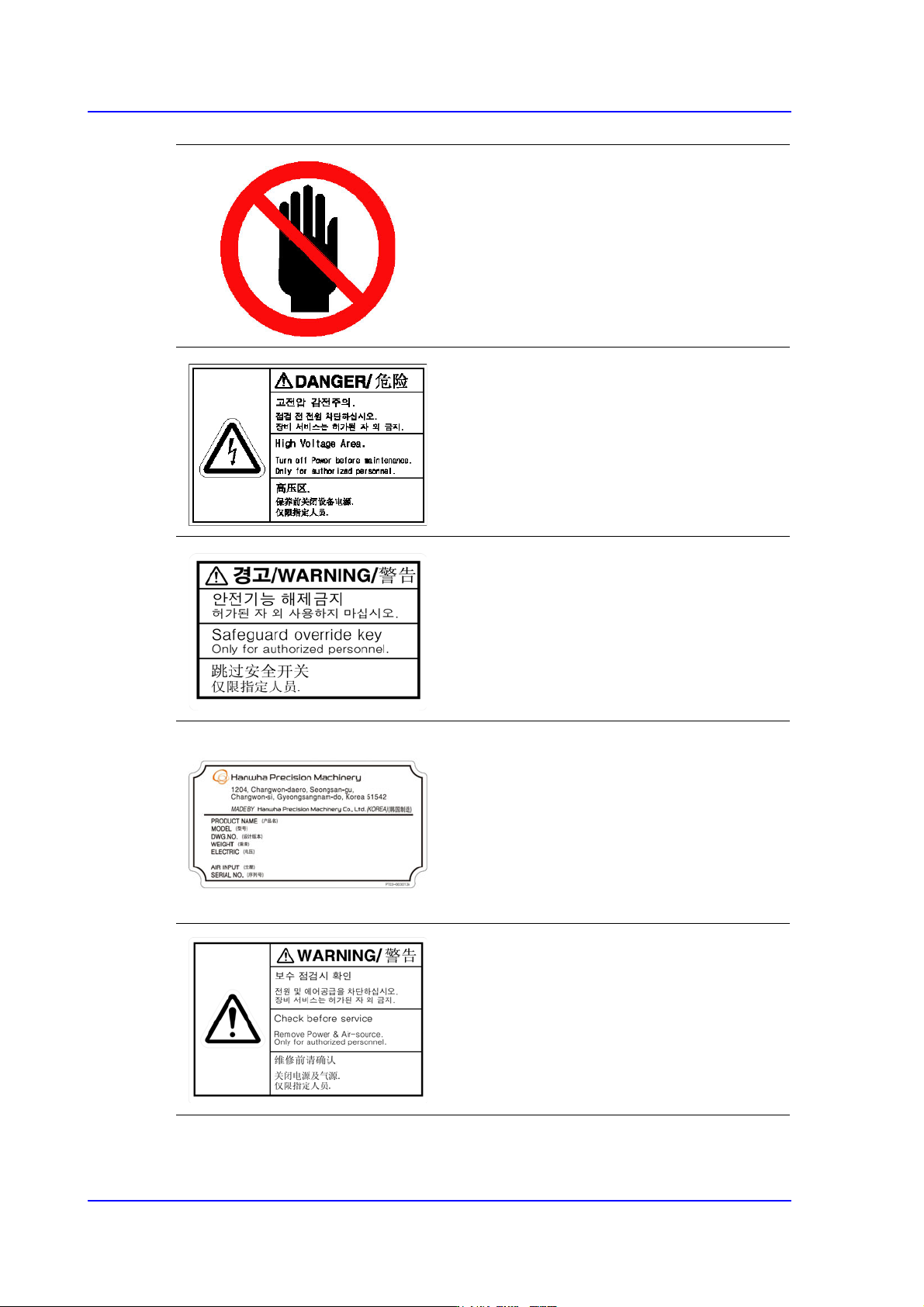
Do not touch the head assembly.
Be careful of electric shock.
Turn off the main switch before performing
maintenance since fatal personnel injury
may occur. Be careful of the residual
current.
Do not remove safety function. It may cause
serious injuries and troubles.
Machine Name Plate
It specifies the model name and serial
number of the equipment, and basic
equipment specifications.
Check the pneumatic and voltage
specifications specified on the nameplate
and operate the equipment in compliance
with the specifications.
Check before service.
Remove power & air-source only for
authorized personnel.
Preface
ix
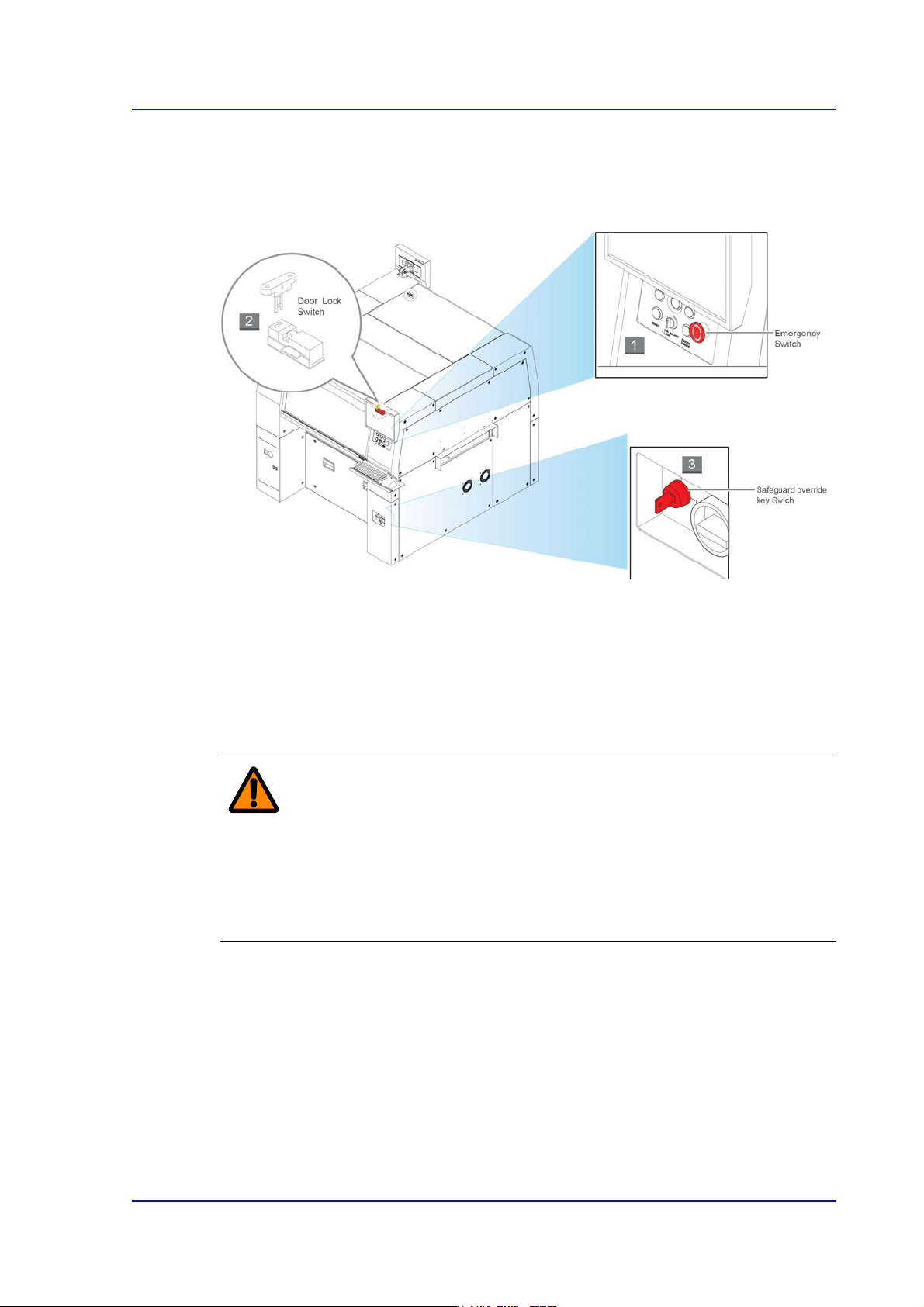
Operation of the safety interlock
This section describes the operation of safety interlocks manipulated to stop the machine
immediately under an emergency situation or for maintenance purposes.
1) EMG (Emergency Stop) switch
This is an emergency stop switch. Operation of this machine is immediately suspended
if this switch is pressed in case of an emergency.
Supply of all powers except for the power to a computer is ceased. The emergency
stop status can be released by turning the ‘EMG’ switch in the direction of the arrow
and pressing the RESET Button.
Warning When the emergency shutdown has been applied, the
power supply to all of the machine’s servo motors is turned
off. However, the power supply to other components and
devices remains turned on. Exercise care when taking
measures against an error for the section to which power is
supplied.
2) Door Lock switch
If the door is open while this machine is running, the door switch is activated and the
system comes into the emergency stop status. The emergency stop status is released if
the door is closed. In order to resume the operation, press ‘READ’ Button on the
operation panel to release the emergency status, then press ‘Start’ Button.