SM482PLUS_Admin(Eng_Ver2.8).pdf - 第85页
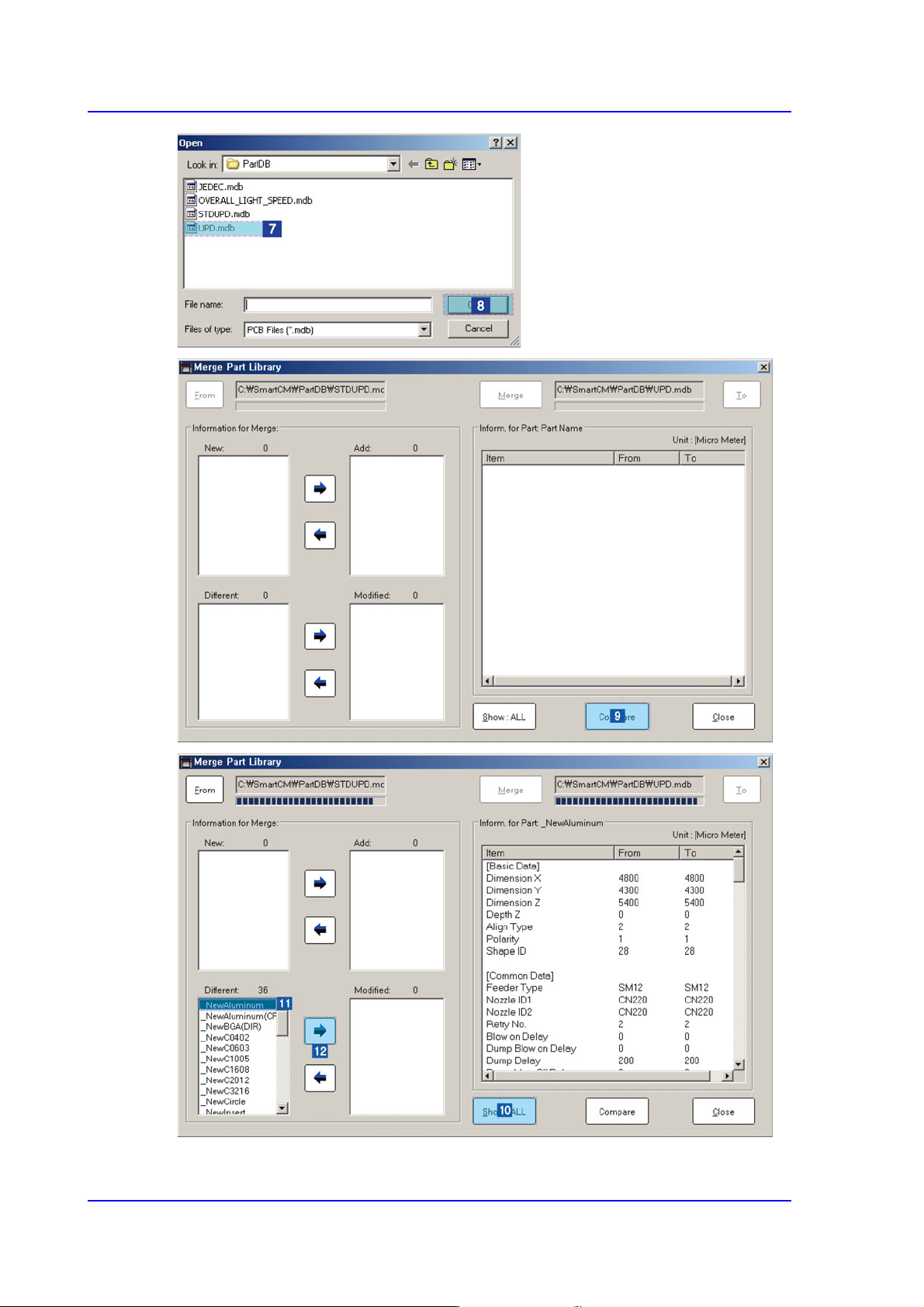
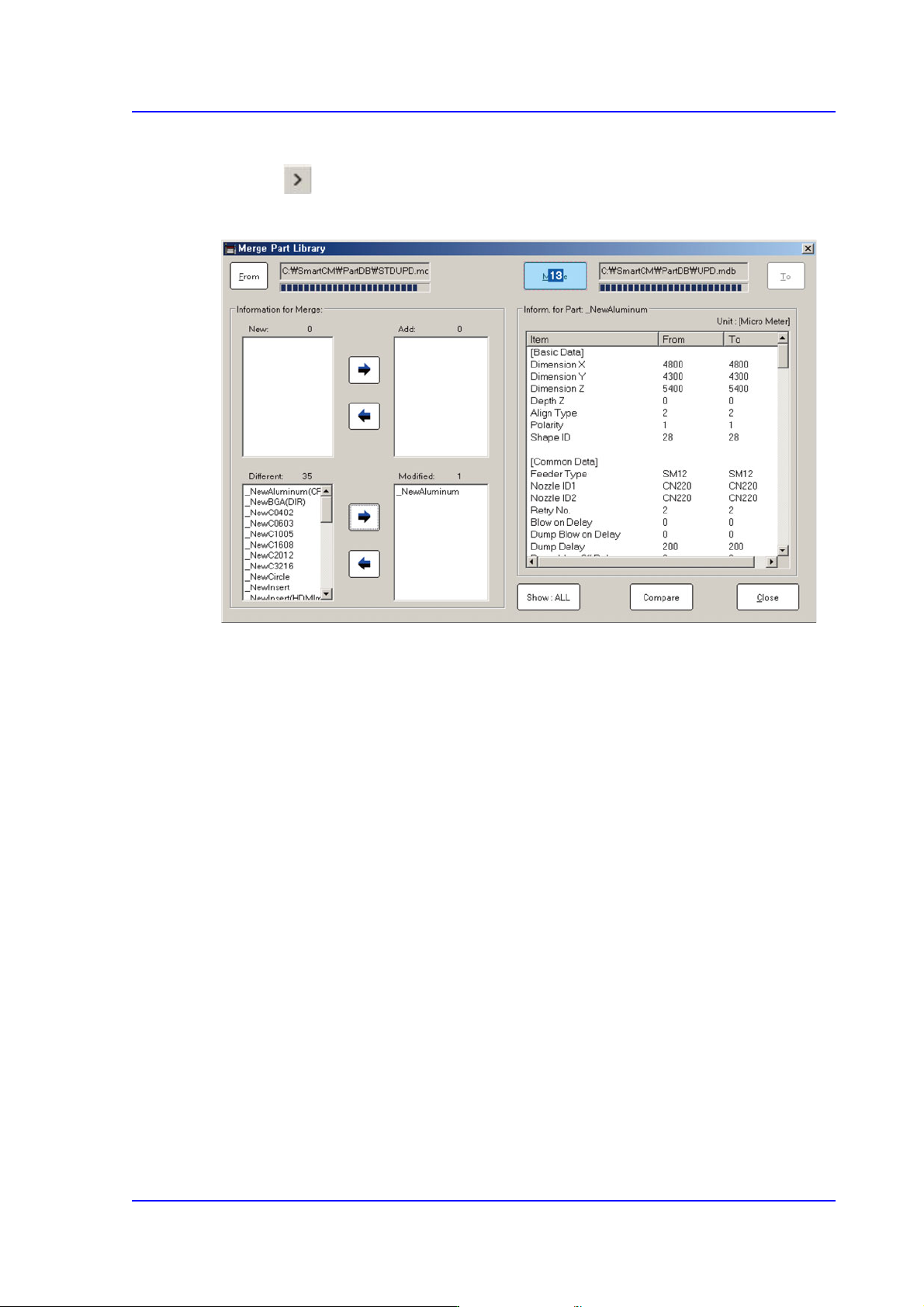
3-17 File Shortcut Menu Select the part name to be mer g ed fro m the <New:> or <Different:> list box. Click the Button and add the item to be merg ed into the <Add:> or <Modified:> list box Click…
3-16
Multi-Functional Placer SM482(L) PLUS Administrator’s Guide
Click the <View All> button to compare and check items with different part information.
3-17
File Shortcut Menu
Select the part name to be merged from the <New:> or <Different:> list box.
Click the Button and add the item to be merged into the <Add:> or <Modified:> list
box
Click the <Merge> button to merge the corresponding item into the part library.
3-18
Multi-Functional Placer SM482(L) PLUS Administrator’s Guide
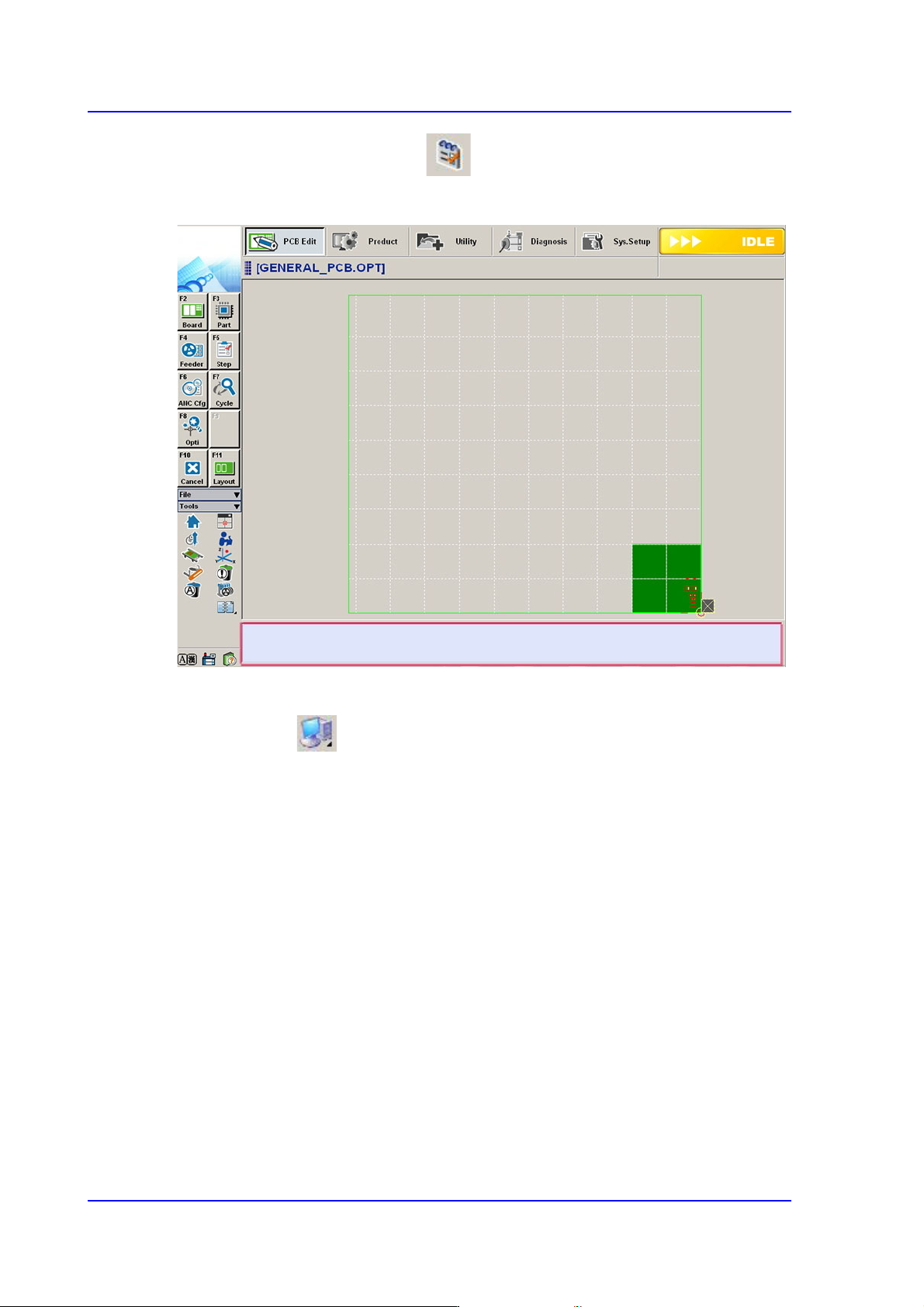
3.5. Error Message Bar Show/Hide
Indicates or hides the error message bar at the bottom of the screen.
3.6. Windows Tools
3.6.1. Explorer
Executes the Windows Explorer incorporated in the Windows program.
3.6.2. Calculator
Executes the Calculator incorporated in the Windows program.
3.6.3. Paint
Executes the Picture Pad incorporated in the Windows program.
3.6.4. Notepad
Executes the Memo Pad incorporated in the Windows program.