SM482PLUS_Admin(Eng_Ver2.8).pdf - 第95页
4-7 Tools Shortcut Menu <OKImageSa ve> T ab Dialog Refers to the func tion that can sa ve the errors in a certain range and over a certain period. The maximu m available number is 5000. Zoom T oolbar… Hides or …
4-6
Multi-Functional Placer SM482(L) PLUS Administrator’s Guide
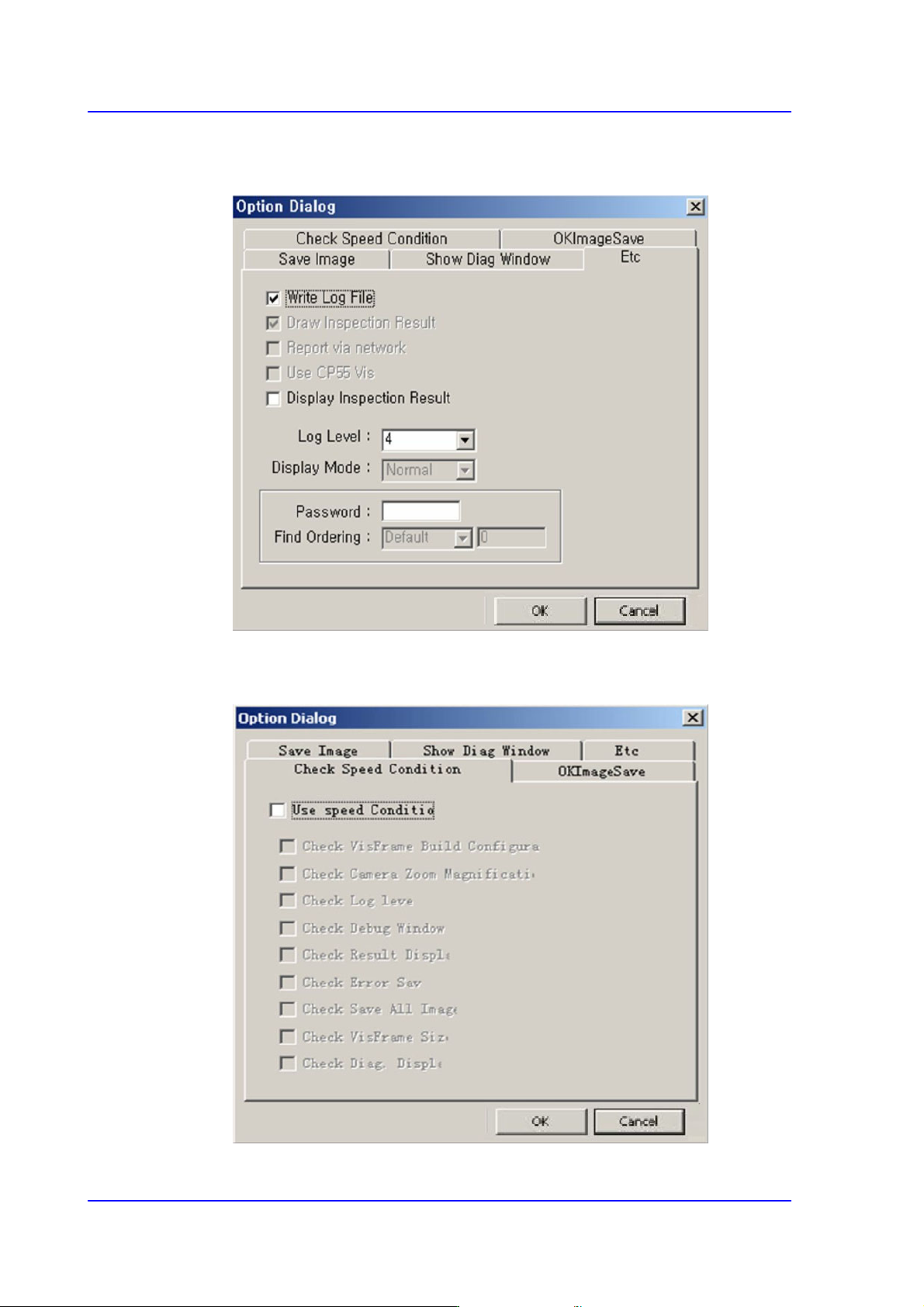
<Etc> Tab Dialog
Option setup screen. Do not change anything.
<Check Speed Condition> Tab Dialog
A function to check if the speed is in optimum condition.
4-7
Tools Shortcut Menu
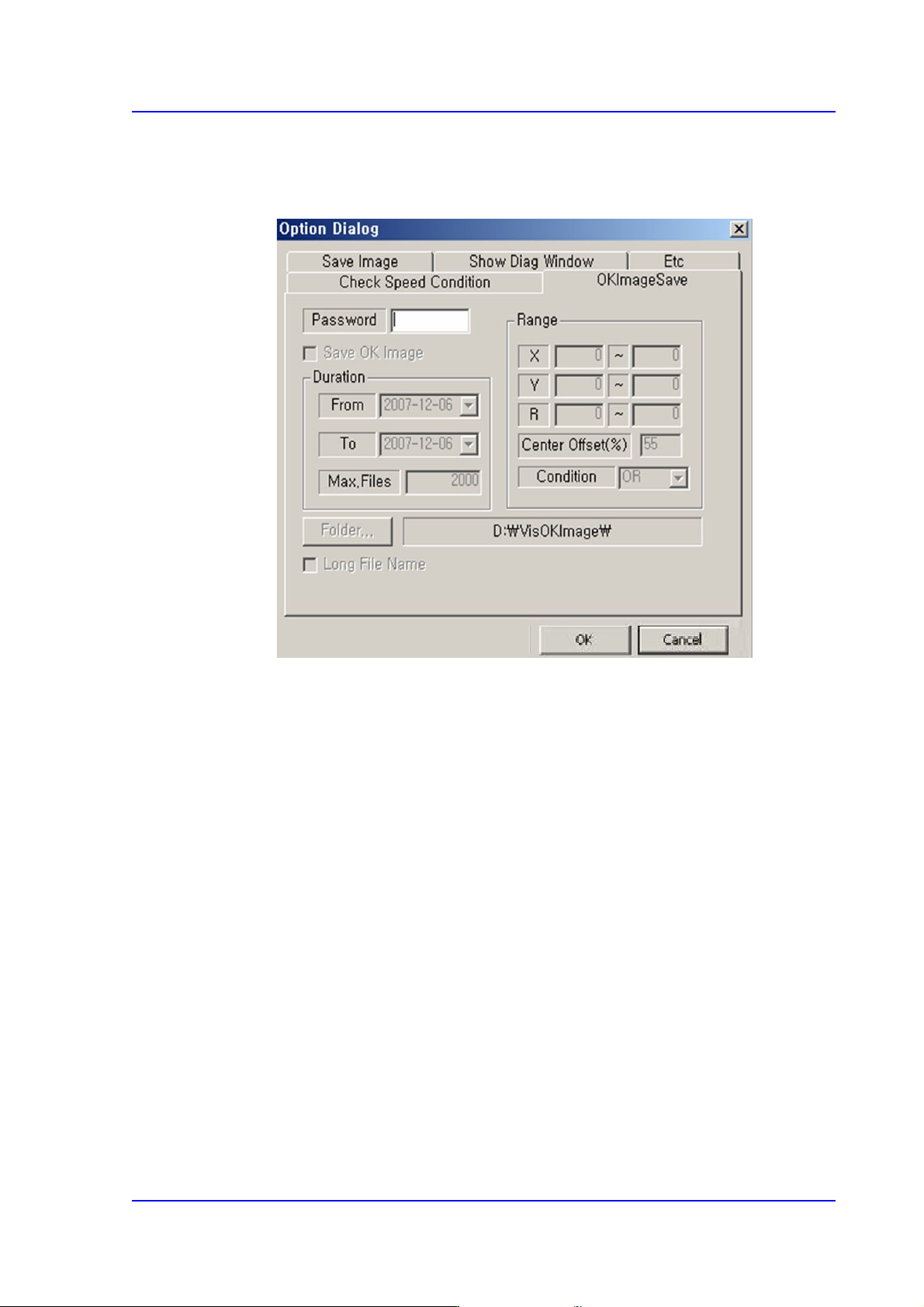
<OKImageSave> Tab Dialog
Refers to the function that can save the errors in a certain range and over a certain
period. The maximum available number is 5000.
Zoom Toolbar…
Hides or display the zoom tool bar.
4.2.1.5. Display Window
Display the real image of the camera, grabbed image, bitmap image, etc.
4.2.1.6. State Bar
Outputs the zooming ratio of the screen.
4-8
Multi-Functional Placer SM482(L) PLUS Administrator’s Guide
4.3. ANC Setting
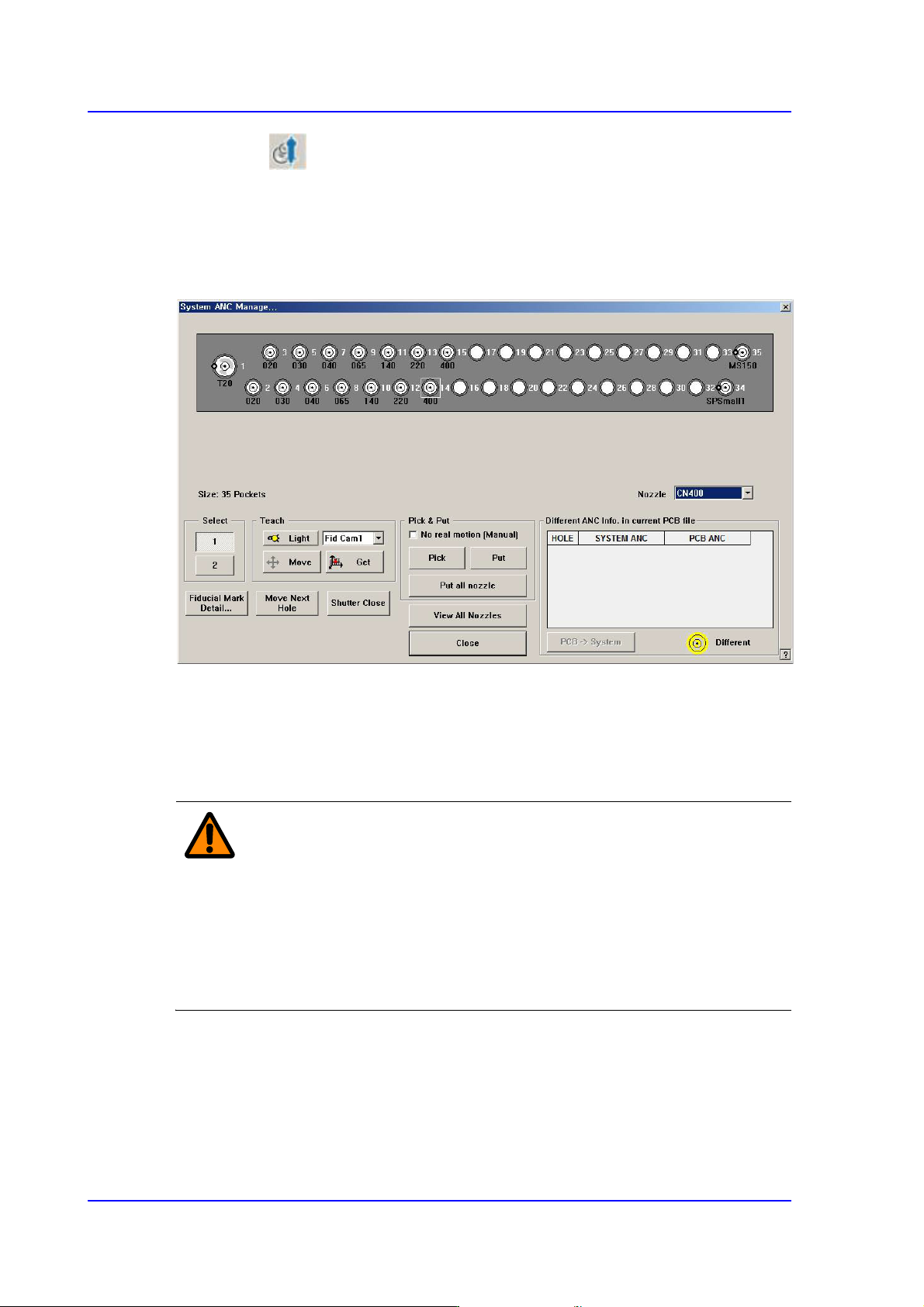
The ANC menu performs functions related to ANC setting including the arrangement of
nozzles on the ANC (Auto Nozzle Changer), nozzle pickups, and attachment. When this
menu is selected, the following dialog box is displayed.
Figure4.3 “ANC Setting…” dialog box
<Nozzle> combo box
Selects the nozzle to be arranged for the selected hole.
<Select> option Button
Select the ANC number to set.
Warning When the nozzle is needed to arrange manually, Open the
ANC shutter using <Shutter Open/Close> button and after
pushing the <EMG> switch in the front operation panel or in
the rear operation panel, arrange the nozzle manually. And
release the <EMG> switch and push the <Reset> switch. If
this procedure is not followed, personal injury could occur.
Be sure to follow this procedure.
<Teach> group
Used for moving the selected object to the assigned position of coordinates by rotating
XY axis driving motor, or for obtaining the present coordinates of the fiducial camera.