SM482PLUS_Admin(Eng_Ver2.8).pdf - 第489页
15-35 System Setup 6. Check the <Import All> check box in the <Select Camera> g roup and click the <Import> button. 7. Select the LM_MAP_FIDUCIAL in the <Open> dialog box and click the <Open>…
15-34
Multi-Functional Placer SM482(L) PLUS Administrator’s Guide
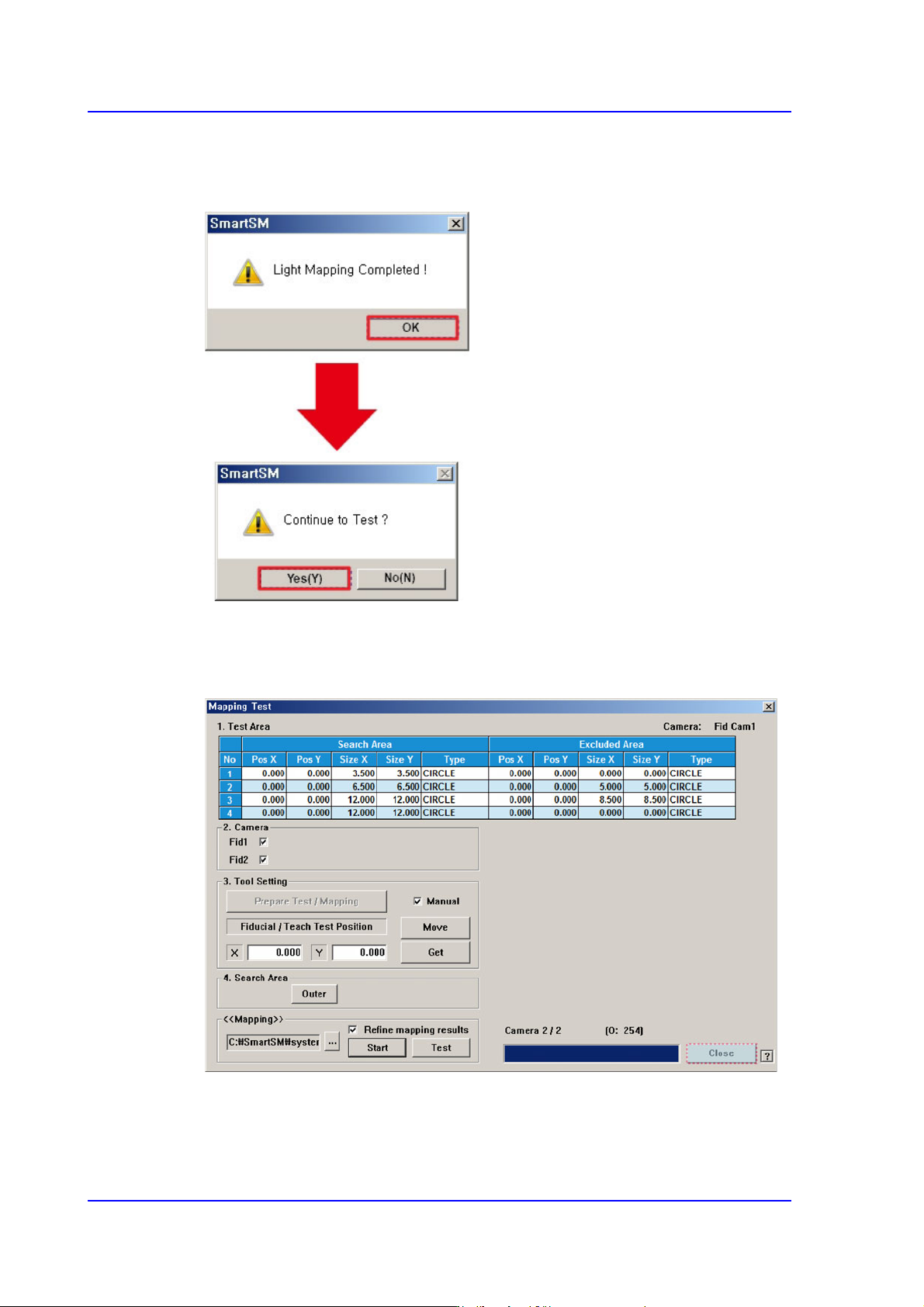
3. After clicking the <Start> button in the <<Mapping>> area, when the Light Mapping
is finished, the following dialog box appears. Pressing the <OK> button will display
the dialog box for the test.
4. Click the <(Y)> button to perform the test automatically.
5. Once the testing is completed, click the <Close> button to close the mapping test
dialog box.
15-35
System Setup
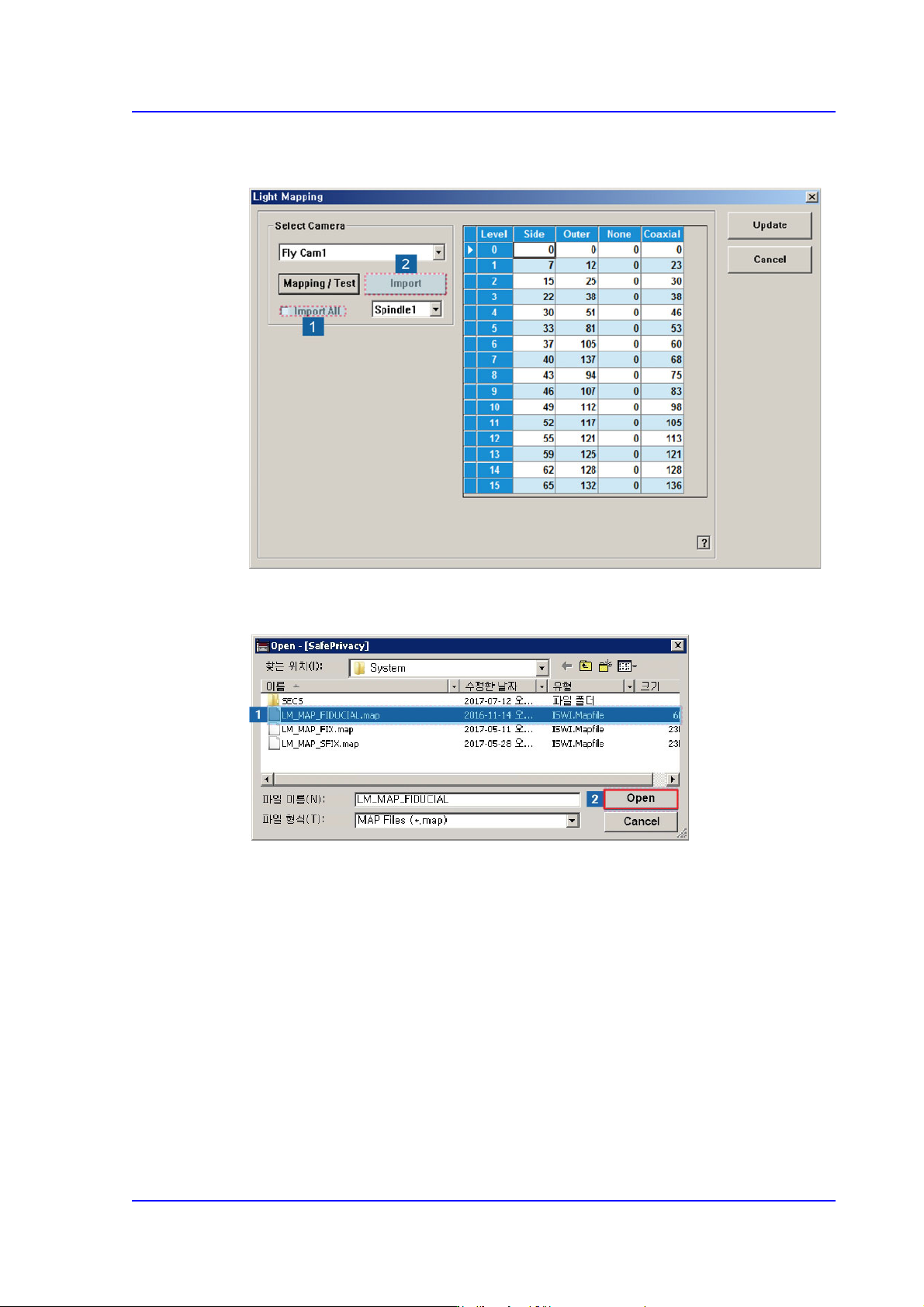
6. Check the <Import All> check box in the <Select Camera> group and click the
<Import> button.
7. Select the LM_MAP_FIDUCIAL in the <Open> dialog box and click the <Open>
button.
15-36
Multi-Functional Placer SM482(L) PLUS Administrator’s Guide
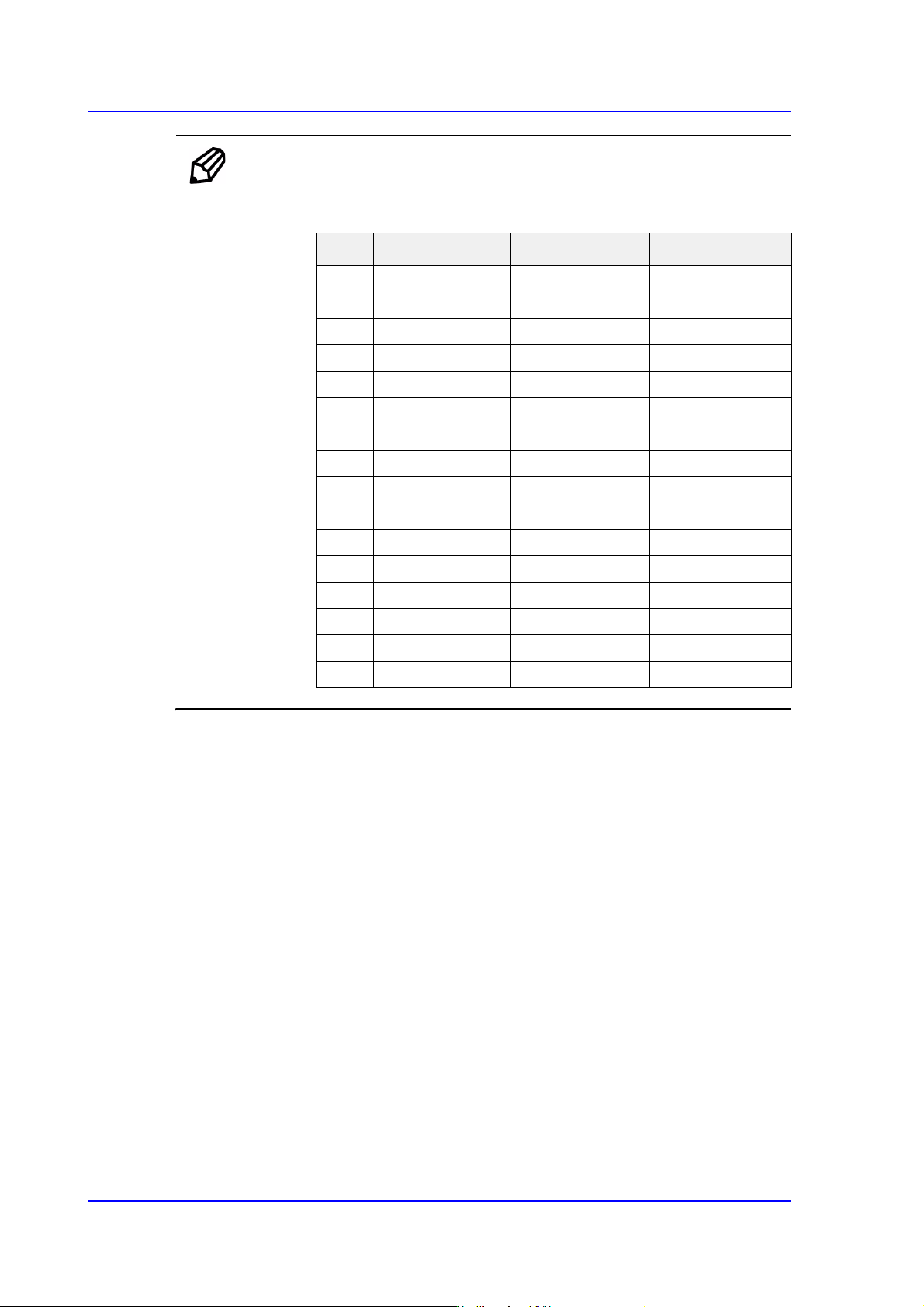
Ref. The test result value must be within ±10 from the following reference
value.
Side Outer Coaxial
00 0 0
112 20 17
224 35 31
340 50 45
458 65 60
576 80 74
694 100 94
7 110 120 113
8 122 140 133
9 134 170 140
10 146 190 140
11 158 200 140
12 168 210 140
13 178 220 140
14 188 240 140
15 188 254 140