SM482PLUS_Admin(Eng_Ver2.8).pdf - 第59页
1-11 Operation Mode and Password Change 1.3. Setting User Login Time User authorization is automati cally changed to ‘O perator’ after the set period of time. The setup is performed in the following manner . Select the…
1-10
Multi-Functional Placer SM482(L) PLUS Administrator’s Guide
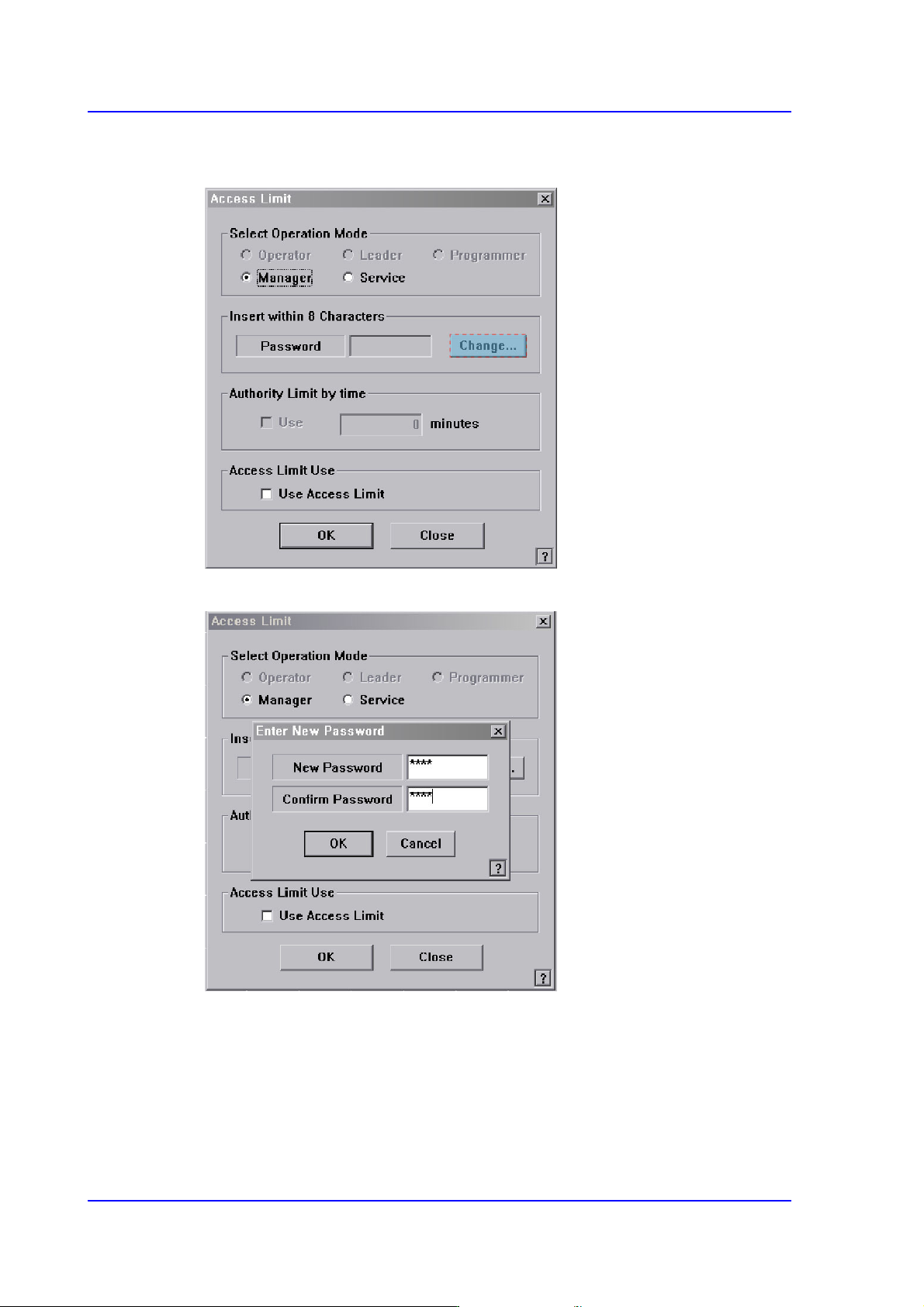
Once the ‘Operation Mode Change’ has been selected, the following dialog box
appears.
Click the <Change> button. And then the following dialog box appears.
Enter the password in the <New Password> edit box.
Re-enter the password in the <Confirm Password> edit box in order to confirm the set
password.
Then click the <OK> button to apply the change.
1-11
Operation Mode and Password Change
1.3. Setting User Login Time
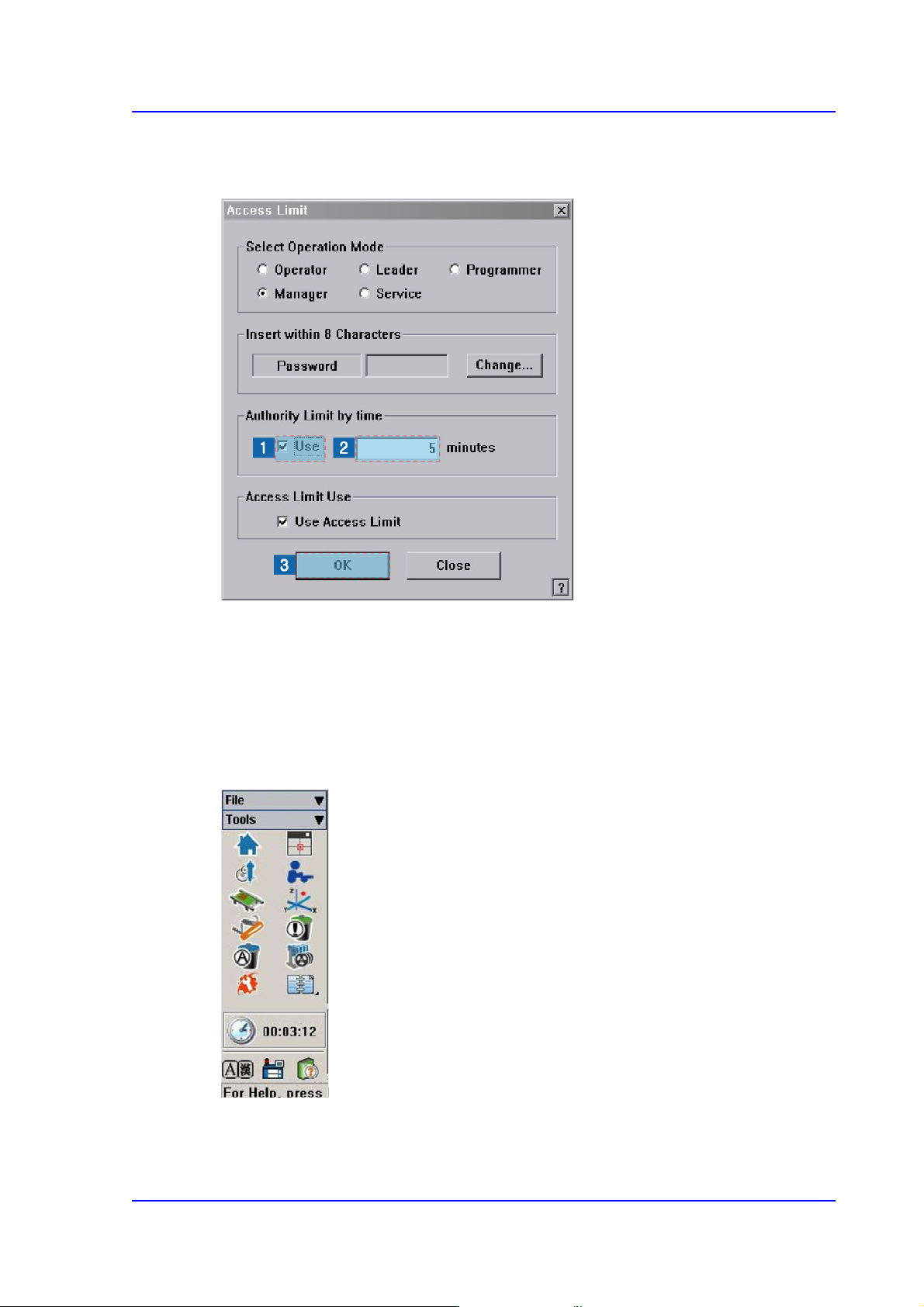
User authorization is automatically changed to ‘Operator’ after the set period of time.
The setup is performed in the following manner.
Select the <Use> check box in the <Authority Limit by time> group.
Input the time to set in the edit box in minutes.
Click the <OK> button.
After the time is set up, the remaining time until the time for the authorization change is
indicated below the shortcut menu of the Tools at the right of the MMI.