SM482PLUS_Admin(Eng_Ver2.8).pdf - 第397页
14-25 Machine Calibration 14.3.1. Axis Home Calibration Sets the limit position of each axis to move. Wh en this button is clicked on, the following dialog box is displayed. Memo In order to access this menu, th e user m…
14-24
Multi-Functional Placer SM482(L) PLUS Administrator’s Guide
14.3. Calibration [F9]
Only fix camera is activated. Used for setting up the position of the fiducial mark of the fix
camera located at the upper part of ANC.
The following are the works to be performed before performing calibration or those to be
performed in advance.
I/O Test
Mirror offset check and correction
Nozzle check and vacuum check option for system constant
ANC type check
Pneumatic system check for any problem
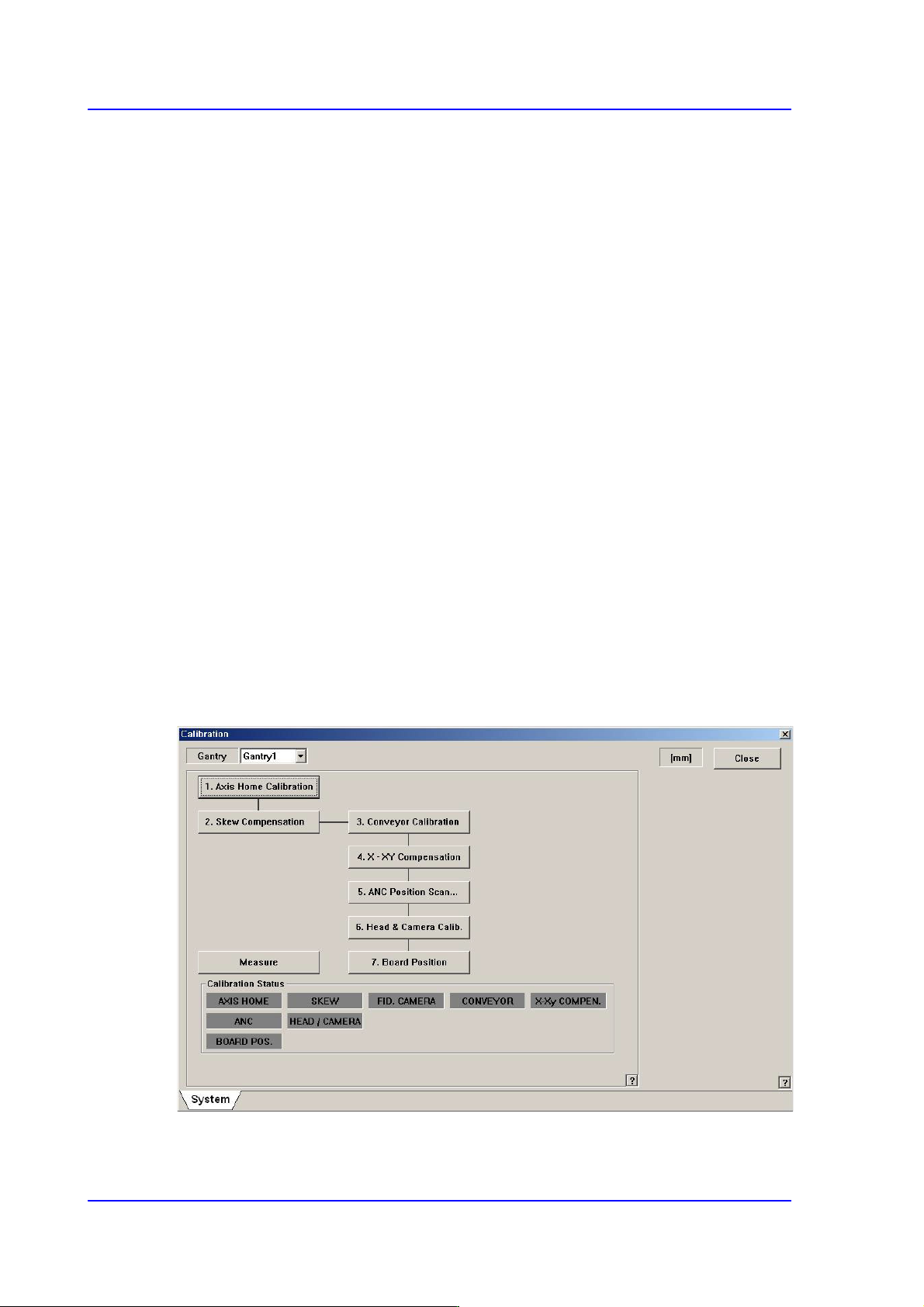
The order in which the calibration is performed and the calibration tool needed to perform
the corresponding calibration is as follows;
Axis Home Calibration
Skew Compensation
Fiducial Camera Scale Calibration
Conveyor Calibration
X-XY Compensation – Calibration Bar
ANC Fiducial Mark Teaching
Head & Camera Calibration - CN040, CNT20, Light Fly/Light Fix Nozzle,
Calibration Tool
14-25
Machine Calibration
14.3.1. Axis Home Calibration
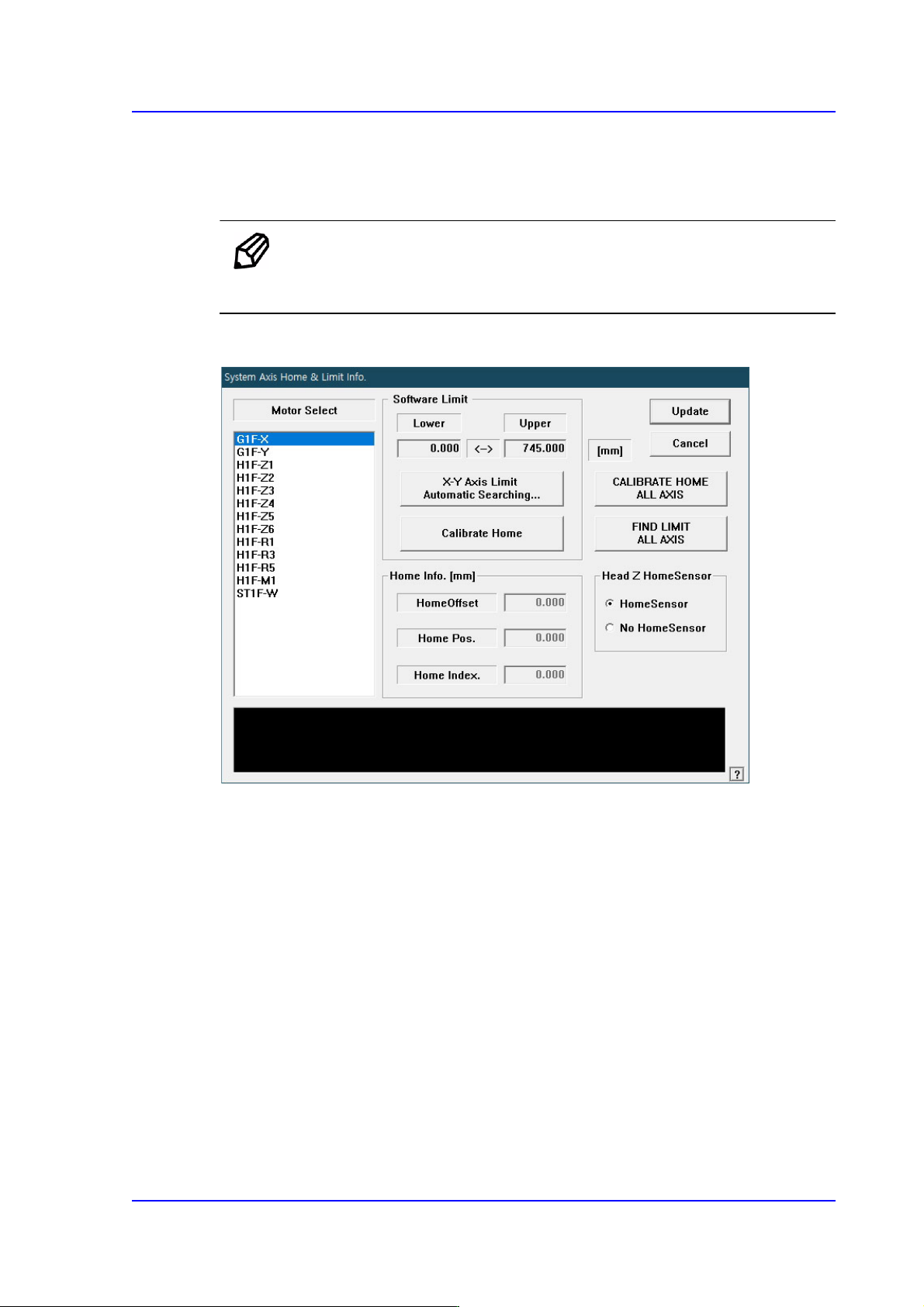
Sets the limit position of each axis to move. When this button is clicked on, the following
dialog box is displayed.
Memo In order to access this menu, the user must execute login with
authorization from the ‘Service Engineer’.
Figure14.8 “System Axis Limit Info.” dialog box
<Motor Select> list box
Select the motor axis for which to set the limit. Available axes are as follows.
G1F-X: X axis of the front gantry
G1F-Y: Y axis of the front gantry
H1F-Z1: Z axis of head 1 of the front gantry
H1F-Z2: Z axis of head 2 of the front gantry
H1F-Z3: Z axis of head 3 of the front gantry
H1F-Z4: Z axis of head 4 of the front gantry
H1F-Z5: Z axis of head 5 of the front gantry
H1F-Z6: Z axis of head 6 of the front gantry
H1F-M1: Mirror axis of the front gantry
H1F-R1: Theta axis (H1, H2) of the front gantry
14-26
Multi-Functional Placer SM482(L) PLUS Administrator’s Guide
H1F-R3: Theta axis (H3, H4) of the front gantry
H1F-R5: Theta axis (H5, H6) of the front gantry
ST1F-W: Width control motor of the front work station(F2)
<Software Limit> group
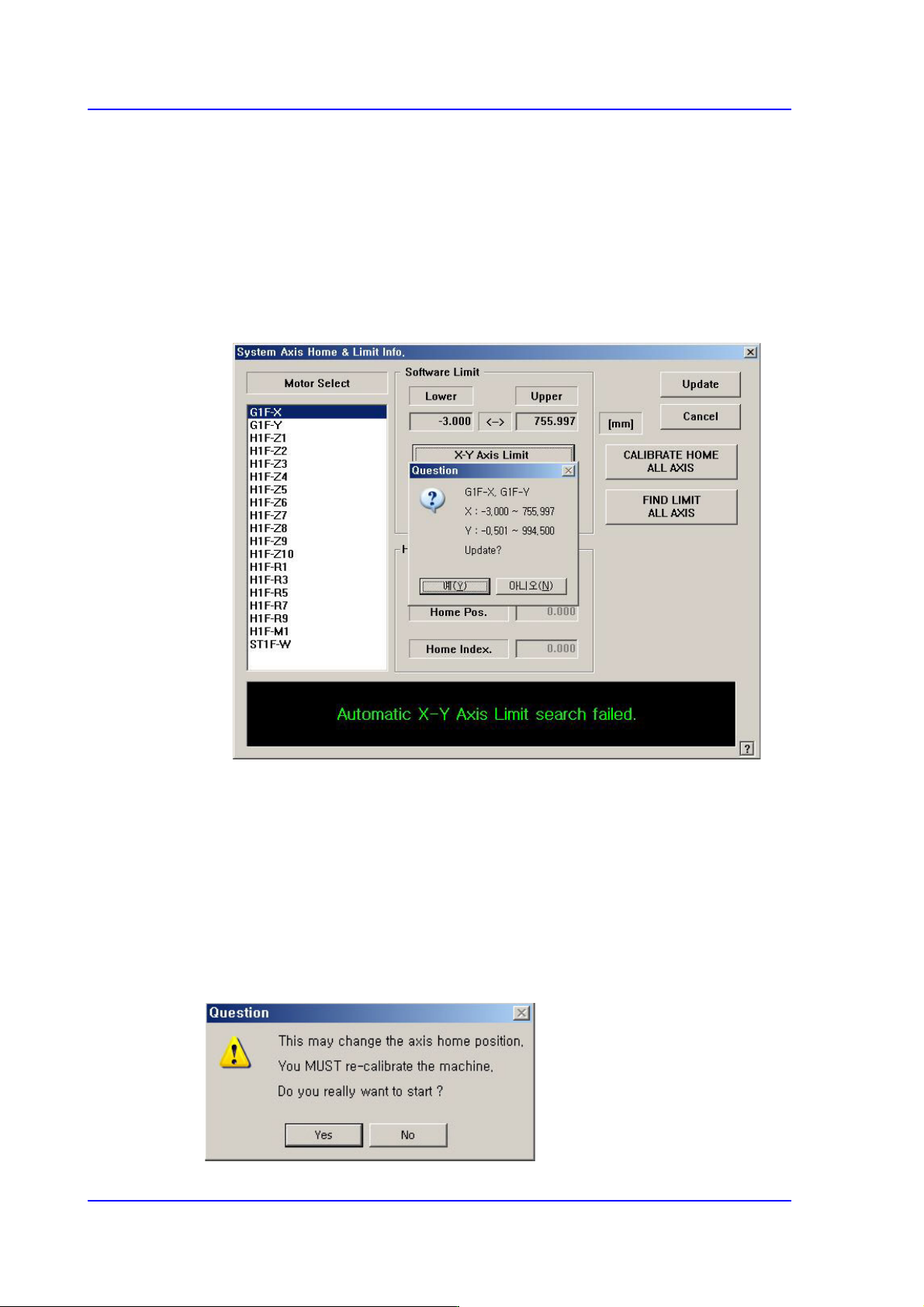
<X-Y Axis Limit Automatic Searching…> button
Finds the limit of the X and Y axes automatically and checks whether to apply the
changed value.
<Skew Compensation> button
Activated when selecting the Y axis. It is used to perform the skew compensation. For
further details, refer to “12.3.2 Skew compensation”.
<Calibrate Home> button
Automatically finds and reflects the home position of the motor selected from the
<Motor Select> list box.
<CALIBRATE HOME ALL AXIS> button
Automatically finds and reflects the home positions of all axes.