SM482PLUS_Admin(Eng_Ver2.8).pdf - 第391页
14-19 Machine Calibration After clicking the <T est> button, SMV ision window Nozzle Count T eaching 1) If the Of fset X and Y cel ls are clicked, the <T est> button is activated. At this time click the <…
14-18
Multi-Functional Placer SM482(L) PLUS Administrator’s Guide
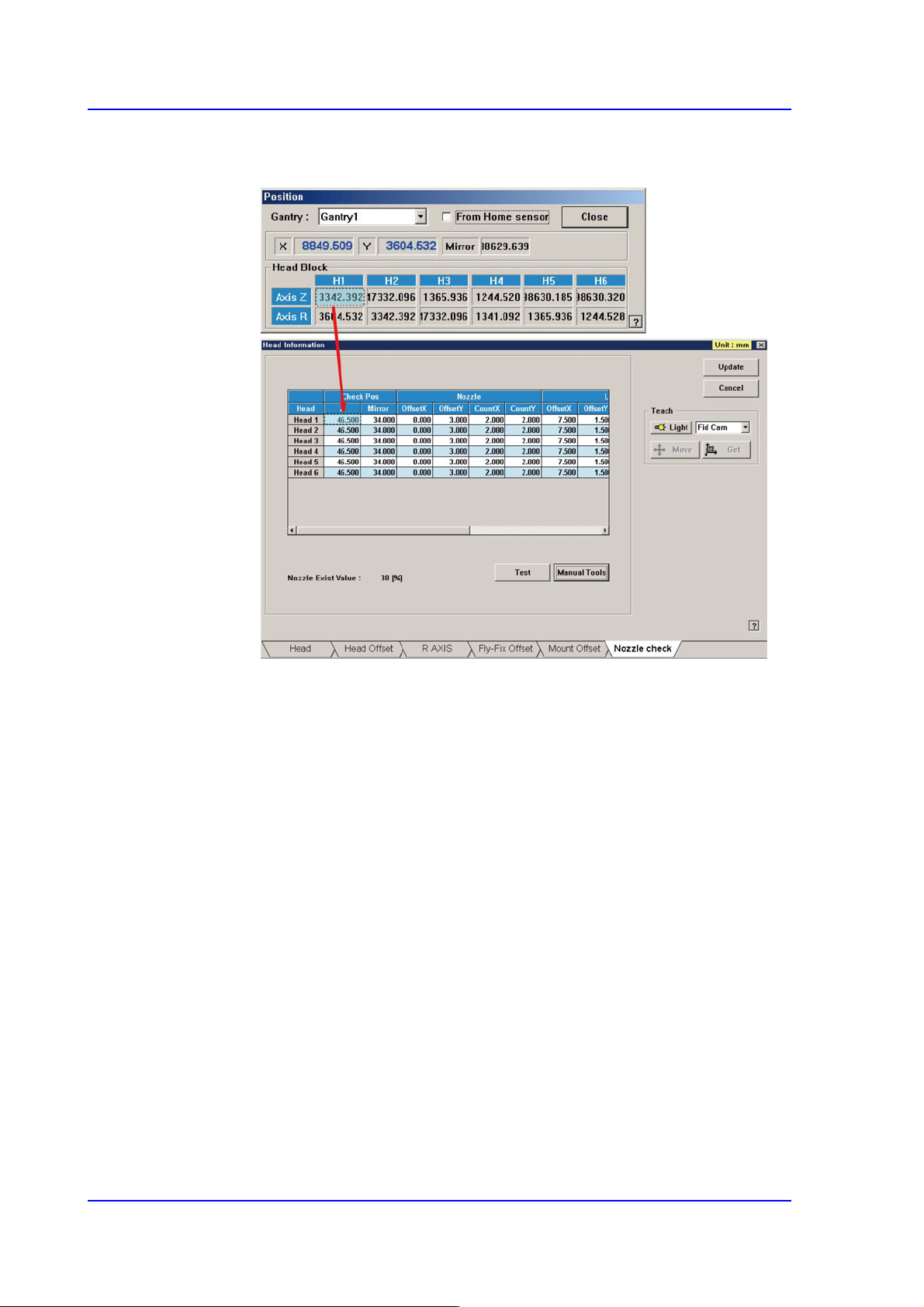
7) At this time, apply the Axis Z value in the “Position” dialog box as the Z value
of the Check Position.
Nozzle Offset Teaching
1) If the Offset X and Y cells are clicked, the <Test> button is activated. At this
time click the <Test> button
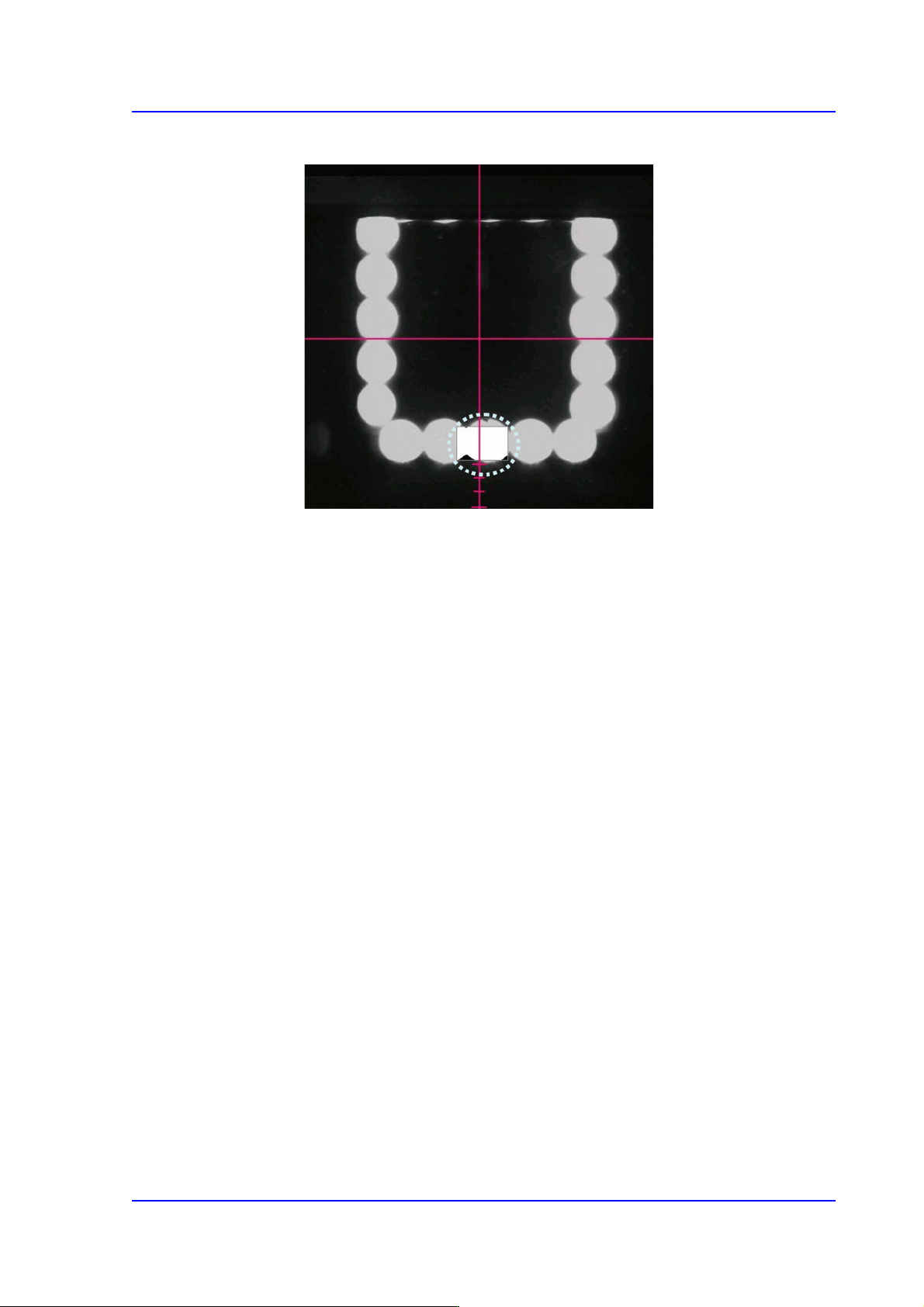
2) The area to be tested is displayed in the box shape of the ‘SMVision’ window.
Set the value of OffsetX and OffsetY so that the test box comes to the center
of the bottom of the LED. The coordinate system used to set the X and Y
values is the Right-Down coordinate system.
14-19
Machine Calibration
After clicking the <Test> button, SMVision window
Nozzle Count Teaching
1) If the Offset X and Y cells are clicked, the <Test> button is activated. At this
time click the <Test> button.
2) The area to be tested is displayed in the box shape of the ‘SMVision’ window.
Set the Count X (Width) and Count Y (Height) to change the box size so that
the Pixel CountPercent becomes greater than 90% when clicking the <Test>
button. The box size is changed based on the previously set Offset X and Y
values.
Light Offset Teaching
Despite the fact that the nozzle is thought to exist when the Pixel CountPercent is
less than ‘30’, this light offset teaching is performed to prepare for the case that
the light is not turned on due to the fault of the LED. Set this area after inserting
the largest nozzle.
The only difference between Nozzle Offset Teaching and Nozzle Count Teaching
is the position of the test box.
1) If the Offset X and Y cells are clicked, the <Test> button is activated. At this
time click the <Test> button.
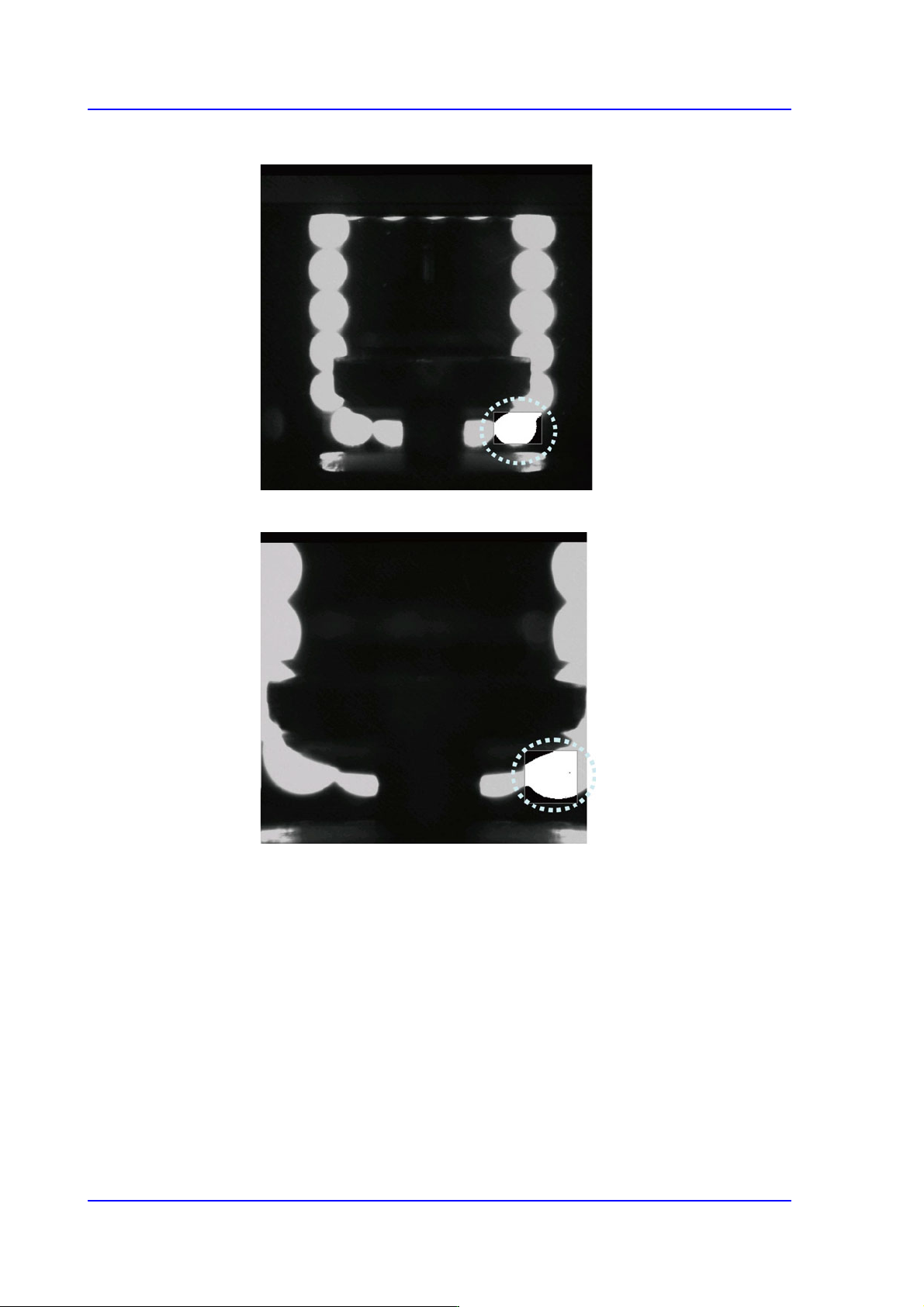
2) When clicking the <Test> button, the test box is the bright area (LED) on the
bottom right. Set the Pixel Count Percentage to a value greater than 90% for
testing.
14-20
Multi-Functional Placer SM482(L) PLUS Administrator’s Guide
<In the case of fly-camera with FOV 25mm>
<In the case of fly-camera with FOV 16mm>