SM482PLUS_Admin(Eng_Ver2.8).pdf - 第235页
7-63 Part Registration <Package> tab Sets the parameters related to part supply and pickup. <Feeding Y Offset> edit box Used when supplying parts by setting the pitch of the 8mm tape feeder to 4mm. If the…
7-62
SM PLUS Administrator’s Guide
7.2.2.7. COMMON DATA
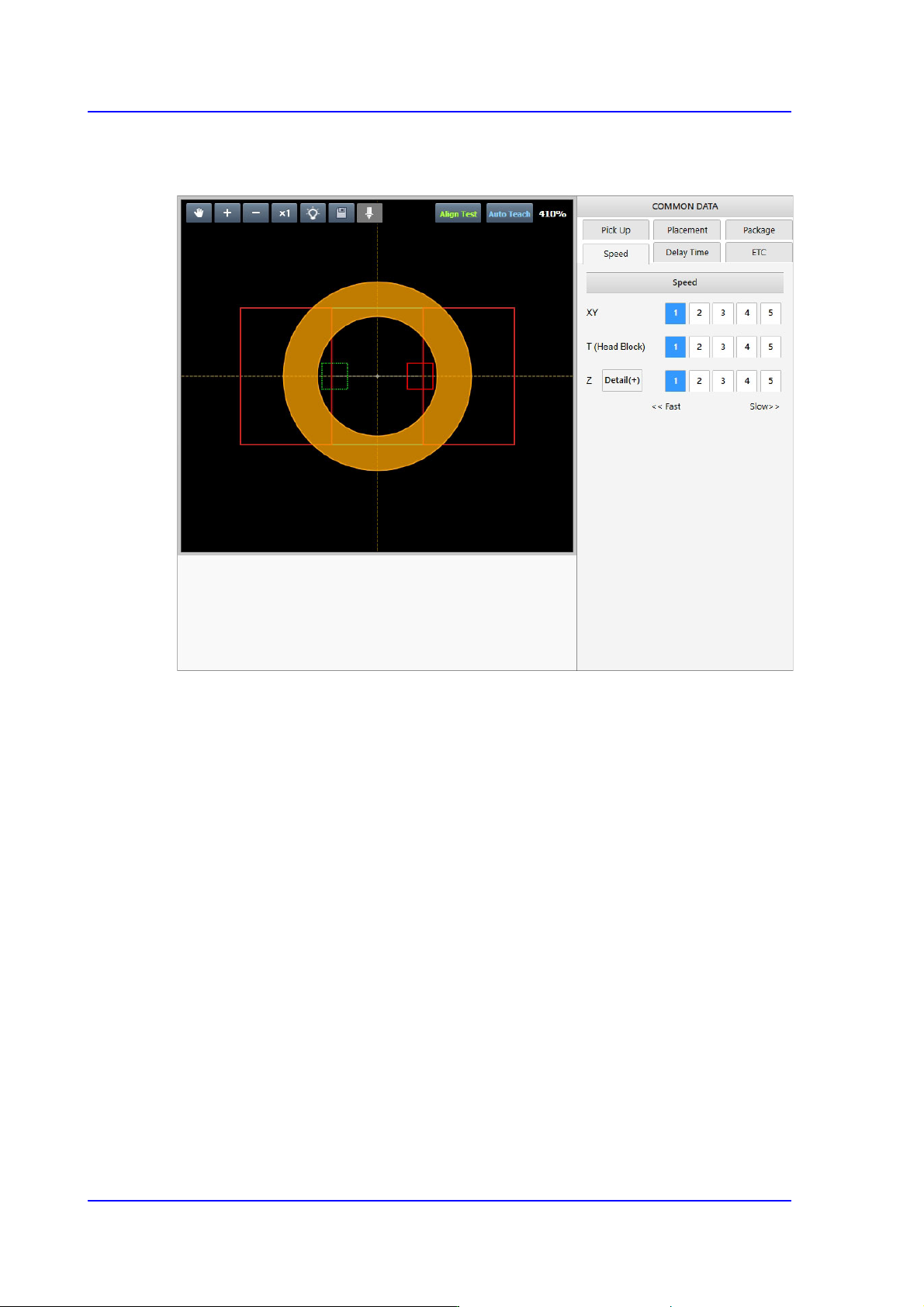
Sets the handling parameters related to part pickup and placement.
7-63
Part Registration
<Package> tab
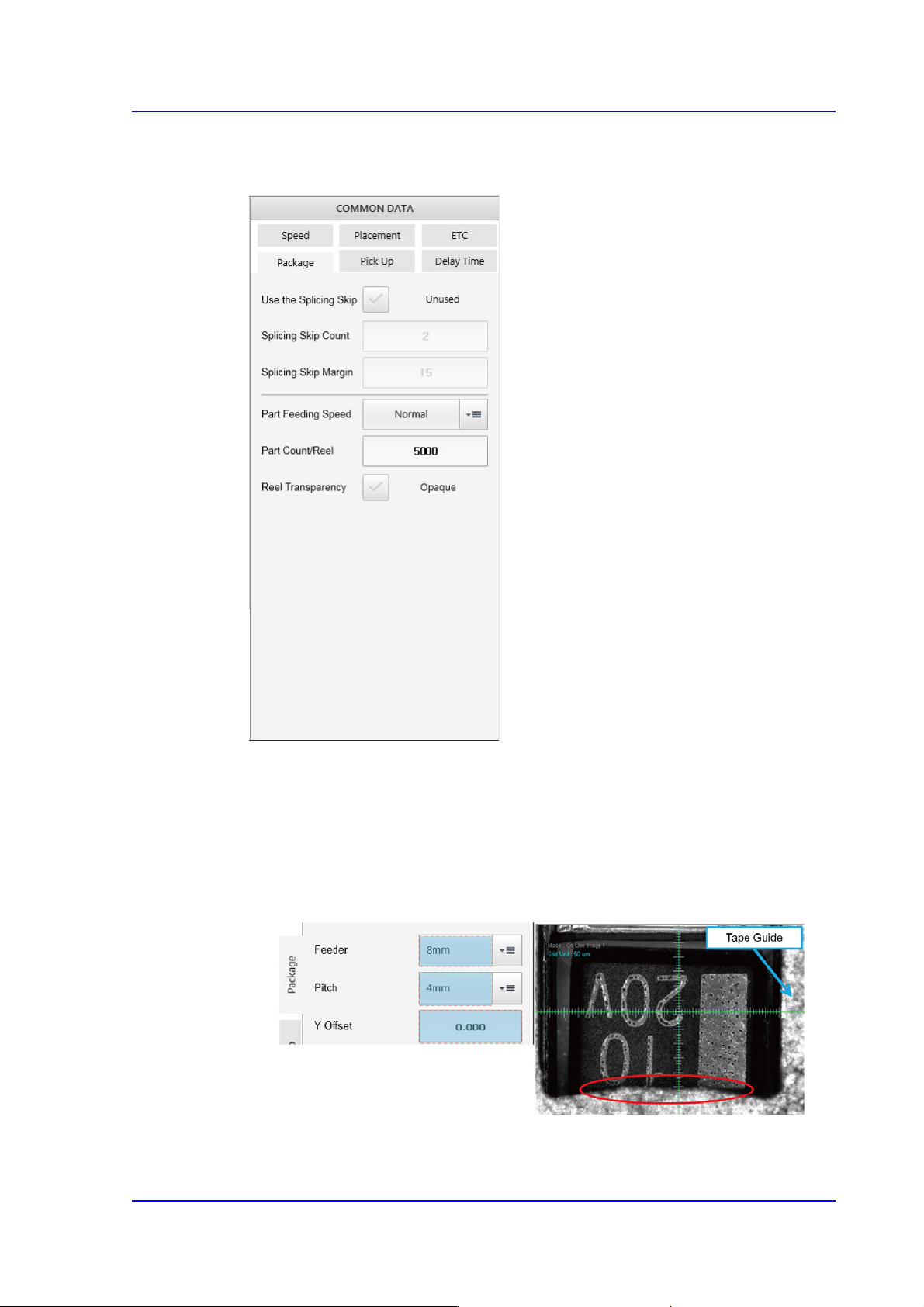
Sets the parameters related to part supply and pickup.
<Feeding Y Offset> edit box
Used when supplying parts by setting the pitch of the 8mm tape feeder to 4mm.
If the size Y of the part is greater than 2.2mm, the part pickup may interfere with
the tape guide.
In this case, it is possible to set the part pickup position by inputting the Y offset
value in the <Y Offset> edit box. (Input range: 0 ~ 0.5mm)
<Use the Splicing Skip> check button
The splicing skip function is to supply parts by skipping some parts in the section

7-64
SM PLUS Administrator’s Guide
where existing tape is spliced with a new tape in the tape feeder since parts are not
supplied at this connected section.
When using this function, select this check box.
<Splicing Skip Count> edit box
If the splicing check sensor detects a spliced section, parts are supplied by
skipping as many parts as is set here.
<Splicing Skip Margin> edit box
Inputs the number of parts to be skipped in addition to the part count set in the
<Splicing Skip Count> edit box.
<Feeding Speed> selection box
Selects the feeding speed of the tape feeder selected from the <Feeder> selection
box.
In the case of a micro part, it may jump up and cause a pickup error during part
feeding. This problem may be solved by reducing the part feeding speed.
Normal: Supplies parts at normal speed.
Slow1: Supplies parts at a slightly slower speed.
Slow2: Supplies parts at slow speed.
<Part Count/Reel> edit box
Input the default number of parts for the part reel that supplies the corresponding
part. When using the Basic IT function, it is used as default count for the
corresponding part.
<Reel Transparency> check box
When splicing the tape using transparent tape, this function is selected in the case
that the vision system can detect the tape splicing.
<Barcode> check box
Select this check box to attach the barcode to the board using the equipment. If
this check box is selected, the feeder list can be enabled when setting the location
of the barcode.