SM482PLUS_Admin(Eng_Ver2.8).pdf - 第162页
6-44 Multi-Functional Placer SM482( L) PLUS Administrator’s Guide Figure6.10 Barcode Position’ Dialog Box <1.Use> check box Check the 2D barcode function to use it. <2. Bar Code Position> group Indicates …
6-43
Board Definition
6.6.2. Barcode Position
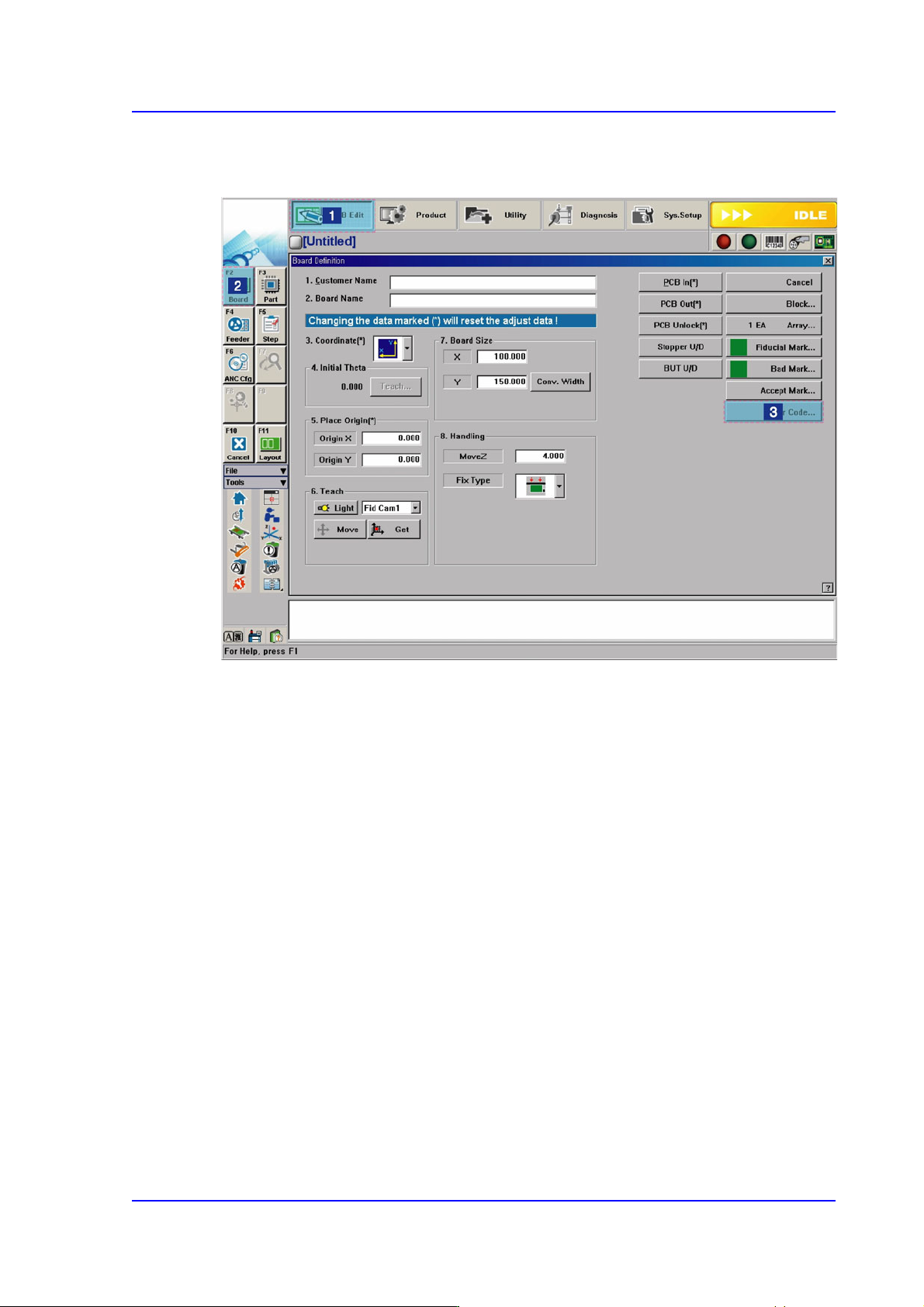
Figure6.9 Order of ‘Barcode Position’ Dialog Box Execution
6-44
Multi-Functional Placer SM482(L) PLUS Administrator’s Guide
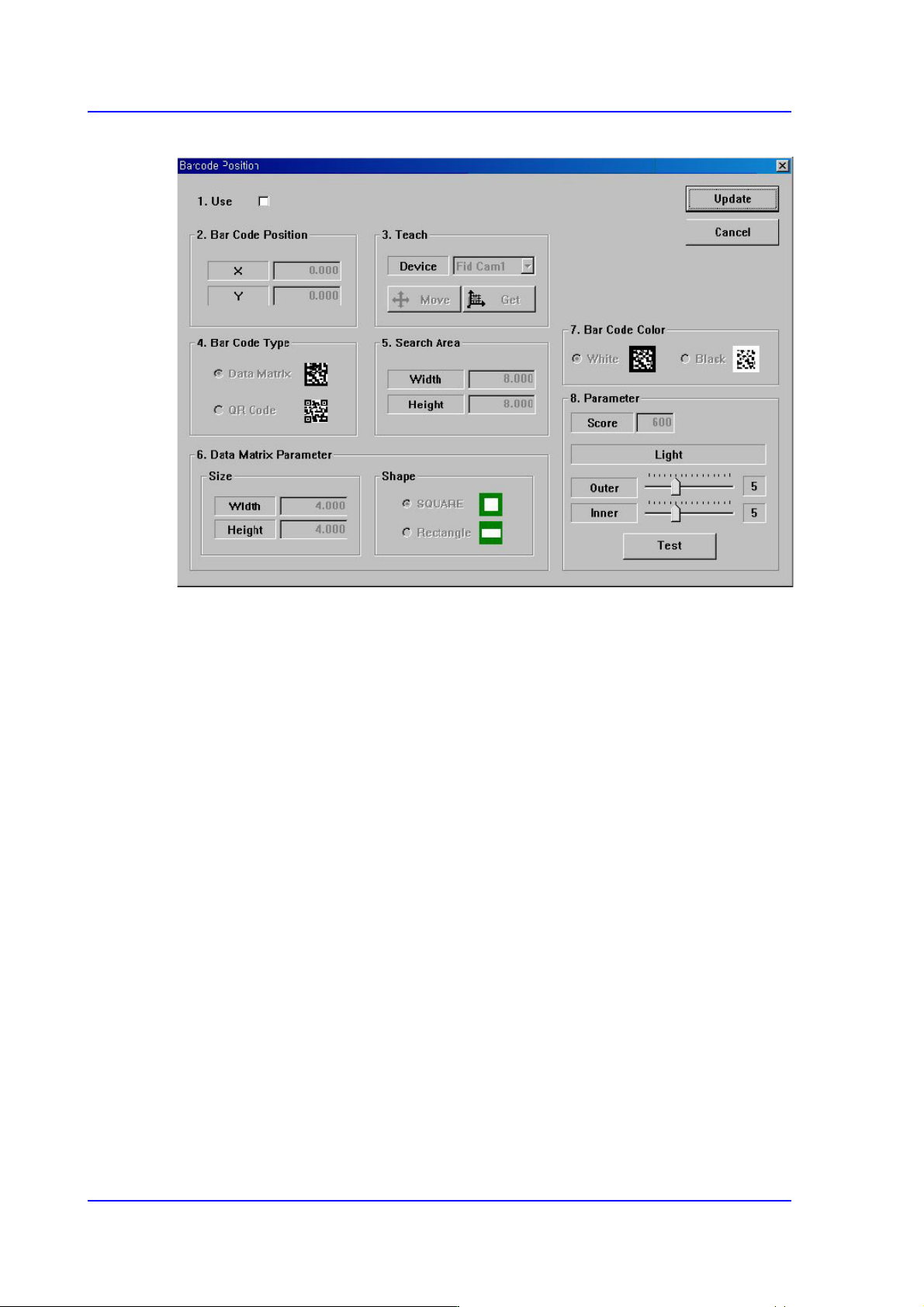
Figure6.10 Barcode Position’ Dialog Box
<1.Use> check box
Check the 2D barcode function to use it.
<2. Bar Code Position> group
Indicates the position of the 2D barcode.
<Board> Area
Teaches the 2D barcode position attached to a board using the fiducial camera
selected from the <3. Teach> area or performs setup for 2D barcode attachment to
a board.
<X/Y> edit box
Sets the X/Y coordinate of a 2D barcode.
<Z> edit box
When attaching a 2D barcode to a board, sets the Z-axis coordinate in order to
press and attach a 2D barcode to a board with a head spindle.
<Inspection> check box
Selecting this check box will recognize the 2D barcode attached to a board.
<Placing> check box
Selecting this check box will attach a 2D barcode to a board using the
machine.
<Part> caption box
Enabled when the <Placing> check box is selected. Displays the part supplied
6-45
Board Definition
by the feeder selected from the <Feeder> combo box.
<Feeder> combo box
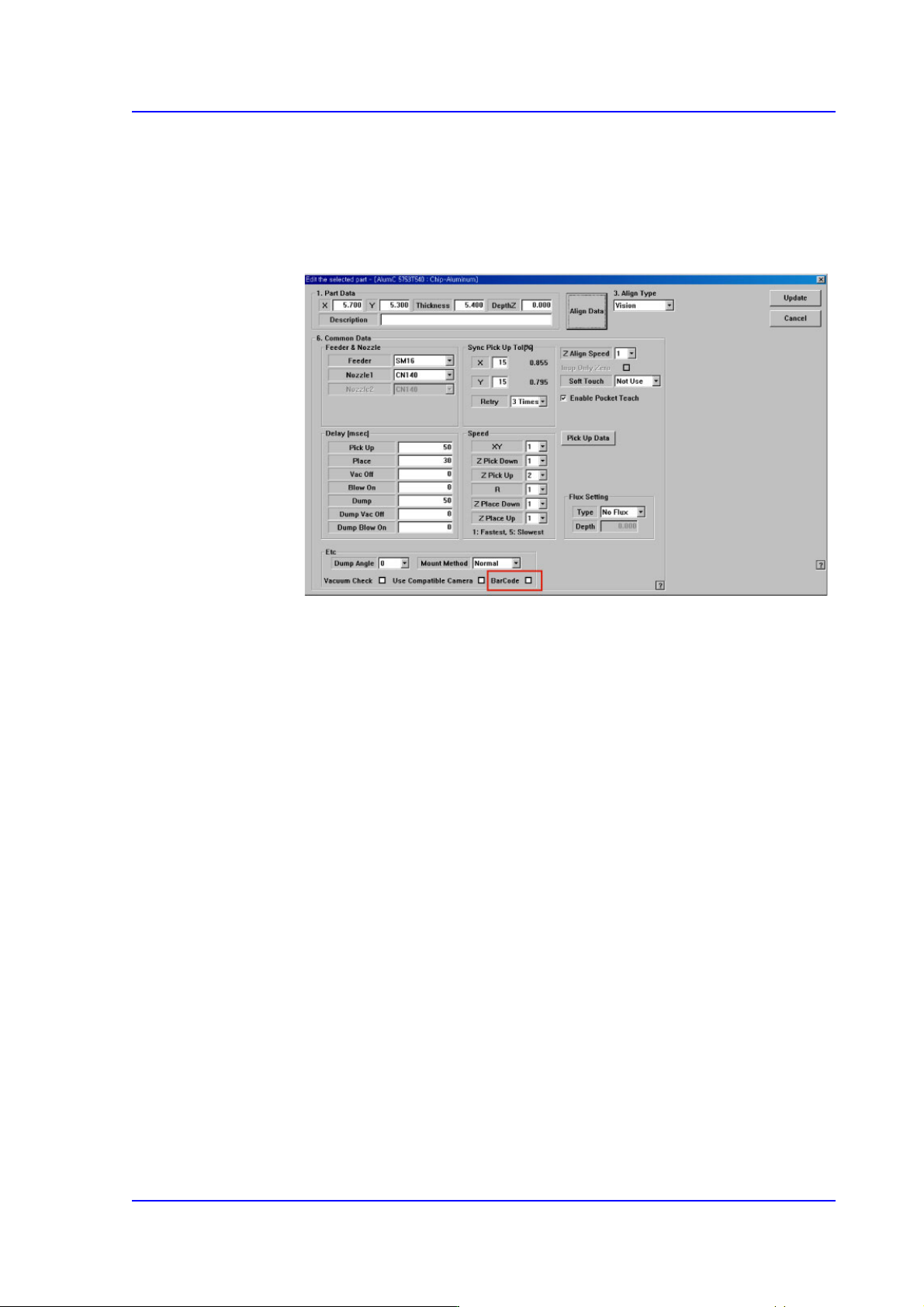
Enabled when <Placing> check box is selected. The feeder supplying the part
registered by selecting the <BarCode> check box from the Common Data
setup screen appears in the list as shown in the following figure:
<Array> Area
Teaches the 2D barcode position attached to an array of a board using the fiducial
camera selected from the <3. Teach> area or performs setup for 2D barcode
attachment to the array of the board.
<Array> combo box
Displays the number of the array selected currently.
<X/Y/Z> edit box
Refer to the corresponding description in the <Board> area.
<Inspection> check box
Refer to the corresponding description in the <Board> area.
<Placing> check box
Refer to the corresponding description in the <Board> area.
Part
Refer to the corresponding description in the <Board> area.
<Feeder> combo box
Refer to the corresponding description in the <Board> area.
<3. Teach> group
Used to move the teaching camera on the barcode to recognize the 2D barcode on the
PCB.