SM482PLUS_Admin(Eng_Ver2.8).pdf - 第420页
14-48 Multi-Functional Placer SM482( L) PLUS Administrator’s Guide 6. The calibration is performed automatically . If it is complete d, the calibration result is displayed as sho wn in the following figure . Click the &l…
14-47
Machine Calibration
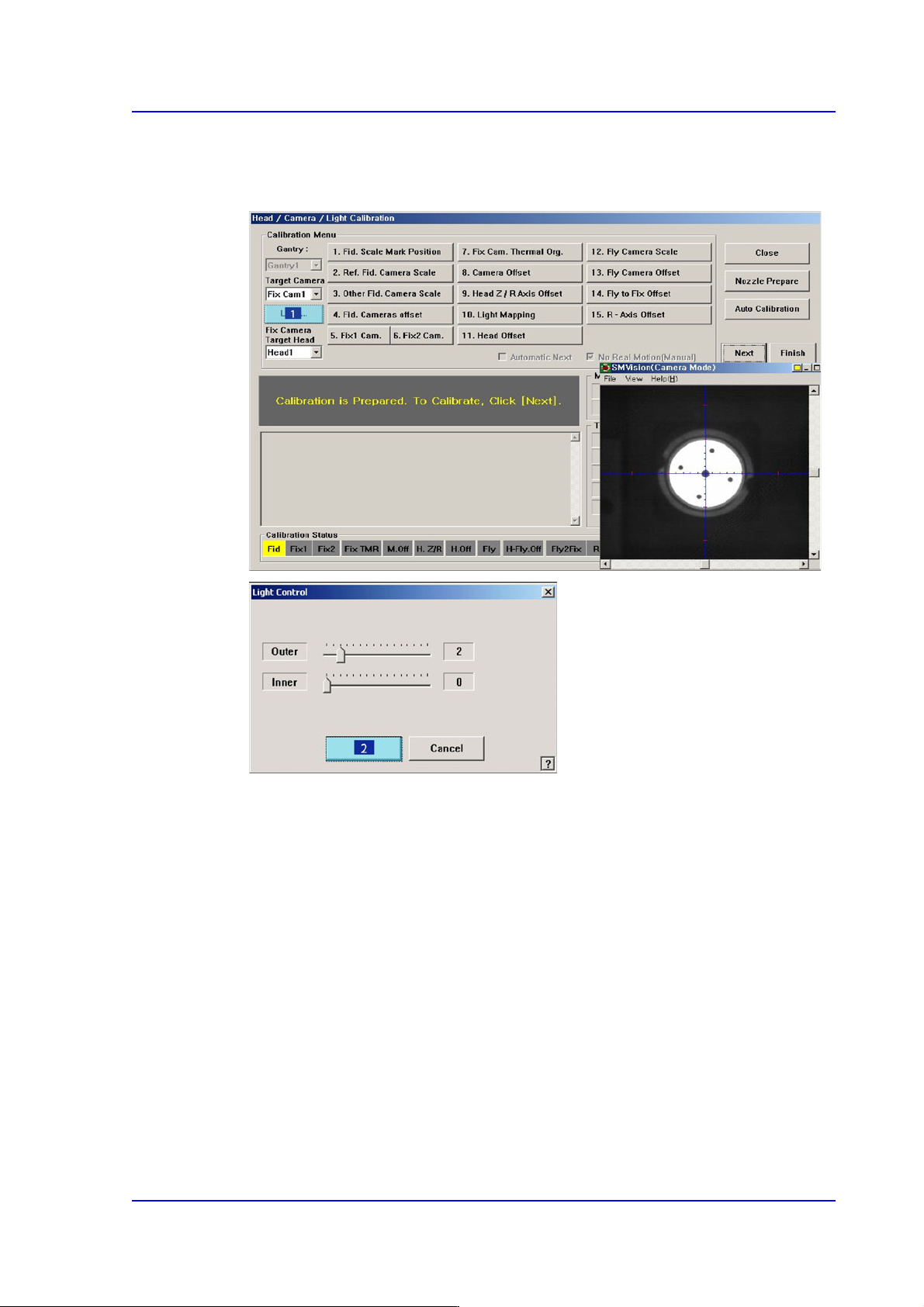
5. The message “Move To Center Position of [Fix1] Camera. To Move, Click [Next]”
appears in the message window. Click the <Next> button to move the head assembly
to the center of the fix-camera.
14-48
Multi-Functional Placer SM482(L) PLUS Administrator’s Guide
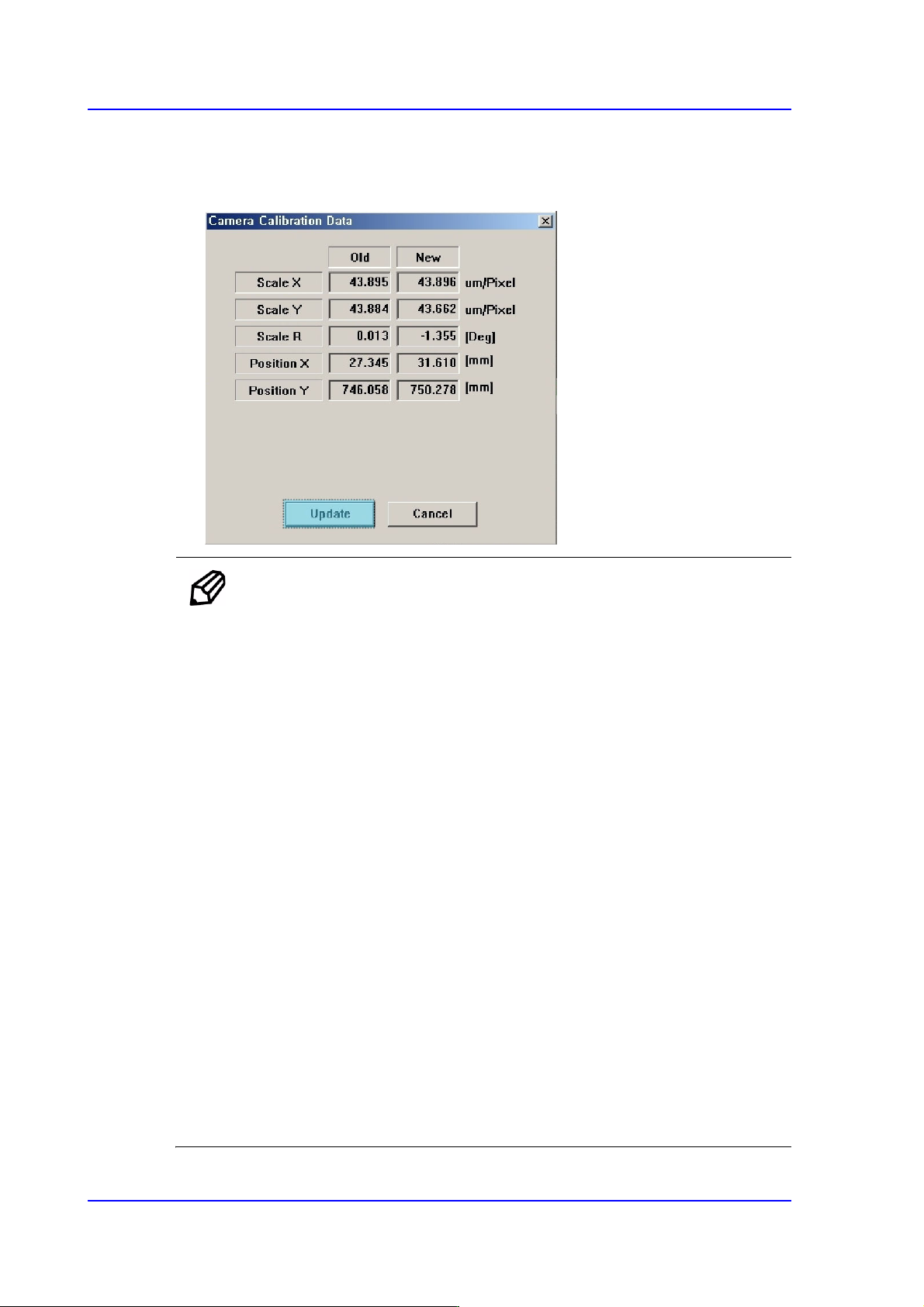
6. The calibration is performed automatically. If it is completed, the calibration result is
displayed as shown in the following figure. Click the <Update> button to apply the
new calibration value.
Memo The range of the reference values for the ‘fly-camera calibration’ is as
follows:.
Mega FOV 35
ScaleX:33.1~36.1 (μm/pixel)
ScaleY: 33.1~36.1 (μm/pixel)
R:-1~1(deg)
Mega FOV 45
ScaleX:42.7~45.7 (μm/pixel)
ScaleY: 42.7~45.7 (μm/pixel)
R:-1~1(deg)
FOV 35
ScaleX:70.9~74.9 (μm/pixel)
ScaleY: 70.9~74.9 (μm/pixel)
R:-1~1(deg)
FOV 45
ScaleX:91.8~95.8 (μm/pixel)
ScaleY: 91.8~95.8 (μm/pixel)
R:-1~1(deg)
14-49
Machine Calibration
14.3.7.2. Fix Cam. Thermal Origin Calibration
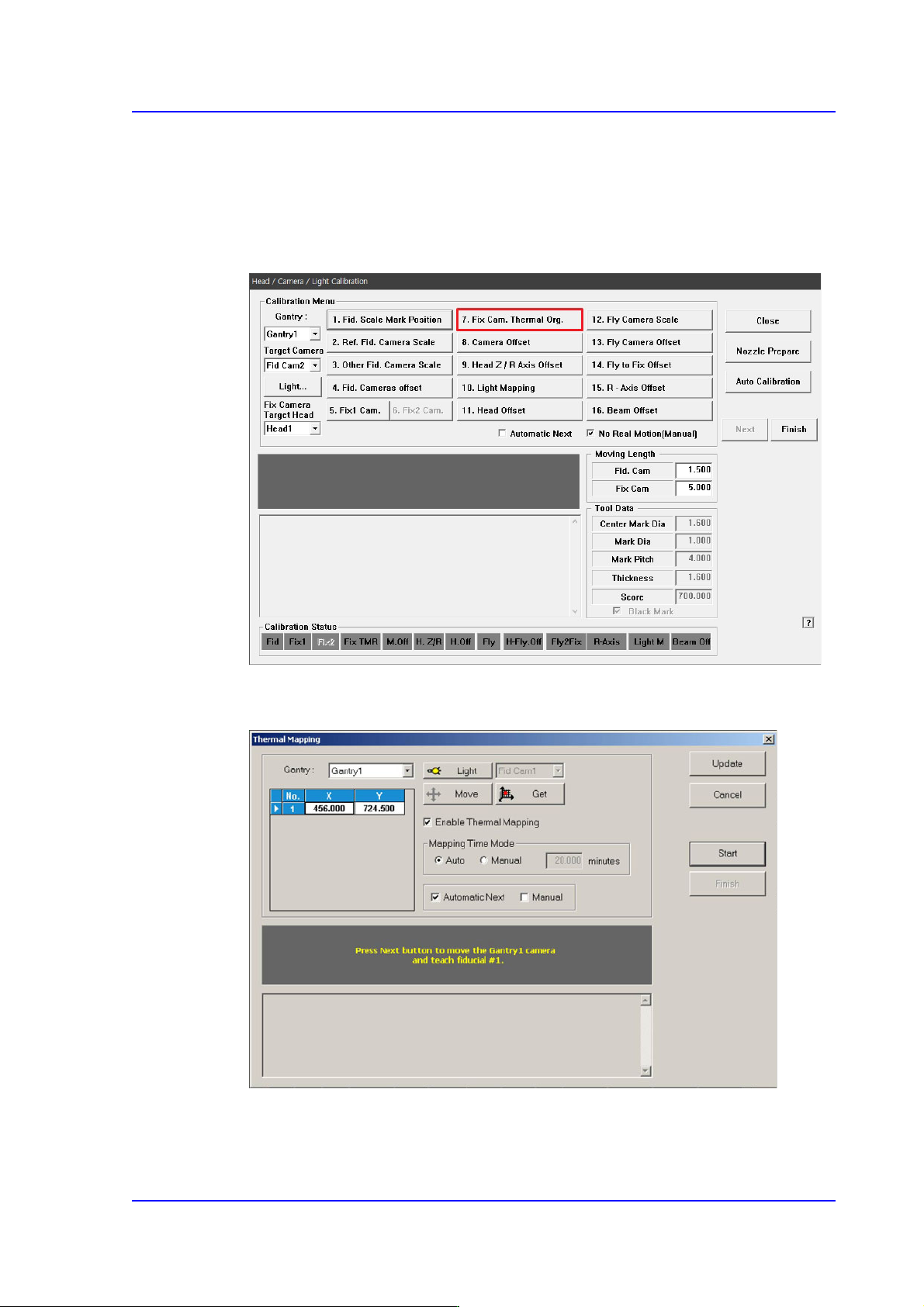
You must teach a fiducial mark displayed in the ANC to compensate for the thermal
deformation of the XY coordinate system caused by frictional heat from the ball screws
after the equipment starts running.
1. Click the <7. Fix Cam. Thermal Origin> button.
2. Click the <Move> button to check if the location of the default coordinates match the
location for the fiducial mark displayed in the ANC.
3. If the default coordinates do not match the location for the fiducial mark displayed in
the ANC, manually teach the coordinates.