SM482PLUS_Admin(Eng_Ver2.8).pdf - 第361页
13-13 Production Setup 13.1.3. Tape Feeder Monitor Sets the quantity of remain ing co mponents. It shows the remaining components of the installed tape feeder and alarms against th e component shortage. Able to monitor t…

13-12
Multi-Functional Placer SM482(L) PLUS Administrator’s Guide
specific head is recognized. Select the corresponding head from the
<Device> combo box.
Camera Error
Selected when looking at the image of part recognition error from a
specific camera.
It shows the recognized part image according to the placement order
during placement. However, if the placement is completed, the camera
selected in the following <Device> combo box shows the part image error
that occurred last.
Head Error
Selected when looking at the recognition error image of part picked up by
a specific head.
It shows the recognized part image according to the placement order
during placement. However, if the placement is completed, it shows the
image of part recognition error that occurred last among the parts placed
by the head selected in the following <Device> combo box.
Last Error
It shows the recognized part image according to the placement order
during placement. However, if the placement is completed, it shows the
image of part recognition error that occurred last during placement.
System
Shows the part recognition image according to the placement order.
13-13
Production Setup
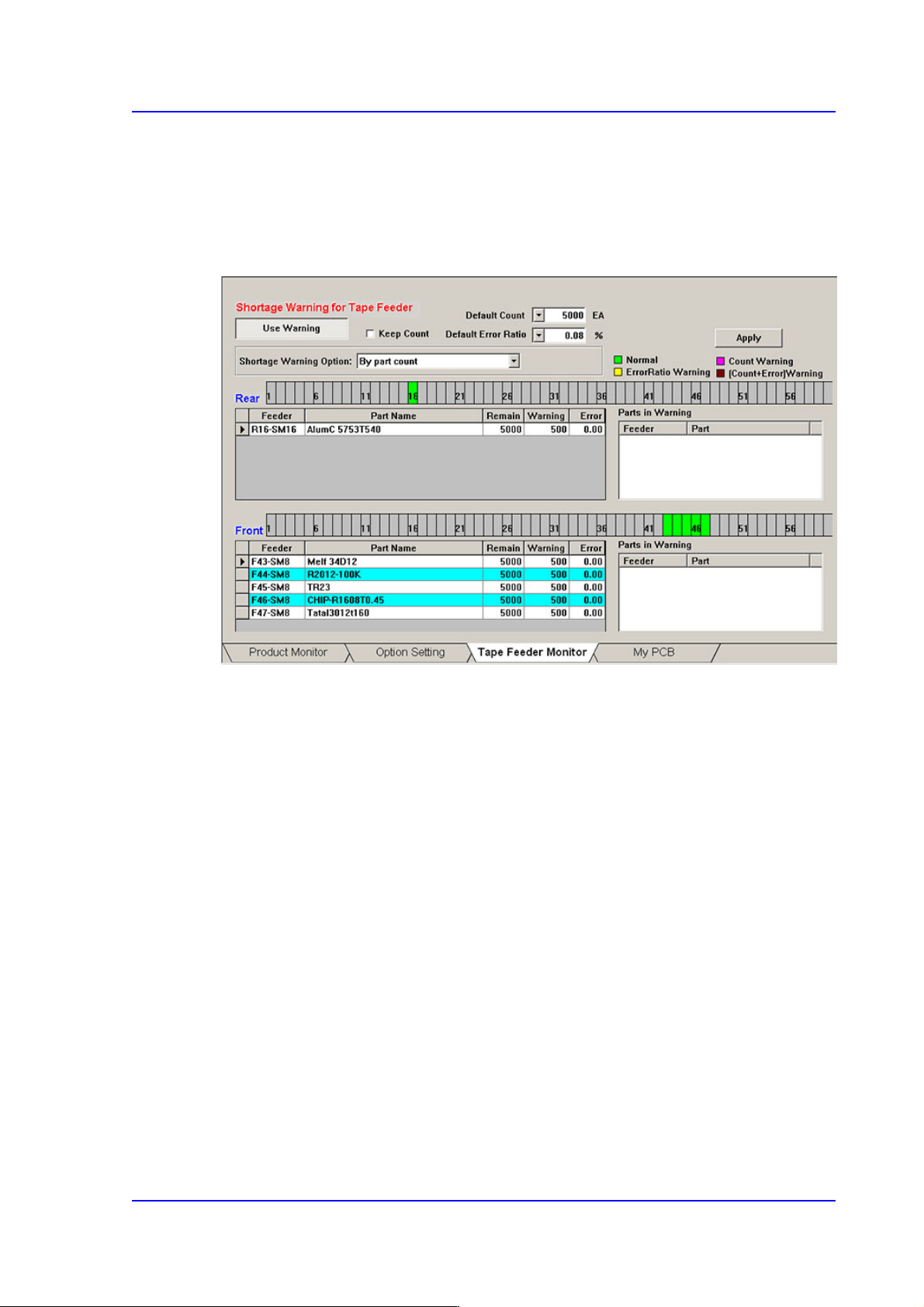
13.1.3. Tape Feeder Monitor
Sets the quantity of remaining components. It shows the remaining components of the
installed tape feeder and alarms against the component shortage. Able to monitor the
errors related with parts supply of tape feeder.
Figure13.5 “Tape Feeder Monitor” tab dialog
<Use Warning> button
Selects whether to automatically show the alarm message setup in the ‘Tape Feeder
Monitor’ tap dialog box while working. It is setup as ‘use’ in the above dialog box.
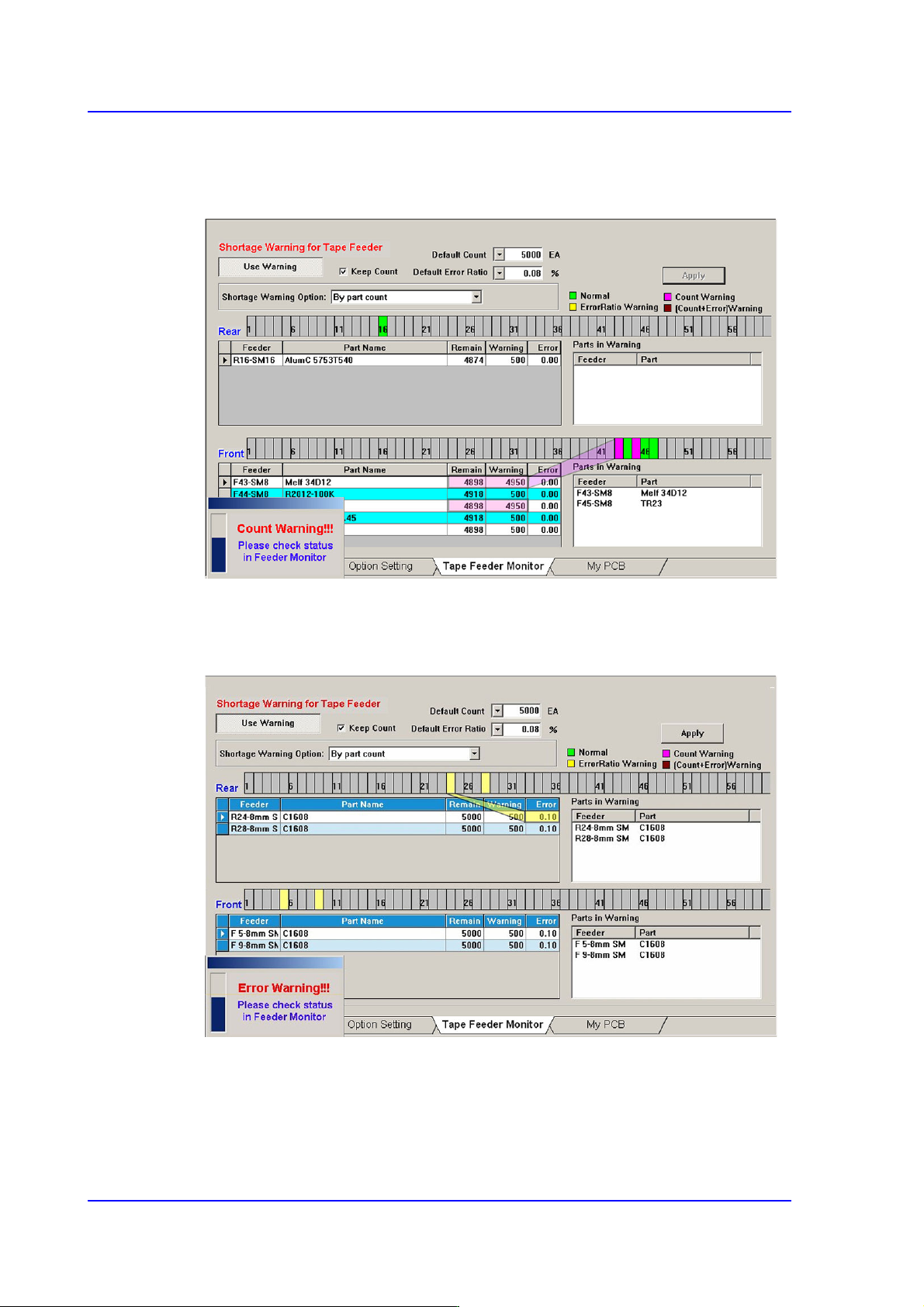
<Keep Count> check box
Generally, if the PCB program is downloaded, the remaining quantity is set up to the
default count.
In case the same PCB program must be downloaded again for a particular reason
during operation, select this check box to maintain the Remain Count of the tape
feeder installed already.
13-14
Multi-Functional Placer SM482(L) PLUS Administrator’s Guide
<Default Count> combo box
Indicates the part shortage alarm message box when the remaining quantity of parts
supplied to the tape feeder is less than the setup value.
<Default Error Ratio> combo box
Indicates the alarm message box for parts supply error rate when the failure rate of
parts supply in the tray feeder is higher than the setup value.
<Shortage Warning Option> combo box
Indicates the alarm message box for parts supply error rate when the failure rate of
parts supply in the tray feeder is higher than the setup value.