SM482PLUS_Admin(Eng_Ver2.8).pdf - 第487页
15-33 System Setup Perform light mapping of the Fiducial Camera (Outer Light) in the following manner: 1. After selecting the camera for which light ma pping is to be performed in the <Select Camera> group, click t…
15-32
Multi-Functional Placer SM482(L) PLUS Administrator’s Guide
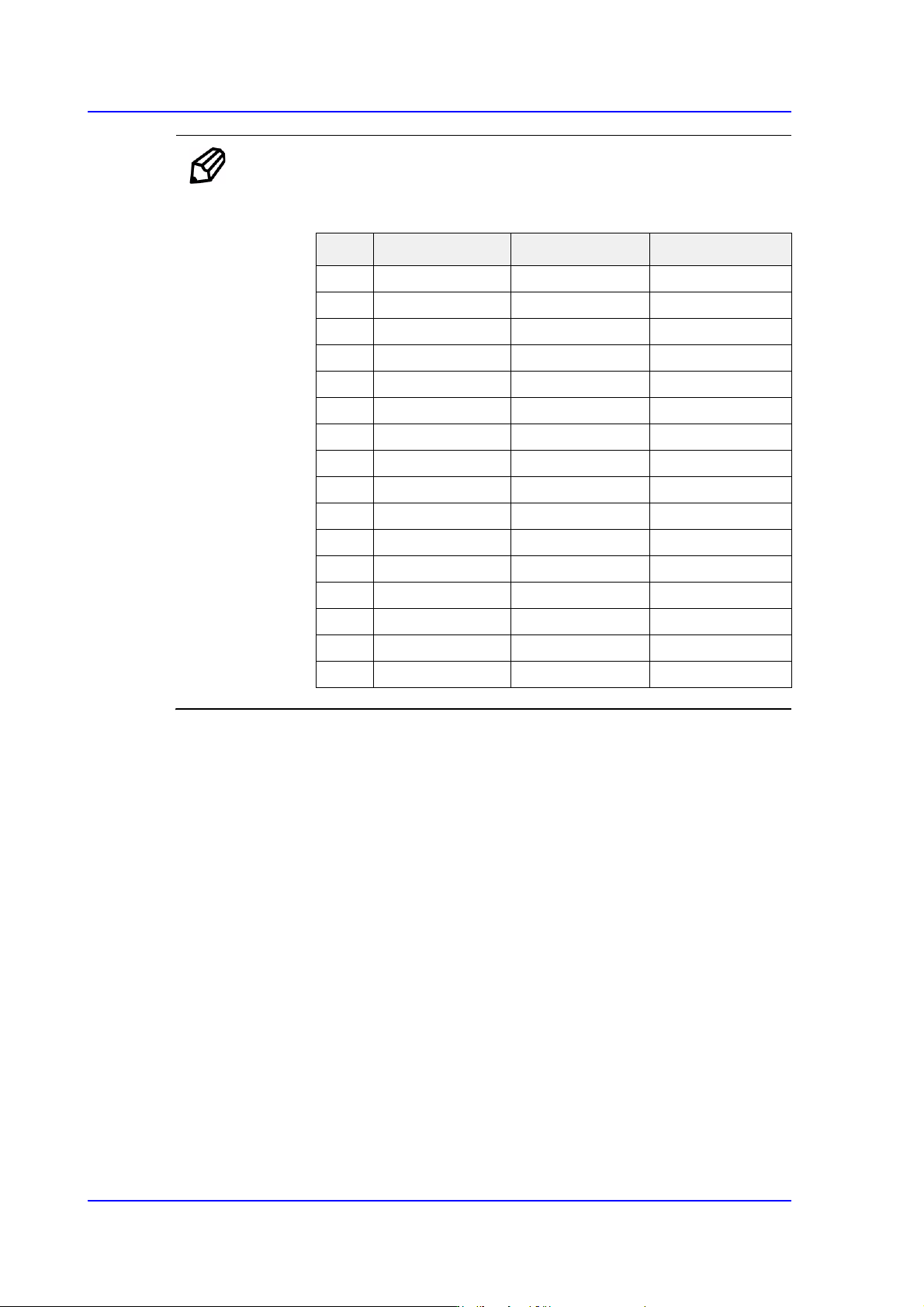
Ref. The test result value must be within ±10 from the following reference
value.
Side Outer Coaxial
00 0 0
10 0 10
20 0 20
3 0 35 30
435 59 40
5 45 113 50
656 155 60
766 203 70
877 136 80
987 159 90
10 98 167 110
11 108 174 120
12 119 180 130
13 130 185 140
14 140 190 150
15 151 195 160
15-33
System Setup
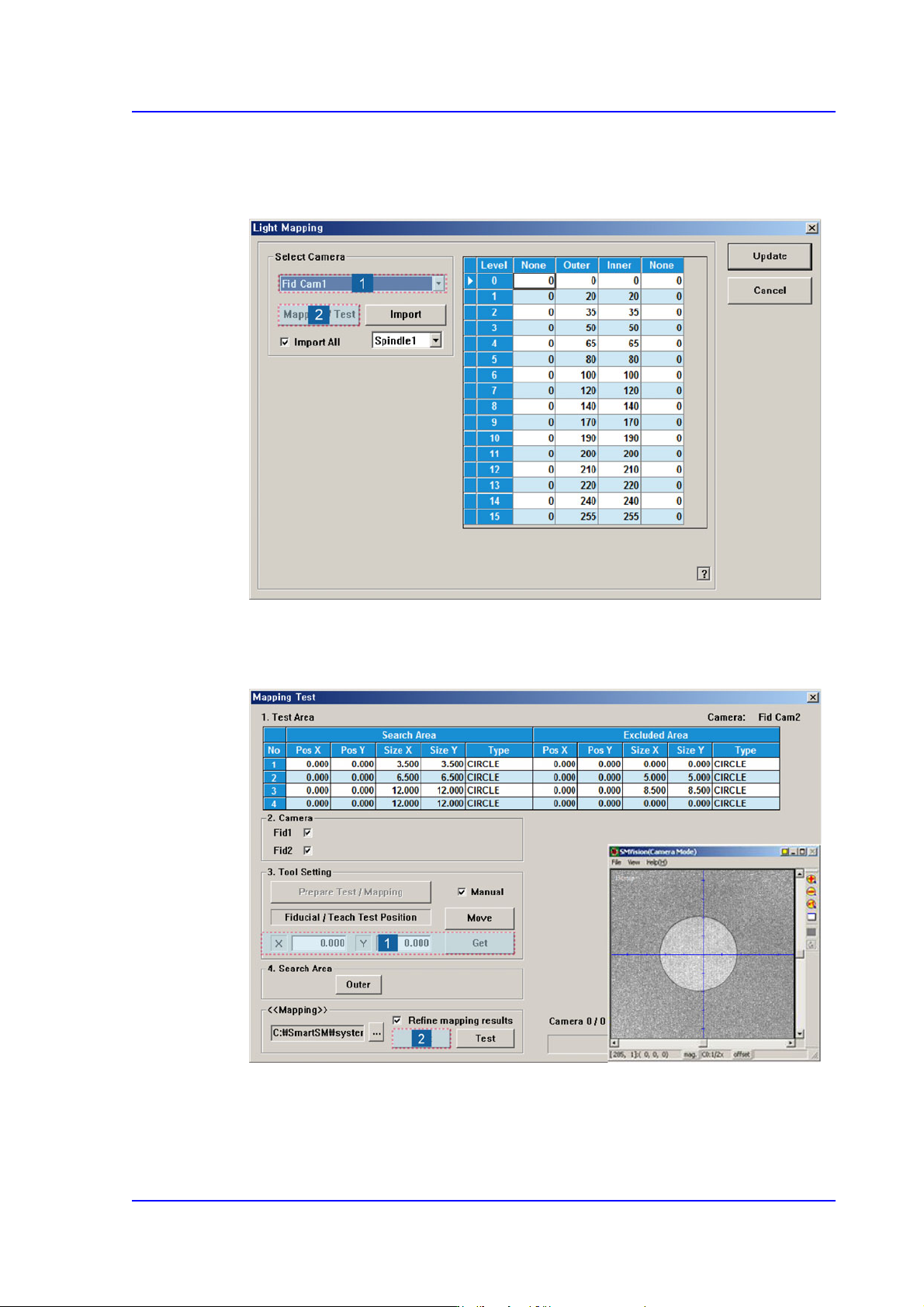
Perform light mapping of the Fiducial Camera (Outer Light) in the following manner:
1. After selecting the camera for which light mapping is to be performed in the <Select
Camera> group, click the <Mapping/Test> button.
2. After placing the mapping plate on the ANC, place the circle of the mapping plate at
the center of the screen. Then click the <Get> button to teach the coordinate and click
the <Start> button in the <<Mapping>> group to perform apping.
15-34
Multi-Functional Placer SM482(L) PLUS Administrator’s Guide
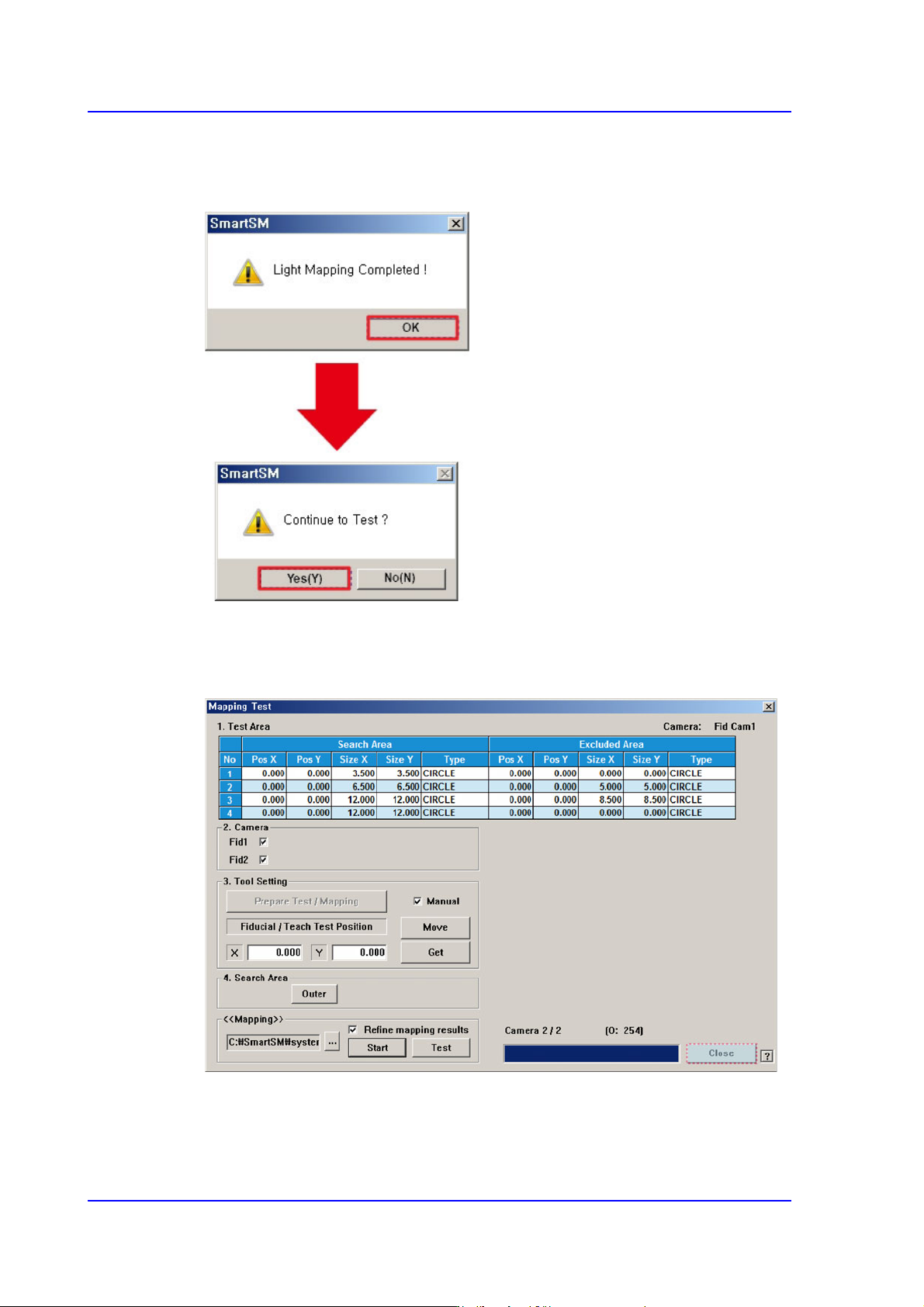
3. After clicking the <Start> button in the <<Mapping>> area, when the Light Mapping
is finished, the following dialog box appears. Pressing the <OK> button will display
the dialog box for the test.
4. Click the <(Y)> button to perform the test automatically.
5. Once the testing is completed, click the <Close> button to close the mapping test
dialog box.