Administrator’s Guide(CP45FV) Eng.pdf - 第125页
Part Registration 7-41 7.5. Ball Grid component dat a setting 7.5.1. BGA component data setting Set the align data for BGA components. Figur e 7-27. “ Align T ype = V ision, Package Gr oup = BGA ” dialog box <…
Samsung Component Placer CP45FV Series Administrator’s Guide
data.
Memo
Restrictions
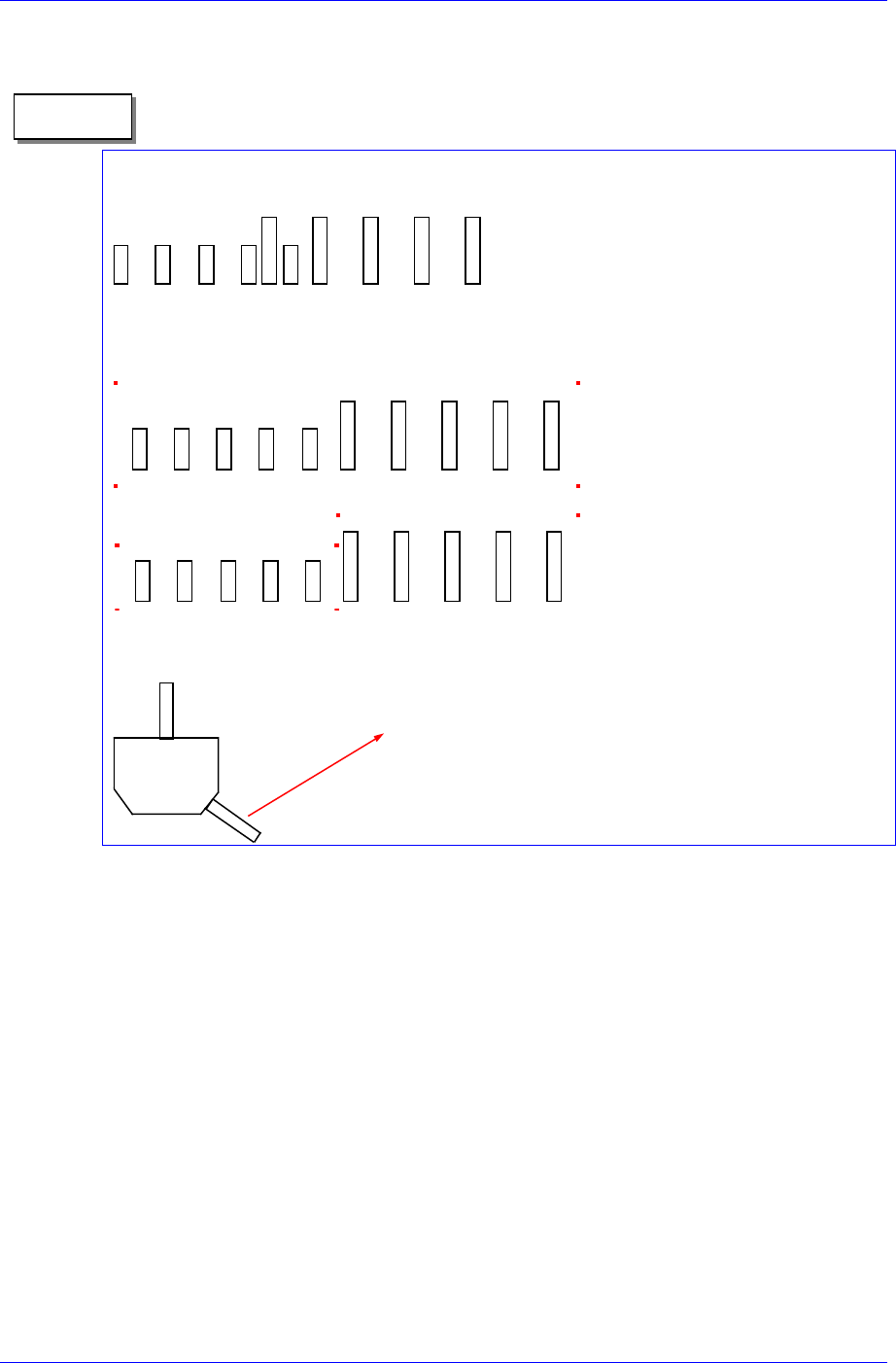
Adjacent lead groups cannot overlap.
Invalid. Because the two lead
groups are overlapped.
One lead group uses one lead parameter. In other words, a lead group should only
contain leads of the same type.
This lead group cannot be
registered as single lead group
because the lead parameters are
different.
These lead groups are registered
as separate lead group because
the lead parameters are different.
Leads groups are placed only at right angle directions.
In this case, this pin cannot be a lead.
7-40
Part Registration
7-41
7.5. Ball Grid component data setting
7.5.1. BGA component data setting
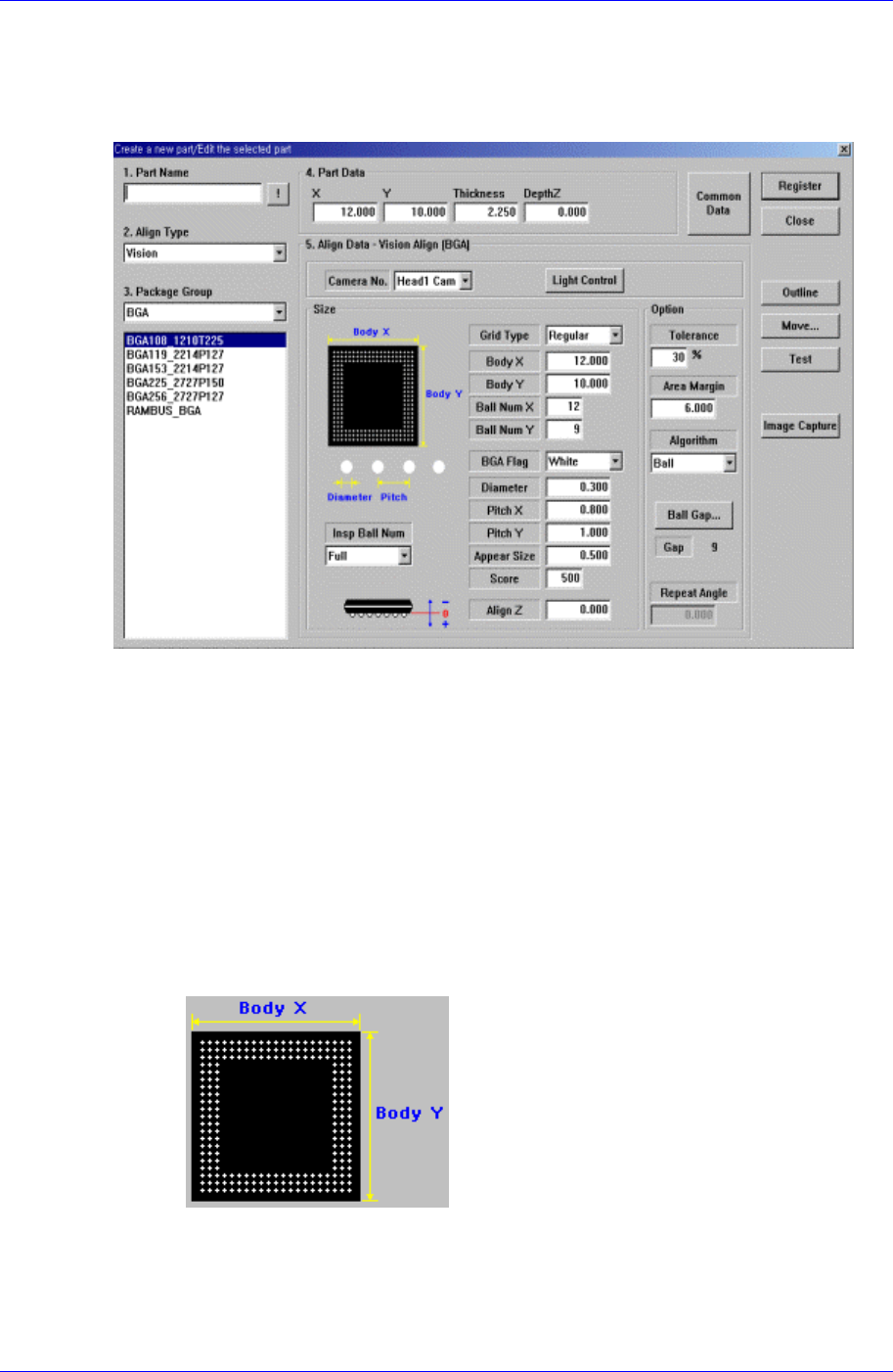
Set the align data for BGA components.
Figure 7-27. “Align Type = Vision, Package Group = BGA” dialog box
<Camera No.> combo box
Select the camera to recognize the component. Please refer to “7.2.1.1 Common Align
Data (Page 7-9)” for more information.
<Light Control> button
Set the light for the camera to recognize the component. Please refer to “7.2.1.1
Common Align Data (Page 7-9)” for more information.
<Size> group
Set the align size.
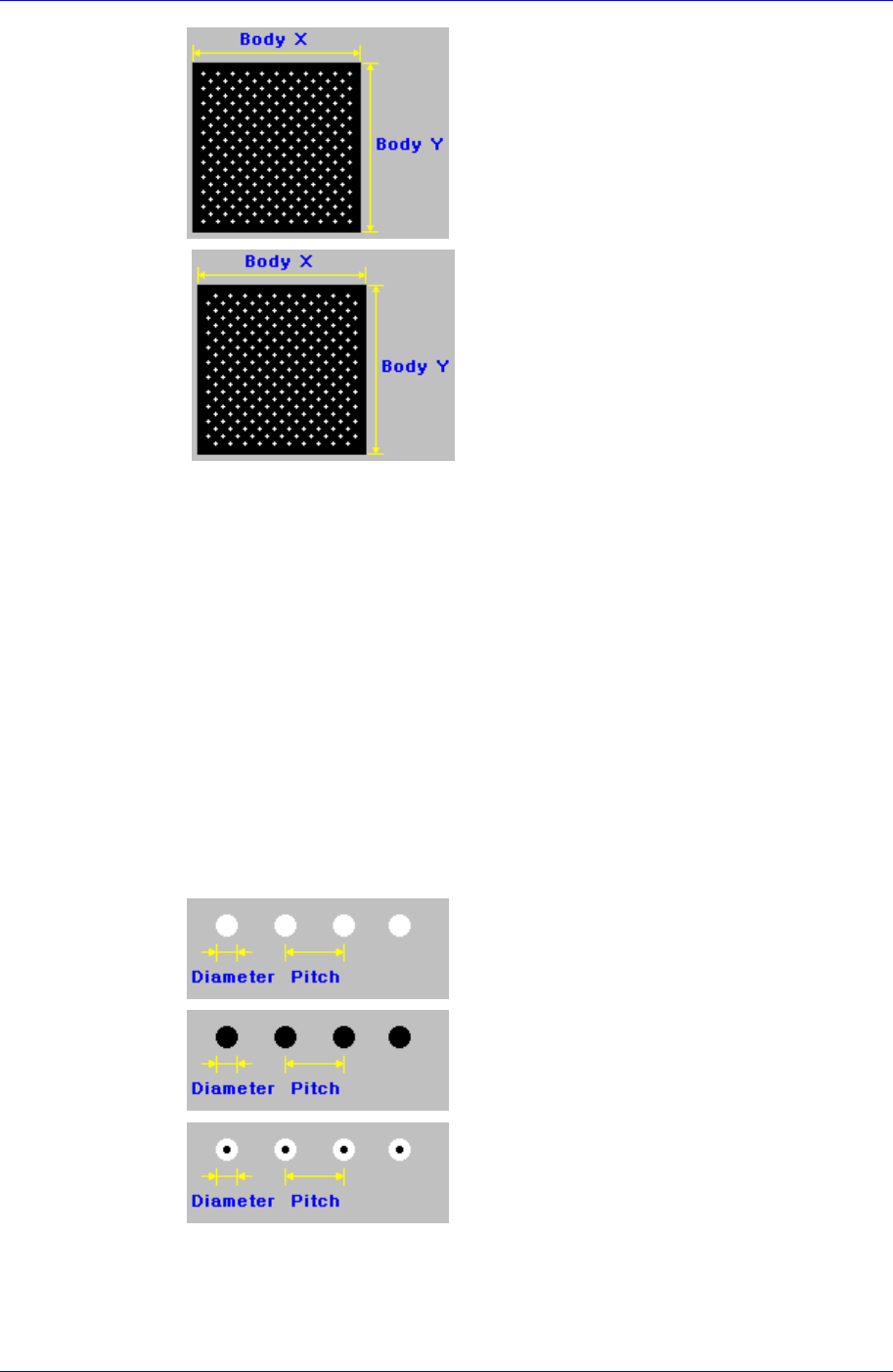
<Grid Type> combo box
Select the ball array of BGA components. Available types are as follows.
Regular
Samsung Component Placer CP45FV Series Administrator’s Guide
Check
.
Rev. Check (Reverse Check)
<Body X> edit box
Set the size of component body in X direction.
<Body Y> edit box
Set the size of component body in Y direction.
<Ball Num X> edit box
Set the number of balls in X direction. In the case of “Check” or “Rev. Check”
type, the empty area is also included. Therefore, in the case of “Check” or “Rev.
Check” type, the number of balls is always an odd number.
<Ball Num Y> edit box
Set the number of balls in Y direction. In the case of “Check” or “Rev. Check”
type, the empty area is also included. Therefore, in the case of “Check” or “Rev.
Check” type, the number of balls is always an odd number.
<BGA Flag> combo box
Select the color of balls. Available colors are as follows.
White: for when the ball looks white.
Black for when the ball looks black.
W & B (White and Black): for when the center of
the ball looks black and the outer side looks white.
<Diameter> edit box
Set the diameter of the ball.
7-42