Administrator’s Guide(CP45FV) Eng.pdf - 第319页
Pr oduction Information Management 19-3 <Upward Pickup> column <Aligner > column Displays the total number of components picked up by the corresponding head , aligned by the al…
Samsung Component Placer CP45FV Administrator’ Guide
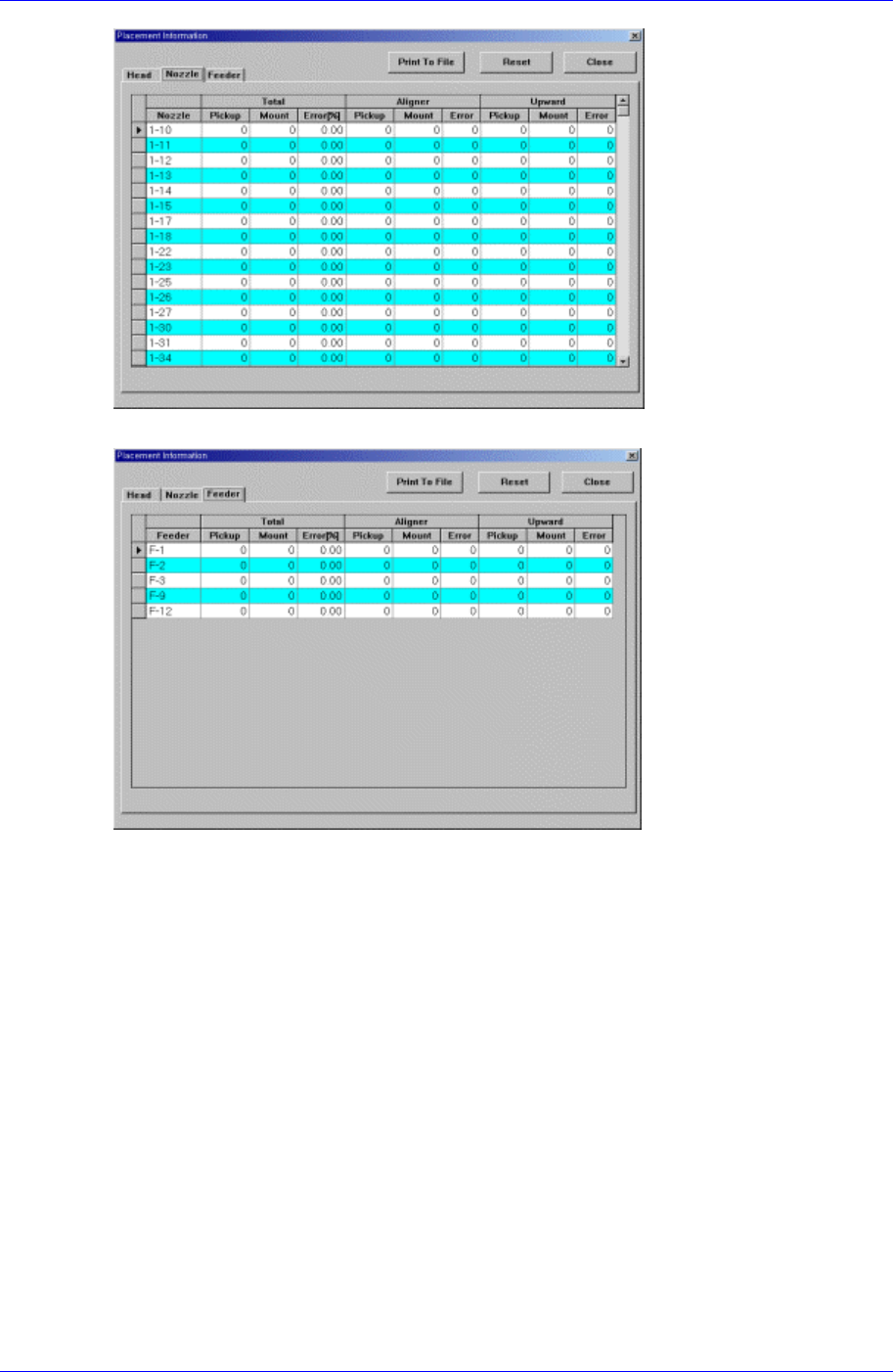
<b. placement information for each nozzle>
<c. placement information for each feeder>
Figure 19-1. “Placement Information” dialog box
<Head> Tab screen
Displays the operation data for each head.
<Head No> column
Displays the head number.
<Total Pickup> column
Displays the total number of components picked up by the corresponding head.
<Total > column
Displays the total number of components placed by the corresponding head.
<Total Error> column
Displays the rate of erroneous placing of the components picked up by the
corresponding head.
<Aligner Pickup> column
Displays the total number of components picked up by the corresponding head
and aligned by the aligner.
19-2

Production Information Management
19-3
<Upward Pickup> column
<Aligner > column
Displays the total number of components picked up by the corresponding head ,
aligned by the aligner and placed.
<Aligner Error> column
Displays the aligner error rate of components picked up by the corresponding
head, aligned by the aligner but failed to be placed.
<Upward Pickup> column
Displays the total number of components picked up by the corresponding head
and aligned by the upward camera.
<Upward > column
Displays the total number of components picked up by the corresponding head,
aligned by the upward camera and placed.
<Upward Error> column
Displays the upward error rate of components picked up by the corresponding
head, aligned by the upward camera but failed to be placed.
<Nozzle> Tab screen
Displays the operation information of each nozzle.
<Nozzle> column
Displays the nozzles.
<Total Pickup> column
Displays the total number of components picked up by the corresponding nozzle.
<Total > column
Displays the total number of components placed by the corresponding nozzle.
<Total Error> column
Displays the error rate of components picked up by the corresponding nozzle but
failed to be placed.
<Aligner Pickup> column
Displays the total number of components picked up by the corresponding nozzle
and aligned by the aligner.
<Aligner > column
Displays the total number of components picked up by the corresponding nozzle,
aligned by the aligner and placed.
<Aligner Error> column
Displays the aligner error rate of components picked up by the corresponding
nozzle and aligned by the aligner but failed to be placed.
Displays the total number of components picked up by the corresponding nozzle
and aligned by the upward camera.
<Upward > column
Displays the total number of components picked up by the corresponding nozzle,
aligned by the upward camera, and placed.
<Upward Error> column
Displays the upward error rate of components picked up by the corresponding

Samsung Component Placer CP45FV Administrator’ Guide
nozzle and aligned by the upward camera but failed to be placed.
<Feeder> Tab screen
Displays the operation information of each feeder.
<Feeder> column
Displays the feeders.
<Total Pickup> column
Displays the total number of components picked up from the corresponding
feeder.
<Total > column
Displays the total number of components picked up from the corresponding
feeder and placed.
<Total Error> column
Displays the placement error rate of components picked up from the
corresponding feeder but failed to be placed.
<Aligner Pickup> column
Displays the total number of components picked up from the feeder and aligned
by the aligner.
<Aligner > column
Displays the total number of components picked up from the corresponding
feeder, aligned by the aligner and placed.
<Aligner Error> column
Displays the aligner error rate of components picked up from the corresponding
feeder and aligned by the aligner but failed to be placed.
<Upward Pickup> column
Displays the total number of components picked up from the corresponding
feeder and aligned by the upward camera.
<Upward > column
Displays the total number of components picked up from the corresponding
feeder, aligned by the upward camera and placed.
<Upward Error> column
Displays the upward error rate of components picked up from the corresponding
feeder and aligned by the upward camera but failed to be placed.
<Print To File> button
Saves the placement information in the text file (*.txt) to the designated folder
(C:\Mark3\Log).
19-4