Administrator’s Guide(CP45FV) Eng.pdf - 第66页
Samsung Component Placer CP45FV Series Administrator ’ s Guide with a device attached on the conveyor. Edge Fixer2: It is the same as the “ Edge Fixer ” method, but it is a method of pushing twice from the side. None: It…
Board Definition
6-5
Head2: Selects Head2.
Head3: Selects Head 3..
Head4: Selects Head 4.
Head5 Selects Head 5.
Head6: Selects Head 6.
Beam: Selects Beam.
<Move> button
Moves the head assembly by rotating the shafts of the X, Y and Z-axes driving
motors using the device selected from the <Device> combo box. At this time, the
position value to be read is the origin or Move Z. Before executing “Move”, the
edit box corresponding to the desired position value must be clicked on with a
mouse.
<Get> button
Reads in the current position of the XY and Z axes of the device selected in
<Device> combo box. At this time, the target position value to get is the origin or
Move Z, before executing “Get”, the edit box corresponding to the desired
position must be clicked on with a mouse.
<7. Board Size> group
Set the board size.
<X> edit box
Set the X value of PCB size.
<Y> edit box
Set the Y value of PCB size.
<Conv.Width > button
Adjusts the conveyor width to be suitable for the work PCB before inputting it .
Memo
The sizes of PCB applicable for this machine are as follows.
Front side conveyor fixed
Max 460L×400W×4.2H [ mm ]
510.0mm (x-axis) x 460.0mm (y-axis) – Factory Option
Min 50L×50W×0.38H [ mm ]
The maximum PCB size could differ according to the options.
For more information, refer to Introduction manual “2.6. PCB Specification”.
<8. Handling> group
Set the data necessary for PCB operation.
<Fix Type> combo box
Select the method for fixing a PCB.
Edge Fixer: A method of arrangement by pushing the PCB from the side
Samsung Component Placer CP45FV Series Administrator’s Guide
with a device attached on the conveyor.
Edge Fixer2: It is the same as the “Edge Fixer” method, but it is a method
of pushing twice from the side.
None: It uses only the PCB clamping method for fixing a PCB.
<Wait Type> combo box
Selects the position where the head assembly is waiting when the PCB is loaded
onto the working area.
Auto: the machine determines the waiting position automatically.
System: waiting at the position specified by the system.
<Move Z>
Set the minimum distance between the top of the PCB and the end of the head (if
a nozzle is attached, to the end of the nozzle) during PCB operation.
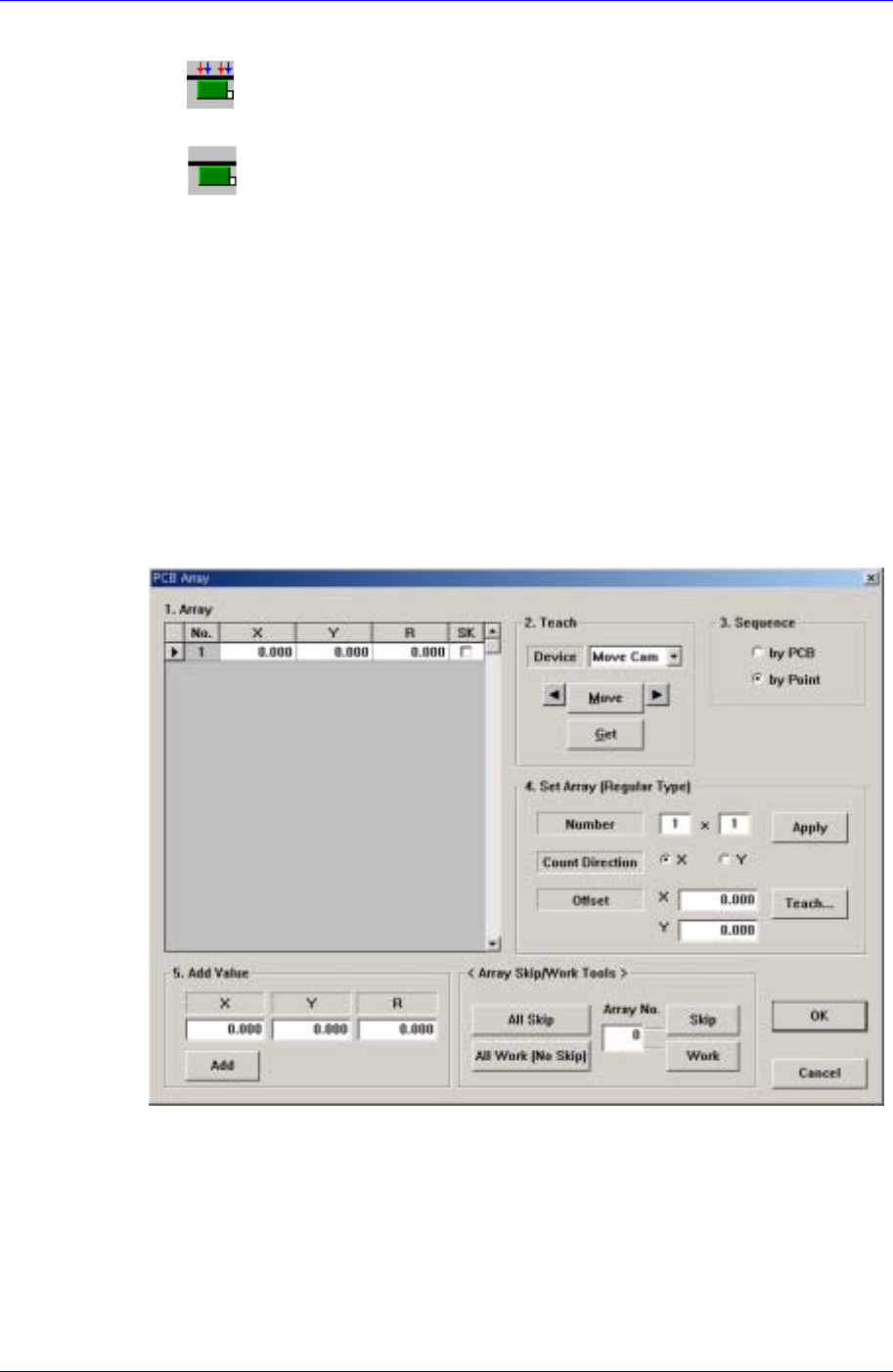
<Array…> button
If the Array PCB is more than one, set the offset value between the origin of each
Array PCB and the placement origin of PCB. When this button is clicked on, the
following dialog box is displayed.
Figure 6-8. “PCB Array” dialog box
<1. Array> group
Set the offset value of Array PCB from the “Place Origin” of the PCB.
<2. Teach> group
Used to move the head assembly by rotating the shafts of the X, Y and R-axes
driving motors of the machine, rotate the spindle or obtain the current shaft
locations of the X, Y and R-axes driving motors.
6-6
Board Definition
6-7
<Device> combo box
Selects the corresponding device to move the head assembly by rotating the
driving shafts of the X, Y and R-axes motors, move or rotate the spindle or
obtain the current coordinate of the device to be selected. Available devices
are as follows;
Move Cam: Selects Teaching Camera.
Head1: Selects Head1.
Head2: Selects Head2.
Head3: Selects Head3.
Head4: Selects Head4.
Head5: Selects Head5.
Head6: Selects Head6.
Beam: Selects Beam.
<Move> button
Moves the X, Y and R driving axes to the coordinate of the device that is
selected from the <Device>. Before executing “Move”, the cell in the grid
corresponding to the desired position must be clicked on with a mouse.
<Get> button
Reads in the current position of the XY, and R axes of the device selected in
<Device>. Before executing “Move”, the cell in the grid corresponding to the
desired position must be clicked on with a mouse.
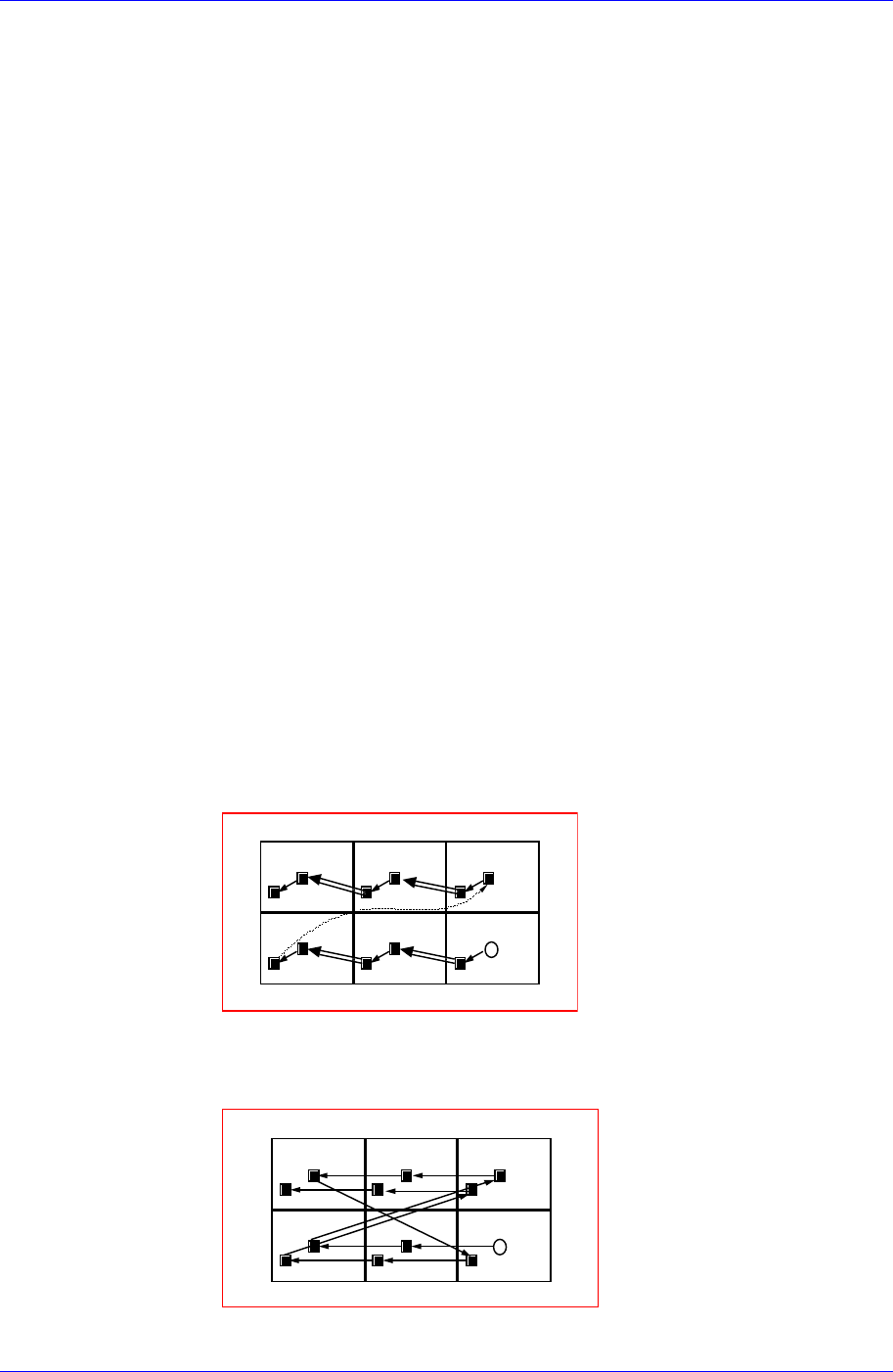
<3. Sequence> group
Select the Array PCB operation method.
<By PCB> option button
A method of completing one Array PCB operation and then executing the
next Array PCB operation.
13
4
2
56
<By Point> option button
A method of completing an operation cycle to all array PCBs and then
executing the next cycle operation.
13
4
2
56
<4. Set Array (Regular Type)> group